Moons, maths and mystical maidens

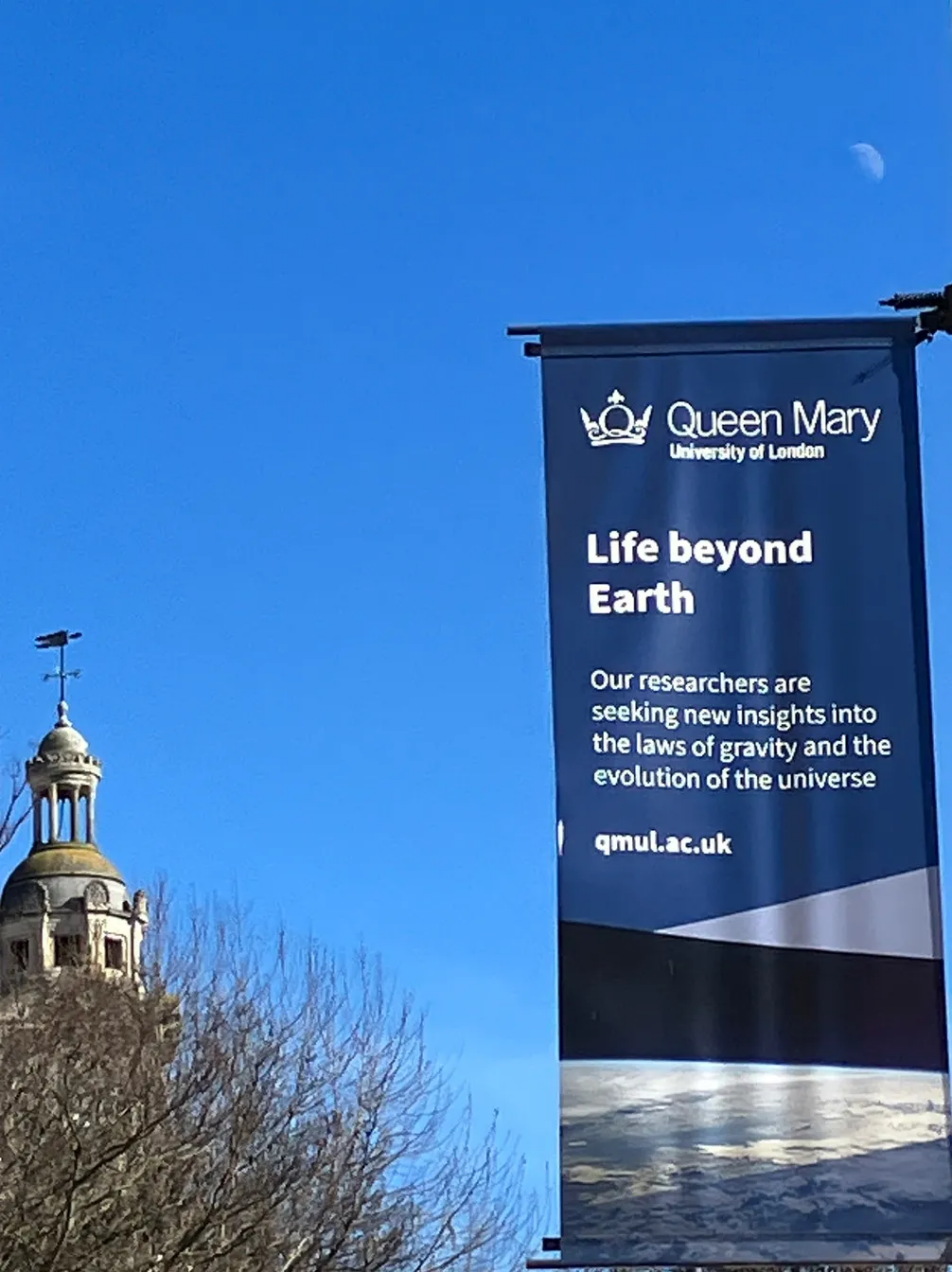
A QMUL astronomy banner with the Moon behind it
Credit: Jo Brodie – under a Public Domain CC0 licence

Heavens above, you’ve discovered a new celestial object! What would you call it? Would you name it Clom, Skaro, Poosh, or even Raxacoricofallapatorius? Or maybe those names are already taken. This sort of thing is complicated – even when it comes to naming new planets, moons or asteroids there are rules, and the need for a bit of computer science too.

It’s not Spock

Asteroids start off being designated using the year and the month they were first detected. Only once their orbit has been correctly predicted can they then be named. Predicting the orbit needs a cosmic fusion of astronomy, physics and lots of computer processing to predict and then check they are where they should be. Choosing a name is not too easy either. Since 1971 when one astronomer named an asteroid ‘2309 Mr. Spock’ after his pet cat, the International Astronomical Union decided to ban pets’ names, but that didn’t stop some creative discoverers getting the names ‘6042 Cheshirecat’ and ‘9007 James Bond’ agreed.

Over the moon

Moons are more difficult to name – more rules apply and more physics and computer science are needed to show they are what they are. A moon not only has to orbit a planet, it must do it in a well-defined way. For example the Cassini probe that’s exploring Saturn and its wonderful ring system discovered a range of small moons that keep the rings of Saturn crisp. Some of these tiny ‘shepherd moons’ orbit near the edges of the gaps in the rings. Materials that drift close to them are pulled back by gravity into the rings, spun off into space or made to crash on the shepherd moon itself. To be able to name one of these moons you need to be able to show that its orbit is stable. When the scientists think they have found a moon, the data from the sensors on the Cassini probe is fed into sophisticated computer simulations to show if that moon has a stable orbit. The outcome of the calculation decides if the moon is, well, a moon.

Good Moon Hunting

The software can even hunt down and find unknown moons. Using the laws of geometry and Kepler’s laws of planetary motion (three rules that German astronomer Johannes Kepler discovered in the 16th century) and applying them to the data from the probe it‘s possible to guess where a moon might be. Scientists then perform a full analysis of the data, including whether the possible moon’s orbit is affected by other known moons, and are able to determine where the previously unknown moons actually are. Using this method, scientists have even discovered so-called retrograde moons, which orbit in the opposite direction to Saturn’s rotation.

Once the orbit is predicted and checked the computer-discovered moon can be named. The scientists have now found so many of these mini-moons that the rules about names have had to change.

More giants and monsters please

To start with the moons of Saturn were named after mythological Greek and Roman giants, but as more were discovered astronomers went over to naming them after the mythical Titans, who fought alongside the giants (and were pretty huge themselves). Finally as more moon hunting showed an ever larger and more fascinating picture the names had to expand to include giants and monsters in Norse, Inuit and Gallic mythologies. Astronomer Carl Murray of Queen Mary, University of London, part of the team who discovered the Saturnian moons Polydeuces and Anthe said “I never thought that a knowledge of ancient mythologies would help me do astronomy”. Quite where this moon-related voyage of discovery will end no one quite knows.

Galileo was the first to observe
Saturn’s rings though he had no
idea what they were. He wrote in his
notebook that the planet had ‘ears’.

Knowing the neighbourhood

Finding moons and keeping an eye on asteroids is an activity that involves astronomers, physicists and computer scientists. Without these scientists all working together, each bringing their skills to work on the problem, our solar system could be a less well-known and more dangerous place to live. We know where things are, after all. We don’t want to end up like Poosh and loose a moon.

Out of the way

Computer science also allows the paths of asteroids to be predicted, which is what’s needed to name them. More importantly these computer models can predict if the asteroids will cut across Earth’s orbit. We don’t want to be unexpectedly hitting one of these lumps, even if the idea makes for a good movie.

Paul Curzon, Queen Mary University of London


Related Magazine …


Subscribe to be notified whenever we publish a new post to the CS4FN blog.


As Easy As A Bee Sees

A bee sitting on the leaves of a blossom tree in Blackheath
Bee on blossom by Jodiepedia, Public Domain Dedication (CC0) via Flickr.

If it weren’t for the bees we would be in trouble. In the worst case, life on Earth could go the way of Mars. No plants, no animals, no life. Bees are the main way that flowers get pollinated. As the bees sup the nectar they carry pollen from flower to flower, allowing new generations of flowers to grow. But the way a flower looks to our eyes isn’t the same way a bee sees it. For example, bee vision works into the ultraviolet part of the spectrum and under the correct lighting in a laboratory the wonderful, normally invisible, patterns that bees can see are revealed. Biologists all over the world have been collecting information about the sorts of patterns that particular flowers display. This display is called a spectral profile, and Samia Faruq, a computer science undergraduate at Queen Mary University of London has done her bit to help these scientists peer into the world of the bees.

Her project involved creating a massive online database containing worldwide spectral profile information, so scientists can search this information easily. They can also combine information to help discover new facts using a method called clustering, where the computer pulls together all the data with similar properties.

Samia enjoyed the project: “I met and worked with amazing biologists during the project. It was great to find out what they needed and to be able to create it for them. I got the chance to collaborate and publish material together with them too. To know it will be used in their research is also very rewarding.”

Peter W McOwan, Queen Mary University of London


More on

Related Magazines …

Subscribe to be notified whenever we publish a new post to the CS4FN blog.

When an app becomes part of prayer

How do you mix religion and technology? Riasat Islam a Computer Science lecturer at Queen Mary University of London tells us about his research as part of a team investigating how technology can best support faith.

Around one in four people in the world are Muslim. That is about two billion people and many now use mobile apps as part of everyday religious life. These apps can show prayer times, provide Qur’an reading, list dates for fasting, suggest supplications, or help find the Qibla: the direction of the Kaaba in Makkah, which Muslims face during prayer.

This may sound like a small corner of the app world, but it is not. Some Islamic lifestyle apps have reached tens of millions of users. Muslim Pro, one of the best-known examples, reports more than 190 million downloads worldwide. Its parent company, Bitsmedia, has also raised US$20 million in an early round of funding. So Islamic apps are not tiny side projects. They are part of a large digital ecosystem used by millions of people, but they can still go unnoticed in mainstream technology research.

That is what made us interested. Our research asked a simple question:

How should technology be designed when it supports something as personal as faith?

We reviewed 11 popular Islamic lifestyle apps and interviewed Muslim app users about their experiences. We didn’t only look at what features the apps offered. We wanted to understand how those features supported religious practice, learning, motivation, and connection.

Many apps were good at providing information. Prayer times, Qur’an text, Qibla tools, supplications, Islamic dates, and reminders were common. These can be genuinely useful, especially when someone is travelling, studying, working, or living in a place where prayer times and mosque access are not part of everyday public life.

Is information enough?

But information alone is not always enough. A reminder can tell someone that it is time to pray. A tracker can record Qur’an reading or fasting days. A calendar can list important dates. These are useful features, but they do not automatically help someone understand, reflect, or grow.

That is where Human-Computer Interaction, or HCI, becomes important. HCI studies how people interact with technology. It asks whether technology fits into people’s lives, supports their goals, and respects what matters to them. For Islamic lifestyle apps, and for the growing area of Islamic Computing, this matters because the technology is entering a sensitive space: faith, worship, identity, learning, habit, and community.

Reminders

One issue is reminders. A prayer reminder can be helpful at the right moment. But if it becomes just another phone alert, it may fade into the background. If it is too forceful, it may feel uncomfortable. Good design means thinking carefully about timing, tone, and context.

Tracking

Another issue is tracking. Some apps let users track prayers, Qur’an reading, or fasting. This can support consistency, but it can also reduce spiritual practice to streaks, badges, or numbers. Worship is not the same as a fitness challenge. A better design might support reflection: helping users set personal goals, continue learning, or return gently after missing a routine.

Community also matters

Some apps let users share Islamic quotes or images. That can be useful, but it is not the same as learning with others or asking questions in a trusted space. Many Muslims learn religion through teachers, family, mosques, study circles, and scholars. Apps could do more to support trusted learning and connection, while also handling privacy and misinformation carefully.

Thinking more widely

The wider point is not only about Islamic apps. Computer scientists now design technology for health, education, wellbeing, accessibility, relationships, and faith. In these areas, success is not just whether the software works. The deeper question is whether it supports people well.

  • Does it respect the user’s values?
  • Does it help them understand?
  • Does it support meaningful progress?
  • Does it connect them to trustworthy help?
  • Does it fit into real life?

A prayer app can tell you the time. A better-designed Islamic lifestyle app might help you practise, learn, reflect, and connect, without getting in the way of the spiritual life it is trying to support.

Riasat Islam, Queen Mary University of London

More on

Getting Technical

  • Read Riasat’s team’s journal paper
    • Kabir, M., Kabir, M. R. and Islam, R. (2025). Islamic Lifestyle Applications: Meeting the Spiritual Needs of Modern Muslims. International Journal of Human–Computer Interaction. DOI: 10.1080/10447318.2025.2595545. (Taylor & Francis Online)
  • How the Global Religious Landscape Changed From 2010 to 2020 [EXTERNAL]
    • Hackett, C., Stonawski, M., Tong, Y., Kramer, S., Shi, A. F. and Fahmy, D. (2025). How the Global Religious Landscape Changed From 2010 to 2020. Pew Research Center. DOI: 10.58094/fj71-ny11. (Pew Research Center)

Subscribe to be notified whenever we publish a new post to the CS4FN blog.


Listening to the machines

Clear sound image by Sunrise from Pixabay

In older films computers are sometimes shown doing a calculation while making lots of bleeps and bloops – sounds that indicate ‘something technical is happening’. In reality computers are generally very quiet (you might hear the sound of the fan, that’s just keeping everything cool) and they don’t normally make a peep. But computer scientists have been wondering if some sound added in might help people make sense of what’s going on.

People who use artificial intelligence tools often have no idea what is happening inside (it’s a bit hidden, like a ‘black box’), or even how much they can trust the results they produce. Explainable AI (“XAI”) is the idea that people should have a better understanding of how an AI tool has reached its answer.

Cars that are powered by batteries don’t have a physical engine so don’t make as much noise (other than the sound of the tyres on the road) but car manufacturers have added in artificial ‘engine sounds’ to make it easier for pedestrians and cyclists to know that a car is heading towards them. This is ‘sonification’, adding sounds that aren’t naturally there to make things more audible. Computer scientists have begun to consider whether it might be possible to sonify the way some language generating AI tools process and produce information, to make their inner workings easier for people to interpret. Whether that might be a microwave-style ‘ping’ to let you know when it’s done something, or a tuneful melody to accompany the AI’s processes remains to be seen…

Jo Brodie, Queen Mary University of London


Other added sounds

Can you think of other examples where a sound has been added (sonification) to help people make sense of something?

Examples include these, which are also helpful for visually impaired people

  • ‘This vehicle is turning left / reversing’ warnings from lorries
  • A lift / elevator making a ‘ping’ sound to alert you that it’s arrived
  • At pedestrian crossings the traffic lights might make an audible sound when the little red man goes green.

More on…


Related Magazine …


Subscribe to be notified whenever we publish a new post to the CS4FN blog.


Music & Computing: TouchKeys: getting more from your keyboard

Image by Elisa from Pixabay

Even if you’re the best keyboard player in the world the sound you can get from any one key is pretty much limited to ‘loud’ or ‘soft’, ‘short’ or ‘long’ depending on how hard and how quickly you press it. The note’s sound can’t be changed once the key is pressed. At best, on a piano, you can make it last longer using the sustain pedal. A violinist, on the other hand, can move their finger on the string while it’s still being played, changing its pitch to give a nice vibrato effect. Wouldn’t it be fun if keyboard players could do similar things.

Andrew McPherson and other digital music researchers at QMUL and Drexel University came up with a way to give keyboard performers more room to express themselves like this. TouchKeys is a thin plastic coating, overlaid on each key of a keyboard, but barely noticeable to the keyboard player. The coating contains sensors and electronics that can change the sound when a key is touched. The TouchKeys’ electronics connect to the keyboard’s own controller and so changes the sounds already being made, expanding the keyboard’s range. This opens up a whole world of new sonic possibilities to a performer.

The sensors can follow the position and movement of your fingers and respond appropriately in real-time, extending the range of sounds you can get from your keyboard. By wiggling your finger from side-to-side on a key you can make a vibrato effect, or you change the note’s pitch completely by sliding your finger up and down the key. The technology is similar to a phone’s touchscreen where different movements (‘gestures’) make different things happen. An advantage of the system is that it can easily be applied to a keyboard a musician already knows how to play, so they’ll find it easy to start to use without having to make big changes to their style of playing.

They wanted to get TouchKeys out of the lab and into the hands of more musicians, so teamed up with members of London’s Music Hackspace community, who run courses in electronic music, to create some initial versions for sale. Early adopters were able to choose either a DIY kit to add to their own keyboard, wire up and start to play, or choose a ready-to-play keyboard with the TouchKeys system already installed.

The result is that lots of musicians are already using TouchKeys to get more from their keyboard in exciting new ways.

Jo Brodie and Paul Curzon, Queen Mary University of London


Watch …

  • Making technology to make music
    • Earlier this year Professor Andrew McPherson gave his inaugural lecture (a public lecture given by an academic who has been promoted) at Imperial College London where he is continuing his research. Watch his lecture.

More on …


Subscribe to be notified whenever we publish a new post to the CS4FN blog.


This blog is funded by EPSRC on research agreement EP/W033615/1.

QMUL CS4FN EPSRC logos


Blade: the emotional computer.

Zabir talking to Blade who is reacting
Image taken from video by Zabir for QMUL

Communicating with computers is clunky to say the least – we even have to go to IT classes to learn how to talk to them. It would be so much easier if they went to school to learn how to talk to us. If computers are to communicate more naturally with us we need to understand more about how humans interact with each other.

The most obvious ways that we communicate is through speech – we talk, we listen – but actually our communication is far more subtle than that. People pick up lots of information about our emotions and what we really mean from the expressions and the tone of our voice – not from what we actually say. Zabir, a student at Queen Mary was interested in this so decided to experiment with these ideas for his final year project. He used a kit called Lego Mindstorm that makes it really easy to build simple robots. The clever stuff comes in because, once built, Mindstorm creations can be programmed with behaviour. The result was Blade.

In the video above you can see Blade the robot respond. Video by Zabir for QMUL

Blade, named after the Wesley Snipes film, was a robotic face capable of expressing emotion and responding to the tone of the user’s voice. Shout at Blade and he would look sad. Talk softly and, even though he could not understand a word of what you said he would start to appear happy again. Why? Because your tone says what you really mean whatever the words – that’s why parents talk gobbledegook softly to babies to calm them.

Blade was programmed using a neural network, a computer science model of the way the brain works, so he had a brain similar to ours in some simple ways. Blade learnt how to express emotions very much like children learn – by tuning the connections (his neurons) based on his experience. Zabir spent a lot of time shouting and talking softly to Blade, teaching him what the tone of his voice meant and so how to react. Blade’s behaviour wasn’t directly programmed, it was the ability to learn that was programmed.

Eventually we had to take Blade apart which was surprisingly sad. He really did seem to be more than a bunch of lego bricks. Something about his very human like expressions pulled on our emotions: the same trick that cartoonists pull with the big eyes of characters they want us to love.

Zabir went on to work in the city for Merchant Bank, JP Morgan

– Paul Curzon, Queen Mary University of London


⬇️ This article has also been published in two CS4FN magazines – first published on p13 in Issue 4, Computer Science and BioLife, and then again on page 18 in Issue 26 (Peter McOwan: Serious Fun), our magazine celebrating the life and research of Peter McOwan (who co-founded CS4FN with Paul Curzon and researched facial recognition). There’s also a copy on the original CS4FN website. You can download free PDF copies of both magazines below, and any of our other magazines and booklets from our CS4FN Downloads site.

This video below Why faces are special from Queen Mary University of London asks the question “How does our brain recognise faces? Could robots do the same thing?”.

Peter McOwan’s research into face recognition informed the production of this short film. Designed to be accessible to a wide audience, the film was selected as one of the finalist 55 from 1450 films submitted to the festival CERN CineGlobe film festival 2012.

Related activities

We have some fun paper-based activities you can do at home or in the classroom.

  1. The Emotion Machine Activity
  2. Create-A-Face Activity
  3. Program A Pumpkin

See more details for each activity below.

1. The Emotion Machine Activity

From our Teaching London Computing website. Find out about programs and sequences and how how high-level language is translated into low-level machine instructions.

2. Create-A-Face Activity

Fom our Teaching London Computing website. Get people in your class (or at home if you have a big family) to make a giant robotic face that responds to commands.

3. Program A Pumpkin

Especially for Hallowe’en, a slightly spookier, pumpkin-ier version of The Emotion Machine above.


Related Magazine …


Related Magazine …


EPSRC supports this blog through research grant EP/W033615/1.

Microwave health check

Using wearable tech to monitor elite athletes’ health

Microwaves aren’t just useful for cooking your dinner. Passing through your ears they might help check your health in future, especially if you are an elite athlete. Bioengineer Tina Chowdhury tells us about her multidisciplinary team’s work with the National Physics Laboratory (NPL).  

Lots of wearable gadgets work out things about us by sensing our bodies. They can tell who you are just by tapping into your biometric data, like fingerprints, features of your face or the patterns in your eyes. They can even do some of this remotely without you even knowing you’ve been identified. Smart watches and fitness trackers tell you how fast you are running, how fit you are and whether you are healthy, how many calories you have burned and how well you are sleeping or not sleeping. They also work out things about your heart, like how well it beats. This is done using optical sensor technology, shining light at your skin and measuring how much is scattered by the blood flowing through it.  

Microwave Sensors

With PhD student, Wesleigh Dawsmith, and electronic engineer, microwave and antennae specialist, Rob Donnan, we are working on a different kind of sensor to check the health of elite athletes. Instead of using visible light we use invisible microwaves, the kind of radiation that gives microwave ovens their name. The microwave-based wearables have the potential to provide real-time information about how our bodies are coping when under stress, such as when we are exercising, similar to health checks without having to go to hospital. The technology measures how much of the microwaves are absorbed through the ear lobe using a microwave antenna and wireless circuitry. How much of the microwaves are absorbed is linked to being dehydrated when we sweat and overheat during exercise. We can also use the microwave sensor to track important biomarkers like glucose, sodium, chloride and lactate which can be a sign of dehydration and give warnings of illnesses like diabetes. The sensor sounds an alarm telling the person that they need medication, or are getting dehydrated, so need to drink some water. How much of the microwaves are absorbed is linked to being dehydrated

Making it work

We are working with with Richard Dudley at the NPL to turn these ideas into a wearable, microwave-based dehydration tracker. The company has spent eight years working on HydraSenseNPL a device that clips onto the ear lobe, measuring microwaves with a flexible antenna earphone.

A big question is whether the ear device will become practical to actually wear while doing exercise, for example keeping a good enough contact with the skin. Another is whether it can be made fashionable, perhaps being worn as jewellery. Another issue is that the system is designed for athletes, but most people are not professional athletes doing strenuous exercise. Will the technology work for people just living their normal day-to-day life too? In that everyday situation, sensing microwave dynamics in the ear lobe may not turn out to be as good as an all-in-one solution that tracks your biometrics for the entire day. The long term aim is to develop health wearables that bring together lots of different smart sensors, all packaged into a small space like a watch, that can help people in all situations, sending them real-time alerts about their health.

Tina Chowdhury, Institute of Bioengineering, School of Engineering and Materials Science, Queen Mary University of London

More on …


Subscribe to be notified whenever we publish a new post to the CS4FN blog.

This blog is funded by EPSRC on research agreement EP/W033615/1.

QMUL CS4FN EPSRC logos

Stopping sounds getting left behind: the Bela computer

Clock submerged under blue ripples of sound
Clock Waves Image by Gerd Altmann from Pixabay

Computer-based musical instruments are so flexible and becoming more popular. They have had one disadvantage though. The sound could drag behind the musician in a way that made some digital instruments seem unplayable. Thanks to a new computer called Bela, that problem may now be a thing of the past.

If you pluck a guitar string or thwack a drum the sound you hear is instantaneous. Well, nearly. There’s a tiny delay. The sound still has to leave the instrument and travel to your ear. The vibration of the string or drum skin pushes the air back and forth, and vibrating air is all a sound is. Your ear receives the sound as soon as that vibrating air gets to you. Then your brain has to recognise it as a sound (and tell you what kind of sound it is, which direction it came from, which instrument produced it and so on!). The time it takes for sound and then your brain to do all that is measured in tens of milliseconds – thousandths of a second. It is called ‘latency‘, not because the delay makes it ‘late’ (though it does!), but from the Latin word latens which means hidden or concealed, because the time between the signal being created and being received, it is hidden from us.

Digital instruments take slightly longer than physical instruments, however, because electronic circuitry and computer processing is involved. It’s not just the sound going through air to ear but a digital signal whizzing through a circuit, or being processed by a computer, first to generate the sound which then goes through air to ear.

Your ear (actually your brain) will detect two sounds as being separate if there’s a gap of around 30 milliseconds between them. Drop that gap down to around 10 milliseconds between the sounds and you’ll hear them as a single sound. If that circuit-whizzing adds 10-20 milliseconds then you’re going to notice that the instrument is lagging behind you, making it feel unplayable. Reducing a digital instrument’s latency is therefore a very important part of improving the experience for the musician.

In 2014 Andrew McPherson and colleagues at Queen Mary University of London aimed to solve this problem. They developed Bela, a tiny computer, similar in size to a Raspberry Pi or Arduino, that can be used in a variety of digital instruments but which is special because it has an ultra-low latency of only around 2 milliseconds – super fast.

How does it do it? A computer can seem to run slowly if it is trying to do lots of things at the same time (e.g. lots of apps running or too many windows open at once). That is when the experience for the user can be a bit glitchy. Bela works by prioritising the audio signal above ALL other activities to ensure that, no matter what else the computer is doing, the gap between input (pressing a key) and output (hearing a sound) is barely noticeable. The small size of Bela also makes it completely portable and so easy to use in musical performances without needing the performer to be tethered to a large computer.

There is definitely a demand for such a computer amongst musicians. Andrew and the team wanted to make Bela available, so began fundraising through Kickstarter to create more kits. Their fundraiser reached £5,000 within four hours and within a month they’d raised £54,000, so production could begin and they launched a company, Augmented Instruments Ltd, to sell the Bela hardware kits.

Bela allows musicians to stop worrying about the sounds getting left behind. Instead, they can just get on with playing and creating amazing sounds.

Jo Brodie and Paul Curzon, Queen Mary University of London

Watch…


Subscribe to be notified whenever we publish a new post to the CS4FN blog.


This blog is funded by EPSRC on research agreement EP/W033615/1.

QMUL CS4FN EPSRC logos