In older films computers are sometimes shown doing a calculation while making lots of bleeps and bloops – sounds that indicate ‘something technical is happening’. In reality computers are generally very quiet (you might hear the sound of the fan, that’s just keeping everything cool) and they don’t normally make a peep. But computer scientists have been wondering if some sound added in might help people make sense of what’s going on.
People who use artificial intelligence tools often have no idea what is happening inside (it’s a bit hidden, like a ‘black box’), or even how much they can trust the results they produce. Explainable AI (“XAI”) is the idea that people should have a better understanding of how an AI tool has reached its answer.
Cars that are powered by batteries don’t have a physical engine so don’t make as much noise (other than the sound of the tyres on the road) but car manufacturers have added in artificial ‘engine sounds’ to make it easier for pedestrians and cyclists to know that a car is heading towards them. This is ‘sonification’, adding sounds that aren’t naturally there to make things more audible. Computer scientists have begun to consider whether it might be possible to sonify the way some language generating AI tools process and produce information, to make their inner workings easier for people to interpret. Whether that might be a microwave-style ‘ping’ to let you know when it’s done something, or a tuneful melody to accompany the AI’s processes remains to be seen…
Jo Brodie, Queen Mary University of London
Other added sounds
Can you think of other examples where a sound has been added (sonification) to help people make sense of something?
Examples include these, which are also helpful for visually impaired people
‘This vehicle is turning left / reversing’ warnings from lorries
A lift / elevator making a ‘ping’ sound to alert you that it’s arrived
At pedestrian crossings the traffic lights might make an audible sound when the little red man goes green.
The 2004 film Catwoman, starring Halle Berry as Patience Phillips (and Catwoman), has been voted as one of the worst films of all time, and has won multiple Razzies (Golden Raspberry Awards) – Halle Berry accepted hers while holding her Best Actress Academy Award. Now, however, it has a bit of a cult following. It did at least feature an African American woman as the lead, in a superhero film, possibly for the first time, and came long before Black Panther. Whether it deserves either accolades or condemnation, it certainly features some of the worst cyber-physical security seen in a film by a corporate giant. So what can we learn about cyber-physical security from the film?
The weakest link
The plot is based around the cosmetics firm Hedare Beauty and its development and product launch of a new face cream that reverses the affects of aging. Clearly, a big corporate player, the firm has a massive team at their headquarters that includes artist Patience working on PR, but also a massive research and industrial complex, developing testing and manufacturing its products. Now, cyber-criminals do not just include hackers out to cause anarchy or extort money from people, they also include people working for companies, sometimes supported by their countries, doing industrial espionage: trying to steal research and development secrets. By stealing the designs or product formulae of their competitors, such companies aim to save the massive time and development costs of doing it themselves. They then quickly produce rip-off products to steal the market. Gaining secrets can also gain criminals advantage through insider trading, buying and selling shares, so making money on the back of secret information about what is about to happen. Companies, therefore, have to take industrial espionage seriously, and that means taking cyber-security seriously too.
In Catwoman, the company, Hedare Beauty, have the normal kinds of industrial secret but also a big nasty one too, so their bosses have even more reason to put a lot of effort into security. They certainly have lots of heavies with guns looking to shoot people. However, their physical security is actually totally lax.
This is first seen when Patience’s love interest, Detective Tom Lone, merrily walks into the corporate headquarters and up to her open plan desk where she is working on the product launch to ask her for a date. How did he get in? Why isn’t anyone accompanying him in such a sensitive area especially days before a crucial launch? Where is his visitor’s pass and why isn’t he being challenged. Perhaps this can be put down to being a cop (perhaps he waived his badge about) but still someone senior should have accompanied him surely (and is returning Patience’s purse (his excuse) really a good enough reason to bypass security whoever you are?)
However, even if we let that go, later Patience has to deliver some artwork by midnight to the boss out at the industrial complex. That is where the real secrets, good and bad, are. When she gets there the foyer is locked and dark with no one on duty. In many thrillers, the heroes have to use sophisticated gadgets, amazing technical or physical skill, or subterfuge to overcome the massively sophisticated hi-tech security. Patience, by contrast, just wanders round the back looking for another way in and finds a fire door ajar. This allows her to both enter and ultimately make it to the heart of the building where secrets are being discussed. As a result she overhears (if accidentally) something she should not hear…
Perhaps the most important principle of cyber-security is that it is as weak as its weakest link. You can have all the high tech multi-factor biometric authentication systems, impossible to crack encryption, experienced and well-trained former SAS guards patrolling the foyer, and so on, but if you leave a back door open then the criminals will just ignore all your high tech security and walk in through that one back door. That is exactly what Patience does. There is no point as, for example, I have seen in real life, checking everyones access cards on a main gate, when there is an un-manned side gate. The criminals aren’t going to even try to enter through the front gate. Likewise, if you have a weak point in your cyber-security system, it does not matter how massively strong the rest is.
It is also better to think not of just cyber-security, anyway, but of cyber-physical security. The weakest links can just as easily be to do with physical security as with the computerised part – like the open door Patience found, or letting someone claiming to be a Detective to walk around anywhere in the building. Once the “Detective” is in, they can gather information to launch other attacks from other weak points they now have access to (like passwords written on post-it notes, an access card left on someone’s desk, or computers left unlocked, for example). So poor physical security can be the weak link allowing a backdoor into the computer system.
Another point from the film is that, whether cyber security or physical security, just being “inside” (a computer or a building) should not give access to everything. As you move through a building or through a computer system, there should be more locks to get through, more authentication tests to pass, with different levels of access for different people
Patience should never have got into the building, but even if she had, she shouldn’t have got further than the corridor. Luckily (!) for her, she did with the ultimate result that she gained superhuman powers and became Catwoman, so perhaps sometimes bad security is not all bad (if only in a world where people can gain superpowers from cats).
How do you create a full-sized dinosaur without a hint of computer graphics? The answer is through the amazing art of animatronics. Animatronics is a field of special effects that uses sculpture, mechanics, electronics and computer engineering to create life-size moving creatures for films and theme parks. They’re like puppets only much bigger, much smarter and much scarier. While today many film creatures are created using computer graphics in post-production, some filmmakers prefer to have their creatures ‘live’ on the set so the human actors have a real co-star to act along with. In a theme park, animatronics can put a weird creature, like a zombie pirate or a great white shark, right there and in your face. Famous movie animatronics stars include the shark in Jaws, the gigantic Spinosaurus in Jurassic Park III and the lovable alien in ET. How are these amazing effects created? Let’s get primeval with some state-of-the-art computer science.
On and off the drawing board
An animatronic creature starts out in life as a sketch on the drawing board. In some cases it’s a new creature-tastic idea thought up by the designer. In the case of dinosaurs, the sketches are created with the help of expert paleontologists. The sketches are then converted into a scale model, called a maquette. This scale model allows the designers to examine and correct their design plans before the big money is spent bringing the creature to full size ‘life’.
Growing up
Here’s where the model goes from the small to the large. The mini maquette is laser scanned, capturing all the detail of the model sculpture and feeding it into a computer aided design (CAD) software package. From this data whirring, computer-controlled blades automatically sculpt a full sized model using blocks of polyurethane foam. The blocks are assembled like a big 3D jigsaw, and sculptors add the extra fine detail. Now it’s big, it’s real and it’s ready for its screen test!
Pouring in the skin
If the full-sized version shows that star quality, it gets molded. Using the life-size model a set of moulds are made to allow the outside skin of the creature to be created. With the outside finished, now you have to think about the insides – namely, the skeleton, the mechanics of which depend on how the creature will be expected to move. Using a rough shape corresponding to the form of the core skeleton innards, the outer foam rubber skin can be poured in so that it only fills the negative space between the outside creature shape and in the inside skeleton. This reduces the weight of the skin and allows more believable, flexible movements.
More than just the bare bones
Skin done, now the technology really kicks in. The animatronics skeleton inside the creature is where all the smart stuff happens. It’s clever and custom made. It has to be – it’s the part that moves the outside skin to make it look believable. Attached around the main skeleton frame, which is often built with strong-but- light graphite and looks a lot like the real creature’s skeleton, we find the actuators. These are little clumps of clever computing that move the pieces around to make the creature look alive. Computer science abounds here, along with other state-of-the-art techniques. Mechanical and electronic engineering combined with computer-controlled motors are used to move small expressive bits like eyes, or to control the more heavy-duty hydraulic systems that move limbs. The systems may be pre-programmed for characteristic behaviours like blinking or swiping a claw. In essence the animatronics under the skin produce a gigantic remote controlled lifelike puppet for the director to play with.
Does my bum look big in this?
Putting the skin over the animatronics isn’t always easy. As each of the sections of foam rubber skin are added to the skeleton the construction team needs to check that the new bit of skin added doesn’t look too stretched, or too baggy with lots of unsightly flabby folds. One cunning way to help the image conscious creature is to use elastic bungee cords to connect areas of the skin to the frame. These act like tendons under the skin, stretching and bunching when it moves, and making the whole effect more relaxed and natural. Once the skin is on, it’s a quick paint job and the creature is ready for its close up. Action – grrrr -– shriek! Computer science takes centre stage.
Pseudocode poems are poems that work both as a poem and as an algorithm so can be read or executed. They incorporate sequencing, selection or repetition constructs and other kinds of statements to take actions. You can implement them as an actual program. Below are our attempts. Can you write better ones?
Poems often use the ambiguity in language and aim to affect emotions. Pseudocode is intended to be precise. Programs certainly are. They do something specific and have a single precise meaning. Writing pseudocode poems that do both can be a lot of fun: just like writing normal programs is. The idea was inspired by Bryan Bilston’s poem ‘Two Paths Diverged’. Read it here or buy his wonderful book of poems, ‘ You took the last bus home’.
I am not a great poet, but here are some of my attempts at pseudocode poems to at least give you the idea. They are, in turn, based on the core control structures of Sequencing, Selection and Repetition. They also use print statements and assignments to get things done,
Sequencing
This pseudocode poem is based on sequencing: doing things one after the other.
What am I when it’s all over?

I am dire.
I am fire.

I am alone.
I am stone.

I am old.
I am cold.
We use the verb TO BE to be the equivalent of assignment: setting the value of a variable. Here it is implemented as a Python program.
def whatamI():
	"""What am I when it's all over?"""

	I = 'dire'
	I = 'fire'

	I = 'alone'
	I = 'stone'

	I = 'old'
	I = 'cold'

	print(I)
Selection
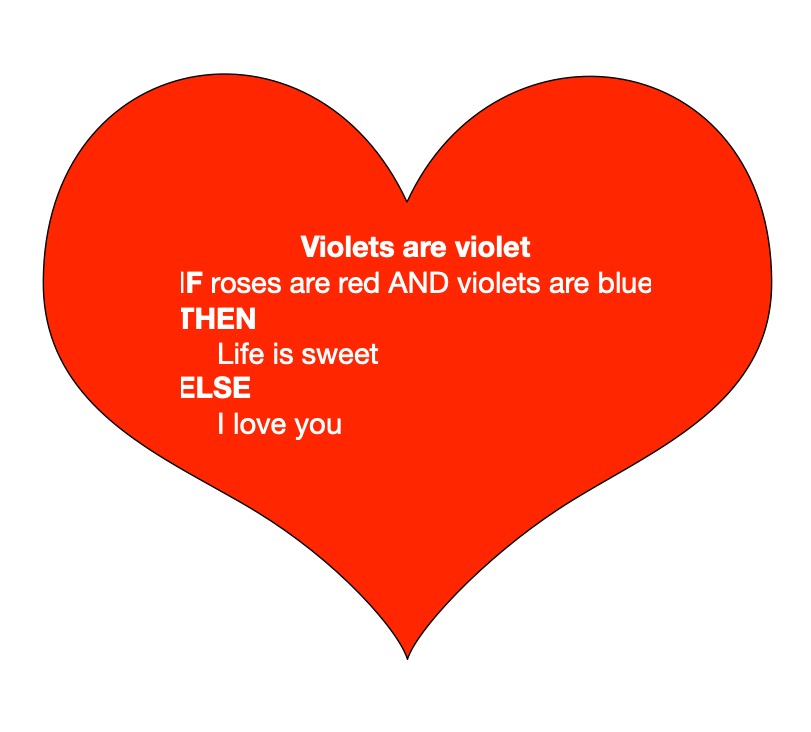
Here is a pseudocode poem based on selection, which is the second core control structure. It chooses between two option based on a boolean test: a true / false question. The question here is: do I love you? Dry run the algorithm or run program to find out.
Violets are violet
if roses are red and violets are blue
then
    Life is sweet
else
    I love you
Here it is implemented as a Python program (with appropriate initialisation).
def violetsareviolet():
	"""Violets are violet"""
	roses = 'red'
	violets = 'violet'

	if roses == 'red' and violets == 'blue':
		print('Life is sweet')
	else:
		print('I love you')

violetsareviolet()
The final kind of control structure is iteration (i.e., repetition). It is used to repeat the same lines over and over again.
Is this poem really long?

it is true
while it is true
    this is short
it is endless
Here it is implemented as a Python program.
def isthispoemreallylong():
    """Is this poem really long?"""
    it = True
    while (it == True) :
        this = 'short'
    it = 'endless'

isthispoemreallylong()
Can you work out what it does as an algorithm/program, rather than as just a normal poem? You may need a version with print statements to understand its beauty.
def isthispoemreallylong2():
    """Is this poem really long?"""
    it = True
    while (it == True) :
        this = 'short'
        print("this is " + this)
    it = 'endless'
    print("it is " + it)

isthispoemreallylong2()
The word while indicates the start of a while loop. In the pseudocode, it is a command to repeat the following statement(s). It checks the boolean expression after the body each time. Only if that boolean expression is false does it stop. In this case the body sets the variable named this to string value ‘short’. The test is about a different variable though which is not changed inside the loop, so once in the loop there is nothing that will ever change the variable it so the value of the test will always be the same. Variable it will always be True and the loop will keep setting variable this to value ‘short’, over and over again. This means the loop is a non-terminating loop. It never exits so the lines of code after it are never executed. As a program they are never followed by the computer. The variable it is never set to the value ‘endless’.
Overall the poem is short in number of lines but it is actually endless if executed. It is the equivalent of a poem that once you start reading it you never get to the end:
it is true
check it is true
this is short
check it is true
this is short
check it is true
this is short
...
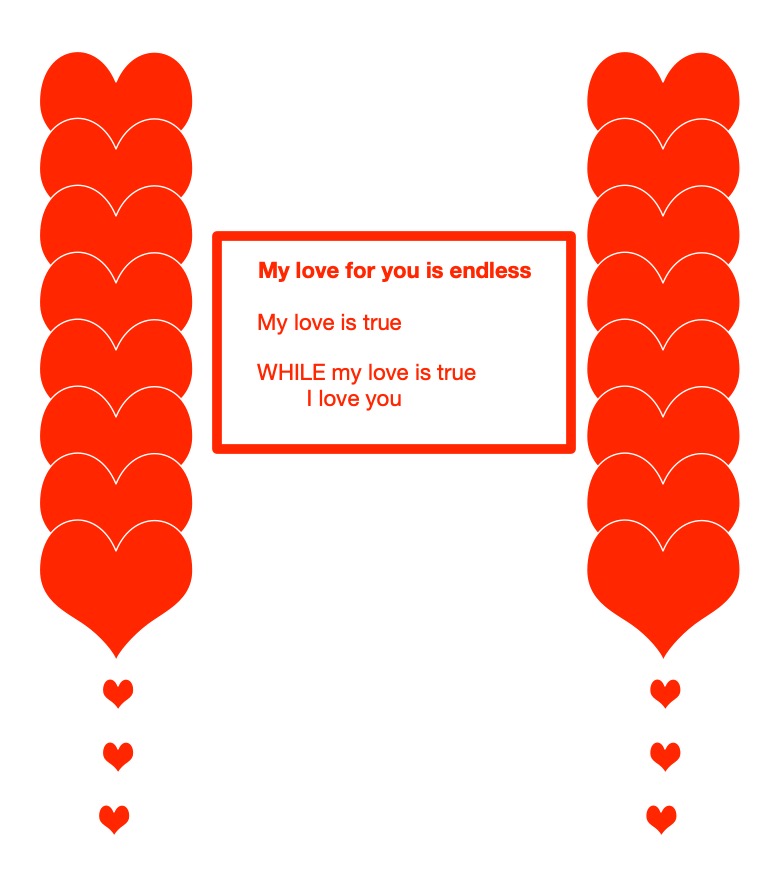
Here is a more romantically inclined poem for Valentine’s day (since at the time of writing, it is coming up) again using repetition
My love for you is endless

my love is true
while my love is true
    I love you
Here it is implemented as a Python program.
def myloveforyouisendless():
"""My love for you is endless"""
my_love = True
while my_love == True:
    print('I love you')

myloveforyouisendless()
In the pseudocode of this poem the verb “to be” is used for two different purposes: as an assignment statement (it is true is used as a statement to mean it = True) and as a boolean expression (it is true is used as a boolean expression to mean it == True). As an assignment it is used as a command to do something. As an expression it is something representing a value: it evaluates to either true or false. Confusing these two English uses is a common mistake novices make programming, and shows one of the ways why programming languages are used with different symbols for different meanings, rather than natural languages.
Now it is your turn. Can you write a great poem that can also be executed?
Subscribe to be notified whenever we publish a new post to the CS4FN blog.
This blog is funded by EPSRC on research agreement EP/W033615/1.
Answers
The selection poem is about a volcano, but the answer to the question in the title is ‘cold’.
Assuming you agree with me that violet flowers are violet (or at least not blue) then clearly we are compatible at least in being pedantic and you will find I love you.
Ada (the language), is not the big player on the programming block these days. In 1997 the DoD1 cancelled their rule that you had to use Ada when working for them. Developers in commerce had always found Ada hard to work with and often preferred other languages. There are hundreds of other languages used in industry and by researchers. How many can you name?
Here are some fun clues about different languages. Can you work out their names? (Answers at the end.)
A big snake that will squash you dead.
A famous Victorian woman who worked with Babbage.
A, B, __
A, B, __ (ouch)
A precious, but misspelled, thing inside a shell.
A tiny person chatting.
A beautiful Indonesian island.
A french mathematician and inventor famous for triangles.
Today, the most popular programming languages are, well we don’t know, because it depends when you are reading this! Because what is fashionable, what is new is always changing. Plus it’s hard to agree what ‘the most popular’ means for languages (and pop stars!). Is it the most lines of code in use today? The favorite language of developers? The language everyone is learning? In July 2015 one particular website rated programing languages using features such as number of skilled software engineers who can use the language; number of courses to learn the language; search engine queries on the language and came up with the order.
1) Java
2) C
3) C++
4) C#
5) Python
Where is Ada? 30th out of 100s! The same website had shown Ada (the language) as 3rd top in 1985! What a fall from grace.
But have no fear, Ada still survives and lives on in millions of lines of avionics2, radar systems, space, shipboard, train, subway, nuclear reactors and DoD systems. Plus Ada is perhaps making a comeback. Ada 2012 is just being finalised, heralded by some as the next generation of engineering software with its emphasis on safety, security and reliability. So Ada meet Ada, it looks like you will be remembered and used for a long time still.
Github is a place where lots of programmers now develop and save their code. It encourages programmers to share their work. A kind of modern day, crowd sourced ‘mass of shared facts’ but coders would probably not say they did this just to ‘amuse their idle hours’. Popular coding tools on this platform are JavaScript. Java, Python, CSS, PHP, Ruby, C++. Ada doesn’t really feature, well not yet.
What was Ada Lovelace thinking about when she wrote: “If amateurs of either sex would amuse their idle hours with experiments on this subject, and would keep an accurate journal of their daily observations, we should have in a few years a mass of registered facts to compare with the observation of the scientific”.
Yes, crowdsourcing science experiments! Now we call it Citizen Science. She had just read a book by a Baron von Reichenbach on magnetism in which he had suggested a whole host of experiments, such as moving magnets up and down a person’s body, showing people magnets in the dark, and holding heavy and light magnets and asking them if they felt any sensations. She could see that he had some great ideas, but she was not convinced by his examples alone.
Ada was not the only Victorian to ask the general public for help collecting data. Charles Darwin, the Origin of Species man, wrote to gardeners, diplomats, army officers and scientists across the world asking for information about the plants they grew and the animals (including people) they saw. This all helped him build up the concrete evidence that natural selection was the way evolution works. People even sent him gifts of live animals in the post. A Danish gentleman sent him a parcel of live barnacles. When they did not arrive on time, Darwin, desperate to dissect the species, panicked and got ready to offer a reward in the Times newspaper. Luckily they arrived intact, fresh and not too smelly!
Today we might take part in the RSPB’s Big Garden Bird Watch1, contribute to a blog, ‘favourite’ or ‘like’ a post on social media or vote for your favorite performer in a talent show. We participate, and ‘amuse our idle hours’ sometimes in the pursuit of science, sometimes not. Public research is a big new topic, with governments and companies looking to use people power. Innovations such as shared mapping systems ask users to upload details about a place, add photographs, rectify mistakes. Wikipedia is sourced by volunteers, with other volunteers checking accuracy. Galaxy Zoo volunteers even found a whole new planet that orbits four stars!
What would Ada be asking us to research? Test your own DNA and send in the results? Measure air quality and keep a record on a central database? Build your own ‘find a barnacle’ app? But rather than writing a journal or sending a parcel of barnacles, you would log it on line, click a link or design your own survey. Ada’s computers are in on the act again.
Why not find a Citizen Science project on something you are interested in. Sometimes called public science or science outreach projects they might be run by local universities, museums, your council, charities or through crowdsourced internet projects such as www.zooniverse.org. Share what you do with others and spread Ada’s word to be a modern day volunteer.
Jane Waite, Queen Mary University of London
23-25 January 2026: RSPB Big Garden Birdwatch – “Spend an hour watching the birds in your patch, between 23 and 25 January, and record the birds t allhat land.” You can also get your school involved in the Big School’s Birdwatch 2026. If you’re reading this after 25 January 2026 make a note in your diary to remind you to check next year! ↩︎
If, by Rudyard Kipling is an inspirational poem that was voted the UKs favourite poem in the 1990s. It consists of a series of lines that start with If. What If, by Benjamin Zephaniah is a more subversive poem modelled on the original.
If statements, of course, are a really core part of programs so are these poems, given they are all about IF, algorithms? The use of If here isn’t quite the same as a pure computational one as seen in programs. For a start, it doesn’t follow the structure of a computer science IF statement. Here are a few lines:
If you can keep your head when all about you
  Are losing theirs and blaming it on you,
If you can trust yourself when all men doubt you,
  But make allowance for their doubting too;
...
In programs, an IF statement has a specific structure. It consists of a test of something that is true or false but then gives a specific action to take when the statement is true. The lines
you can keep your head when all about you are losing theirs AND blaming it on you,
is more or less such a true or false statement. Either you can keep your head or you can’t. This though ignores the possibility of you sometimes losing your head and sometimes not. The poem presumably means to say that you must ALWAYS keep your head. What exactly does “when” here mean too? The reason we do not use English when writing programs is the lack of clarity of what is actually meant. Programs are mathematically precise in their meaning. They do only have one possible meaning (and that is the point). this is also a potential issue of writing programs by instructing AIs over what you want in English!
This boolean expression (something that evaluates to true or false) also uses a logical connective AND just like in a program – you must both be keeping your head AND people must be blaming it on you for the whole to be true. If they are both true then the action that follows is taken, but if they aren’t both true the poem says nothing about you!
Another issue in If, is that this test / boolean expression is not immediately followed by an action to do when it is true. The action comes right at the very end of the poem
...
Yours is the Earth and everything that's in it,
And - which is more - you'll be a Man, my son!
This comes after a whole series of these partial IF statements. To make it more clearly like a program you would add a more explicitly IF-THEN structure, which is the equivalent of putting ANDs between all the tests. In a program that would be written more like the following:
IF you can keep your head when all about you
  Are losing theirs and blaming it on you,
   THEN IF you can trust yourself when all men doubt you,
              But make allowance for their doubting too;
...
...
                             THEN Yours is the Earth and everything that's in it,
                                        And - which is more - you'll be a Man, my son!
Only if all the tests are true does the final action get taken. Though it isn’t really an action, it is more an assertion that something else is true – “the Earth is yours”, rather than “we give you the Earth”. (Also that final And is no longer a logical connective!)
Poems like this could be made more explicitly computational though. For example, a slightly more computational version might be:
IF you can keep your head when all about you
   Are losing theirs AND blaming it on you
THEN I will thank you, giving you a pay rise too
...
A love poem in this vein might start
IF you are a snail
    THEN I will become your shell.
IF you are a ...
This leads on to the idea of pseudocode poems, that use other computational constructs. More of that to come.
To do …
Write your own poem in this style with true/false questions followed by specific actions, modelled on the computational version of IF. It could be a reworking of If itself or a completely different poem.
Back in 2005 we published Issues 1 and 2 of the CS4FN (Computer Science For Fun) magazine and there were two short articles in the 2nd issue – “Future proof” about the change from physical copies of music and films (such as CDs and DVDs) to listening and watching on streaming services and “What do you think is most likely to disappear next?” where we wondered which other technologies might still be around in the future.
Future Proof Bill Gates believes CDs and DVDs have had it. It won’t be long before the whole back catalogue of music fits on a device in your pocket: “It’s going even faster than we expected…Five years from now people will say ‘What’s a CD? Why did you have to go to the case and open something up and you couldn’t sequence it your own playlist way?’ That will be a thing of the past. Even videos in the future will either be on a disk in your pocket or over the Internet, and far more convenient for you.”
Bill Gates, Chairman and Chief Software Architect, Microsoft, speaking in 2005.
It’s certainly true that most music and films can be streamed but they may not feel as permanently available as physical copies. On the release of his film Oppenheimer film director Christopher Nolan said1 “There is a danger these days that if things only exist in the streaming version, they do get taken down”. Netflix UK recently told me that Star Trek: The Next Generation would disappear from its listings on the January 8th 2026. I’m sure it will return in the future, but perhaps I need to buy the box set of DVDs to catch up with all the adventures.
Though it does also depend on having the right technology to play a physical copy of the thing – would you know how someone could play a DVD, CD, VHS (video tape) or cassette (audio tape)? Records on vinyl have certainly been making a comeback too…
Our second short article was even shorter and asked readers to vote (in 2005)…
What do you think is most likely to disappear next? (Or which of the following items might survive into the future?)
Fixed phones (land lines)
Cables
Written signatures
Loose change
Wrist-watches
Paper
Physical shops
Calculators
Radios
Possibly 21 years since 2005 is not quite far enough into a future where all of these have disappeared but you can certainly see that the way these things are used has changed significantly.
Imagine it’s now 21 years in the future (or 42 years since 2005)… pick one item that you think is no longer in use. Click the blue button containing the item that you think won’t be around in 2047.
What other technology/ies are you using today that someone born now might not recognise in 21 years time?
– By Jo Brodie, Paul Curzon and Peter McOwan, Queen Mary University of London
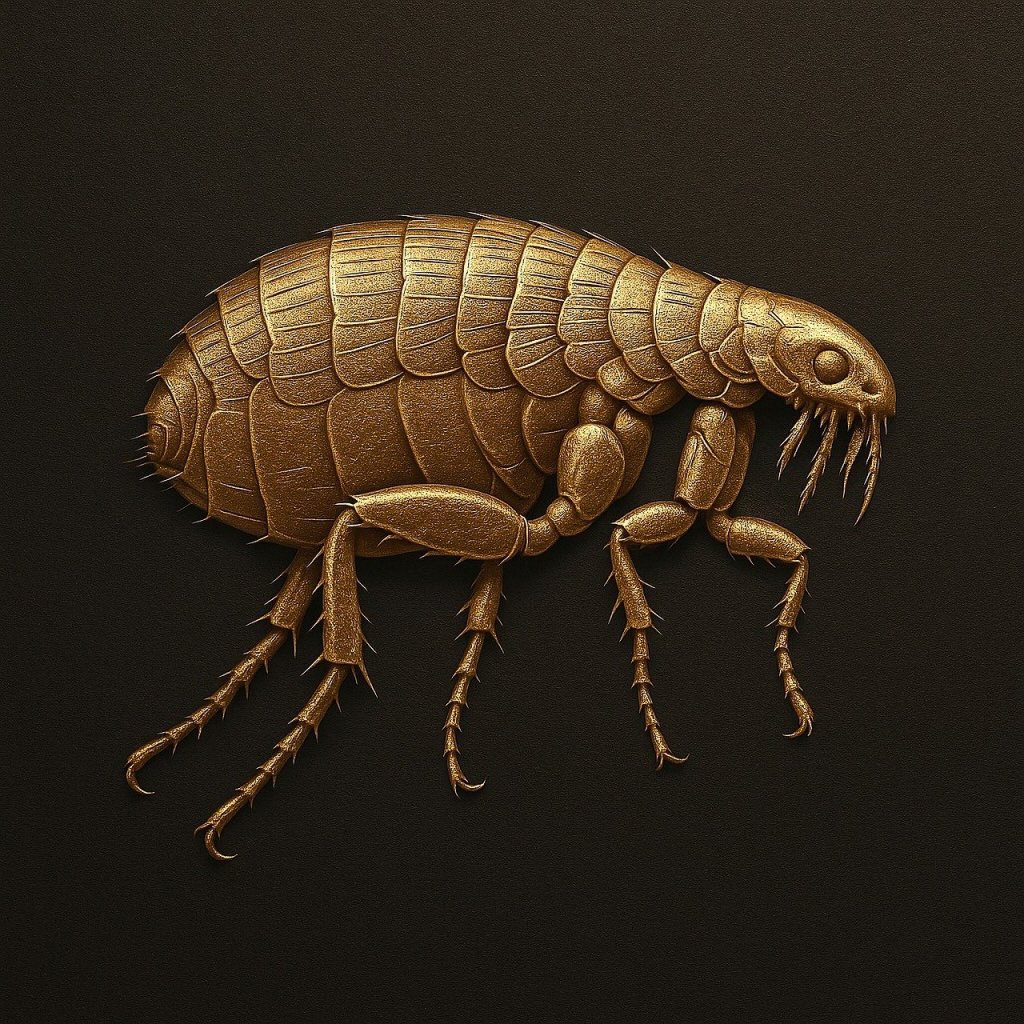
Computer scientists and mathematicians can be poets too, even writing poems about computation. One of my favourite poems is about recursion and was written by the Victorian logician Augustus De Morgan who is famous for his laws of boolean logic that are a mainstay of reasoning about boolean tests in programs.
Great fleas Have Lesser Fleas, upon Their backs To Bite’em, And Lesser Fleas Have Lesser fleas, And So, Ad infinitum.
and Those great Fleas, Themselves, In turn Have Greater Fleas To go On; while Those Again have Greater still, And greater Still, And So on.
– Augustus De Morgan
Recursion, solving problems by breaking them into smaller versions of the same problem, is a way of writing programs that repeat just using function call (no while loops or for loops needed). It is a core concept of the programming paradigm, functional programming. Using recursion in a way that goes on forever as in the poem leads to non-terminating programs.
De Morgan was also Maths tutor of Victorian mathematician and computer scientist, Ada Lovelace. Her father was the great poet Lord Byron though (philistine that I presumably am) I like De Morgan’s poem better than Byron’s.
De Morgan made the idea of mathematical induction rigorous. It is the basis of how you prove recursive programs (and iterative ones) are correct.
Image by Paul Curzon taken at Tate Modern London at Olafur Eliasson’s “The cubic structural evolution project” exhibition, 2019.
My absolute favourite example of interactive art is Olafur Eliasson‘s “The cubic structural evolution project” back in 2019 at Tate Modern. It was “just” two piles of standard white Lego bricks piled on two tables (but a tonne of Lego between the two …so a LOT of Lego). Anyone visiting the exhibit was invited to sit down and help create a city by building a building … and it was joyfully creative. Kids and adults mixed together building great architectural wonders, big and small, out of the bricks. Sometimes intentionally, but often accidentally, an existing building was demolished, but that was just an opportunity for new amazing buildings to emerge from the rubble. We visited twice that summer, and each time a totally different city was there that had emerged from this constant evolution of building. On each visit we built something new ourselves to add to the ever changing city.
The exhibit took Lego back to its roots – no instructions, no specific creation to reproduce, just the bare building blocks of creativity. You can still buy generic lego sets of course (if not with the same scope as a tonne of bricks). However, the high profile modern Lego sets are now used to build a specific thing designed by someone else, like a Star Wars Tie fighter, a Death Star, a Ferrari, a parrot or perhaps Notre Dame. This is one form of creativity – you are definitely creating something, and doing so gives you an amazing feeling of accomplishment and well-being. I strongly recommend it and of doing similar activities whether doing a tapestry, or building a jigsaw, or … It is good for your happiness and mental health more generally. But you are creating just by following instructions. In computer science terms, you are acting as a computational agent, following an algorithm that if followed precisely guarantees the same result every time (an exact copy of the lighthouse on the box perhaps…). A computer (with a suitably good robotic arm and vision system) could do it. That is the point of algorithms! They take no thought just an ability to follow instructions precisely: the thing computers are good at.
There is another sense we mean when we talk about creativity though and that was the original Lego idea. You have the bricks. You can build anything. It is down to you. Create something new! According to an exhibition on the history of play I went to early construction kits like the original Lego inspired a whole generation of architects to do completely new things with buildings (if you know your architecture think especially Frank Lloyd Wright whose mother bought him educational blocks called the Froebel Gifts, or perhaps Denys Lasdun – I lived in one of his “Lasdun building” block like buildings for a year in my younger days).
This kind of pure creativity is what being a programmer is about. Not just following instructions to create someone else’s creation, but creating your own totally novel, wondrous things from simple building blocks (and you don’t have to be part of the Lego design team to do it either). That is the lesson that collaboratively emerged in Olafur Eliasson’s exhibit over and over again. Just as the inventor of Lego, Ole Kirk Christiansen, in creating the toy went to yet another level of creativity in doing so, Olafur Eliasson did so to in creating the exhibition. They both created the opportunities for others to be creative.
Programming languages are very much like Lego in this sense. They just provide the building blocks to create any program you want. Learn how to use them and you you can do anything if you have the imagination as well as having built the skill. The different constructs are like different kinds of Lego bricks. Put them together in different ways and you create different things. You can stick with the basics and still build amazing creations even without learning about all the libraries methods that act like specialist bricks designed for specialist purposes. And of course the early Computer Scientists who invented the idea of programming languages were being creative in the way Ole Kirk Christiansen and Olafur Eliasson were, creating the possibility for others. Creating possibilities for you.
The Arts are about pure creativity but so is Computer Science…(and when they are brought together by creative people even more amazing things can be created (by everyone).














 cs4fn
cs4fn 