Film Futures (Christmas Special): Elf

A christmas elf
Image from pixabay

Computer Scientists and digital artists are behind the fabulous special effects and computer generated imagery we see in today’s movies, but for a bit of fun, in this series, we look at how movie plots could change if they involved Computer Scientists. Here we look at an alternative version of the Christmas film, Elf, starring Will Ferrell.

***Spoiler Alert***

Christmas Eve, and a baby crawls into Santa’s pack as he delivers presents at an orphenage. The baby is wearing only a nappy, but this being the 21st century the babys’s reusable Buddy nappy is an Intelligent nappy. It is part of the Internet of Things and is chipped, including sensors and a messaging system that allow it to report to the laundry system when the nappy needs changing (and when it doesn’t) as well as performing remote health monitoring of the baby. It is the height of optimised baby care. When the baby is reported missing the New York Police work with the nappy company, accessing their logs, and eventually work out which nappy the baby was wearing and track its movements…to the roof of the orphenage!

The baby by this point has been found by Santa in his sack at the North Pole, and named Buddy by the Elves after the label on his nappy. The Elves change Buddy’s nappy, and as their laundry uses the same high tech system for their own clothes, their laundry logs the presence of the nappy, allowing the Police to determine its location.

Santa intends to officially adopt Buddy, but things are moving rapidly now. The New York Police believe they have discovered the secret base of an international child smuggling ring. They have determined the location of the criminal hideout as somewhere near the North Pole and put together an armed task force. It is Boxing Day. As Santa gets in touch with the orphanage to explain the situation, and arrange an adoption, armed police already surround the North Pole and are moving in.

The  New York Police Commissioner, wanting the good publicity she sees arising from capturing a child smuggling ring, orders the operation to be live streamed to the world. The precise location of the criminal hideout, so operation, is not revealed to the public, which is fortunate given what follows. As the police move in the cameras are switched on and people the world over, are glued to their screens watching the operation unfold. As the police break in to the workshops, toys go flying and Elves scatter, running for their lives, but as Santa appears and calmly allows himself to be handcuffed, it starts to dawn on the police where they are and who they have arrested. The live stream is cut abruptly, and as the full story emerges, and apologies made on all sides. Santa is proved to be real to a world that was becoming sceptical. A side effect is there is a massive boost in Christmas Spirit across the world that keeps Santa’s sleigh powered without the need for engines for many decades to come. Buddy is officially adopted and grows up believing he is an Elf until one fateful year when …

In reality

The idea of the Internet of Things is that objects, not just people, have a presence on the Internet and can communicate with other objects and systems. The idea provides the backbone of the idea of smart homes, where fridges can detect they are out of milk and order more, carpets detect dirt and summon a robot hoover, and the boiler detects when the occupants are nearing home and heats the house just in time.

Wearable computing, where clothes have embedded sensors and computers is also already a reality, though mainly in the form of watches, jewellery and the like.  Clothes in shops do include electronic tags that help with stock control, and increasingly electronic-textiles based on metallic fibres and semi-conducting inks, are being used to create clothes with computers and electronics embedded in them.

Making e-textiles durable to be washed is still a challenge. Smart reusable nappies may be a while in coming.

More on …

Subscribe to be notified whenever we publish a new post to the CS4FN blog.


This page is funded by EPSRC on research agreement EP/W033615/1.

QMUL CS4FN EPSRC logos

The virtual Jedi

Image by Frank Davis from Pixabay

For Star Wars Day (May 4th), here is a Star Wars inspired research from the archive…

Virtual reality can give users an experience that was previously only available a long time ago in a galaxy far, far away. Josh Holtrop, a graduate of Calvin College in the USA, constructed a Jedi training environment inspired by the scene from Star Wars in which Luke Skywalker goes up against a hovering droid that shoots laser beams at him. Fortunately, you don’t have to be blindfolded in the virtual reality version, like Luke was in the movie. All you need to wear over your eyes is a pair of virtual reality goggles with screens inside.

When you’re wearing the goggles, it’s as though you’re encased in a cylinder with rough metal walls. A bumpy metallic sphere floats in front of the glowing blade of your lightsaber – which in the real world is a toy version with a blue light and whooshy sound effects, though you see the realistic virtual version. The sphere in your goggles spins around, shooting yellow pellets of light toward you as it does. It’s up to you to bring your weapon around and deflect each menacing pulse away before it hits you. If you do, you get a point. If you don’t, your vision fills with yellow and you lose one of your ten lives.

Tracking movement with magnetism

It takes more than just some fancy goggles to make the Jedi trainer work, though. A computer tracks your movement in order to translate your position into the game. How does it know where you are? In their system, because the whole time you’re playing the game, you’re also wandering through a magnetic field. The field comes from a small box on the ceiling above you and stretches for about a metre and a half in all directions. Sixty times every second, sensors attached to the headset and lightsaber check their position in the magnetic field and send that information to the computer. As you move your head and your sabre the sensors relay their position, and the view in your goggles changes. What’s more, each of your eyes receives a slightly different view, just like in real life, creating the feeling of a 3D environment.

Once the sensors have gathered all the information, it’s up to the software to create and animate the virtual 3D world – from the big cylinder you’re standing in to the tiny spheres the droid shoots at you. It controls the behaviour of the droid, too, making it move semi-randomly and become a tougher opponent as you go through the levels. Most users seem to get the hang of it pretty quickly. “Most of them take about two minutes to get used to the environment. Once they start using it, they get better at the game. Everybody’s bad at it the first sixty seconds,” Josh says. “My mother actually has the highest score for a beginner.”

The atom smasher

Much as every Jedi apprentice needs to find a way to train, there are uses for Josh’s system beyond gaming too. Another student, Jess Vriesma, wrote a program for the system that he calls the “atom smasher”. Instead of a helmet and lightsaber, each sensor represents a virtual atom. If the user guides the two atoms together, a bond forms between them. Two new atoms then appear, which the user can then add to the existing structure. By doing this over and over, you can build virtual molecules. The ultimate aim of the researchers at Calvin College was to build a system that lets you ‘zoom in’ to the molecule to the point where you could actually walk round inside it.

The team also bought themselves a shiny new magnetic field generator, that lets them generate a field that’s almost nine metres across. That’s big enough for two scientists to walk round the same molecule together. Or, of course, two budding Jedi to spar against one another.

the CS4FN Team (from the archive)

More on …

Subscribe to be notified whenever we publish a new post to the CS4FN blog.


This page is funded by EPSRC on research agreement EP/W033615/1.

QMUL CS4FN EPSRC logos

Tanaka Atsuko: an electric dress

Wearable computing is now increasingly common whether wearing smart watches or clothes that light up. The pioneer of the latter was Japanese artist, Tanaka Atsuko, with her 1950s art work, Electric Dress. It was anything but light though, weighing 50-60kg, clothing her head to foot in a mixture of fluorescent and normal light bulbs.

Light reflecting from strip bulbs in a light bulb
Image by wal_172619 from Pixabay

She was a member of the influential Gutai (meaning concrete as opposed to abstract) Art Association and Zero Society of Japanese artists who pioneered highly experimental performance and conceptual art, that often included the artist’s actual body. The Electric Dress was an example of this, and she experimented with combining art and electronics in other work too.

Atsuko had studied dress-making as well as art, and did dress making as a hobby, so fashion was perhaps a likely way for her to express her artistic ideas, but Electric Dress was much more than just fashion as a medium for art. She had the idea of the dress when surrounded by the fluorescent lights in Osaka city centre. She set about designing and making the dress and ultimately walked around the gallery wearing it when it was exhibited at the 2nd Gutai Art Exhibition in Tokyo. Once on it flashed the lights randomly, bathing her in multicoloured light. Wearing it was potentially dangerous. It was incredibly hot and the light was dazzling. There was also a risk of electrocution if anything went wrong! She is quoted as saying after wearing it: “I had the fleeting thought: Is this how a death-row inmate would feel?”

It wasn’t the first time, electric lights had been worn, since as early as 1884 you could hire women, wearing lights on their heads powered by batteries hidden in their clothes, to light up a cocktail party, for example. However, Tanaka Atsuko’s was certainly the most extreme and influential version of a light dress, and shows how art and artists can inspire new ideas in technology. Up to then, what constituted wearable computing was more about watch like gadgets than adding electronics or computing to clothes.

Now, of course, with LEDs, and conductive thread that can be sewn into clothes and special micro-controllers, an electric dress is both much easier to make, and with programming skill you can program the lights in all sorts of creative ways. One example is a dress created for a BBC educational special of Strictly Come Dancing promoting the BBC micro:bit and showing what it was capable of with creativity. Worn by professional dancer, Karen Hauer, in a special dance to show it off, the micro:bit’s accelerometer was used to control the way the LEDs covering the dress in place of sequins, lit up in patterns. The faster she spun while dancing the more furious the patterns of the lights flashing.

Now you can easily buy kits to create your own computer-controlled clothes with online guides to get you started, so if interested in fashion and computer science why not start experimenting. Unlike Tanaka Atsuko you won’t have to put your life at risk for your art and wearable computing, overlapping with soft robotics is now a major research area, so it could be the start of a great research career.

by Paul Curzon, Queen Mary University of London

More on …

Related Magazines …

Our Books …


Subscribe to be notified whenever we publish a new post to the CS4FN blog.


This blog is funded by UKRI, through grant EP/W033615/1.

Art Touch and Talk Tour Tech

CS4FN Banner

by Paul Curzon, Queen Mary University of London

.What could a blind or partially-sighted person get from a visit to an art gallery? Quite a lot if the art gallery puts their mind to it. Even more if they make use of technology. So much so, we may all want the enhanced experience.

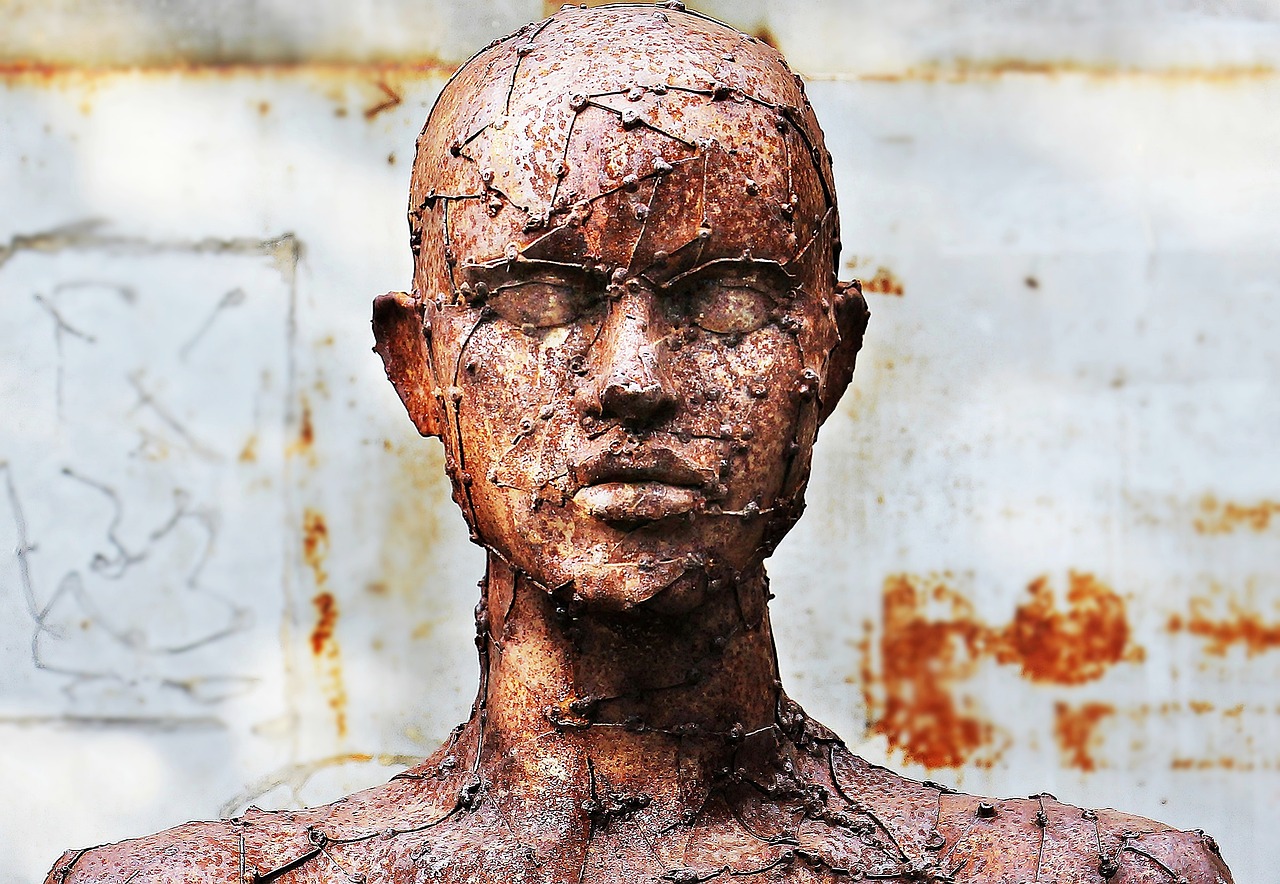
A sculpture of a head and shouldrers, heavily textured with a network of lines and points
Image by NoName_13 from Pixabay

The best art galleries provide special tours for blind and partially-sighted people. One kind involves a guide or curator explaining paintings and other works of art in depth. It is not exactly like a normal guided tour that might focus on the history or importance of a painting. The best will give both an overview of the history and importance whilst also giving a detailed description of the whole picture as well as the detail, emphasising how each part was painted. They might, for example, describe the brush strokes and technique as well as what is depicted. They help the viewer create a really detailed mental model of the painting.

One visually-impaired guide who now gives such tours at galleries such as Tate Britain, Lisa Squirrel, has argued that these tours give a much deeper and richer understanding of the art than a normal tour and certainly more than someone just looking at the pictures and reading the text as they wander around. Lisa studied Art History at university and before visiting a gallery herself reads lots and lots about the works and artists she will visit. She found that guided tours by sighted experts using guided hand movements in front of a painting helped her build really good internal models of the works in her mind. Combined with her extensive knowledge from reading, she wasn’t building just a picture of the image depicted but of the way it was painted too. She gained a deep understanding of the works she explored including what was special about them.

The other kind of tour art galleries provide is a touching tour. It involves blind and partially-sighted visitors being allowed to touch selected works of art as part of a guided tour where a curator also explains the art. Blind art lover, Georgina Kleege, has suggested that touch tours give a much richer experience than a normal tour, and should also be put on for all for this reason. It is again about more than just feeling the shape and so “working out its form that”seeing” what a sighted person would take in at a glance. It is about gaining a whole different sensory experience of the work: its texture, for example, not a lesser version just of what it looks like.

How might technology help? Well, the company, NeuroDigital Technologies, has developed a haptic glove system for the purpose. Haptic gloves are gloves that contain vibration pads that stimulate the skin of the person in different, very fine ways so as to fool the wearer’s brain into thinking it is touching things of different shapes and textures. Their system has over a thousand different vibration patterns to simulate different feelings of touching surfaces. They also contain sensors that determine the precise position of the gloves in space as the person moves their hands around.

The team behind the idea scanned several works of art using very accurate laser scanners that build up a 3D picture of the thing being scanned. From this they created a 3D model of the work. This then allowed a person wearing to feel as though they were touching the actual sculpture feeling all the detail. More than that the team could augment the experience to give enhanced feelings in places in shadow, for example, or to emphasise different parts of the work.

A similar system could be applied to historical artifacts too: allowing people to “feel” not just see the Rosetta Stone, for example. Perhaps it could also be applied to paintings to allow a person to feel the brush strokes in a way that could just not otherwise be done. This would give an enhanced version of the experience Lisa felt was so useful of having her hand guided in front of a painting and the brush strokes and areas being described. Different colours might also be coded with different vibration patterns in this way allowing a series of different enhanced touch tours of a painting, first exploring its colours, then its brush strokes, and so on.

What about talking tours? Can technology help there? AIs can already describe pictures, but early versions at least were trained on the descriptions people have given to images on the Internet: “a black cat sitting on top of the TV looking cute”, The Mona Lisa: a young woman staring at you”. That in itself wouldn’t cut it. Neither would training the AI on the normal brief descriptions on the gallery walls next to works of art. However, art books and websites are full of detail and more recent AIs can give very detailed descriptions of art works if asked. These descriptions include what the picture looks like overall, the components, colours, brushstrokes and composition, symbolism, historical context and more (at least for famous paintings). With specific training from curators and art historians the AIs will only get better. What is still missing for a blind person though from the kind of experience Lisa has when experiencing painting with a guide, is the link to the actual picture in space – having the guide move her hand in front of the painting as the parts are described. However, all that is needed to fill that gap is to combine a chat-based AI with a haptic glove system (and provide a way to link descriptions to spatial locations on the image). Then, the descriptions can be linked to positions of a hand moving in space in front of a virtual version of the picture. Combine that with the kind of system already invented to help blind people navigate, where vibrations on a walking stick indicate directions and times to turn, and the gloves can then not only give haptic sensations of the picture in front of the picture or sculpture, but also guide the person’s movement over it.

Whether you have such an experience in a gallery, in front of the work of art, or in your own front room, blind and partially sighted people could soon be getting much better experiences of art than sighted people. At which point, as Georgina Kleege, suggested for normal touch tours, everyone else will likely want the full “blind” experience too.

More on …


Magazines …

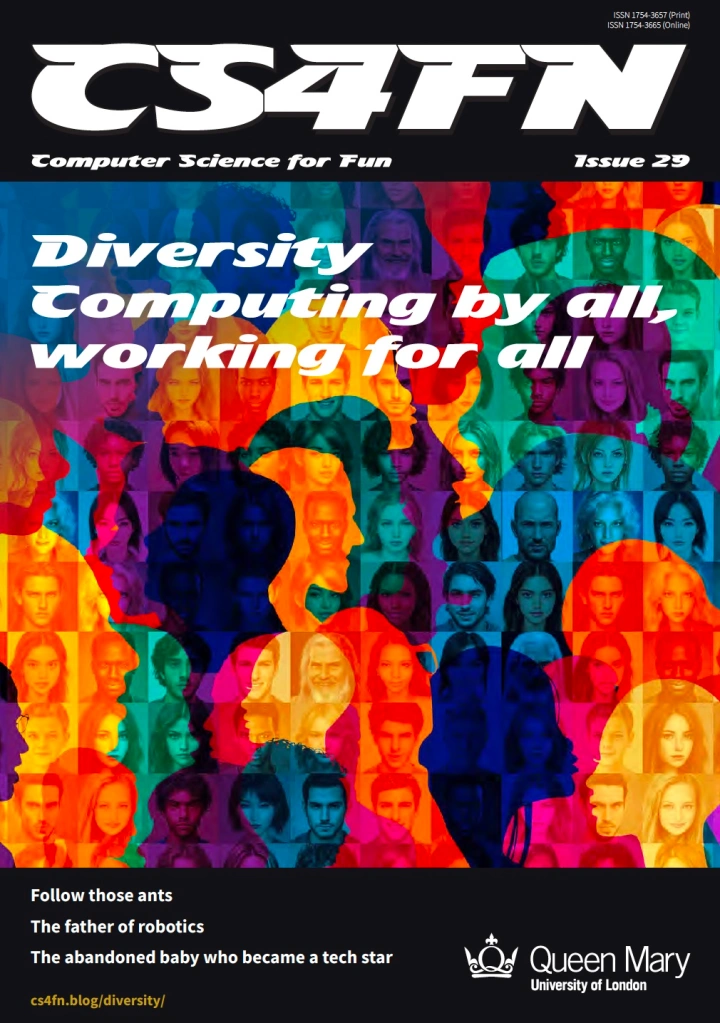
Front cover of CS4FN issue 29 - Diversity in Computing

Subscribe to be notified whenever we publish a new post to the CS4FN blog.


This blog is funded through EPSRC grant EP/W033615/1.

Even the dolphins use pocket switched networks!

(from the archive)

Dolphin leaping in waves off Panama City
Image by Heather Williams from Pixabay

Email, texting, Instant Messaging, Instant response…one of the things about modern telecoms is that they fuel our desire to “talk” to people anytime, anywhere, instantly. The old kind of mail is dismissed as “snail mail”. A slow network is a frustrating network. So why would anyone be remotely interested in doing research into slow networks? Surprisingly, slow networks deserve study. Professor Jon Crowcroft of the University of Cambridge and his team were early researchers of this area, and this kind of network could be the network of the future. The idea is already being used by the dolphins (not so surprising I suppose given according to Douglas Adams’ “The HitchHiker’s Guide to the Galaxy” they are the second most intelligent species on Earth…after the mice).

From node to node

Traditional networks rely on having lots of fixed network “nodes” with lots of fast links between them. These network nodes are just the computers that pass on the messages from one to the other until the messages reach their destinations. If one computer in the network fails, it doesn’t matter too much because there are enough connections for the messages to be sent a different way.

There are some situations where it is impractical to set up a network like this though: in outer space for example. The distances are so far that messages will take a long time – even light can only go so fast! Places like the Arctic Circle are another problem: vast areas with few people. Similarly, it’s a problem under the sea. Signals don’t carry very well through water so messages, if they arrive at all, can be muddled. After major disasters like Hurricane Katrina or a Tsunami there are also likely to be problems.

It is because of situations like these that computer scientists started thinking about “DNTs”. The acronym can mean several similar things: Delay Tolerant Networks (like in space the network needs to cope with everything being slow), Disruption Tolerant Networks (like in the deep sea where the links may come and go) or Disaster tolerant networks (like a Tsunami where lots of the network goes down at once). To design networks that work well in these situations you need to think in a different way. When you also take into account that computers have gone mobile – they no longer just sit on desks but are in our pockets or handbags, this leads to the idea of a “ferrying network” or as Jon Crowcroft calls them: “Pocket Switched Network”. The idea is to use the moving pocket computers to make up a completely new kind of network, where some of the time messages move around because the computers carrying them are moving themselves, not because the message itself is moving. As they move around they pass near other computers and can exchange messages, carrying a message on for someone else until it is near another computer it can jump to.

From Skidoo to you

A skiddo with driver standing next to it
Image by raul olave from Pixabay

How might such networks be useful in reality? Well one was set up for the reindeer farmers in the Arctic Circle. They roam vast icy wastelands on skidoos, following their reindeer. They are very isolated. There are no cell phone masts or internet nodes and for long periods they do not meet other people at all. The area is also too large to set up a traditional network cheaply. How could they communicate with others?

They set up a form of pocket switched network. Each carried a laptop on their skidoo. A series of computers were also set up sitting in tarns spread around the icy landscape. When the reindeer farmers using the network want a service, like delivering a message, the laptop stores the request until they pass within range of one of the other computers perhaps on someone else’s skidoo. The computer then automatically passes the message on. The new laptop takes the message with it and might later pass a tarn, where the message hops again then waits till someone else passes by heading in the right direction. Eventually it makes a hop to a computer that passes within range of a network point connected to the Internet. It may take a while but the mail eventually gets through – and much faster than waiting for the farmer to be back in net contact directly.

Chatting with Dolphins

Even the dolphins got in on the act. US scientists wanted to monitor coastal water quality. They hit on the idea of strapping sensors onto dolphins that measure the quality wherever they go. Only problem is dolphins spend a lot of time in deep ocean where the results can’t easily be sent back. The solution? Give them a normal (well dolphin adapted) cell phone. Their phone stores the results until it is in range of their service provider off the coast. By putting a receiver in the bays the dolphins return to most frequently, they can call home to pass on the data whenever there.

The researchers encountered an unexpected problem though. The dolphin’s memory cards kept inexplicably filling up. Eventually they realised this was because the dolphins kept taking trips across the Atlantic where they came in range of the European cell networks. The European telecom companies, being a friendly bunch, sent lots of text messages welcoming these newly appeared phones to their network. The memory cards were being clogged up with “Hellos”!

The Cambridge team investigated how similar networks might best be set up and used for people on the move, even in busy urban environments. To this end they designed a pocket switched network called Haggle. Using networks like Haggle, it is possible to have peer-to-peer style networks that side-step the commercial networks. If enough people join in then messages can just hop from phone to phone, using bluetooth links say, as they passed near each other. They might eventually get to the destination without using any long distance carriers at all.

The more the merrier

With a normal network, as more people join the network it clogs up as they all try to use the same links to send messages at the same time. Some fundamental theoretical results have shown that with a pocket switched network, the capacity of the network can actually go up as more people join – because of the way the movement of the people constantly make new links.

Pocket switched networks are a bit like gases – the nodes of the network are like gas molecules constantly moving around. A traditional network is like a solid – all the molecules, and so nodes, are stationary. As more people join a gaseous network it becomes more like a liquid, with nodes still moving but bumping into other nodes more often. The Cambridge team explored the benefits of networks that can automatically adapt in this way to fit the circumstances: making phase transitions just like water boiling or freezing.

One of the important things to understand to design such a network is how people pass others during a typical day. Are all people the same when it comes to how many people they meet in a day? Or are there some people that are much more valuable as carriers of messages. If so those are the people the messages need to get to to get to the destination the fastest!

To get some hard data Jon and his students handed out phones. In one study a student handed out adapted phones at random on a Hong Kong street, asking that they be returned a fixed time later. The phones recorded how often they “met” each other before being returned. In another similar experiment the phones were given out to a large number of Cambridge students to track their interactions. This and other research shows that to make a pocket switched network work well, there are some special people you need to get the messages to! Some people meet the same people over and over, and very few others. They are “cliquey” people. Other more “special” people regularly cross between cliques – the ideal people to take messages across groups. Social Anthropology results suggest there are also some unusual people who rather than just networking with a few people, have thousands of contacts. Again those people would become important message carriers.

So the dolphins may have been the “early adopters” of pocket switched networks but humans may follow. If we were to fully adopt them it could completely change the way the telecom industry works…and if we (or the dolphins) ever do decide to head en-mass for the far reaches of the solar system, pocket switched networks like Haggle will really come into their own.

– Paul Curzon, QMUL, based on a talk given by Jon Crowcroft at Queen Mary in Jan 2007.

More on …


Subscribe to be notified whenever we publish a new post to the CS4FN blog.


This blog is funded through EPSRC grant EP/W033615/1.

Virtual reality goggles for mice

by Paul Curzon, Queen Mary University of London

Mouse wearing VR goggles adapted from an Image by Clker-Free-Vector-Images from Pixabay
Adapted from an Image by Clker-Free-Vector-Images from Pixabay

Conjure up a stereotypical image of a scientist and they likely will have a white coat. If not brandishing test tubes, you might imagine them working with mice scurrying around a maze. In future the scientists may well be doing a lot of programming, and the mice for their part will be scurrying around in their own virtual world wearing Virtual Reality goggles.

Scientists have long used mazes as away to test the intelligence of mice, to the point it has entered popular culture as a stereotypical thing that scientists in white lab coats do. Mazes do give ways to test intelligence of animals, including exploring their memory and decision making ability in controlled experiments. That can ultimately help us better understand how our brains work too, and give us a better understanding of intelligence. The more we understand animal cognition as well as human cognition, the more computer scientists can use that improved understanding to create more intelligent machines. It can also help neurobiologists find ways to improve our intelligence too.

Flowers for Algernon is a brilliant short story and later novel based on the idea, there using experiments on mice and humans to test surgery intended to improve intelligence. In a slightly different take on mice-maze experiments, Douglas Adams, in ‘The Hitchhikers Guide to the Galaxy’, famously claimed that the mice were actually pan-dimensional beings and these experiments were really incredibly subtle experiments the mice were performing on humans. Whatever the truth of who is experimenting on who, the experiments just took a great leap forward because scientists at Northwestern University have created Virtual Reality goggles for their mice.

For a long time researchers at Northwestern have used a virtual reality version of maze experiments, with mice running on treadmills with screens around them projecting what the researchers want them to see, whether mazes, predators or prey. This has the advantage of being much easier to control than using physical mazes, and as the mice are actually stationary the whole time , just running on a treadmill, brain-scanning technology can be used to see what is actually happening in their brains while facing these virtual trials. The problem though is that the mice, with their 180 degree vision, can still see beyond the edges of the screens. The screens also give no sense of 3 dimensions, when like us the mice naturally see in 3D. As the screens are not fully immersive, they are not fully natural and that could affect the behaviour of the mice and so invalidate the experimental results.

That is why the Northwestern researchers invented the mousey VR googles, the idea being that they would give a way to totally immerse the mice in their online world, and so improve the reliability of the experiments. In the current version the goggles are not actually worn by the mice, as they are still too heavy. Instead, the mouse’s head is held in place really close to them, but with the same effect of total immersion. Future versions may be small enough for the mice to wear them though.

The scientists have already found that the mice react more quickly to events, like the sight of a predator, than in the old set-up, suggesting that being able to see they were in a lab was affecting their behaviour. Better still, there are new kinds of experiment that can be done with this set up. In particular, the researchers have run experiments where an aerial predator like an owl appears from above the mice in a natural way. Mounting screens above them previously wasn’t possible as it got in the way of the brain scanning equipment. What does happen when a virtual owl appears? The mice either run faster or freeze, just as in the wild. This means that by scanning their brains while this is happening, how their perception of the threat works can be investigated, as well as how decision-making is taking place at the level of their brain activity. The scientists also intend to run similar experiments where the mouse is the predator, for example chasing a virtual fly too. Again this would not have been possible previously.

That in any case is what we think the purpose of these new experiments is. What new and infinitely subtle experiments it is allowing the pan-dimensional mice to perform on us remains to be seen.

More on …

Magazines …


EPSRC supports this blog through research grant EP/W033615/1. 
CS4FN Advent 2023 – Day 2: Pairs: mittens, gloves, pair programming, magic tricks

Welcome to the second ‘window’ of the CS4FN Christmas Computing Advent Calendar. The picture on the ‘box’ was a pair of mittens, so today’s focus is on pairs, and a little bit on gloves. Sadly no pear trees though.

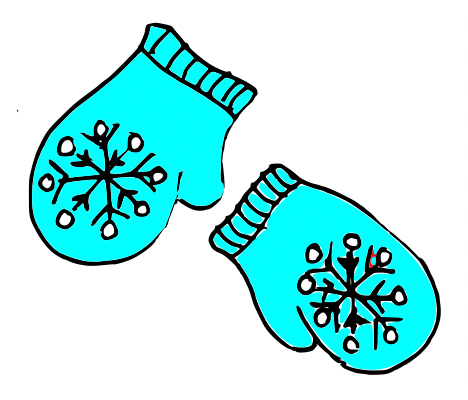
A pair of cyan blue Christmas mittens with a black and white snowflake pattern on each. Image drawn and digitised by Jo Brodie.

1. i-pickpocket

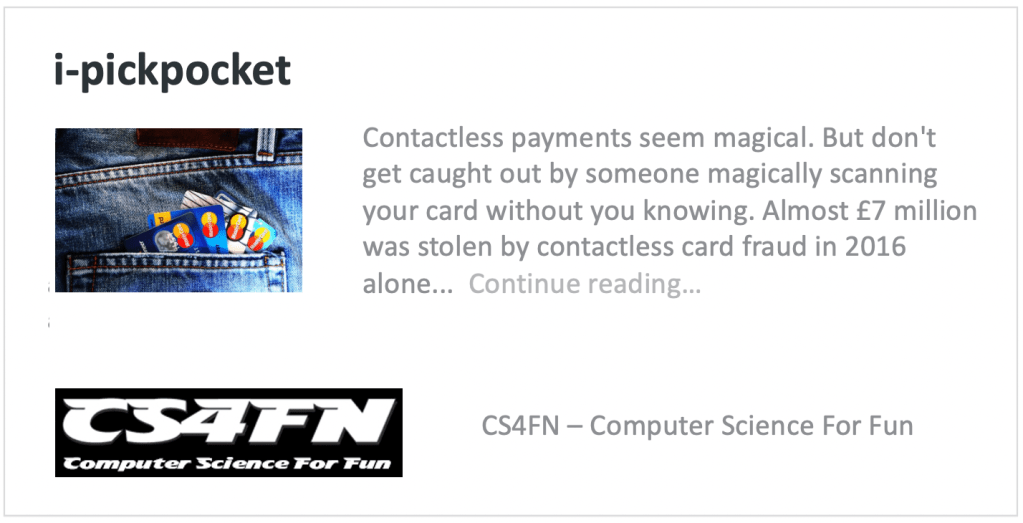
In this article, by a pair (ho ho) of computer scientists (Jane Waite and Paul Curzon), you can find out how paired devices can be used to steal money from people, picking pockets at a distance.

A web card for the i-pickpocket article on the CS4FN website.
Click to read the article

2. Gestural gloves

Working with scientists musician Imogen Heap developed Mi.Mu gloves, a wearable musical instrument in glove form which lets the wearer map hand movements (gestures) to a particular musical effect (pairing a gesture to an action). The gloves contain sensors which can measure the speed and position of the hands and can send this information wirelessly to a controlling computer which can then trigger the sound effect that the musician previously mapped to that hand movement.

You can watch Imogen talk about and demo the gloves here and in the video below, which also looks at the ways in which the gloves might help disabled people to make music.

Further reading

The glove that controls your cords… (a CS4FN article by Jane Waite)

3. Pair programming

‘Pair programming’ involves having two people working together on one computer to write and edit code. One person is the ‘Driver’ who writes the code and explains what it’s going to do, the other person is the ‘Navigator’ who observes and makes suggestions and corrections. This is a way to bring two different perspectives on the same code, which is being edited, reviewed and debugged in real-time. Importantly, the two people in the mini-team switch roles regularly. Pair programming is widely used in industry and increasingly being used in the classroom – it can really help people who are learning about computers and how to program to talk through what they’re doing with someone else (you may have done this yourself in class). However, some people prefer to work by themselves and pair programming takes up two people’s time instead of one, but it can also produce better code with fewer bugs. It does need good communication between the two people working on the task though (and good communication is a very important skill in computer science!).

Here’s a short video from Code.org which shows how it’s done.

4. Digital Twins

A digital twin is a computer-based model that represents a real, physical thing (such as a jet engine or car component) and which behaves as closely as possible to the real thing. Taking information from the real-world version and applying it to the digital twin lets engineers and designers test things virtually, to see how the physical object would behave under different circumstances and to help spot (and fix) problems.

5. A magic trick: two cards make a pair

You will need

  • some playing cards
  • your hands (no mittens)
  • another pair of mitten-free hands to do the trick on

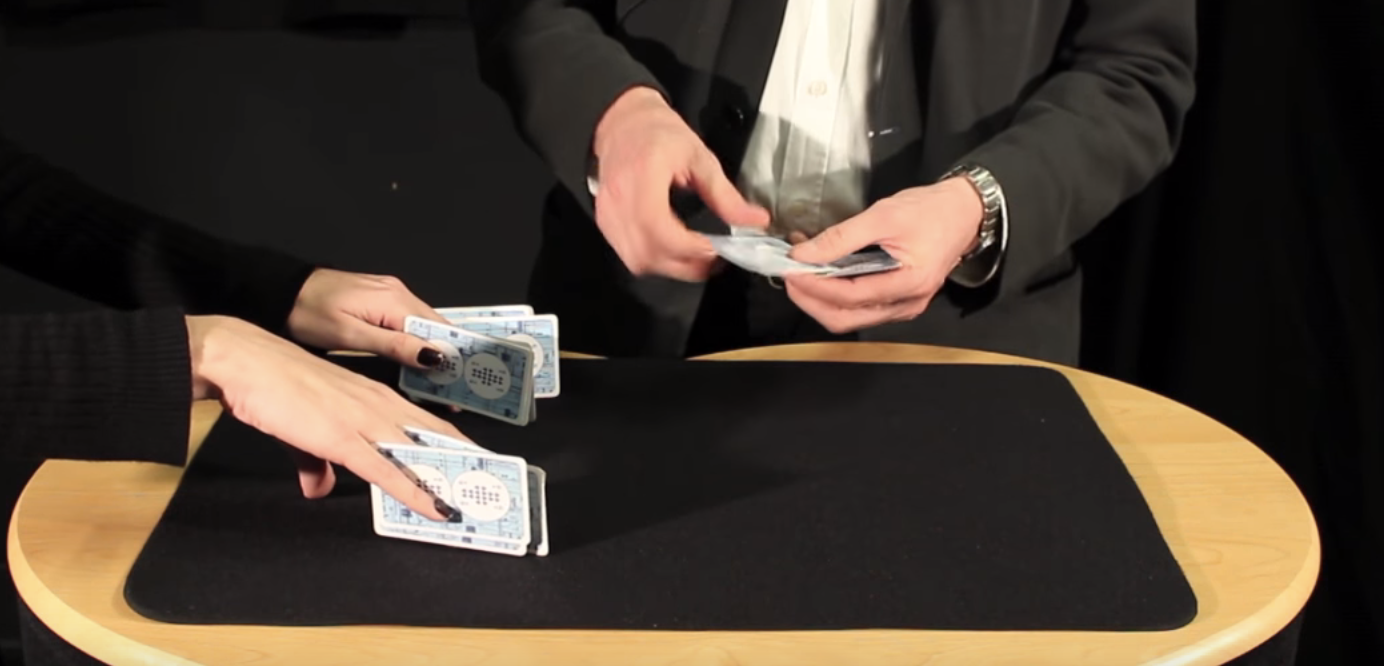
Find a pack of cards and take out 15 (doesn’t matter which ones, pick a card, any card, but 15 of them). Ask someone to put their hands on a table but with their fingers spread as if they’re playing a piano. You are going to do a magic trick that involves slotting pairs of cards between their fingers (10 fingers gives 8 spaces). As you do this you’ll ask them to say with you “two cards make a pair”. Take the first pair and slot them between the first space on their left hand (between their little finger and their ring finger) and both of you say “two cards make a pair”.

The magician puts pairs of cards between the assistant’s fingers. Image credit CS4FN / Teaching London Computing (from the Invisible Palming video linked below)

Repeat with another pair of cards between ring finger and middle finger (“two cards make a pair”) and twice again between middle and index, and between index and thumb – saying “two cards make a pair” each time you do. You’ve now got 8 cards in 4 pairs in their left hand.

Repeat the same process on their right hand saying “two cards make a pair” each time (but you only have 7 cards left so can only make 3 pairs). There’s one card left over which can go between their index finger and thumb.

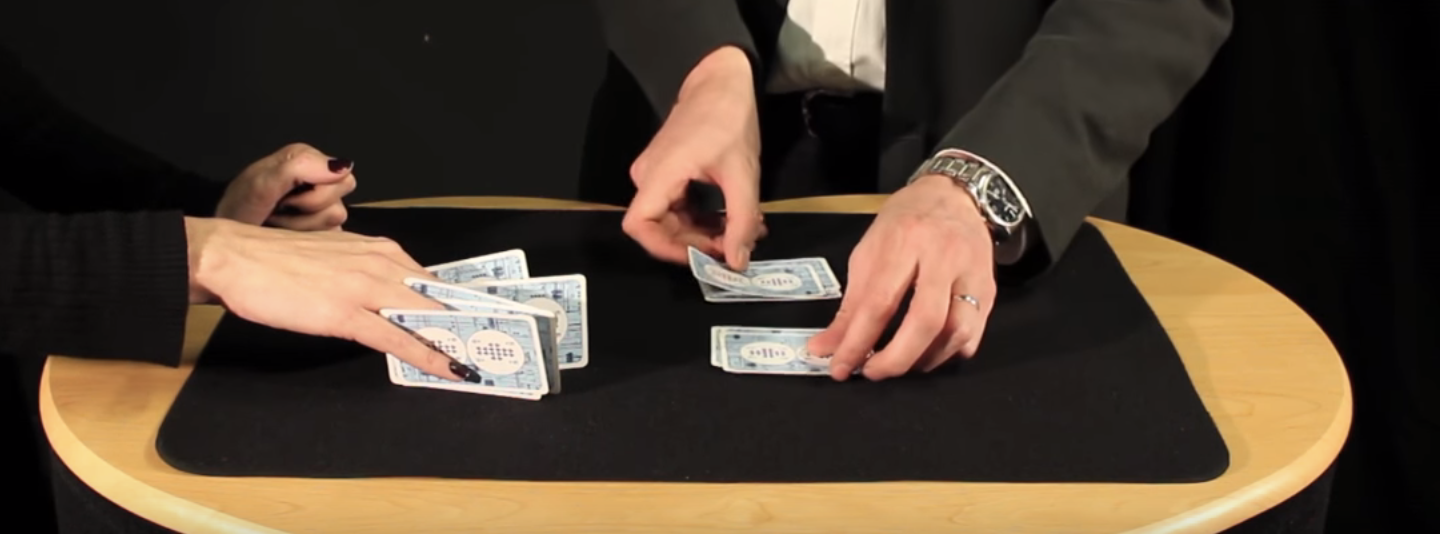
The magician removes the cards and puts them into two piles. Image credit CS4FN / Teaching London Computing (from the Invisible Palming video linked below)

Then you’ll take back each pair of cards and lay them on the table, separating them into two different piles – each time saying “two cards make a pair”. Again you’ll have one left over. Ask the person to choose which pile it goes on. You, the magician, are going to magically move the card from the pile they’ve chosen to the other pile, but you’re going to do it invisibly by hiding the card in your palm (‘palming’). To find out how to do the trick, and how this can be used to think about the ways in which “self-working” magic tricks are like algorithms have a look at the full instructions and video below.

6. Something to print and colour in

Did you work out yesterday’s colour-in puzzle from Elaine Huen? Here’s the answer.

Christmas colour-in puzzle

Today’s puzzle is in keeping with the post’s twins and pairs theme. It’s a symmetrical pixel puzzle so we’ve given you one half and you can use mirror symmetry to fill in the remaining side. This is an example of data compression – you only need half of the numbers to be able to complete all of it. Some squares have a number that tells you the colour to colour in that square. Look up the colours in the key. Other squares have no number. Work out what colour they are by symmetry.

So, for example the colour look up key tells you that 1 is Red and 2 is Orange, so if a row said 11111222 that means colour each of the five ‘1’ pixels in red and each of the three ‘2’ pixels orange. There are another 8 blank pixels to fill in at the end of the row and these need to mirror the first part of the row (22211111), so you’d need to colour the first three in orange and the remaining five in red. Click here to download the puzzle as a printable PDF. Solution tomorrow…


The creation of this post was funded by UKRI, through grant EP/K040251/2 held by Professor Ursula Martin, and forms part of a broader project on the development and impact of computing.


Advert for our Advent calendar
Click the tree to visit our CS4FN Christmas Computing Advent Calendar

EPSRC supports this blog through research grant EP/W033615/1.

Competitive Zen

A hooded woman's intense concentration focussing on the eyes
Image by Walkerssk from Pixabay

To become a Jedi Knight you must have complete control of your thoughts. As you feel the force you start to control your surroundings and make objects move just by thinking. Telekinesis is clearly impossible, but could technology give us the same ability? The study of brain-computer interfaces is an active area of research. How can you make a computer sense and react to a person’s brain activity in a useful way?

Imagine the game of Mindball. Two competitors face each other across a coffee table. A ball sits at the centre. The challenge is to push the ball to your opponent’s end before they push it down to you. The twist is you can use the power of thought alone.

Sound like science fiction? It’s not! I played it at the Dundee Sensation Science Centre many, many years ago where it was a practical and fun demonstration of the then nascent area of brain-computer interfaces.

Each player wears a headband containing electrodes that pick up your brain waves – specifically alpha and theta waves. They are shown as lines on a monitor for all to see. The more relaxed you are, the more you can shut down your brain, the more your brain wave lines fall to the bottom of the screen and start to flatline together. This signals are linked to a computer that drives competing magnets in the table. They pull the metal ball more strongly towards the most agitated person. The more you relax the more the ball moves away from you…unless of course your opponent can out relax you.

Of course it’s not so easy to play. All around the crowd heckle, cheering on their favourite and trying to put off the opponent. You have to ignore it all. You have to think of nothing. Nothing but calm.

The ball gradually edges away from you. You see you are about to win but your excitement registers, and that makes it all go wrong! The ball hurtles back towards you. Relax again. See nothing. Make everything go black around you. Control your thoughts. Stay relaxed. Millimetre by millimetre the ball edges away again until finally it crosses the line and you have won.

Its not just a game of course. There are some serious uses. It is about learning to control your brain – something that helps people trying to overcome stress, addiction and more. Similar technology can also be used by people who are paralysed, and unable to speak, to control a computer. The most recent systems, combining this technology with machine learning to learn what thoughts correspond to different brain patterns can pick up words people are thinking.

For now though it’s about play. It’s a lot of fun, just moving a ball apparently by telekinesis. Imagine what mind games will be like when embedded in more complex gaming experiences!

– Paul Curzon, Queen Mary University of London (updated from the archive)

More on …

Magazines …


Subscribe to be notified whenever we publish a new post to the CS4FN blog.


This page is funded by EPSRC on research agreement EP/W033615/1.

QMUL CS4FN EPSRC logos

Gladys West: Where’s my satellite? Where’s my child?

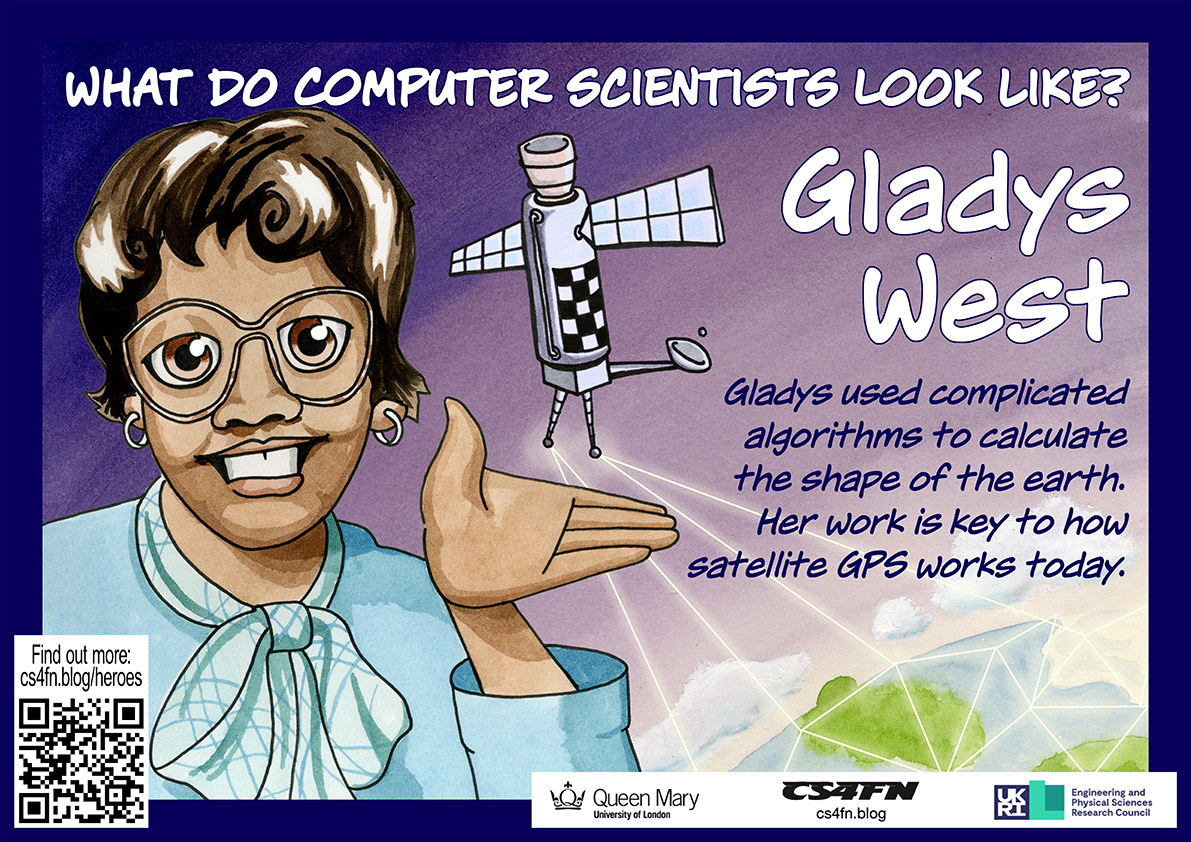
Satellites are critical to much modern technology, and especially GPS. It allows our smartphones, laptops and cars to work out their exact position on the surface of the earth. This is central to all mobile technology, wearable or not, that relies on knowing where you are, from plotting a route your nearest Indian restaurant to telling you where a person you might want to meet is. Many, many people were involved in creating GPS, but it was only in Black History Month of 2017 when the critical part Gladys West played became widely known.

Work hard, go far

As a child Gladys worked with her family in the fields of their farm in rural Virginia. That wasn’t the life she wanted, so she worked hard through school, leaving as the top student. She won a scholarship to university, and then landed a job as a mathematician at a US navy base.

There she solved the maths problems behind the positioning of satellites. She worked closely with the programmers to write the code to do calculations based on her maths. Nine times out of ten the results that came back weren’t exactly right so much of her time was spent working out what was going wrong with the programs, as it was vital the results were very accurate.

Seasat and Geosat

Her work on the Seasat satellite won her a commendation. It was a revolutionary satellite designed to remotely monitor the oceans. It collected data about things like temperature, wind speed and wind direction at the sea’s surface, the heights of waves, as well as sensing data about sea ice. This kind of remote sensing has since had a massive impact on our understanding of climate change. Gladys specifically worked on the satellite’s altimeter. It was a radar-based sensor that allowed Seasat to measure its precise distance from the surface of the ocean below. She continued this work on later remote sensing satellites too, including Geosat, a later earth observation satellite.

Gladys West and Sam Smith look over data from the Global Positioning System,
which Gladys helped develop. Image: U.S. Navy, Public domain, via Wikimedia Commons US Navy, 1985,

GPS

Knowing the positions of satellites is the foundation for GPS. The way GPS works is that our mobile receivers pick up a timed signal from several different satellites. Calculating where we are can only be done if you first know very precisely where those satellites were when they sent the signal. That is what Gladys’ work provided.

GPS Watches

You can now buy, for example, buy GPS watches, allowing you to wear a watch that watches where you are. They can also be used by people with dementia, who have bad memory problems, allowing their carers to find them if they go out on their own but are then confused about where they are. They also allow parents to know where their kids are all the time. Do you think that’s a good use?

Since so much technology now relies on knowing exactly where we are, Gladys’ work has had a massive impact on all our lives.

– Paul Curzon, Queen Mary University of London

This article was originally published on the CS4FN website and a copy can also be found on page 14 of Issue 25 of CS4FN, “Technology worn out (and about)“, on wearable computing, which can be downloaded as a PDF, along with all our other free material, here: https://cs4fndownloads.wordpress.com/  

This article is also republished during Black History Month and is part of our Diversity in Computing series, celebrating the different people working in computer science (Gladys West’s page).


Subscribe to be notified whenever we publish a new post to the CS4FN blog.


This page is funded by EPSRC on research agreement EP/W033615/1.

QMUL CS4FN EPSRC logos