We have explained how core rope memory was used as the computer memory storing the Apollo guidance computer program that got us to the moon. A team from the University of Washington came up with a fun craft activity to make your own core memory. It may not fly you to the moon, but is a neat way to store information in a bracelet. Find their activity pages here [EXTERNAL].
What it involves is threading 8 beads onto a string, with a gap between them to form a storage space for bytes of data. Each byte is 8 binary bits (Eight pieces of information, each a 1 or a 0). Each bead represents the position of one bit in your core rope memory. You then take other threads and weave them through the beads. Each thread will store another byte of actual data. Pass the thread through a bead when you want that bead to read 1, or over, when you want that bead to read 0.
Each thread weaving past or through 8 beads can then encode the information for one letter. By adding lots of threads you can store a word or even a sentence on each core rope memory string (perhaps your name, or some secret message).
Using a binary encoding for each letter (so capital letter A would be the 8 bits 01000001 if you’re following this conversion from binary to letters table) you put that letter’s thread through or over each of the 8 beads to ‘spell’ out the letter in binary.
My name is Jo so a core rope memory encoding my name would have only three threads (one to hold the 8 beads and two to spell my name). The second thread would go over, through, over, over, through, over, through, over to spell the capital letter J (01001010). The second thread would go over, through, through, over, through, through, through, through to spell lowercase o (01101111).
Let’s hope you have a slightly longer name so can have more fun time creating your own personalised core rope memory!
Weaving, in the form of the Jacquard loom, with its swappable punch cards controlling the loom’s patterns inspired Charles Babbage. He intended to use the same kind of punch card to store programs in his Analytical Engine, which had it been built would have been the first computer. However, weaving had a much more direct use in computing history. Weaving helped get us to the Moon.
In the 1960s, NASA’s Apollo moon mission needed really dependable computers. It was vital that the programs wouldn’t be corrupted in space. The problem was solved using core rope memory.
Core rope memory was made of small ‘eyelets’ or beads of a metal called ferrite that can be magnetised and copper wire which was woven through some of the eyelets but not others. The ring-shaped magnets were known as magnetic cores. An electrical current passing through the wires made the whole thing work.
Representing binary
Both data and programs in computers are stored as binary: 1s and 0s. Those 1s and 0s can be represented by physical things in the world in lots of different ways. NASA used weaving. A wire that passed through an eyelet would be read as a binary 1 when the current was on but if it passed around the eyelet then it would be read as 0. This meant that a computer program, made up of sequences of 1s and 0s, could be permanently stored by the pattern that was woven. This gave read-only memory. Related techniques were used to create memory that the computer could change too, as the guidance computer needed both.
The memory was woven for NASA by women who were skilled textile workers. They worked in pairs using a special hollow needle to thread the copper wire through one magnetic core and then the other person would thread it back through a different one.
The program was first developed on a computer (the sort that took up a whole room back then) and then translated into instructions for a machine which told the weavers the correct positions for the wire threads. It was very difficult to undo a mistake so a great deal of care was taken to get things right the first time, especially as it could take up to two months to complete one block of memory. Some of the rope weavers were overseen by Margaret Hamilton, one of the women who developed the software used on board the spacecraft, and who went on to lead the Apollo software team.
The world’s first portable computer?
Several of these pre-programmed core rope memory units were combined and installed in the guidance computers of the Apollo mission spacecraft that had to fly astronauts safely to the Moon and back. NASA needed on-board guidance systems to control the spacecraft independently of Mission Control back on Earth. They needed something that didn’t take up too much room or weigh too much, that could survive the shaking and juddering of take-off and background radiation: core rope memory fitted the bill perfectly.
It packed a lot of information (well, not by modern standards! The guidance computer contained only around 70 kilobytes of memory) into a small space and was very robust as it could only break if a wire came loose or one of the ferrite eyelets was damaged (which didn’t happen). To make sure though, the guidance computer’s electronics were sealed from the atmosphere for extra protection. They survived and worked well, guiding the Landing Modules safely onto the Moon.
One small step for man perhaps, but the Moon landings were certainly a giant leap for computing.
Jo Brodie and Paul Curzon, Queen Mary University of London
Charles Babbage invented wonderful computing machines. But he was not very good at explaining things. That’s where Ada Lovelace came in. She is famous for writing a paper in 1843 explaining how Charles Babbage’s Analytical Engine worked – including a big table of formulas which is often described as “the first computer program”.
Charles Babbage invented his mechanical computers to save everyone from the hard work of doing big mathematical calculations by hand. He only managed to build a few tiny working models of his first machine, his difference engine. It was finally built to Babbage’s designs in the 1990s and you can see it in the London Science Museum. It has 8,000 mechanical parts, and is the size of small car, but when the operator turns the big handle on the side it works perfectly, and prints out correct answers.
Babbage invented, but never built, a more ambitious machine, his Analytical Engine. In modern language, this was a general purpose computer, so it could have calculated anything a modern computer can – just a lot more slowly. It was entirely mechanical, but it had all the elements we recognize today – like memory, CPU, and loops.
Lovelace’s paper explains all the geeky details of how numbers are moved from memory to the CPU and back, and the way the machine would be programmed using punched cards.
But she doesn’t stop there – in quaint Victorian language she tells us about the challenges familiar to every programmer today! She understands how complicated programming is:
“There are frequently several distinct sets of effects going on simultaneously; all in a manner independent of each other, and yet to a greater or less degree exercising a mutual influence.”
the difficulty of getting things right:
“To adjust each to every other, and indeed even to perceive and trace them out with perfect correctness and success, entails difficulties whose nature partakes to a certain extent of those involved in every question where conditions are very numerous and inter-complicated.”
and the challenge of making things go faster:
“One essential object is to choose that arrangement which shall tend to reduce to a minimum the time necessary for completing the calculation.”
She explains how computing is about patterns:
“it weaves algebraical patterns just as the Jacquard-loom weaves flowers and leaves”.
and inventing new ideas
“We might even invent laws … in an arbitrary manner, and set the engine to work upon them, and thus deduce numerical results which we might not otherwise have thought of obtaining”.
and being creative. If we knew the laws for composing music:
“the engine might compose elaborate and scientific pieces of music of any degree of complexity or extent.”
Alan Turing famously asked if a machine can think – Ada Lovelace got there first:
“The Analytical Engine has no pretensions whatever to originate anything. It can do whatever we know how to order it to perform.”
Wow, pretty amazing, for someone born 200 years ago.
Ursula Martin, University of Oxford(From the archive)
Can a robot get cancer? Silly question. Our bodies are made of cells. Robots aren’t. Cells are the basic building blocks of life and come in lots of different forms from long thin nerve cells that allow us to sense the world, to round blood cells that carry oxygen around our bodies. Cancer occurs when cells go rogue and start reproducing in an uncontrolled way. A computer can’t get cancer, but you can allow virtual diseases to attack virtual cells inside a computer. Doing that may just help find cures. That is what Jasmin Fisher, who leads a research group at Microsoft Research in Cambridge, has devoted her career to.
Becoming a medic isn’t the only way to help save lives!
Computational Modelling is changing the way the sciences are done. It is the idea that you can run experiments on virtual versions of things you are investigating. A computer model is essentially just a program that simulates the phenomena of interest. For example, by writing a program that simulates the laws of Physics, you can use it to run virtual Physics experiments about the motion of the planets, say. If your virtual planets do follow the paths real planets do, then you have evidence the laws are right. If they don’t your laws (or the models) need to change. You can also make predictions such as when an eclipse will happen. If you are right it suggests the laws you coded are good descriptions of reality. If wrong, back to the drawing board.
Jasmin has been pioneering this idea with the stuff of life and death. She focusses on modelling cells and the specific ways that we think cancer attacks them. It gives a way of exploring what is going on at the level of the molecules inside cells, and so how well new medicines might, or might not, work. Experiments can be done quickly and easily on the programmed models by running simulations. That means the real experiments, taking up expensive lab time, can focus on things that are most likely to be successful. Jasmin’s work has helped researchers design more effective actual experiments because they start with a better understanding of what is going on. One of the most important questions she is studying is how cells end up becoming what they are, and how this differs between normal cells and cancer cells. Understand this and we will be much closer to understanding how to stop cancer.
Being creative isn’t just for the fun of it. It can be serious too. Marketing people are paid vast amounts to come up with slogans for new products, and in the political world, a good, memorable soundbite can turn the tide over who wins and loses an election. Coming up with great slogans that people will remember for years needs both a mastery of language and a creative streak too. Algorithms are now getting in on the act, and if anyone can create a program as good as the best humans, they will soon be richer than the richest marketing executive. Polona Tomašicˇ and her colleagues from the Jožef Stefan Institute in Slovenia are one group exploring the use of algorithms to create slogans. Their approach is based on the way evolution works – genetic algorithms. Only the fittest slogans survive!
A mastery of language
To generate a slogan, you give their program a short description on the slogan’s topic – a new chocolate bar perhaps. It then uses existing language databases and programs to give it the necessary understanding of language.
First, it uses a database of common grammatical links between pairs of words generated from wikipedia pages. Then skeletons of slogans are extracted from an Internet list of famous (so successful) slogans. These skeletons don’t include the actual words, just the grammatical relationships between the words. They provide general outlines that successful slogans follow.
From the passage given, the program pulls out keywords that can be used within the slogans (beans, flavour, hot, milk, …). It generates a set of fairly random slogans from those words to get started. It does this just by slotting keywords into the skeletons along with random filler words in a way that matches the grammatical links of the skeletons.
Breeding Slogans
New baby slogans are now produced by mating pairs of initial slogans (the parents). This is done by swapping bits into the baby from each parent. Both whole sections and individual words are swapped in. Mutation is allowed too. For example, adjectives are added in appropriate places. Words are also swapped for words with a related meaning. The resulting children join the new population of slogans. Grammar is corrected using a grammar checker.
Culling Slogans
Slogans are now culled. Any that are the same as existing ones go immediately. The slogans are then rated to see which are fittest. This uses simple properties like their length, the number of keywords used, and how common the words used are. More complex tests used are based on how related the meanings of the words are, and how commonly pairs of words appear together in real sentences. Together these combine to give a single score for the slogan. The best are kept to breed in the next generation, the worst are discarded (they die!), though a random selection of weaker slogans are also allowed to survive. The result is a new set of slogans that are slightly better than the previous set.
The program breeds and culls slogans like this for thousands, even millions of generations, gradually improving them, until it finally chooses its best. The slogans produced are not yet world beating on their own, and vary in quality as judged by humans. For chocolate, one run came up with slogans like “The healthy banana” and “The favourite oven”, for example. It finally settled on “The HOT chocolate” which is pretty good.
More work is needed on the program, especially its fitness function – the way it decides what is a good slogan and what isn’t. As it stands this sort of program isn’t likely to replace anyone’s marketing department. They could help with brainstorming sessions though, to spark new ideas but leaving humans to make the final choice. Supporting human creativity rather than replacing it is probably just as rewarding for the program after all.
It is 1843, Queen Victoria is on the British throne. The industrial revolution has transformed the country. Steam, cogs and iron rule. The first computers won’t be successfully built for a hundred years. Through the noise and grime one woman sees the future. A digital future that is only just being realised.
Ada Lovelace is often said to be the first programmer. She wrote programs for a designed, but yet to be built, computer called the Analytical Engine. She was something much more important than a programmer, though. She was the first truly visionary person to see the real potential of computers. She saw they would one day be creative.
Charles Babbage had come up with the idea of the Analytical Engine – how to make a machine that could do calculations so we wouldn’t need to do it by hand. It would be another century before his ideas could be realised and the first computer was actually built. As he tried to get the money and build the computer, he needed someone to help write the programs to control it – the instructions that would tell it how to do calculations. That’s where Ada came in. They worked together to try and realise their joint dream, jointly working out how to program.
Ada also wrote “The Analytical Engine has no pretensions to originate anything.” So how does that fit with her belief that computers could be creative? Read on and see if you can unscramble the paradox.
Ada was a mathematician with a creative flair and while Charles had come up with the innovative idea of the Analytical Engine itself, he didn’t see beyond his original idea of the computer as a calculator, she saw that they could do much more than that.
The key innovation behind her idea was that the numbers could stand for more than just quantities in calculations. They could represent anything – music for example. Today when we talk of things being digital – digital music, digital cameras, digital television, all we really mean is that a song, a picture, a film can all be stored as long strings of numbers. All we need is to agree a code of what the numbers mean – a note, a colour, a line. Once that is decided we can write computer programs to manipulate them, to store them, to transmit them over networks. Out of that idea comes the whole of our digital world.
Ada saw even further though. She combined maths with a creative flair and so she realised that not only could they store and play music they could also potentially create it – they could be composers. She foresaw the whole idea of machines being creative. She wasn’t just the first programmer, she was the first truly creative programmer.
People often say that computers are all around us, but you could still escape your phone and iPod and go out to the park, far away from the nearest circuit board if you wanted to. It’s a lot more difficult to get away from the clutches of computation itself though. For one thing, you’d have to leave your clothes at home. Queen Mary Electronic Engineer Karen Shoop tells us about the code hidden in knitting, and what might happen when computers learn to read it.
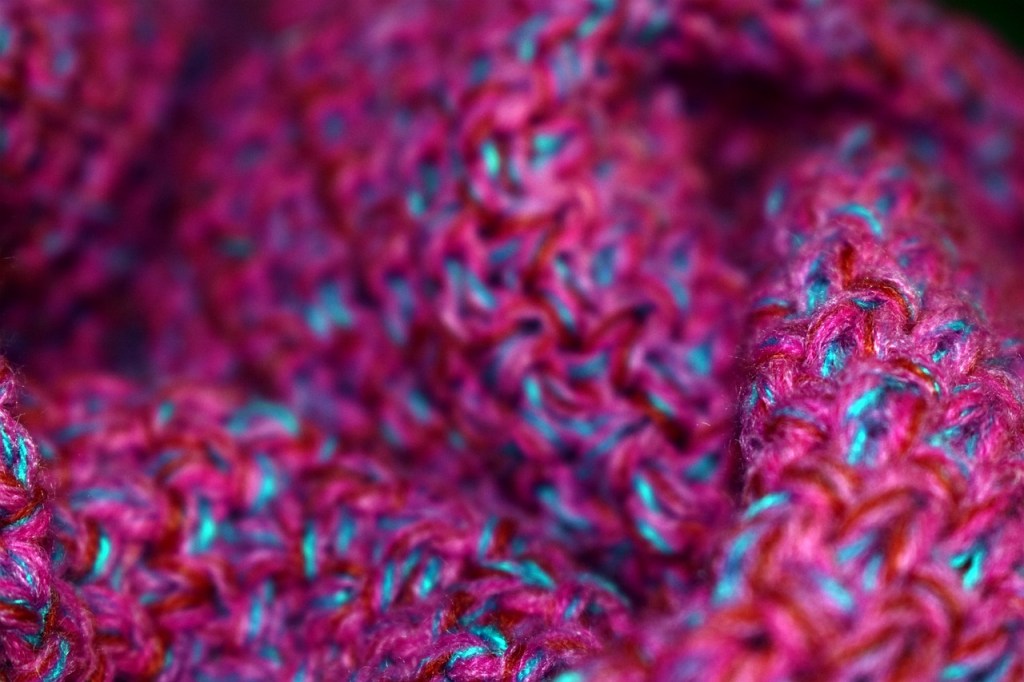
If you’re wearing something knitted look closely at it (if it’s a sunny day then put this article away till it gets colder). Notice how the two sides don’t look the same: some parts look like a raised ‘v’ and others like a wave pattern. These are made by the two knitting stitches: knit and purl. With knit you stick the needle through and then behind the knitting; with purl you stick the needle in the other direction, starting behind the knitting and then pointing at the knitter. Expert knitters know that there’s more to knitting than just these two stitches, but we’ll stick to knit and purl. As these stitches are combined, the wool is transformed from a series of waves or ‘v’s into a range of patterns: stretchy stripes (ribs), raised speckles (moss), knots and ropes (cable). It all depends on the number of purls and knits, how they are placed next to each other and how often things are repeated.
Knitters get very proficient at reading knitting patterns, which are just varying combinations of k (knits) and p (purls). So the simplest pattern of all, knitting a square, would look something like:
’30k (30 knit stitches), finish the line, then repeat this 20 times’.
A rib would look like: ‘5k, 5p, then repeat this [a certain number of times], then repeat the line [another number of times]’
To a computer scientist or electronic engineer all this looks rather like computer code or, to be precise, like the way of describing a pattern as a computer program.
How your jumper is like coding
So look again at your knitted hat/jumper/cardi and follow the pattern, seeing how it changes horizontally and vertically. Just as knitters give instructions for this in their knitting pattern, coders do the same when writing computer programs. Specifically programmers use things called regular expressions. They are just a standard way to describe patterns. For example a regular expression might be used to describe what an email address should look like (specifying rules such as that it has one ‘@’ character in the middle of other characters, no full-stops/periods immediately before the @ and so on), what a phone number looks like (digits/numbers, no letters, possibly brackets or hyphens) and now what a knitting pattern looks like (lots of ks and ps). Regular expressions use a special notation to precisely describe what must be included, what might possibly be included, what cannot be, and how many times things should be repeated. If you were going to teach a computer how to read knitting patterns, a regular expression would be just what you need.
Knitting a regular expression
Let’s look at how to write a knitting pattern as a regular expression. Let’s take moss or seed stitch as our example. It repeats a “knit one purl one” pattern for one line. The next line then repeats a “purl one knit one” pattern, so that every knit stitch has a purl beneath it and vice versa. These two lines are repeated for as long as is necessary. How might we write that both concisely and precisely so there is no room for doubt?
In knitting notation (assuming an even number of stitches) it looks like: Row 1: *k1, p1; rep from * Rows 2: *p1, k1; rep from * or Row 1: (K1, P1) rep to end Row 2: (P1, K1) rep to end Repeat these 2 rows for length desired.
All this is fine … if it’s being read by a human, but to write experimental knitting software the knitting notation we have to use a notation a computer can easily follow: regular expressions fit the bill. Computers do not understand the words we used in our explanation above: words like ‘row’, ‘repeat’, ‘rep’, ‘to’, ‘from’, ‘end’, ‘length’ and ‘desired’, for example. We could either write a program that makes sense of what it all means for the computer, or we could just write knitting patterns for computers in a language they can already do something with: regular expressions. If we wanted to convert from human knitting patterns to regular expressions we would then write a program called a compiler (see Smart translation) that just did the translation.
In a regular expression to give a series of actions we just name them. So kp is the regular expression for one knit stitch followed immediately by one purl. The knitting pattern would then say repeat or rep. In a regular expression we group actions that need to be repeated inside curved brackets, resulting in (kp). To say how many times we need to repeat, curly brackets are used, so kp repeated 10 times looks like this: (kp){10}.
Since the word ‘row’ is not a standard coding word we then use a special character, written, \n, to indicate that a new line (=row) has to start. The full regular expression for the row is then (kp){10}\n. Since the first line was made of kps the following line must be pks, or (pk){10}\n
These two lines have to be repeated a certain number of times themselves, say 20, so they are in turn wrapped up in yet more brackets, producing: ((kp){10}\n(pk){10}\n){20}.
If we want to provide a more general pattern, not fixing the number of kps in a row or the number of rows, the 10 and 20 can be replaced with what are called variables – x and y. They can each stand for any number, so the final regular expression is:
((kp){x}\n(pk){x}\n){y}
How would you describe a rib as a regular expression (remember, that’s the pattern that looks like stretchy stripes)? The regular expression would be ((kp){x}\n){y}.
Regular expressions end up saying exactly the same thing as the standard knitting patterns, but more precisely so that they cannot be misunderstood. Describing knitting patterns in computer code is only the start, though. We can use this to write code that makes new patterns, to find established ones or to alter patterns, like you’d need to do if you were using thicker wool, for example. An undergraduate student at Queen Mary, Hailun Li, who likes knitting, used her knowledge to write an experimental knitting application that lets users enter their own combination of ps and ks and find out what their pattern looks like. She took her hobby and saw how it related to computing.
Look at your woolly jumper again…it’s full of computation!
Karen Shoop, Queen Mary University of London, Summer 2014
Subscribe to be notified whenever we publish a new post to the CS4FN blog.
This blog is funded by EPSRC on research agreement EP/W033615/1.
When pop star Madonna took to the stage at Brixton Academy in 2001 for a rare appearance she made Internet history and caused more that a little Internet misery. Her concert performance was webcast; that is it was broadcast real time over the Internet. A record-breaking audience of 9 million tuned in, and that’s where the trouble started…
The Internet’s early career
The Internet started its career as a way of sending text messages between military bases. What was important was that the message got through, even if parts of the network were damaged say, during times of war. The vision was to build a communications system that could not fail; even if individual computers did, the Internet would never crash. The text messages were split up into tiny packets of information and each of these was sent with an address and their position in the message over the wire. Going via a series of computer links it reached its destination a bit like someone sending a car home bit by bit through the post and then rebuilding it. Because it’s split up the different bits can go by different routes.
Express yourself (but be polite please)
To send all these bits of information a set of protocols (ways of communicating between the computers making up the Internet) were devised. When passing on a packet of information the sending machine first asks the receiving machine if it is both there and ready. If it replies yes then the packet is sent. Then, being a polite protocol, the sender asks the receiver if the packets all arrived safely. This way, with the right address, the packets can find the best way to go from A to B. If on the way some of the links in the chain are damaged and don’t reply, the messages can be sent by a different route. Similarly if some of the packets gets lost in transit between links and need to be resent, or packets are delayed in being sent because they have to go by a round about route, the protocol can work round it. It’s just a matter of time before all the packets arrive at the final destination and can be put back in order. With text the time taken to get there doesn’t really matter that much.
The Internet gets into the groove
The problem with live pop videos, like a Madonna concert, is that it’s no use if the last part of the song arrives first, or you have to wait half an hour for the middle chorus to turn up, or the last word in a sentence vanishes. It needs to all arrive in real time. After all, that is how it’s being sung. So to make web casting work there needs to be something different, a new way of sending the packets. It needs to be fast and it needs to deal with lots more packets as video images carry a gigantic amount of data. The solution is to add something new to the Internet, called an overlay network. This sits on top of the normal wiring but behaves very differently.
The Internet turns rock and roll rebel
So the new real time transmission protocol gets a bit rock and roll, and stops being quite so polite. It takes the packets and throws them quickly onto the Internet. If the receiver catches them, fine. If it doesn’t, then so what? The sender is too busy to check like in the old days. It has to keep up with the music! If the packets are kept small, an odd one lost won’t be missed. This overlay network called the Mbone, lets people tune into the transmissions like a TV station. All these packages are being thrown around and if you want to you can join in and pick them up.
Crazy for you
Like dozens of cars all racing to get through a tunnel there were traffic jams. It was Internet gridlock.
The Madonna webcast was one of the first real tests of this new type of approach. She had millions of eager fans, but it was early days for the technology. Most people watching had slow dial-up modems rather than broadband. Also the number of computers making up the links in the Internet were small and of limited power. As more and more people tuned in to watch, more and more packets needed to be sent and more and more of the links started to clog up. Like dozens of cars all racing to get through a tunnel there were traffic jams. Packets that couldn’t get through tried to find other routes to their destination … which also ended up blocked. If they did finally arrive they couldn’t get through onto the viewers PC as the connection was slow, and if they did, very many were too late to be of any use. It was Internet gridlock.
Who’s that girl?
Viewers suffered as the pictures and sound cut in and out. Pictures froze then jumped. Packets arrived well after their use by date, meaning earlier images had been shown missing bits and looking fuzzy. You couldn’t even recognise Madonna on stage. Some researchers found that packets had, for example, passed over seven different networks to reach a PC in a hotel just four miles away. The packets had taken the scenic route round the world, and arrived too late for the party. It wasn’t only the Madonna fans who suffered. The broadcast made use of the underlying wiring of the Internet and it had filled up with millions of frantic Madonna packets. Anyone else trying to use the Internet at the time discovered that it had virtually ground to a halt and was useless. Madonna’s fans had effectively crashed the Internet!
Webcasts in Vogue
Today’s webcasts have moved on tremendously using the lessons learned from the early days of the Madonna Internet crash. Today video is very much a part of the Internet’s day-to-day duties: the speed of the computer links of the Internet and their processing power has increased massively; more homes have broadband so the packets can get to your PC faster; satellite uplinks now allow the network to identify where the traffic jams are and route the data up and over them; extra links are put into the Internet to switch on at busy times; there are now techniques to unnoticeably compress videos down to small numbers of packets, and intelligent algorithms have been developed to reroute data effectively round blocks. We can also now combine the information flowing to the viewers with information coming back from them so allowing interactive webcasts. With the advent of digital television this service is now in our homes and not just on our PC’s.
Living in a material world
It’s because of thousands of scientists working on new and improved technology and software that we can now watch as the housemate’s antics stream live from the Big Brother house, vote from our armchair for our favourite talent show contestant or ‘press red’ and listen to the director’s commentary as we watch our favourite TV show. Like water and electricity the Internet is now an accepted part of our lives. However, as we come up with even more popular TV shows and concerts, strive to improve the quality of sound and pictures, more people upgrade to broadband and more and more video information floods the Internet … will the Internet Die another Day?
Peter W. McOwanandPaul Curzon, Queen Mary University of London, 2006
Based on a 2016 talk by Sabine Hauert at the Royal Society
Sabine Hauert is a swarm engineer. She is fascinated by the idea of making use of swarms of robots. Watch a flock of birds and you see that they have both complex and beautiful behaviours. It helps them avoid predators very effectively, for example, so much so that many animals behave in a similar way. Predators struggle to fix on any one bird in all the chaotic swirling. Sabine’s team at the University of Bristol are exploring how we can solve our own engineering problems: from providing communication networks in a disaster zone to helping treat cancer, all based on the behaviours of swarms of animals.
Sabine realised that flocks of birds have properties that are really interesting to an engineer. Their ability to scale is one. It is often easy to come up with solutions to problems that work in a small ‘toy’ system, but when you want to use it for real, the size of the problem defeats you. With a flock, birds just keep arriving, and the flock keeps working, getting bigger and bigger. It is common to see thousands of Starlings behaving like this – around Brighton Pier most winter evenings, for example. Flocks can even be of millions of birds all swooping and swirling together, never colliding, always staying as a flock. It is an engineering solution that scales up to massive problems. If you can build a system to work like a flock, you will have a similar ability to scale.
Flocks of birds are also very robust. If one bird falls out of the sky, perhaps because it is caught by a predator, the flock itself doesn’t fail, it continues as if nothing happened. Compare that to most systems humans create. Remove one component from a car engine and it’s likely that you won’t be going anywhere. This kind of robustness from failure is often really important.
Swarms are an example of emergent behaviour. If you look at just one bird you can’t tell how the flock works as a whole. In fact, each is just following very simple rules. Each bird just tracks the positions of a few nearest neighbours using that information to make simple decisions about how to move. That is enough for the whole complex behaviour of the flock to emerge. Despite all that fast and furious movement, the birds never crash into each other. Fascinated, Sabine started to explore how swarms of robots might be used to solve problems for people.
Her first idea was to create swarms of flying robots to work as a communications network, providing wi-fi coverage in places it would otherwise be hard to set up a network. This might be a good solution in a disaster area, for example, where there is no other infrastructure, but communication is vital. You want it to scale over the whole disaster area quickly and easily, and it has to be robust. She set about creating a system to achieve this.
The robots she designed were very simple, fixed wing, propellor-powered model planes. Each had a compass so it knew which direction it was pointing and was able to talk to those nearest using wi-fi signals. It could also tell who its nearest neighbours were. The trick was to work out how to design the behaviour of one bird so that appropriate swarming behaviour emerged. At any time each had to decide how much to turn to avoid crashing into another but to maintain the flock, and coverage. You could try to work out the best rules by hand. Instead, Sabine turned to machine learning.
“Throwing those flying robots and seeing them flock was truly magical”
The idea of machine learning is that instead of trying to devise algorithms that solve problems yourself, you write an algorithm for how to learn. The program then learns for itself by trial and error the best solution. Sabine created a simple first program for her robots that gave them fairly random behaviour. The machine learning program then used a process modelled on evolution to gradually improve. After all evolution worked for animals! The way this is done is that variations on the initial behaviour are trialled in simulators and only the most successful are kept. Further random changes are made to those and the new versions trialled again. This is continued over thousands of generations, each generation getting that little bit better at flocking until eventually a behaviour of individual robots results that leads to them swarming together.
Sabine has now moved on to to thinking about a situation where swarms of trillions of individuals are needed: nanomedicine. She wants to create nanobots that are each smaller than the width of a strand of hair and can be injected into cancer patients. Once inside the body they will search out and stick themselves to tumour cells. The tumour cells gobble them up, at which point they deliver drugs directly inside the rogue cell. How do you make them behave in a way that gives the best cancer treatment though? For example, how do you stop them all just sticking to the same outer cancer cells? One way might be to give them a simple swarm behaviour that allows them to go to different depths and only then switch on their stickiness, allowing them to destroy all the cancer cells. This is the sort of thing Sabine’s team are experimenting with.
Swarm engineering has all sorts of other practical applications, and while Sabine is leading the way, some time soon we may need lots more swarm engineers, able to design swarm systems to solve specific problems. Might that be you?
Paul Curzon, Queen Mary University of London
Explore swarm behaviour using the Oxford Turtle system [EXTERNAL] (click the play button top centre) to see how to run a flocking simulation as well as program your own swarms.
Suppose you want to send messages as fast as possible. What’s the best way to do it? That is what Polina Bayvel, a Professor at UCL has dedicated her research career to: exploring the limits of how fast information can be sent over networks. It’s not just messages that it’s about nowadays of course, but videos, pictures, money, music, books – anything you can do over the Internet.
Send a text message and it arrives almost instantly. Sending message hasn’t always been that quick, though. The Greeks used runners – in fact the Marathon athletic event originally commemorated a messenger who supposedly ran from a battlefield at Marathon to Athens to deliver the message “We won” before promptly dying. The fastest woman in the world at the time of writing, 2011, Paula Radcliffe, at her quickest could deliver a message a marathon distance away in 2 hours 15 minutes and 25 seconds (without dying!) … ( now in 2020, Brigid Kosgei, a minute or so faster).
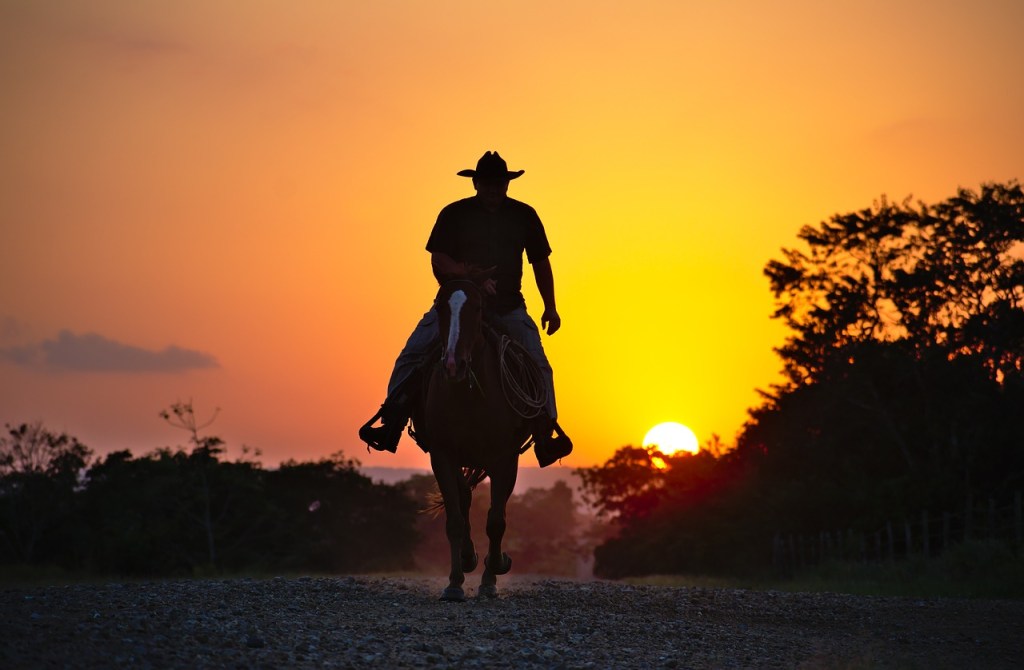
Horses improved things (and the Greeks in fact normally used horseback messengers, but hey it was a good story). Unfortunately, even a horse can’t keep up the pace for hundreds of miles. The Pony Express pushed horse technology to its limits. They didn’t create new breeds of genetically modified fast horses, or anything like that. All it took was to create an organised network of normal ones. They set up pony stations every 10 miles or so right across North America from Missouri to Sacramento. Why every 10 miles? That’s the point a galloping horse starts to give up the ghost. The mail came thundering in to each station and thundered out with barely a break as it was swapped to a new fresh pony.
The pony express was swiftly overtaken by the telegraph. Like the switch to horses, this involved a new carrier technology – this time copper wire. Now the messages had to be translated first though, here into electrical signals in Morse code. The telegraph was followed by the telephone. With a phone it seems like you just talk and the other person just hears but of course the translation of the message into a different form is still happening. The invention of the telephone was really just the invention of a way to turn sound into an electrical code that could be sent along copper cables and then translated back again.
The Internet took things digital – in some ways that’s a step back towards Morse code. Now, everything, even sound and images, are turned into a code of ones and zeros instead of dots and dashes. In theory images could of course have been sent using a telegraph tapper in the same way…if you were willing to wait months for the code of the image to be tapped in and then decoded again. Better to just wait for computers that can do it fast to be invented.
In the early Internet, the message carrier was still good old copper wire. Trouble is, when you want to send lots of data, like a whole movie, copper wire and electricity are starting to look like the runners must have done to horse riders: slow out-of-date technology. The optical fibre is the modern equivalent of the horse. They are just long thin tubes of glass. Instead of sending pulses of electricity to carry the coded messages, they now go on the back of a pulse of light.
Up to this point it’s been mainly men taking the credit, but this is where Polina’s work comes in. She is both exploring the limits of what can be done with optical fibres in theory and building ever faster optical networks in practice. How much information can actually be sent down fibres and what is the best way to do it? Can new optical materials make a difference? How can devices be designed to route information to the right place – such ‘routers’ are just like mail sorting depots for pulses of light. How can fibre optics best be connected into networks so that they work as efficiently as possible – allowing you and everyone else in your street to be watching different movies at the same time, for example, without the film going all jerky? These are all the kinds of questions that fascinate Polina and she has built up an internationally respected team to help her answer them.
Why are optical fibres such a good way to send messages? Well the obvious answer is that you can’t get much faster than light! Well actually you can’t get ANY faster than light. The speed of light is the fastest anything, including information, can travel according to Einstein’s laws. That’s not the end of the story though. Remember the worn out Marathon runner. It turns out that signals being sent down cables do something similar. Well, not actually getting out of breath and dying but they do get weaker the further they travel. That means it gets harder to extract the information at the other end and eventually there is a point where the message is just garbled noise. What’s the solution? Well actually it’s exactly the one the Pony Express came up with. You add what are called ‘repeaters’ every so often. They extract the message from the optical fibre and then send it down the next fibre, but now back at full strength again. One of the benefits of fibre optics is that signals can go much further before they need a repeater. That means the message gets to its destination faster because those repeaters take time extracting and resending the message. That, in turn, leaves scope for improvement. The Pony Express made their ‘repeaters’ faster by giving the rider a horn to alert the stationmaster that they were arriving. He would then have time to get the next horse ready so it could leave the moment the mail was handed over. Researchers like Polina are looking for similar ways to speed up optical repeaters.
You can do more than play with repeaters to speed things up though. You can also bump up the amount of information you carry in one go. In particular you can send lots of messages at the same time over an optical fibre as long as they use different wavelengths. You can think of this as though one person is using a torch with a blue bulb to send a Morse code message using flashes of blue light (say), while someone else is doing the same thing with a red torch and red light. If two people at the other end are wearing tinted sunglasses then depending on the tint they will each see only the red pulses or only the blue ones and so only get the message meant for them. Each new frequency of light used gives a new message that can be sent at the same time.
The tricky bit is not so much in doing that but in working out which people can use which torch at any particular time so their aren’t any clashes, bearing in mind that at any instant messages could be coming from anywhere in the network and trying to go anywhere. If two people try to use the same torch on the same link at the same time it all goes to pot. This is complicated further by the fact that at any time particular links could be very busy, or broken, meaning that different messages may also travel by different routes between the same places, just as you might go a different way to normal when driving if there is a jam. All this, and together with other similar issues, means there are lots of hairy problems to worry about if coming up with a the best possible optical network as Polina is aiming to do.
Polina’s has been highly successful working in this area. She has been made a Fellow of the Royal Academy of Engineering for her work and is also a Royal Society Wolfson Research Merit Award holder. It is only given to respected scientists of outstanding achievement and potential. She has also won the prestigious Patterson Medal awarded for distinguished research in applied physics. It’s important to remember that modern engineering is a team game, though. As she notes she has benefited hugely by having inspiring and supporting mentors, as well as superb students and colleagues. It is her ability to work well with other people that allowed her build a critical mass in her research and so gain all the accolades. All that achieved and she is a mother of two boys to boot. Bringing up children is, of course, a team game too.
Paul Curzon, Queen Mary University of London, Autumn 2011















 cs4fn
cs4fn 