Tony Stockman: Sonification

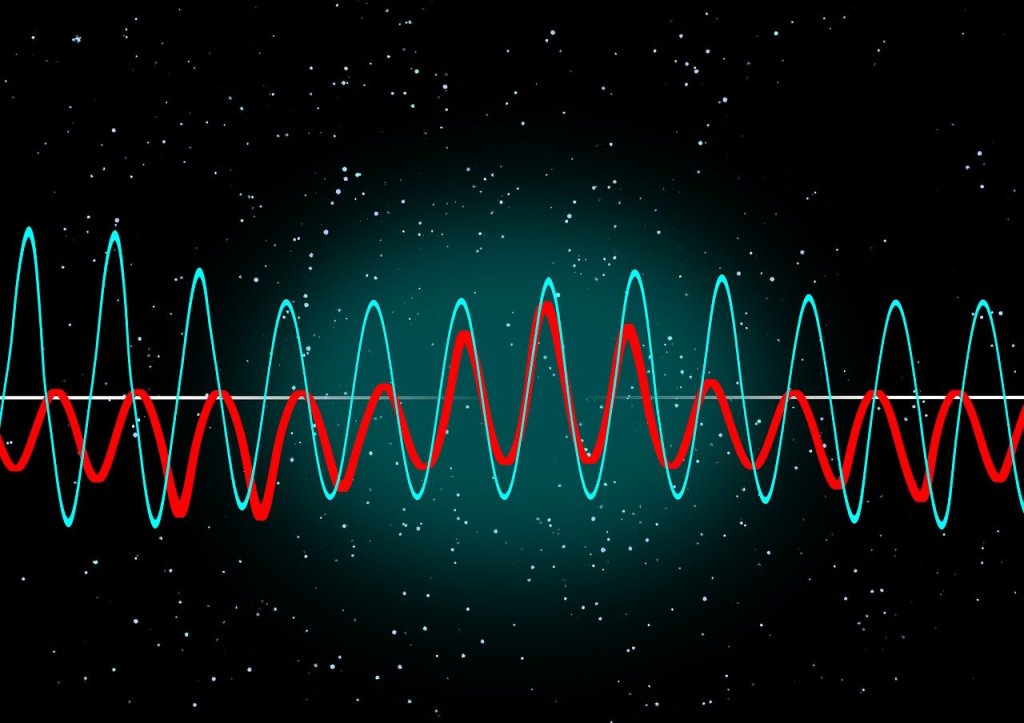
Two different coloured wave patterns superimposed on one anohter on a black background with random dots like a starscape.
Image by Gerd Altmann from Pixabay

Tony Stockman, who was blind from birth, was a Senior Lecturer at QMUL until his retirement. A leading academic in the field of sonification of data, turning data into sound, he eventually became the President of the “International Community for Auditory Display”: the community of researchers working in this area.

Traditionally, we put a lot of effort into finding the best ways to visualise data so that people can easily see the patterns in it. This is an idea that Florence Nightingale, of lady of the lamp fame, pioneered with Crimean War data about why soldiers were dying. Data visualisation is considered so important it is taught in primary schools where we all learn about pie charts and histograms and the like. You can make a career out of data visualisation, working in the media creating visualisations for news programmes and newspapers, for example, and finding a good visualisation is massively important working as a researcher to help people understand your results. In Big Data a good visualisation can help you gain new insights into what is really happening in your data. Those who can come up with good visualisations can become stars, because they can make such a difference (like Florence Nightingale, in fact)

Many people of course, Tony included cannot see, or are partially sighted, so visualisation is not much help! Tony therefore worked on sonifying data instead, exploring how you can map data onto sounds rather than imagery in a way that does the same thing.: makes the patterns obvious and understandable.

His work in this area started with his PhD where he was exploring how breathing affects changes in heart rate. He first needed a way to both check for noise in the recording and then also a way to present the results so that he could analyse and so understand them. So he invented a simple way to turn data into sound using for example frequencies in the data to be sound frequencies. By listening he could find places in his data where interesting things were happening and then investigate the actual numbers. He did this out of necessity just to make it possible to do research but decades later discovered there was by then a whole research community by then working on uses of and good ways to do sonification,

He went on to explore how sonification could be used to give overviews of data for both sighted and non-sighted people. We are very good at spotting patterns in sound – that is all music is after all – and abnormalities from a pattern in sound can stand out even more than when visualised.

Another area of his sonification research involved developing auditory interfaces, for example to allow people to hear diagrams. One of the most famous, successful data visualisations was the London Tube Map designed by Harry Beck who is now famous as a result because of the way that it made the tube map so easy to understand using abstract nodes and lines that ignored distances. Tony’s team explored ways to present similar node and line diagrams, what computer scientist’s call graphs. After all it is all well and good having screen readers to read text but its not a lot of good if all it tells you reading the ALT text that you have the Tube Map in front of you. And this kind of graph is used in all sorts of every day situations but are especially important if you want to get around on public transport.

There is still a lot more to be done before media that involves imagery as well as text is fully accessible, but Tony showed that it is definitely possible to do better, He also showed throughout his career that being blind did not have to hold him back from being an outstanding computer scientists as well as a leading researcher, even if he did have to innovate himself from the start to make it possible.

More on …


Related Magazine …

Subscribe to be notified whenever we publish a new post to the CS4FN blog.


This page is funded by EPSRC on research agreement EP/W033615/1.

QMUL CS4FN EPSRC logos

Shh! Can you hear that diagram?

What does a diagram sound like? What does the shape of a sound feel like? Researchers at Queen Mary, University of London have been finding out.

At first sight listening to diagrams and feeling sounds might sound like nonsense, but for people who are visually impaired it is a practical issue. Even if you can’t see them, you can still listen to words, after all. Spoken books were originally intended for partially-sighted people, before we all realised how useful they were. Screen readers similarly read out the words on a computer screen making the web and other programs accessible. Blind people can also use touch to read. That is essentially all Braille is, replacing letters with raised patterns you can feel.

The written world is full of more than just words though. There are tables and diagrams, pictures and charts. How does a paritally-sighted person deal with them? Is there a way to allow them to work with others creating or manipulating diagrams even when each person is using a different sense?

That’s what the Queen Mary researchers, working with the Royal National Institute for the Blind and the British Computer Association of the Blind explored. Their solution was a diagram editor with a difference. It allows people to edit ‘node-and-link’ diagrams: like the London underground map, for example, where the stations are the nodes and the links show the lines between them. The diagram editor converts the graphical part of a diagram, such as shapes and positions, into sounds you can listen to and textured surfaces you can feel. It allows people to work together exploring and editing a variety of diagrams including flowcharts, circuit diagrams, tube maps, mind maps, organisation charts and software engineering diagrams. Each person, whether fully sighted or not, ‘views’ the diagram in the way that works for them.

The tool combines speech and non-speech sounds to display a diagram. For example, when the label of a node is spoken, it is accompanied by a bubble bursting sound if it’s a circle, and a wooden sound if it’s a square. The labels of highlighted nodes are spoken with a higher pitched voice to show that they are highlighted. Different types of links are also displayed using different sounds to match their line style. For example, the sound of a straight line is smoother than that of a dashed line. The idea for arrows came from listening to one being drawn on a chalk board. They are displayed using a short and a long sound where the short sound represents the arrow head, and the long sound represents its tail. Changing the order they are presented changes the direction of the arrow: either pointing towards or away from the node.

For the touch part, the team use a PHANTOM Omni haptic device, which is a robotic arm attached to a stylus that can be programmed to simulate feeling 3D shapes, textures and forces. For example, in the diagram editor nodes have a magnetic effect: if you move the stylus close to one the stylus gets pulled towards it. You can grab a node and move it to another location, and when you do, a spring like effect is applied to simulate dragging. If you let it go, the node springs back to its original location. Sound and touch are also integrated to reinforce each other. As you drag a node, you hear a chain like sound (like dragging a metal ball chained to a prisoner?!). When you drop it in a new location, you hear the sound of a dart hitting a dart board.

The Queen Mary research team tried out the editor in a variety of schools and work environments where visually impaired and sighted people use diagrams as part of their everyday activities and it seemed to work well. It’s free to download so why not try it yourself. You might see diagrams in a whole new light.

Paul Curzon, Queen Mary University of London


More on…


Related Magazine …

Jerry Elliot High Eagle: Saving Apollo 13

Apollo 13 Mission patch of three golden horses travelling from Earth to the moon
Image by NASA Public domain via Wikimedia Commons

Jerry Elliot High Eagle was possibly the first Native American to work in NASA mission control. He worked for NASA for over 40 years, from the Apollo moon landings up until the space shuttle missions. He was a trained physicist with both Cherokee and Osage heritage and played a crucial part in saving the Apollo 13 crew when an explosion meant they might not get back to Earth alive.

The story of Apollo 13 is told in the Tom Hanks film Apollo 13. The aim was to land on the moon for a third time following the previous two successful lunar missions of Apollo 11 and Apollo 12. That plan was aborted on the way there, however, after pilot James Swigert radioed his now famous if misquoted words “Okay, Houston … we’ve had a problem here”. It was a problem that very soon seemed to mean they would die in space: an oxygen tank had just exploded. Instead of being a moon landing the mission turned into the most famous rescue attempt in history – could the crew of James Lovell, Jack Swigert and Fred Haise get back to Earth before their small space craft turned into a frozen, airless and lifeless space coffin. 

While the mission control team worked with the crew on how to keep the command and lunar modules habitable for as long as possible (they were rapidly running out of breathable air, water and heat and had lost electircal power), Elliot worked on actually getting the craft back to Earth. He was the “retrofire officer” for the mission which meant he was an expert in, and responsible for, the trajectory Apollo 13 took from the Earth to the moon and back. He had to compute a completely new trajectory from where they now were, which would get them back to Earth as fast and as safely as possible. It looked impossible given the limited time the crew could possibly stay alive. Elliot wasn’t a quitter though and motivated himself by telling himself:

“The Cherokee people had the tenacity to persevere on the Trail of Tears … I have their blood and I can do this.” 

The Trail of Tears was the forced removal of Native Americans from their ancestral homelands by the US government in the 19th century to make way for the gold rush . Now we would call this ethnic cleansing and genocide. 60, 000 Native American people were moved with the Cherokee forcibly marched a 1000 miles to an area to the West of the Mississippi, thousands dying along the way.

The best solution for Apollo 13, was to keep going and slingshot round the dark side of the moon, using the forces arising from its gravity, together with strategic use of the boosters to push the space craft on back to Earth more quickly than on those boosters alone. The trajectory he computed had to be absolutely accurate or the crew would not get home and he has suggested the accuracy needed was like “threading a needle from 70 feet away!” Get it wrong and the space craft could miss the Earth completely, or arrive too fast to reenter earth’s orbit and return through the atmosphere.

Jerry Elliot High Eagle, of course, famously got it right: the crew survived, safely returning to Earth and Elliot was awarded the President’s Medal of Freedom, the highest American honour possible, for the role he played. The Native American people also gave him the name High Eagle for his contributions to space exploration.

Paul Curzon, Queen Mary University of London

More on …


Subscribe to be notified whenever we publish a new post to the CS4FN blog.


This page is funded by EPSRC on research agreement EP/W033615/1.

QMUL CS4FN EPSRC logos

Mary and Eliza Edwards: the mother and daughter human computers

The globe with lines of longitude marked
Lines of Longitude. Image from wikimedia, Public Domain.

Mary Edwards was a computer, a human computer. Even more surprisingly for the time (the 1700s), she was a female computer (and so was her daughter Eliza).

In the early 1700s navigation at sea was a big problem. In particular, if you were lost in the middle of the Atlantic Ocean, there was no good way to determine your longitude, your position east to west. There was of course no satnavs at the time not least because there would be no satellites for 300 years! 

It could be done based on taking sightings of the position of the sun, moon or planets, at different times of the day, but only if you had an accurate time. Unfortunately, there was no good way to know the precise time when at sea. Then in the mid 1700s, an accurate clock that could survive a rough sea voyage and still be highly accurate was invented by clockmaker John Harrison. Now the problem moved to helping mariners know where the moon and planets were supposed to be at any given time so they could use the method.

As a result, the Board of Longitude (set up by the UK government to solve the problem) with the Royal Greenwich Observatory started to publish the Nautical Almanac from 1767. It consisted lots of information of such astronomical data for use by navigators at sea. For example, it contained tables of the position of the moon (or specifically its angle in the sky relative to the sun and planets (known as lunar distances). But how were these angles known years in advance to create the annual almanacs? Well, basic Newtonian physics allow the positions of planets and the moon to be calculated based on how everything in the solar system moves together with their positions at a known time. From that their position in the sky at any time can be calculated. That answers would be in the Nautical Almanac. Each year a new table was needed, so the answers also needed to be constantly recomputed.

But who did the complex calculations? No calculators, computers or other machines that could do it automatically would exist for several hundred years. It had to be done by human mathematicians. Computers then were just people, following algorithms, precisely and accurately, to get jobs like this done. Astronomer Royal, Nevil Maskelyne recruited 35 male mathematicians to do the job. One was the Revd John Edwards (well-educated clergy were of course perfectly capable of doing maths in their spare time!). He was paid for calculations done at home from 1773 until he died in 1884.

However, when he died Maskelyne received a letter from his wife Mary, revealing officially that in fact she had been doing a lot of the calculations herself, and with no family income any more she asked if she could continue to do the work to support herself and her daughters. Given the work had been of high enough quality that John Edwards had been kept on year after year so Mary was clearly an asset to the project, (and given he had visited the family several times so knew them, and was possibly even unofficially aware who was actually doing the work towards the end) Maskelyne was open-minded enough to give her a full time job. She worked as a human computer until her death 30 years later. Women doing such work was not at all normal at the time and this became apparent when Maskelyne himself died and the work stated to dry up. The quality of the work she did do, though, eventually persuaded the new Astronomer Royal  to continue to give her work.

Just as she helped her husband, her daughter Eliza helped her do the calculations, becoming proficient enough herself that when Mary died, Eliza took over the job, continuing the family business for another 17 years. Unfortunately, however, in 1832, the work was moved to a new body called ‘His Majesty’s Nautical Almanac Office’ At that point, despite Mary and Eliza having proved they were at least as good as the men for half a century or more, government imposed civil service rules came into force that meant women could no longer be employed to do the work.

Mary and Eliza, however had done lots of good, helping mariners safely navigate the oceans for very many years through their work as computers.

More on …

Subscribe to be notified whenever we publish a new post to the CS4FN blog.


This page is funded by EPSRC on research agreement EP/W033615/1.

QMUL CS4FN EPSRC logos

Signing Glasses

Glasses sitting on top of a mobile phone.
Image by Km Nazrul Islam from Pixabay

In a recent episode of Dr Who, The Well, Deaf actress Rose Ayling-Ellis plays a Deaf character Aliss. Aliss is a survivor of some, at first unknown, disaster that has befallen a mining colony 500,000 years in the future. The Doctor and current companion Belinda arrive with troopers. Discovering Aliss is deaf they communicate with her using a nifty futuristic gadget of the troopers that picks up everything they say and converts it into text as they speak, projected in front of them. That allows her to read what they say as they speak.

Such a gadget is not so futuristic actually (other than in a group of troopers carrying them). Dictation programs have existed for a long time and now, with faster computers and modern natural language processing techniques, they can convert speech to text in real time from a variety of speakers without lots of personal training (though they still do make mistakes). Holographic displays also exist, though such a portable one as the troopers had is still a stretch. An alternative that definitely exists is that augmented reality glasses specifically designed for the deaf could be worn (though are still expensive). A deaf or hard of hearing person who owns a pair can read what is spoken through their glasses in real time as a person speaks to them, with the computing power provided by their smart phone, for example. It could also be displayed so that it appeared to be out in the world (not on the lenses), as though it were appearing next to the person speaking. The effect would be pretty much the same as in the programme, but without the troopers having had to bring gadgets of their own, just Aliss wearing glasses.

Aliss (and Rose) used British Sign Language of course, and she and the Doctor were communicating directly using it, so one might have hoped that by 500, 000 years in the future someone might have had the idea of projecting sign language rather than text. After all, British SIgn Language it is a language in its own right that has a different grammatical structure to English. It is therefore likely that it would be easier for a native BSL speaker to see sign language rather than read text in English.

Some Deaf people might also object to glasses that translate into English because it undermines their first language and so culture. However, ones that translated into sign language can do the opposite and reinforce sign language, helping people learn the language by being immersed in it (whether deaf or not). Services like this do in fact already exist, connecting Deaf people to expert Sign language interpreters who see and hear what they do, and translate for them – whether through glasses or laptops .

Of course all the above so far is about allowing Deaf people (like Aliss) fit into a non-deaf world (like that of the Troopers) allowing her to understand them. The same technology could also be used to allow everyone else fit into a Deaf world. Aliss’s signing could have been turned into text for the troopers in the same way. Similarly, augmented reality glasses, connected to a computer vision system, could translate sign language into English allowing non-deaf people wearing glasses to understand people who are signing..

So its not just Deaf people who should be wearing sign language translation glasses. Perhaps one day we all will. Then we would be able to understand (and over time hopefully learn) sign language and actively support the culture of Deaf people ourselves, rather than just making them adapt to us.

– Paul Curzon, Queen Mary University of London

More on …

Magazines …

Front cover of CS4FN issue 29 - Diversity in Computing

Subscribe to be notified whenever we publish a new post to the CS4FN blog.


This page is funded by EPSRC on research agreement EP/W033615/1.

QMUL CS4FN EPSRC logos

Sign Language for Train Departures

BSL for CS4FN
Image by Daniel Gill

This week (5-11th May) is Deaf Awareness Week, an opportunity to celebrate d/Deaf* people, communities, and culture, and to advocate for equal access to communication and services for the d/Deaf and hard of hearing. A recent step forward is that sign language has started appearing on railway stations.

*”deaf” with a lower-case “d” refers to
audiological experience of deafness,
or those who might have become deafened
or hard of hearing in later life, so might identify
closer to the hearing community.
“Deaf” with an upper-case “D” refers
to the cultural experience of deafness, or those
who might have been born Deaf and
therefore identify with the Deaf community.
This is similar to how people might describe themselves
as “having a disability” versus “being disabled”.

If you’re like me and travel by train a lot (long time CS4FN readers will be aware of my love of railway timetabling), you may have seen these relatively new British Sign Language (BSL) screens at various railway stations.

They work by automatically converting train departure information into BSL by stitching together pre-recorded videos of BSL signs. Pretty cool stuff! 

When I first saw these, though, there was one small thing that piqued my interest – if d/Deaf people can see the screen, why not just read the text? I was sure it wasn’t an oversight: Network Rail and train operators worked closely with d/Deaf charities and communities when designing the system: so being a researcher in training, I decided to look into it. 

A train information screen with sign language
Image by Daniel Gill

It turns out that the answer has various lines of reasoning.

There’s been many years of research investigating reading comprehension for d/Deaf people compared to their hearing peers. A cohort of d/Deaf children, in a 2015 paper, had significantly weaker reading comprehension skills than both hearing children of the same chronological and reading age.

Although this gap does seem to close with age, some d/Deaf people may be far more comfortable and skilful using BSL to communicate and receive information. It should be emphasised that BSL is considered a separate language and is structured very differently to spoken and written English. As an example, take the statement:

“I’m on holiday next month.”

In BSL, you put the time first, followed by topic and then comment, so you’d end up with:

“next month – holiday – me”

As one could imagine, trying to read English (a second language for many d/Deaf people) with its wildly different sentence structure could be a challenge… especially as you’re rushing through the station looking for the correct platform for your train!

Sometimes, as computer scientists, we’re encouraged to remove redundancies and make our systems simpler and easy-to-use. But something that appears redundant to one person could be extremely useful to another – so as we go on to create tools and applications, we need to make sure that all target users are involved in the design process.

Daniel Gill, Queen Mary University of London

More on…

Magazines …

Front cover of CS4FN issue 29 - Diversity in Computing

Subscribe to be notified whenever we publish a new post to the CS4FN blog.


This page is funded by EPSRC on research agreement EP/W033615/1.

QMUL CS4FN EPSRC logos

Anne-Marie Imafidon’s STEMettes

Anne-Marie Imafidon: Image by Doc Searls, CC BY 2.0 https://creativecommons.org/licenses/by/2.0, via Wikimedia Commons

Anne-Marie Imafidon was recently awarded the Society Medal by the British Computer Society for her work supporting young women and non-binary people of all ages into Science, Technology, Engineering and Maths (STEM) careers.

Born and raised in East London, Anne-Marie became the youngest girl to pass A-Level Computing at the age of 11 and she was only 20 when she passed a Master’s degree in Maths and Computer Science from Oxford University! She went on to work in industry but realised there was a big problem in how few women there were both studying STEM subjects and so taking up careers, despite there being no good reason why they shouldn’t enjoy such subjects and careers.

Using her entrepreneurial skills, and industry contacts, she decided to do something about it. In 2013 she therefore founded STEMettes a social enterprise (a business aiming to do good for society rather than just make money like most companies). It aims to inspire and support young women and non-binary people in STEM now extended to STEAM so including the arts as well. Since then it has reached over 73,000 young people. They do this by running all kinds of events like programming hackathons solving real world problems in teams, STEAM clubs, panel sessions where women share and non-binary role people act as models sharing their experiences and advice, school trips to STEAM offices, run courses in programming and cyber security, run competitions and lots.

Anne-Marie has campaigned tirelessly for equity in the tech workplace, raising the profile of under-represented groups in industry and commerce so is a really deserving winner of the BCS award that recognises people who have made a major contribution to society.

– Jane Waite and Paul Curzon, Queen Mary University of London

This is an extended version of an article that first appeared on our Teaching London Computing Site.

More on …

Magazines …

Front cover of CS4FN issue 29 - Diversity in Computing

Subscribe to be notified whenever we publish a new post to the CS4FN blog.


This page is funded by EPSRC on research agreement EP/W033615/1.

QMUL CS4FN EPSRC logos

Robert Weitbrecht and his telecommunication device for the deaf

Robert Weitbrecht was born deaf. He went on to become an award winning electronics scientist who invented the acoustic coupler (or modem) and a teletypewriter (or teleprinter) system allowing the deaf to communicate via a normal phone call.

A modem telephone: the telephone slots into a teletypewriter here with screen rather than printer.
A telephone modem: Image by Juan Russo from Pixabay

If you grew up in the UK in the 1970s with any interest in football, then you may think of teleprinters fondly. It was the way that you found out about the football results at the final whistle, watching for your team’s result on the final score TV programme. Reporters at football grounds across the country, typed in the results which then appeared to the nation one at a time as a teleprinter slowly typed results at the bottom of the screen. 

Teleprinters were a natural, if gradual, development from the telegraph and Morse code. Over time a different simpler binary based code was developed. Then by attaching a keyboard and creating a device to convert key presses into the binary code to be sent down the wire you code type messages instead of tap out a code. Anyone could now do it, so typists replaced Morse code specialists. The teleprinter was born. In parallel, of course, the telephone was invented allowing people to talk to each other by converting the sound of someone speaking into an electrical signal that was then converted back into sound at the other end. Then you didn’t even need to type, never mind tap, to communicate over long distances. Telephone lines took over. However, typed messages still had their uses as the football results example showed.

Another advantage of the teletypewriter/teleprinter approach over the phone, was that it could be used by deaf people. However, teleprinters originally worked over separate networks, as the phone network was built to take analogue voice data and the companies controlling them across the world generally didn’t allow others to mess with their hardware. You couldn’t replace the phone handsets with your own device that just created electrical pulses to send directly over the phone line. Phone lines were for talking over via one of their phone company’s handsets. However, phone lines were universal so if you were deaf you really needed to be able to communicate over the phone not use some special network that no one else had. But how could that work, at a time when you couldn’t replace the phone handset with a different device?

Robert Weitbrecht solved the problem after being prompted to do so by deaf orthodontist, James Marsters. He created an acoustic coupler – a device that converted between sound and electrical signals –  that could be used with a normal phone. It suppressed echoes, which improved the sound quality. Using old, discarded teletypewriters he created a usable system Slot the phone mouthpiece and ear piece into the device and the machine “talked” over the phone in an R2D2 like language of beeps to other machines like it. It turned the electrical signals from a teletypewriter into beeps that could be sent down a phone line via its mouthpiece. It also decoded beeps when received via the phone earpiece in the electrical form needed by the teleprinter. You typed at one end, and what you typed came out on the teleprinter at the other (and vice versa). Deaf and hard of hearing people could now communicate with each other over a normal phone line and normal phones! The idea of Telecommunications Device for the Deaf that worked with normal phones was born. However, they still were not strictly legal in the US so James Marsters and others lobbied Washington to allow such devices.

The idea (and legalisation) of acoustic couplers, however, then inspired others to develop similar modems for other purposes and in particular to allow computers to communicate via the telephone network using dial-up modems. You no longer needed special physical networks for computers to link to each other, they could just talk over the phone! Dial-up bulletin boards were an early application where you could dial up a computer and leave messages that others could dial up to read there via their computers…and from that idea ultimately emerged the idea of chat rooms, social networks and the myriad other ways we now do group communication by typing.

The first ever (long distance) phone call between two deaf people (Robert Weitbrecht and James Marsters) using a teletypewriter / teleprinter was:

“Are you printing now? Let’s quit for now and gloat over the success.”

Yes, let’s.

– Paul Curzon, Queen Mary University of London

More on …

Magazines …

Front cover of CS4FN issue 29 - Diversity in Computing

Subscribe to be notified whenever we publish a new post to the CS4FN blog.


This page is funded by EPSRC on research agreement EP/W033615/1.

QMUL CS4FN EPSRC logos

The wrong trousers? Not any more!

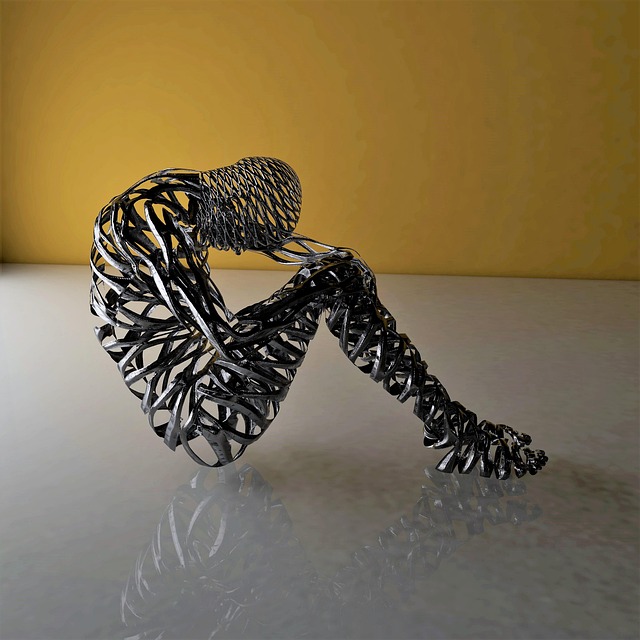
A metal figure sitting on the floor head down
Image by kalhh from Pixabay

Inspired by the Wallace & Gromit film ‘The Wrong Trousers’, Johnathan Rossiter of the University of Bristol builds robotic trousers. We could all need them as we get older.

Think of a robot and you probably think of something metal: something solid and hard. But a new generation of robot researchers are exploring soft robotics: robots made of materials that are squishy. When it comes to wearable robots, being soft is obviously a plus. That is the idea behind Jonathan’s work. He is building trousers to help people stand and walk.

Being unable to get out of an armchair without help can be devastating to a person’s life. There are many conditions like arthritis and multiple sclerosis, never mind just plain old age, that make standing up difficult. It gets to us all eventually and having difficulty moving around makes life hard and can lead to isolation and loneliness. The less you move about, the harder it gets to do, because your muscles get weaker, so it becomes a vicious circle. Soft robotic trousers may be able to break the cycle.

We are used to the idea of walking sticks, frames, wheelchairs and mobility scooters to help people get around. Robotic clothes may be next. Early versions of Jonathan’s trousers include tubes like a string of sausages that when pumped full of air become more solid, shortening as they bulge
out, so straightening the leg. Experiments have shown that inflating trousers fitted with them, can make a robot wearing them stand. The problem is that you need to carry gas canisters around, and put up with the psshhht! sound whenever you stand!

The team have more futuristic (and quieter) ideas though. They are working on designs
based on ‘electroactive polymers’. These are fabrics that change when electricity
is applied. One group that can be made into trousers, a bit like lycra tights, silently shrink with an electric current: exactly what you need for robotic trousers. To make it work you need a computer control system that shrinks and expands them in the right places at the right time to move the leg
wearing them. You also need to be able to store enough energy in a light enough way that the trousers can be used without frequent recharging.

It’s still early days, but one day they hope to build a working system that really can help older people stand. Jonathan promises he will eventually build the right trousers.

– Paul Curzon, Queen Mary University of London (from the archive)

More on …

The rise of the robots [PORTAL]


Related Magazine …

Subscribe to be notified whenever we publish a new post to the CS4FN blog.


This page is funded by EPSRC on research agreement EP/W033615/1.

QMUL CS4FN EPSRC logos

ELIZA: the first chatbot to fool people

Chatbots are now everywhere. You seemingly can’t touch a computer without one offering its opinion, or trying to help. This explosion is a result of the advent of what are called Large Language Models: sophisticated programs that in part copy the way human brains work. Chatbots have been around far longer than the current boom, though. The earliest successful one, called ELIZA, was, built in the 1960s by Joseph Weizenbaum, who with his Jewish family had fled Nazi Germany in the 1930s. Despite its simplicity ELIZA was very effective at fooling people into treating it as if it were a human.

Head thinking in a speech bubble
Image adapted from one by by Gerd Altmann from Pixabay

Weizenbaum was interested in human-computer interaction, and whether it could be done in a more human-like way than just by typing rigid commands as was done at the time. In doing so he set the ball rolling for a whole new metaphor for interacting with computers, distinct from typing commands or pointing and clicking on a desktop. It raised the possibility that one day we could control computers by having conversations with them, a possibility that is now a reality.

His program, ELIZA, was named after the character in the play Pygmalion and musical My Fair Lady. That Eliza was a working class women who was taught to speak with a posh accent gradually improving her speech, and part of the idea of ELIZA was that it could gradually improve based on its interactions. At core though it was doing something very simple. It just looked for known words in the things the human typed and then output a sentence triggered by that keyword, such as a transformation of the original sentence. For example, if the person typed “I’m really unhappy”, it might respond “Why are you unhappy?”.

In this way it was just doing a more sophisticated version of the earliest “creative” writing program – Christopher Strachey’s Love Letter writing program. Strachey’s program wrote love letters by randomly picking keywords and putting them into a set of randomly chosen templates to construct a series of sentences.

The keywords that ELIZA looked for were built into its script written by the programmer and each allocated a score. It found all the keywords in the person’s sentence but used the one allocated the highest score. Words like “I” had a high score so were likely to be picked if present. A sentence starting “I am …” can be transformed into a response “Why are you …?” as in the example above. to make this seem realistic, the program needed to have a variety of different templates to provide enough variety of responses, though. To create the response, ELIZA broke down the sentence typed into component parts, picked out the useful parts of it and then built up a new response. In the above example, it would have pulled out the adjective, “happy” to use in its output with the template part “Why are you …”, for example.

If no keyword was found, so ELIZA had no rule to apply, it could fall back on a memory mechanism where it stored details of the past statements typed by the person. This allowed it to go back to an earlier thing the person had said and use that instead. It just moved on to the next highest scoring keyword from the previous sentence and built a response based on that.

ELIZA came with different “characters” that could be loaded in to it with different keywords and templates of how to respond. The reason ELIZA gained so much fame was due to its DOCTOR script. It was written to behave like a psychotherapist. In particular, it was based on the ideas of psychologist Carl Rogers who developed “person-centred therapy”, where a therapist, for example, echos back things that the person says, always asking open-ended questions (never yes/no ones) to get the patient talking. (Good job interviewers do a similar thing!) The advantage of it “pretending” to be a psychotherapist like this is that it did not need to be based on a knowledge bank of facts to seem realistic. Compare that with say a chatbot that aims to have conversations about Liverpool Football Club. To be engaging it would need to know a lot about the club (or if not appear evasive). If the person asked it “Who do you think the greatest Liverpool manager was?” then it would need to know the names of some former Liverpool managers! But then you might want to talk about strikers or specific games or … A chatbot aiming to have conversations about any topic the person comes up with convincingly needs facts about everything! That is what modern chatbots do have: provided by them sucking up and organising information from the web, for example. As a psychotherapist, DOCTOR never had to come up with answers, and echoing back the things the person said, or asking open-ended questions, was entirely natural in this context and even made ti seem as though it cared about what the people were saying.

Because Eliza did come across as being empathic in this way, the early people it was trialled on were very happy to talk to it in an uninhibited way. Weizenbaum’s secretary even asked him to leave while she chatted with it, as she was telling it things she would not have told him. That was despite the fact, or perhaps partly because, she knew she was talking to a machine. Others were convinced they were talking to a person just via a computer terminal. As a result it was suggested at the time that it might actually be used as a psychotherapist to help people with mental illness!

Weizenbaum was clear though that ELIZA was not an intelligent program, and it certainly didn’t care about anyone, even if it appeared to be. It certainly would not have passed the Turing Test, set previously by Alan Turing that if a computer was truly intelligent people talking to it would be indistinguishable from a person in its answers. Switch to any knowledge-based topic and the ELIZA DOCTOR script would flounder!

ELIZA was also the first in a less positive trend, to make chatbots female because this is seen as something that makes men more comfortable. Weizenbaum chose a female character specifically because he thought it would be more believable as a supportive, emotional female. The Greek myth Pygmalion from which the play’s name derives is about a male sculptor falling in love with a female sculpture he had carved, that then comes to life. Again this fits a trend of automaton and robots in films and reality being modelled after women simply to provide for the whims of men. Weizenbaum agreed he had made a mistake, saying that his decision to name ELIZA after a woman was wrong because it reinforces a stereotype of women. The fact that so many chatbots have then copied this mistake is unfortunate.

Because of his experiences with ELIZA he went on to become a critic of Artificial Intelligence (AI). Well before any program really could have been called intelligent (the time to do it!), he started to think about the ethics of AI use, as well as of the use of computers more generally (intelligent or not). He was particularly concerned about them taking over human tasks around decision making. He particularly worried that human values would be lost if decision making was turned into computation, beliefs perhaps partly shaped by his experiences escaping Germany where the act of genocide was turned into a brutally efficient bureaucratic machine, with human values completely lost. Ultimately, he argued that computers would be bad for society. They were created out of war and would be used by the military as a a tool for war. In this, given, for example, the way many AI programs have been shown to have built in biases, never mind the weaponisation of social media, spreading disinformation and intolerance in recent times, he was perhaps prescient.

by Paul Curzon, Queen Mary University of London

Fun to do

If you can program why not have a go at writing an ELIZA-like program yourself….or perhaps a program that runs a job interview for a particular job based on the person specification for it.

More on …

Magazines …

Front cover of CS4FN issue 29 - Diversity in Computing
Cover of CS4FN Issue 16 - Clean up your language

Our Books …


Subscribe to be notified whenever we publish a new post to the CS4FN blog.


This page and talk are funded by EPSRC on research agreement EP/W033615/1.