CS4FN Advent 2023 – Day 7: Computing for the birds: dawn chorus, birds as data carriers and a Google April Fool (plus a puzzle!)

Welcome to Day 7 of our advent calendar. Yesterday’s post was about Printed Circuit Birds Boards, today’s theme is the Christmas robin redbreast which features on lots of Christmas cards and today is making a special appearance on our CS4FN Computing advent calendar.

A little robin redbreast. Image drawn and digitised by Jo Brodie.

In this longer post we’ll focus on the ways computer scientists are learning about our feathered friends and we’ll also make room for some of the bird-brained April Fools jokes in computing too.

We hope you enjoy it, and there’s also a puzzle at the end.

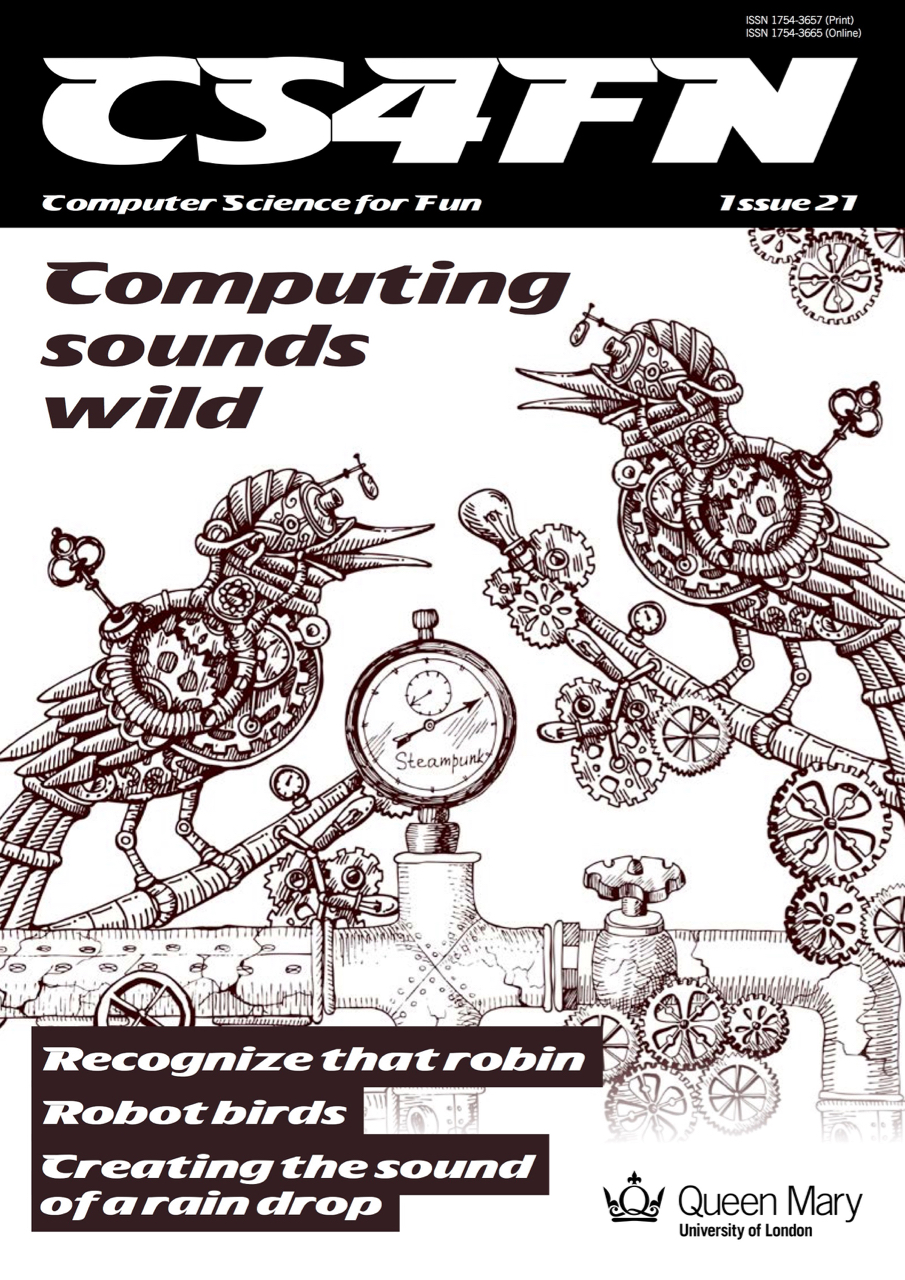
1. Computing Sounds Wild – bird is the word

Our free CS4FN magazine, Computing Sounds Wild (you can download a copy here), features the word ”bird” 60 times so it’s definitely very bird-themed.

An interest in nature and an interest in computers don’t obviously go well together. For a band of computer scientists interested in sound they very much do, though. In this issue we explore the work of scientists and engineers using computers to understand, identify and recreate wild sounds, especially those of birds. We see how sophisticated algorithms that allow machines to learn, can help recognize birds even when they can’t be seen, so helping conservation efforts. We see how computer models help biologists understand animal behaviour, and we look at how electronic and computer-generated sounds, having changed music, are now set to change the soundscapes of films. Making electronic sounds is also a great, fun way to become a computer scientist and learn to program.”

2. Singing bird – a human choir singing birdsong

by Jane Waite, QMUL
This article was originally published on the CS4FN website and can also be found on page 15 in the magazine linked above.

“I’m in a choir”. “Really, what do you sing?” “I did a blackbird last week, but I think I’m going to be woodpecker today, I do like a robin though!”

This is no joke! Marcus Coates a British artist, got up very early, and working with a wildlife sound recordist, Geoff Sample, he used 14 microphones to record the dawn chorus over lots of chilly mornings. They slowed the sounds down and matched up each species of bird with different types of human voices. Next they created a film of 19 people making bird song, each person sang a different bird, in their own habitats, a car, a shed even a lady in the bath! The 19 tracks are played together to make the dawn chorus. See it on YouTube below.

Marcus didn’t stop there, he wrote a new bird song score. Yes, for people to sing a new top ten bird hit, but they have to do it very slowly. People sing ‘bird’ about 20 times slower than birds sing ‘bird’ ‘whooooooop’, ‘whooooooop’, ‘tweeeeet’. For a special performance, a choir learned the new song, a new dawn chorus, they sang the slowed down version live, which was recorded, speeded back up and played to the audience, I was there! It was amazing! A human performance, became a minute of tweeting joy. Close your eyes and ‘whoop’ you were in the woods, at the crack of dawn!

Computationally thinking a performance

Computational thinking is at the heart of the way computer scientists solve problems. Marcus Coates, doesn’t claim to be a computer scientist, he is an artist who looks for ways to see how people are like other animals. But we can get an idea of what computational thinking is all about by looking at how he created his sounds. Firstly, he and wildlife sound recordist, Geoff Sample, had to focus on the individual bird sounds in the original recordings, ignore detail they didn’t need, doing abstraction, listening for each bird, working out what aspects of bird sound was important. They looked for patterns isolating each voice, sometimes the bird’s performance was messy and they could not hear particular species clearly, so they were constantly checking for quality. For each bird, they listened and listened until they found just the right ‘slow it down’ speed. Different birds needed different speeds for people to be able to mimic and different kinds of human voices suited each bird type: attention to detail mattered enormously. They had to check the results carefully, evaluating, making sure each really did sound like the appropriate bird and all fitted together into the Dawn Chorus soundscape. They also had to create a bird language, another abstraction, a score as track notes, and that is just an algorithm for making sounds!

3. Sophisticated songbird singing – how do they do it?

by Dan Stowell, QMUL
This article was originally published on the CS4FN website and can also be found on page 14 in the magazine linked above.

How do songbirds make such complex sounds? The answer is on a different branch of the tree of evolution…
We humans have a set of vocal folds (or vocal cords) in our throats, and they vibrate when we speak to make the pitched sound. Air from your lungs passes over them and they chop up the column of air letting more or less through and so making sound waves. This vocal ‘equipment’ is similar in mammals like monkeys and dogs, our evolutionary neighbours. But songbirds are not so similar to us. They make sounds too, but they evolved this skill separately, and so their ‘equipment’ is different: they actually have two sets of vocal folds, one for each lung.

Image by Dieter_G from Pixabay

Sometimes if you hear an impressive, complex sound from a bird, it’s because the bird is actually using the two sides of their voice-box together to make what seems like a single extra-long or extra-fancy sound. Songbirds also have very strong muscles in their throat that help them change the sound extremely quickly. Biologists believe that these skills evolved so that the birds could tell potential mates and rivals how healthy and skillful they were.

So if you ever wondered why you can’t quite sing like a blackbird, now you have a good excuse!

4. Data transmitted on the wing

Computers are great ways of moving data from one place to another and the internet can let you download or share a file very quickly. Before I had the internet at home if I wanted to work on a file on my home computer I had to save a copy from my work computer onto a memory stick and plug it in to my laptop at home. Once I ‘got connected’ at home I was then able to email myself with an attachment and use my home broadband to pick up file. Now I don’t even need to do that. I can save a file on my work computer, it synchronises with the ‘cloud’ and when I get home I can pick up where I left off. When I was using the memory stick my rate of data transfer was entirely down to the speed of road traffic as I sat on the bus on the way to work. Fairly slow, but the data definitely arrived in one piece.

In 1990 a joke memo was published for April Fool’s Day which suggested the use of homing pigeons as a form of internet, in which the birds might carry small packets of data. The memo, called ‘IP over Avian Carriers’ (that is, a bird-based internet), was written in a mock-serious tone (you can read it here) but although it was written for fun the idea has actually been used in real life too. Photographers in remote areas with minimal internet signal have used homing pigeons to send their pictures back.

The beautiful (and quite possibly wi-fi ready, with those antennas) Victoria Crowned Pigeon. Not a carrier pigeon admittedly, but much more photogenic.  Image by Foto-Rabe from Pixabay

A company in the US which offers adventure holidays including rafting used homing pigeons to return rolls of films (before digital film took over) back to the company’s base. The guides and their guests would take loads of photos while having fun rafting on the river and the birds would speed the photos back to the base, where they could be developed, so that when the adventurous guests arrived later their photos were ready for them.

Further reading

Pigeons keep quirky Poudre River rafting tradition afloat (17 July 2017) Coloradoan.

5. Serious fun with pigeons

On April Fool’s Day in 2002 Google ‘admitted’ to its users that the reason their web search results appeared so quickly and were so accurate was because, rather than using automated processes to grab the best result, Google was actually using a bank of pigeons to select the best results. Millions of pigeons viewing web pages and pecking picking the best one for you when you type in your search question. Pretty unlikely, right?

In a rather surprising non-April Fool twist some researchers decided to test out how well pigeons can distinguish different types of information in hospital photographs. They trained pigeons by getting them to view medical pictures of tissue samples taken from healthy people as well as pictures taken from people who were ill. The pigeons had to peck one of two coloured buttons and in doing so learned which pictures were of healthy tissue and which were diseased. If they pecked the correct button they got an extra food reward.

Pigeon, possibly pondering people’s photographs. Image by Davgood Kirshot from Pixabay

The researchers then tested the pigeons with a fresh set of pictures, to see if they could apply their learning to pictures they’d not seen before. Incredibly the pigeons were pretty good at separating the pictures into healthy and unhealthy, with an 80 per cent hit rate.

Further reading

Principle behind Google’s April Fools’ pigeon prank proves more than a joke (27 March 2019) The Conversation.

6. Today’s puzzle

You can download this as a PDF to PRINT or as an editable PDF that you can fill in on a COMPUTER.

You might wonder “What do these kriss-kross puzzles have to do with computing?” Well, you need to use a bit of logical thinking to fill one in and come up with a strategy. If there’s only one word of a particular length then it has to go in that space and can’t fit anywhere else. You’re then using pattern matching to decide which other words can fit in the spaces around it and which match the letters where they overlap. Younger children might just enjoy counting the letters and writing them out, or practising phonics or spelling.

We’ll post the answer tomorrow.

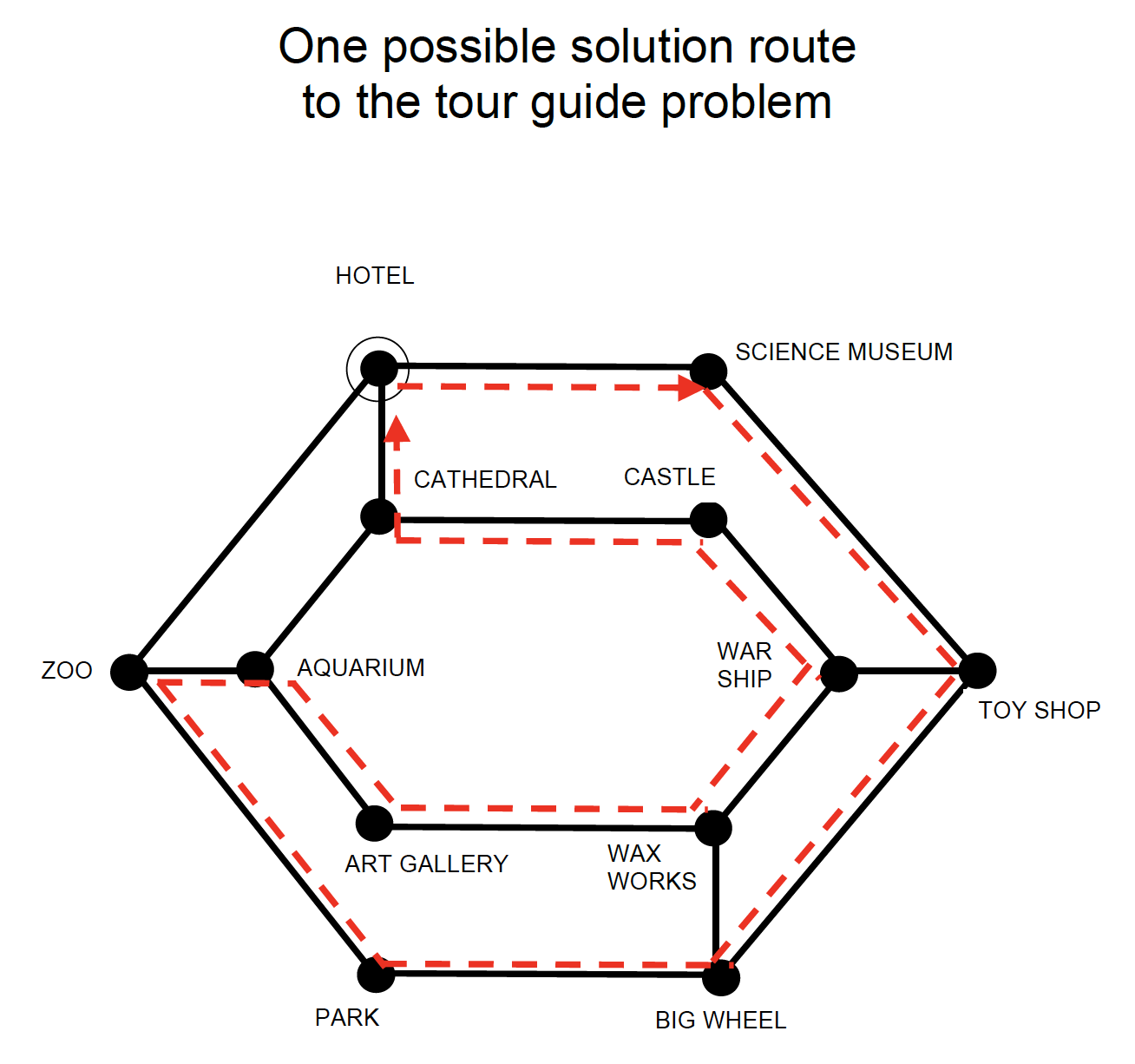
7. Answer to yesterday’s puzzle

Image by Paul Curzon / CS4FN.

The creation of this post was funded by UKRI, through grant EP/K040251/2 held by Professor Ursula Martin, and forms part of a broader project on the development and impact of computing.


Advert for our Advent calendar
Click the tree to visit our CS4FN Christmas Computing Advent Calendar

EPSRC supports this blog through research grant EP/W033615/1.

Blade: the emotional computer.

Zabir talking to Blade who is reacting
Image taken from video by Zabir for QMUL

Communicating with computers is clunky to say the least – we even have to go to IT classes to learn how to talk to them. It would be so much easier if they went to school to learn how to talk to us. If computers are to communicate more naturally with us we need to understand more about how humans interact with each other.

The most obvious ways that we communicate is through speech – we talk, we listen – but actually our communication is far more subtle than that. People pick up lots of information about our emotions and what we really mean from the expressions and the tone of our voice – not from what we actually say. Zabir, a student at Queen Mary was interested in this so decided to experiment with these ideas for his final year project. He used a kit called Lego Mindstorm that makes it really easy to build simple robots. The clever stuff comes in because, once built, Mindstorm creations can be programmed with behaviour. The result was Blade.

In the video above you can see Blade the robot respond. Video by Zabir for QMUL

Blade, named after the Wesley Snipes film, was a robotic face capable of expressing emotion and responding to the tone of the user’s voice. Shout at Blade and he would look sad. Talk softly and, even though he could not understand a word of what you said he would start to appear happy again. Why? Because your tone says what you really mean whatever the words – that’s why parents talk gobbledegook softly to babies to calm them.

Blade was programmed using a neural network, a computer science model of the way the brain works, so he had a brain similar to ours in some simple ways. Blade learnt how to express emotions very much like children learn – by tuning the connections (his neurons) based on his experience. Zabir spent a lot of time shouting and talking softly to Blade, teaching him what the tone of his voice meant and so how to react. Blade’s behaviour wasn’t directly programmed, it was the ability to learn that was programmed.

Eventually we had to take Blade apart which was surprisingly sad. He really did seem to be more than a bunch of lego bricks. Something about his very human like expressions pulled on our emotions: the same trick that cartoonists pull with the big eyes of characters they want us to love.

Zabir went on to work in the city for Merchant Bank, JP Morgan

– Paul Curzon, Queen Mary University of London


⬇️ This article has also been published in two CS4FN magazines – first published on p13 in Issue 4, Computer Science and BioLife, and then again on page 18 in Issue 26 (Peter McOwan: Serious Fun), our magazine celebrating the life and research of Peter McOwan (who co-founded CS4FN with Paul Curzon and researched facial recognition). There’s also a copy on the original CS4FN website. You can download free PDF copies of both magazines below, and any of our other magazines and booklets from our CS4FN Downloads site.

This video below Why faces are special from Queen Mary University of London asks the question “How does our brain recognise faces? Could robots do the same thing?”.

Peter McOwan’s research into face recognition informed the production of this short film. Designed to be accessible to a wide audience, the film was selected as one of the finalist 55 from 1450 films submitted to the festival CERN CineGlobe film festival 2012.

Related activities

We have some fun paper-based activities you can do at home or in the classroom.

  1. The Emotion Machine Activity
  2. Create-A-Face Activity
  3. Program A Pumpkin

See more details for each activity below.

1. The Emotion Machine Activity

From our Teaching London Computing website. Find out about programs and sequences and how how high-level language is translated into low-level machine instructions.

2. Create-A-Face Activity

Fom our Teaching London Computing website. Get people in your class (or at home if you have a big family) to make a giant robotic face that responds to commands.

3. Program A Pumpkin

Especially for Hallowe’en, a slightly spookier, pumpkin-ier version of The Emotion Machine above.


Related Magazine …


Related Magazine …


EPSRC supports this blog through research grant EP/W033615/1.

Beheading Hero’s mechanical horse

Pegasus image by Dorota Kudyba from Pixabay

An early ‘magical’ (nearly headless) automaton from Ancient Greece

Stories of Ancient Greece abound with myths but also of amazing inventions. Some of the earliest automatons, mechanical precursors of robots, were created by the Ancient Greeks. Intended to delight and astound or be religious idols, they brought statues of animals and people to life. One story holds that Hero of Alexandria invented a magical, mechanical horse that not only moved and drank water, but was also impossible to behead. It just carried on drinking as you sliced a sword clean through its neck. The head remained solidly attached to body. Myth or Mystery? How could it be done?

The Ancient Greeks were clever. With many inventions we think of as modern, the Greeks got there first. They even invented the first known computer. Hero of Alexandria was one of the cleverest, an engineer and prolific inventor. Despite living in the first century, he invented the first known steam engine (long before the famous ones from the start of the industrial revolution), the first vending machine, a musical instrument that was the first wind-powered machine, and even the pantograph, a parallelogram structure used to make exact copies of drawings, enlarged or reduced. Did Hero invent a magical mechanical horse? He did, and you really could slice cleanly through its robotic neck with a sword, leaving the head in place.

Magic, myth and mystery

Queen Mary’s Peter McOwan was fascinated by magic and especially Hero’s horse as a child, and was keen to build one. When TEMI, a European project was funded he had his chance. TEMI aimed to bring more showmanship, magic and mystery to schools to increase motivation. By making lessons more like detective work, solving mysteries, they can be lots more fun. The project needed lots of mysteries, just like Hero’s horse, and artist Tim Sargent was commissioned to recreate the horse.

If you’re ever in Athens, you can see a version of Hero’s horse, as well as many other Greek inventions at Kotsanas Museum of Ancient Greek Technology.

How does it work?

The challenge was to create a version that used only Ancient Greek technology – no electricity or electromagnets, only mechanical means like gears, bearings, levers, cogs and the like. It was actually done with a clever rotating wheel. As the sword slices through a gap in the neck, it always connects head and body together first in front, then behind the blade. Can you work out how it was done? See a video of the mechanism in action below, with Peter introducing it.

Paul Curzon, Queen Mary University of London

Watch …


Related Magazine …


ssue 26 of the CS4FN magazine which is a memorial issue for *Peter McOwan, who died in June 2019. Peter, along with Paul Curzon, was one of the co-founders of CS4FN.

Subscribe to be notified whenever we publish a new post to the CS4FN blog.


This blog is funded by EPSRC on research agreement EP/W033615/1.

QMUL CS4FN EPSRC logos

How far can you hear? Modelling distant birdsong.


by Dan Stowell, Queen Mary University of London

Blackbird singing at sunrise to an orange sky
Sunrise blackbird image by No-longer-here from Pixabay

How do we know how many birds there are out there: in the countryside, and in the city? Usually, it’s because people have been sent out to count the birds – by sight but especially by sound. Often you can hear a bird singing even when it’s hidden from sight so listening can be a much more effective way of counting.

In the UK, volunteers have been out counting birds for decades, co-ordinated by organisations such as the British Trust for Ornithology (BTO). But pretty quickly they came up against a problem: you can’t always detect every bird around you, even if you’re an expert at it. Birds get harder to detect the further away they are. To come up with good numbers, the BTO estimates what fraction of the birds you are likely to miss, according to how far away you are, and uses that to improve the estimate from the volunteer surveys.

But, Alison Johnston and others at the BTO noticed that it’s even more complicated than that: you can hear some types of bird very clearly over a long distance, while other birds make a sound that disappears into the background easily. If a pigeon is cooing in the forest, maybe you can’t hear it beyond a few metres. Whereas the twit-twoo of an owl might carry much further. So they measured how likely it is that one of their volunteers will hear each species, at different distances.

They created mathematical models that took into account these factors. Implemented in programs the models can then adjust the reports coming in from the volunteers doing the counting. This is how volunteers and computers are combined in ‘citizen science’ work which gathers observations from people all around the country. Sightings and numbers are collected, but the raw numbers themselves don’t give you the correct picture – they need to be adjusted using mathematical models that help fill in the gaps.


You can perfect your own recognition of British birdsong with the audio clips here.


Related Magazine …


Subscribe to be notified whenever we publish a new post to the CS4FN blog.


This blog is funded by EPSRC on research agreement EP/W033615/1.

QMUL CS4FN EPSRC logos

Threads & Yarns – textiles and electronics

At first sight nothing could be more different than textiles and electronics. Put opposites together and you can maybe even bring historical yarns to life. That’s what Queen Mary’s G.Hack team helped do. They are an all-woman group of electronic engineering and computer science research students and they helped build an interactive art installation combining textiles and personal stories about health.

In June 2011 the G.Hack team was asked by Jo Morrison and Rebecca Hoyes from Central Saint Martins College of Art and Design to help make their ‘Threads & Yarns‘ artwork interactive. It was commissioned by the Wellcome Trust as a part of their 75th Anniversary celebrations. They wanted to present personal accounts about the changes that have taken place in health and well-being over the 75 years since they were founded.

Flowers powered

Jo and Rebecca had been working on the ‘Threads & Yarns’ artwork for 6 months. It was inspired by the floor tiling at the London Victoria and Albert Museum and was made up of 125 individually created material flowers spread over a 5 meter long white perspex table. They wanted some of the flowers to be interactive, lighting up and playing sounds linked to stories about health and well-being at the touch of a button.

Central Saint Martins College Textile students worked with senior citizens from the Euston and Camden area, recording the stories they told as they made the flowers. G.Hack then ran a workshop with the students to show them how physical computing could be built into textiles and so create interactive flowers. Short sound bites from the recorded stories were eventually included in nine of the flowers.

The interactive part was built using an open source (i.e., free and available for anyone to use) hardware platform called Arduino. It makes physical computing accessible to anyone giving an easy way to create programs that control lights, buttons and other sensors.

The audio stories of the senior citizens were edited down into 1-minute sound bites and stored on a memory card like those used in digital cameras. Each of the nine flowers were lit by eight Light Emitting Diodes (LEDs). They are low energy lights so they don’t heat up, which is important if they are going to be built into fabrics. They are found in most household electronics, such as to show whether a gadget is turned on or off. When a button is pressed on the ‘Threads & Yarns’ artwork, it triggers the audio of a story to be played and simultaneously lights the LEDs on the linked flower, switching off again when the audio story finishes.

Smooth operators

The artwork had to work without problems throughout the day so the G.Hack team had to make sure everything would definitely go smoothly. The day before the opening of the exhibition they did final testing of the interactive flowers in their electronics workshop. They then worked with Central Saint Martins and museum staff to install the electronics into the artwork. They designed the system to be modular. This was both to allow the electronics to be separate from the artwork itself as well as to ease combining the two. On the day of the exhibition, the team arrived early to test everything one more time before the opening. They also stayed throughout the day to be on call in case of any problems.

Leading up to the opening of the exhibition were a busy few weeks for G.Hack with lots of late nights spent testing, troubleshooting and soldering in the workshop but it was all worth it as the final artwork looked fantastic and received a lot of positive feedback from people visiting the exhibition. It was a really positive experience all round! G.Hack and Central Saint Martins formed a bond that will likely extend into future partnerships. ‘Threads & Yarns’ meanwhile is off on a UK ‘tour’.

Art may have brought the textiles, history and health stories together as embodied in the flowers. It’s the electronics that brought the yarn to life though.

Paul Curzon, Queen Mary University of London, June 2011


G.Hack

G.Hack was a supportive and friendly space for women to do hands-on experimental production fusing art and technology at Queen Mary University of London. As a group they aimed to strengthen each other’s confidence and ability in using a wide range of different technologies. They supported each other’s research and helped each other extend their expertise in science and technology through public engagement, collaborating with other universities and commercial companies.

The members of G.Hack involved in ‘Threads & Yarns’ were Nela Brown, Pollie Barden, Nicola Plant, Nanda Khaorapapong, Alice Clifford, Ilze Black and Kavin Preethi Narasimhan.


Related Magazines


Subscribe to be notified whenever we publish a new post to the CS4FN blog.


This blog is funded by EPSRC on research agreement EP/W033615/1.

QMUL CS4FN EPSRC logos

3D models in motion

by Paul Curzon, Queen Mary University of London
based on a 2016 talk by Lourdes Agapito

The cave paintings in Lascaux, France are early examples of human culture from 15,000 BC. There are images of running animals and even primitive stop motion sequences – a single animal painted over and over as it moves. Even then, humans were intrigued with the idea of capturing the world in motion! Computer scientist Lourdes Agapito is also captivated by moving images. She is investigating whether it’s possible to create algorithms that allow machines to make sense of the moving world around them just like we do. Over the last 10 years her team have shown, rather spectacularly, that the answer is yes.

People have been working on this problem for years, not least because the techniques are behind the amazing realism of CGI characters in blockbuster movies. When we see the world, somehow our brain turns all that information about colour and intensity of light hitting our eyes into a scene we make sense of – we can pick out different objects and tell which are in front and which behind, for example. In the 1950s psychophysics* researcher Gunnar Johansson showed how our brain does this. He dressed people in black with lightbulbs fastened around their bodies. He then filmed them walking, cycling, doing press-ups, climbing a ladder, all in the dark … with only the lightbulbs visible. He found that people watching the films could still tell exactly what they were seeing, despite the limited information. They could even tell apart two people dancing together, including who was in front and who behind. This showed that we can reconstruct 3D objects from even the most limited of 2D information when it involves motion. We can keep track of a knee, and see it as the same point as it moves around. It also shows that we use lots of ‘prior’ information – knowledge of how the world works – to fill in the gaps.

Shortcuts

Film-makers already create 3D versions of actors, but they use shortcuts. The first shortcut makes it easier to track specific points on an actor over time. You fix highly visible stickers (equivalent to Johansson’s light bulbs) all over the actor. These give the algorithms clear points to track. This is a bit of a pain for the actors, though. It also could never be used to make sense of random YouTube or CCTV footage, or whatever a robot is looking at.

The second shortcut is to surround the action with cameras so it’s seen from lots of angles. That makes it easier to track motion in 3D space, by linking up the points. Again this is fine for a movie set, but in other situations it’s impractical.

A third shortcut is to create a computer model of an object in advance. If you are going to be filming an elephant, then hand-create a 3D model of a generic elephant first, giving the algorithms something to match. Need to track a banana? Then create a model of a banana instead. This is fine when you have time to create models for anything you might want your computer to spot.

It is all possible for big budget film studios, if a bit inconvenient, but it’s totally impractical anywhere else.

No Shortcuts

Lourdes took on a bigger challenge than the film industry. She decided to do it without the shortcuts: to create moving 3D models from single cameras, applied to any traditional 2D footage, with no pre-placed stickers or fixed models created in advance.

When she started, a dozen or so years ago, making any progress looked incredibly difficult. Now she has largely solved the problem. Her team’s algorithms are even close to doing it all in real time, so making sense of the world as it happens, just like us. They are able to make really accurate models down to details like the subtle movements of their face as a person talks and changes expression.

There are several secrets to their success, but Johansson’s revelation that we rely on prior knowledge is key. One of the first breakthroughs was to come up with ways that individual points in the scene like the tip of a person’s nose could be tracked from one frame of video to the next. Doing this well relies on making good use of prior information about the world. For example, points on a surface are usually well-behaved in that they move together. That can be used to guess where a point might be in the next frame, given where others are.

The next challenge was to reconstruct all the pixels rather than just a few easy to identify points like the tip of a nose. This takes more processing power but can be done by lots of processors working on different parts of the problem. Key to this was to take account of the smoothness of objects. Essentially a virtual fine 3D mesh is stuck over the object – like a mask over a face – and the mesh is tracked. You can then even stick new stuff on top of the mesh so they move together – adding a moustache, or painting the face with a flag, for example, in a way that changes naturally in the video as the face moves.

Once this could all be done, if slowly, the challenge was to increase the speed and accuracy. Using the right prior information was again what mattered. For example, rather than assuming points have constant brightness, taking account of the fact that brightness changes, especially on flexible things like mouths, mattered. Other innovations were to split off the effect of colour from light and shade.

There is lots more to do, but already the moving 3D models created from YouTube videos are very realistic, and being processed almost as they happen. This opens up amazing opportunities for robots; augmented reality that mixes reality with the virtual world; games, telemedicine; security applications, and lots more. It’s all been done a little at a time, taking an impossible-seeming problem and instead of tackling it all at once, solving simpler versions. All the small improvements, combined with using the right information about how the world works, have built over the years into something really special.

*psychophysics is the “subfield of psychology devoted to the study of physical stimuli and their interaction with sensory systems.”


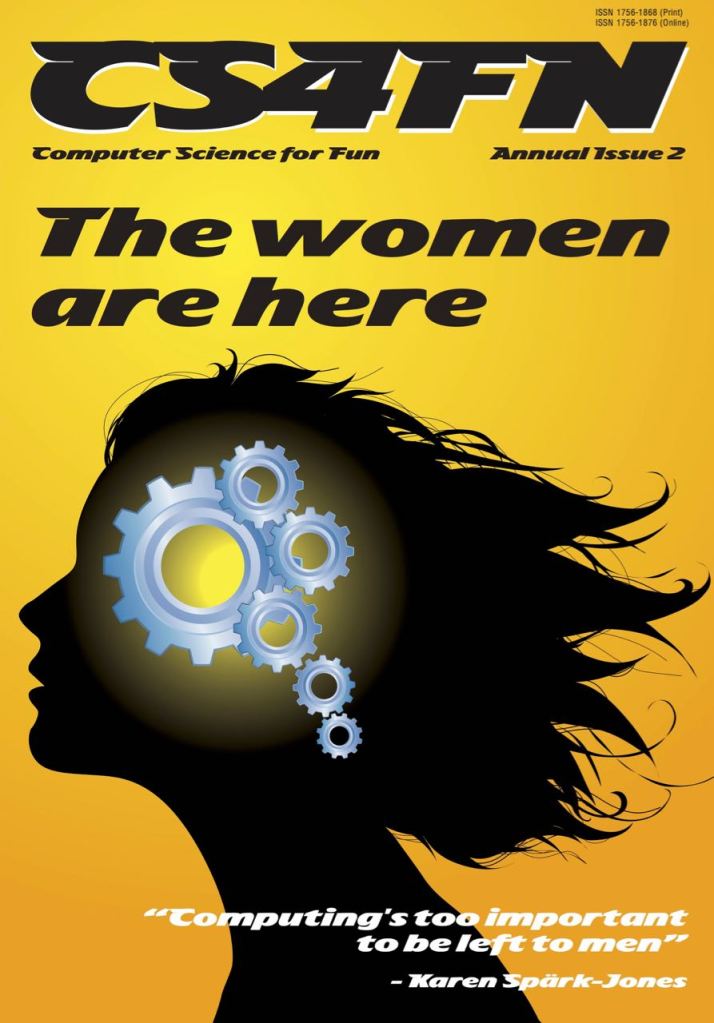
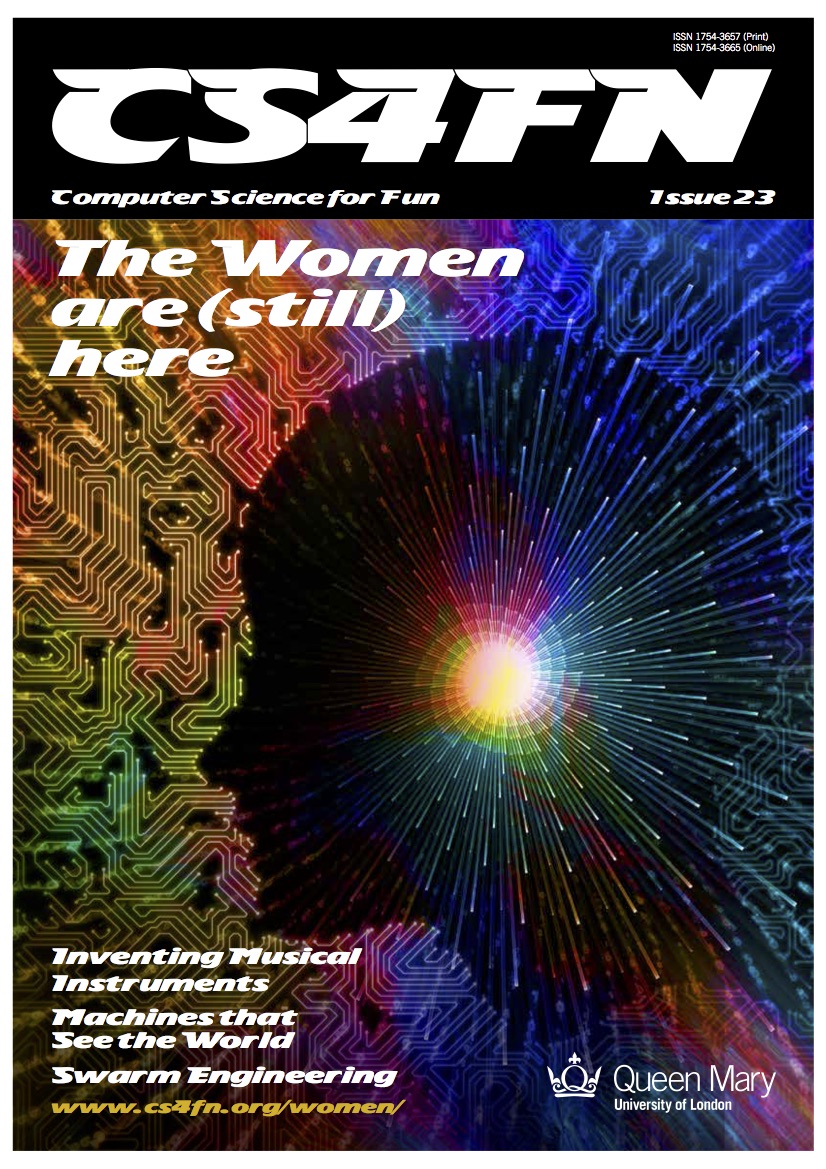
This article was first published on the original CS4FN website and a copy appears on pages 14 and 15 in “The women are (still) here”, the 23rd issue of the CS4FN magazine. You can download a free PDF copy by clicking on the magazine’s cover below, along with all of our free material.

Another article on 3D research is Making sense of squishiness – 3D modelling the natural world (21 November 2022).


Related Magazine …


EPSRC supports this blog through research grant EP/W033615/1.

Keeping secrets on the Internet – encryption keeps your data safe

How do modern codes keep your data safe online? Ben Stephenson of the University of Calgary explains

When Alan Turing was breaking codes, the world was a pretty dangerous place. Turing’s work helped uncover secrets about air raids, submarine locations and desert attacks. Daily life might be safer now, but there are still threats out there. You’ve probably heard about the dangers that lurk online – scams, identity theft, viruses and malware, among many others. Shady characters want to know your secrets, and we need ways of keeping them safe and secure to make the Internet work. How is it possible that a network with so many threats can also be used to securely communicate a credit card number, allowing you to buy everything from songs to holidays online?

The relay race on the Internet

When data travels over the Internet it is passed from computer to computer, much like a baton is passed from runner to runner in a relay race. In a relay race, you know who the other runners will be. The runners train together as a team, and they trust each other. On the Internet, you really don’t know much about the computers that will be handling your data. Some may be owned by companies that you trust, but others may be owned by companies you have never heard of. Would you trust your credit card number to a company that you didn’t even know existed?

The way we solve this problem is by using encryption to disguise the data with a code. Encrypting data makes it meaningless to others, so it is safe to transfer the data over the Internet. You can think of it as though each message is locked in a chest with a combination lock. If you don’t have the combination you can’t read the message. While any computer between us and the merchant can still view or copy what we send, they won’t be able to gain access to our credit card number because it is hidden by the encryption. But the company receiving the data still needs to decrypt it – open the lock. How can we give them a way to do it without risking the whole secret? If we have to send them the code a spy might intercept it and take a copy.

Keys that work one way only

The solution to our problem is to use a relatively new encryption technique known as public key cryptography. (It’s actually about 40 years old, but as the history of encryption goes back thousands of years, a technique that’s only as old as Victoria Beckham counts as new!) With this technique the code used to encrypt the message (lock the chest) is not able to decrypt it (unlock it). Similarly, the key used to decrypt the message is not able to encrypt it. This may sound a little bit odd. Most of the time when we think about locking a physical object like a door, we use the same key to lock it that we will use to unlock it later. Encryption techniques have also followed this pattern for centuries, with the same key used to encrypt and decrypt the data. However, we don’t always use the same key for encrypting (locking) and decrypting (unlocking) doors. Some doors can be locked by simply closing them, and then they are later unlocked with a key, access card, or numeric code. Trying to shut the door a second time won’t open it, and similarly, using the key or access code a second time won’t shut it. With our chest, the person we want to communicate with can send us a lock only they know the code for. We can encrypt by snapping the lock shut, but we don’t know the code to open it. Only the person who sent it can do that.

We can use a similar concept to secure electronic communications. Anyone that wants to communicate something securely creates two keys. The keys will be selected so that one can only be used for encryption (the lock), and the other can only be used for decryption (the code that opens it). The encryption key will be made publicly available – anyone that asks for it can have one of our locks. However, the decryption key will remain private, which means we don’t tell anyone the code to our lock. We will have our own public encryption key and private decryption key, and the merchant will have their own set of keys too. We use one of their locks, not ours, to send a message to them.

Turning a code into real stuff

So how do we use this technique to buy stuff? Let’s say you want to buy a book. You begin by requesting the merchant’s encryption key. The merchant is happy to give it to you since the encryption key isn’t a secret. Once you have it, you use it to encrypt your credit card number. Then you send the encrypted version of your credit card number to the merchant. Other computers listening in might know the merchant’s public encryption key, but this key won’t help them decrypt your credit card number. To do that they would need the private decryption key, which is only known to the merchant. Once your encrypted credit card number arrives at the merchant, they use the private key to decrypt it, and then charge you for the goods that you are purchasing. The merchant can then securely send a confirmation back to you by encrypting it with your public encryption key. A few days later your book turns up in the post.

This encryption technique is used many millions of times every day. You have probably used it yourself without knowing it – it is built into web browsers. You may not imagine that there are huts full of codebreakers out there, like Alan Turing seventy years ago, trying to crack the codes in your browser. But hackers do try to break in. Keeping your browsing secure is a constant battle, and vulnerabilities have to be patched up quickly once they’re discovered. You might not have to worry about air raids, but codes still play a big role behind the scenes in your daily life.

Ben Stephenson, University of Calgary

More on …


Related Magazine …


Subscribe to be notified whenever we publish a new post to the CS4FN blog.


This blog is funded by EPSRC on research agreement EP/W033615/1.

QMUL CS4FN EPSRC logos

Composing from Compression

Recoloured Cranium head abstract image by Gordon Johnson from Pixabay

Computers compress files to save space. But it also allows them to create music!

Music is special. It’s one of the things, like language, that makes us human, separating us from animals. It’s also special as art, because it doesn’t exist as an object in the world – it depends on human memory. “But what about CDs? They’re objects in the world”, you might say and you’d be right, but the CD is not the music. The CD contains data files of numbers. Those numbers are translated by electronics into the movements in a loudspeaker, to create sound waves. Even the sound waves aren’t music! They only become music when a human hears them, because understanding music is about noticing repetition, variation and development in its structure. That’s why songs have verses and choruses: so we can find a starting point to understand its structure. In fact, we’re so good at understanding musical structure, we don’t even notice we’re doing it. What’s more, music affects us emotionally: we get excited (using the same chemicals that get us excited when we’re in love or ready to flee danger) when we hear the anthem section of a trance track, or recognise the big theme returning at the end of a symphony.

Surprisingly, brains seem to understand musical structure in a way that’s like the algorithms computer scientists use to compress data. It’s better to store data compressed than uncompressed, because it takes less storage space. We think that’s why brains do it too.

Even more surprisingly, brains also seem to be able to learn the best way to store compressed music data. Computers use bits as their basic storage unit, but we can make groups of bits work like other things (numbers, words, pictures, angry birds…); brains seem to do something similar. For example, pitch (high vs. low notes) in sequence is an important part of music: we build melodies by lining up notes of different pitch one after the other. As we learn to hear music (starting before birth, and continuing throughout life), we learn to remember pitch in ever more efficient ways, giving our compression algorithms better and better chances to compress well. And so we remember music better.

Our team use compression algorithms to understand how music works in the human mind. We have discovered that, when our programs compress music, they can sometimes predict musical structures, even if neither they nor a human have “heard” them before. To compress something, you find large sections of repeated data and replace each with a label saying “this is one of those”. It’s like labelling a book with its title: if you’ve read Lord of the Rings, when I say the title you know what I mean without me telling the story. If we do this to the internal structure of music, there are little repetitions everywhere, and the order that they appear is what makes up the music’s structure.

If we compress music, but then decompress it in a different way, we can get a new piece of music in a similar style or genre. We have evidence that human composers do that too!

What our programs are doing is learning to create new music. There’s a long way to go before they produce music you’ll want to dance to – but we’re getting there!

Geraint Wiggins, Queen Mary University of London


Related Magazine …

Subscribe to be notified whenever we publish a new post to the CS4FN blog.


This blog is funded by EPSRC on research agreement EP/W033615/1.

QMUL CS4FN EPSRC logos

Balls, beams and quantum computers – performing calculations with patterns of light

Photo credit: Galton Box by Klaus-Dieter Keller, Public Domain, via Wikimedia Commons, via the Wikipedia page for the Galton board

Have you played the seaside arcade game where shiny metal balls drops down to ping, ping off little metal pegs and settle in one of a series of channels? After you have fired lots of balls, did you notice a pattern as the silver spheres collect in the channels? A smooth glistening curve of tiny balls forming a dome, a bell curve forms. High scores are harder to get than lower ones. Francis Galton pops up again*, but this time as a fellow Victorian trend setter for future computer design.

Francis Galton invented this special combination of row after row of offset pins and narrow receiving channels to demonstrate a statistical theory called normal distribution: the bell curve. Balls are more likely to bounce their way to the centre, distributing themselves in an elegant sweep down to the left and right edges of the board. But instead of ball bearings, Galton used beans, it was called the bean machine. The point here though is that the machine does a computation – it computes the bell curve.

Skip forward 100 years and ‘Boson Samplers’, based on Galton’s bean machine, are being used to drive forward the next big thing in computer design, quantum computers.

Instead of beans or silver balls computer scientists fire photons, particles of light through minuscule channels on optical chips. These tiny bundles of energy bounce and collide to create a unique pattern, a distribution though one that a normal digital computer would find hard to calculate. By setting it up in different ways, the patterns that result can correspond to different computations. It is computing answers to different calculations set for it.

Through developing these specialised quantum circuits scientists are bouncing beams of light forwards on the path that will hopefully lead to conventional digital technology being replaced with the next generation of supercomputers.

Jane Waite, Queen Mary University of London

Watch…


Related Magazine …

*Francis Galton appears earlier in Issue 20, you can read more about him on page 15 of the PDF. Although a brilliant mathematician he held views about people that are unacceptable today. In 2020 University College London (UCL) changed the name of its Galton Lecture Theatre, which had been named previously in his honour, to Lecture Theatre 115.

EPSRC supports this blog through research grant EP/W033615/1.

“A mob for the Earth”

Online communities and flashmobs supporting the environment and businesses too

One Saturday afternoon one spring in San Francisco, a queue of people stretched down the pavement from a neighbourhood market. There was no shortage of other food shops nearby, so why were hundreds of people waiting to buy everything from crisps to cat litter at this one place? Because that shop had pledged to donate more than a fifth of that day’s profits to improving its environmental footprint.

Pillow fights and parties

The organisation behind the busy shopping day is called Carrotmob. The tactics they used to summon so many people to the tiny market in San Francisco had already been working all over the world for less serious stuff. From a huge pillow fight in New York’s Times Square to a mass disco at Victoria Station in London where people danced along to their MP3 players, the concept of the flashmob can seem to create a party out of thin air. From a simple idea, word can spread over social networking sites, email and word of mouth until a few people have turned into a huge crowd.

Start the bidding

Carrotmob’s founder, Brent Schulkin, wanted to try and entice businesses into going green using a language he thought they’d understand: cash. In return for getting loads of new customers to buy things, the owners had to give back some of their windfall profit to the Earth. To test his idea he went round to food shops in his neighbourhood. He said he could bring lots of extra customers to the shop on a particular day, and asked each of them how much of that day’s profit they’d be willing to spend on making their businesses more environmentally friendly. K&D Market won the bidding war by promising to spend 22% of the profits putting in greener lighting and making their fridges more energy-efficient. Now that K&D had agreed to the deal, Brent had to bring in the punters. He needed a flashmob.

Flashmobs work because it’s now so easy to stay in touch with large numbers of people. If we find out about a cool event we can share it with all our friends just by making one post on sites like Facebook or Twitter. We can make plans to do something as a group just by sending a few texts. When lots of people spread word around like this, suddenly a small idea like Carrotmob, armed with only a website and a few videos, can drop an hour-long queue on the doorstep of a market in San Francisco.

Success!

It’s not easy to enjoy yourself when you’re waiting for an hour to buy a packet of instant noodles, but that’s another advantage of the flashmob: the party atmosphere, the feeling that you’re part of something big. The results were big: the impromptu shoppers brought in more than $9000 – four times what the shop ordinarily rings up on a Saturday afternoon. Lots of the purchases went to a food bank, so even more people shared in the benefits. In the end the shop did well, the Earth did well, and the Carrotmobbers got a party. Plus the good feeling you get from helping the environment probably stays with you longer than the good feeling from getting hit in the face with a pillow.

Paul Curzon, Queen Mary University of London


Related Magazine …


EPSRC supports this blog through research grant EP/W033615/1.