Sophie Wilson: Where would feeding cows take you?

Chip design that changed the world

cows grazing
Image by Christian B. from Pixabay 

Some people’s innovations are so amazing it is hard to know where to start. Sophie Wilson is like that. She helped kick start the original 80’s BBC micro computer craze, then went on to help design the chips in virtually every smartphone ever made. Her more recent innovations are the backbone that is keeping broadband infrastructure going. The amount of money her innovations have made easily runs into tens of billions of dollars, and the companies she helped succeed make hundreds of billions of dollars. It all started with her feeding cows!

While still a student Sophie spent a summer designing a system that could automatically feed cows. It was powered by a microcomputer called the MOS 6502: one of the first really cheap chips. As a result Sophie gained experience in both programming using the 6502’s set of instructions but also embedded computers: the idea that computers can disappear into other everyday objects. After university she quickly got a job as a lead designer at Acorn Computers and extended their version of the BASIC language, adding, for example, a way to name procedures so that it was easier to write large programs by breaking them up into smaller, manageable parts.

Acorn needed a new version of their microcomputer, based on the 6502 processor, to bid for a contract with the BBC for a project to inspire people about the fun of coding. Her boss challenged her to design it and get it working, all in only a week. He also told her someone else in the team had already said they could do it. Taking up the challenge she built the hardware in a few days, soldering while watching the Royal Wedding of Charles and Diana on TV. With a day to go there were still bugs in the software, so she worked through the night debugging. She succeeded and within the week of her taking up the challenge it worked! As a result Acorn won a contract from the BBC, the BBC micro was born and a whole generation were subsequently inspired to code. Many computer scientists, still remember the BBC micro fondly 30 years later.

That would be an amazing lifetime achievement for anyone. Sophie went on to even greater things. Acorn morphed into the company ARM on the back of more of her innovations. Ultimately this was about returning to the idea of embedded computers. The Acorn team realised that embedded computers were the future. As ARM they have done more than anyone to make embedded computing a ubiquitous reality. They set about designing a new chip based on the idea of Reduced Instruction Set Computing (RISC). The trend up to that point was to add ever more complex instructions to the set of programming instructions that computer architectures supported. The result was bloated systems that were hungry for power. The idea behind RISC chips was to do the opposite and design a chip with a small but powerful instruction set. Sophie’s colleague Steve Furber set to work designing the chip’s architecture – essentially the hardware. Sophie herself designed the instructions it had to support – its lowest level programming language. The problem was to come up with the right set of instructions so that each could be executed really, really quickly – getting as much work done in as few clock cycles as possible. Those instructions also had to be versatile enough so that when sequenced together they could do more complicated things quickly too. Other teams from big companies had been struggling to do this well despite all their clout, money and powerful computer mainframes to work on the problem. Sophie did it in her head. She wrote a simulator for it in her BBC BASIC running on the BBC Micro. The resulting architecture and its descendants took over the world, with ARM’s RISC chips running 95% of all smartphones. If you have a smartphone you are probably using an ARM chip. They are also used in game controllers and tablets, drones, televisions, smart cars and homes, smartwatches and fitness trackers. All these applications, and embedded computers generally, need chips that combine speed with low energy needs. That is what RISC delivered allowing the revolution to start.

If you want to thank anyone for your personal mobile devices, not to mention the way our cars, homes, streets and work are now full of helpful gadgets, start by thanking Sophie…and she’s not finished yet!

Paul Curzon, Queen Mary University of London

More on …

Related Magazines …


Subscribe to be notified whenever we publish a new post to the CS4FN blog.


This blog is funded by EPSRC on research agreement EP/W033615/1.

QMUL CS4FN EPSRC logos

The Hive at Kew

Art meets bees, science and electronics

a boy lying in the middle of the Hive at Kew Gardens.
Image by Paul Curzon

Combine an understanding of science, with electronics skills and the creativity of an artist and you can get inspiring, memorable and fascinating experiences. That is what the Hive, an art instillation at Kew Gardens in London, does. It is a massive sculpture linked to a subtle sound and light experience, surrounded by a wildflower meadow, but based on the work of scientists studying bees.

The Hive is a giant aluminium structure that represents a bee hive. Once inside you see it is covered with LED lights that flicker on and off apparently randomly. They aren’t random though, they are controlled by a real bee hive elsewhere in the gardens. Each pulse of a light represents bees communicating in that real hive where the artist Wolfgang Buttress placed accelerometers. These are simple sensors like those in phones or a BBC micro:bit that sense movement. The sensitive ones in the bee hive pick up vibrations caused by bees communicating with each other The signals generated are used to control lights in the sculpture.

A new way to communicate

This is where the science comes in. The work was inspired by Martin Bencsik’s team at Nottingham Trent University who in 2011 discovered a new kind of communication between bees using vibrations. Before bees are about to swarm, where a large part of the colony split off to create a new hive, they make a specific kind of vibration, as they prepare to leave. The scientists discovered this using the set up copied by Wolfgang Buttress, using accelerometers in bee hives to help them understand bee behaviour. Monitoring hives like this could help scientists understand the current decline of bees, not least because large numbers of bees die when they swarm to search for a new nest.

Hear the vibrations through your teeth

Good vibrations

The Kew Hive has one last experience to surprise you. You can hear vibrations too. In the base of the Hive you can listen to the soundtrack through your teeth. Cover your ears and place a small coffee stirrer style stick between your teeth, and put the other end of the stick in to a slot. Suddenly you can hear the sounds of the bees and music. Vibrations are passing down the stick, through your teeth and bones of your jawbone to be picked up in a different way by your ears.

A clever use of simple electronics has taught scientists something new and created an amazing work of art.

Paul Curzon, Queen Mary University of London

More on …

Related Magazines …

cs4fn issue 4 cover
A hoverfly on a leaf

Subscribe to be notified whenever we publish a new post to the CS4FN blog.


This blog is funded by EPSRC on research agreement EP/W033615/1.

QMUL CS4FN EPSRC logos

EPSRC supports this blog through research grant EP/W033615/1, and through EP/K040251/2 held by Professor Ursula Martin. 

The beach, the missionary and my origin myth

An open book on the sand of a beach with blue sea and sky behind
Image by StockSnap from Pixabay

Superheroes always have an origin myth that describes how they emerged as a hero. Spider-man has his spider bite and death of his uncle; Batman, his fall into a cave full of bats and the murder of his parents; Captain Marvel was exposed to an alien energy source… Why not work out your own origin myth? Everyone should have one. Mine involves a beach, a book of programs, and before that a missionary. It is the backstory of how I became a computer scientist.

The beach

My origin myth usually begins with a beach and a book containing some programs, some articles about computers and some computing cartoons. The articles were vaguely interesting, some of the cartoons were funny, but the program listings were fascinating: a whole new language that made computers tick.

At that point computers were way too expensive for me to dream of owning one (and in any case back then there were no mobile computers so unlike now, you certainly couldn’t take one to the beach). All I had was my imagination, but that was enough to get me started.

With nothing else to do on the beach (it was too hot to move), I spent my time lying in the sun reading programs and trying to work out what they did and how they did it. With no computer, all I could do was pretend to be the computer myself, stepping through the listings line by line with paper and pen, writing out the changing numbers stored (their variables) and what they printed. I then moved on to writing some simple game programs myself, like a cricket game. I wrote them in my notebook and again pretended I was the computer to make them work. By the end of the holiday I could program.

Ada Lovelace

I didn’t discover this till decades later but Ada Lovelace, the famous Victorian computer pioneer working with Charles Babbage was in a similar position (well sort of … she was a rich countess, I wasn’t). She also had no computer as Babbage hadn’t managed to fully build his. She had no programming language either to write programs in, or for that matter any actual programs to read. However, she had some algorithms written by Babbage that he intended his machine’s programs would be based on. Just like me, she stepped through the algorithms on paper, working out what they would do (should Babbage ever build his computer), step by step. As a result she learnt about the machine and as it happens also found a mistake in one algorithm. The table she drew of the computer working is often taken as proof she was the ‘first programmer’, though as Ursula Martin, who studied her papers, has pointed out, it is not a program. It is an execution trace or ‘dry run table’. She was actually the first ‘execution tracer’ or ‘dry-runner’.

The importance of dry running code

Dry running programs like this on paper is not just a useful thing for people with no computer, it is also a critical thing for anyone learning to program to do – a way of actively reading programs. You didn’t learn to write English (or any other language) by just writing, you read lots too and the same goes for programming. It turns out that the way I taught myself to program is a really, really powerful way to do so.

Just as importantly dry running programs on paper in this way is also important as a way of checking that programs work as Lovelace found. The modern version is the code walkthrough – a powerful technique that complements testing programs as a way of discovering problems.

The missionary

While that is the point in time when I learnt to program, there was someone earlier who originally inspired me about computation: a missionary. Sadly I don’t know his name, but he came to our school to talk about his life as a missionary in Papua New Guinea. He told us that one of the problems of travelling there was that communities were isolated from each other and each village spoke its own language. That meant that, as he travelled around, he had a big problem speaking to anyone. Every time he moved on he had a new language to learn or an old one of many to remember. It wasn’t the idea of converting people, or travelling to exotic places that means I remember him more than 40 years later. It was what he showed us next: how he solved the problem. He pulled out a massive pile of cards with holes punched round the edges, labelled with letters. Each had a word written on it in English as well as words in other languages from different places. He spelled out a word a letter at a time (pig was the example he used) by putting a knitting needle through a hole in all the cards next to the letter. Those that fell out were used for the next letter and so on. After three rounds just the card for pig fell out, as if by magic. It wasn’t magic though, it was computation. On the pig card he had cut notches in the holes for p, i and g. As that was the only word with those letters, it was the only card that could fall out for all three letters and then he could read off the translation for the village he was in..

Bitten by a bug

What the missionary was showing us was an edge-notched card system (see the ‘Wood computer’, page 16). I was fascinated and have been ever since about computation, especially when it’s done physically. It was that general fascination for algorithms that led me to want to learn to program.

In my origin story, I was bitten by a bug: the missionary converted me… to computer science.

– Paul Curzon, Queen Mary University of London

More on …

Related Magazines …


Subscribe to be notified whenever we publish a new post to the CS4FN blog.


This blog is funded by EPSRC on research agreement EP/W033615/1.

QMUL CS4FN EPSRC logos

This article was funded by UKRI, through Professor Ursula Martin’s grant EP/K040251/2 and grant EP/W033615/1.

Hoverflies: comin’ to get ya

A hoverfly on a blade of grass
Image by Ronny Overhate from Pixabay (cropped)

By understanding the way hoverflies mate, computer scientists found a way to sneak up on humans, giving a way to make games harder.

When hoverflies get the hots for each other they make some interesting moves. Biologists had noticed that as one hoverfly moves towards a second to try and mate, the approaching fly doesn’t go in a straight line. It makes a strange curved flight. Peter and his student Andrew Anderson thought this was an interesting observation and started to look at why it might be. They came up with a cunning idea. The hoverfly was trying to sneak up on its prospective mate unseen.

The route the approaching fly takes matches the movements of the prospective mate in such a way that, to the mate, the fly in the distance looks like it’s far away and ‘probably’ stationary.

Tracking the motion of a hoverfly and its sightlines
Image by CS4FN

How does it do this? Imagine you are walking across a field with a single tree in it, and a friend is trying to sneak up on you. Your friend starts at the tree and moves in such a way that they are always in direct line of sight between your current position and the tree. As they move towards you they are always silhouetted against the tree. Their motion towards you is mimicking the stationary tree’s apparent motion as you walk past it… and that’s just what the hoverfly does when approaching a mate. It’s a stealth technique called ‘active motion camouflage’.

By building a computer model of the mating flies, the team were able to show that this complex behaviour can actually be done with only a small amount of ‘brain power’. They went on to show that humans are also fooled by active motion camouflage. They did this by creating a computer game where you had to dodge missiles. Some of those missiles used active motion camouflage. The missiles using the fly trick were the most difficult to spot.

It just goes to show: there is such a thing as a useful computer bug.

– Peter W McOwan and Paul Curzon, Queen Mary University of London


More on …

Related Magazines …

cs4fn issue 4 cover
A hoverfly on a leaf

Subscribe to be notified whenever we publish a new post to the CS4FN blog.


This blog is funded by EPSRC on research agreement EP/W033615/1.

QMUL CS4FN EPSRC logos

EPSRC also supports this blog through research grant EP/K040251/2 held by Professor Ursula Martin. 

Edge-notched cards and relational databases

for Bob Marley and the Wailers notched as a Reggae Group with initials B-M-W: those three letters are notched, the other letters are un-notched.
An edge-notched card for Bob Marley and the Wailers notched as a Reggae Group with initials B-M-W: those three letters are notched, the other letters are un-notched. Image by CS4FN

Edge-notched cards (see the Wood Computer) implement a physical, but still powerful, version of a database: an organised way of storing data: a simple kind of computer memory. Information about some specific thing is represented on the card by cutting notches into holes around the edges following a set of codes.

Databases consist of lots of records each storing the information about one thing like one kind of timber. Each card in our pack corresponds to a record. A whole pack of records about one thing (like our pack of cards) is a database table. Records consist of fields with each field describing some aspect of the data like what the grain of the timber is like. Each group of related notches therefore acts as a database field.

Why not create an edge notched card system
for something you are interested in,
for identifying birds perhaps or quickly finding
details of films, or music or of something you collect?

In a relational database you do not have one gigantic set of records, so not just one gigantic pack of cards. You have a series of different sets of records/cards. Each has fewer fields so fewer holes as they no longer need to store details of every possible feature. Each smaller pack of cards is a table describing a specific thing (so if the cards store information about trees, the smaller packs might be about features of leaves and bark). There is also still a master pack describing trees as a whole. The tree cards no longer have to include all the details of leaves and bark, however. Instead each table includes a unique identifier field. Leaf cards include a leaf identifier that is also on the tree’s card. Bark cards similarly include a bark identifier. Once you have identified the leaf, you can use the leaf identifier on the tree cards to find any trees with that set of properties of leaf, then narrow it down further once you know the bark identifier. The smaller packs of cards still do the job but in a much more convenient way.

Paul Curzon, Queen Mary University of London

More on …

Related Magazines …


Subscribe to be notified whenever we publish a new post to the CS4FN blog.


This blog is funded by EPSRC on research agreement EP/W033615/1.

QMUL CS4FN EPSRC logos

This article was funded by UKRI, through Professor Ursula Martin’s grant EP/K040251/2 and grant EP/W033615/1.

The Wood Computer

A wooden woodland bridge with trees in the background.
Image by Peter H from Pixabay

Punch cards inspired Babbage as he invented the first Victorian computer, and were a way the first computers stored data a hundred years later. Variations, called edge-notched cards, had their uses before the first working computers, though. They provided an efficient way to look up information. One use was to help identify timber: Oxford’s human-operated ‘wood computer’ was used in forests world-wide.

Interested in nature and enjoying a nice walk, you come across an unfamiliar tree, and want to identify it. How do you do it? You might work through a set of questions, first looking at the leaves: what shape are they, what colour, do they have stalks, do they sit opposite each other on a twig or are they diagonally placed, and so on. You then move to questions about the bark… Gradually, you narrow it down to one tree. What, though, if your job is to check that your company is buying the right timber and the tree is cut up into logs (no leaves or bark)? The task is the same, going through a checklist of questions, just harder unless you are an experienced botanist. Now you consider things like the pattern of the grain, the hardness, the colour and any scent from the tree’s oils.

Historically, one way of working out which piece of timber was in front of you was to use a wood identification kit or ‘wood computer’. This was prepared (programmed!) from a pack of index cards with 60 or more features of timber printed on them. However, they weren’t just cards to read but cards to compute with.

Holes and notches

The cards were special because they had regularly placed holes round all four sides. Each card had notches cut into different holes. Each feature of the timber was linked to one or more holes. The features were grouped together around related properties: so, for example, all the possible colours of timber might be grouped together on one section of the card. Properties about how fine-grained the timber is would be grouped in another section.

Each card represented one type of wood and the ‘programmer’ of the cards would notch the holes next to the features that defined it. If a particular type of timber was fine-grained you would add the notch to the hole next to “fine-grained”, if it wasn’t that hole would be left un-notched. Notches were added for all relevant timber properties making each card unique, with a slightly different pattern of notches, uniquely describing the features of the tree it represents. (See an example of an edge-notched card below.)

How it works

To use a wood computer, take the pile of cards, pick a feature of the timber in front of you and insert a thin knitting needle into the hole linked to the feature. Then lifting the pile up shake out any cards with notches in that hole. All of the cards for timber that don’t have that feature will have an un-notched hole and will hang from your knitting needle. All cards representing timber that does have that feature are now sitting on the table. Yours is somewhere amongst them. If your timber is NOT fine-grained then instead, when you put the knitting needle in the fine-grained hole, keep those left on the knitting needle.

You repeat the process several times to whittle (sorry!) your cards down, each time choosing another feature of the timber in front of you. Eventually you have only one card left and have identified your timber.

Just the cards for the job

An edge-notched card for Bob Marley and the Wailers notched as a Reggae Group with initials B-M-W: those three letters are notched, the other letters are un-notched. Image by CS4FN

The cards are incredibly low tech, requiring no electricity or phone signal and are very easy to use even without specialist botanical knowledge. All the knowledge is programmed into them. You also find the answer very quickly. Margaret Chattaway, a botanist at the Imperial Forestry Institute, Oxford, in the 1930s realised that was exactly what was needed for their team inspecting timber and so the original wood computer was created.

So next time you are out for a walk, make sure you have your knitting needle and a suitable pile of cards with you. Then identifying trees, birds, fungi or even animal poo will be so much quicker and simpler.

Jo Brodie, Queen Mary University of London


More on …

Related Magazines …


Subscribe to be notified whenever we publish a new post to the CS4FN blog.


This blog is funded by EPSRC on research agreement EP/W033615/1.

QMUL CS4FN EPSRC logos

This article was funded by UKRI, through Professor Ursula Martin’s grant EP/K040251/2 and grant EP/W033615/1.

Babbage’s barrels

Despite his hatred of Barrel organs, Babbage used barrels with relocatable pins in his machines. They worked in a similar way to a music box, where the pins flip the teeth of a metal comb to sound a note and by moving the pins you get a different tune. In Babbage’s version the barrel’s pins push levers that send information round the machine, determining what it does.

By programming the positions of the pins, different overall operations are created from the combinations of lever pushes. This is a similar idea to what later became called microcoding, in modern computers, where very simple low level instructions are used to program the operations available in a computer’s instruction set.

Adrian Johnstone, Royal Holloway, University of London and

Paul Curzon, Queen Mary University of London


More on …

Related Magazines …


Subscribe to be notified whenever we publish a new post to the CS4FN blog.


This blog is funded by EPSRC on research agreement EP/W033615/1.

QMUL CS4FN EPSRC logos

This article was funded by UKRI, through Professor Ursula Martin’s grant EP/K040251/2 and grant EP/W033615/1.

Ada and the music machine

Charles Babbage found barrel organs so incredibly irritating that he waged a campaign to clear them from the streets, even trying to organise an act of parliament to have them banned. Presumably, it wasn’t the machine Babbage hated but the irritating noise preventing him from concentrating: the buskers in the streets outside his house constantly playing music was the equivalent to listening to next door’s music through the walls. His hatred, however, may have led to Ada Lovelace’s greatest idea.

It seems rather ironic his ire was directed at the barrel organ as they share a crucial component with his idea for a general purpose computer – a program. Anyone (even monkeys) can be organ grinders, and so play the instrument, because they are just the power source, turning the crank to wind the barrel. Babbage’s first calculating machine, the Difference Engine was similarly powered by cranking a handle.

The barrel itself is like a program. Pins sticking out from the barrel encode the series of notes to be played. These push levers up and down, which in turn switch valves on and off, allowing air from bellows into the different pipes that make the sounds. As such it is a binary system of switches with pins and no pins round the barrel giving instructions meaning on or off for the notes. Swap the barrel with one with pins in different positions and you play different music, just as changing the program in a computer changes what it does.

Babbage’s hate of these music machines potentially puts a different twist on Ada Lovelace’s most visionary idea. Babbage saw his machines as ways to do important calculations with great accuracy, such as for working out the navigation tables ships needed to travel the world. Lovelace, by contrast, suggested that they could do much more and specifically that one day they would be able to compose music. The idea is perhaps her most significant, and certainly a prediction that came true.

We can never know, but perhaps the idea arose from her teasing Babbage. She was essentially saying that his great invention would become the greatest ever music machine…the thing he detested more than anything. And it did.

Paul Curzon, Queen Mary University of London

More on …

Related Magazines …


Subscribe to be notified whenever we publish a new post to the CS4FN blog.


This blog is funded by EPSRC on research agreement EP/W033615/1.

QMUL CS4FN EPSRC logos

This article was funded by UKRI, through Professor Ursula Martin’s grant EP/K040251/2 and grant EP/W033615/1.

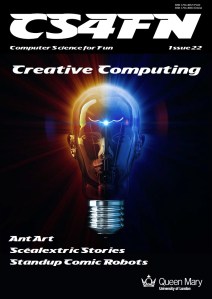
Ant Art

There are many ways Artificial Intelligences might create art. Breeding a colony of virtual ants is one of the most creative.

Photogrowth from the University of Coimbra does exactly that. The basic idea is to take an image and paint an abstract version of it. Normally you would paint with brush strokes. In ant paintings you paint with the trails of hundreds of ants as they crawl over the picture, depositing ink rather than the normal chemical trails ants use to guide other ants to food. The colours in the original image act as food for the ants, which absorb energy from its bright parts. They then use up energy as they move around. They die if they don’t find enough food, but reproduce if they have lots. The results are highly novel swirl-filled pictures.

The program uses vector graphics rather than pixel-based approaches. In pixel graphics, an image is divided into a grid of squares and each allocated a colour. That means when you zoom in to an area, you just see larger squares, not more detail. With vector graphics, the exact position of the line followed is recorded. That line is just mapped on to the particular grid of the display when you view it. The more pixels in the display, the more detailed the trail is drawn. That means you can zoom in to the pictures and just see ever more detail of the ant trails that make them up.

You become a breeder of a species of ant
that produce trails, and so images,
you will find pleasing

Because the virtual ants wander around at random, each time you run the program you will get a different image. However, there are lots of ways to control how ants can move around their world. Exploring the possibilities by hand would only ever uncover a small fraction of the possibilities. Photogrowth therefore uses a genetic algorithm. Rather than set all the options of ant behaviour for each image, you help design a fitness function for the algorithm. You do this by adjusting the importance of different aspects like the thickness of trail left and the extent the ants will try and cover the whole canvas. In effect you become a breeder of a species of ant that produce trails, and so images, you will find pleasing. Once you’ve chosen the fitness function, the program evolves a colony of ants based on it, and they then paint you a picture with their trails.

The result is a painting painted by ants bred purely to create images that please you.

Paul Curzon, Queen Mary University of London (from the archive)


More on …

Related Magazines …

Cover issue 18
cs4fn issue 4 cover

Subscribe to be notified whenever we publish a new post to the CS4FN blog.


This blog is funded by EPSRC on research agreement EP/W033615/1.

QMUL CS4FN EPSRC logos

EPSRC supports this blog through research grant EP/W033615/1, and through EP/K040251/2 held by Professor Ursula Martin. 

Ant Track Algorithms

A single ant on a rock
Image by vlada11 from Pixabay

Ants communicate by leaving trails of chemicals that other ants can follow to sources of food they’ve found. Very quickly after a new source of food is found ants from the nest are following the shortest path to get to it, even if the original ant trail was not that direct and wiggled around. How do they do that? And how come computers are copying them?

Bongo playing physicist, Richard Feynman, better known for his Nobel Prize for Physics, wondered about this one day watching ants in his bath. The marvellous thing about science is it can be done anywhere! He grabbed some crayons and started marking the paths each ant followed by drawing a line behind it. He quickly discovered from the trails that what was happening was that each ant was following earlier trails but hurriedly so not sticking to it exactly. Instead it was leaving its own trail. As this was done over and over again the smooth direct route emerged as having the strongest line from the superimposed hurried trails. It’s a bit like when you sketch – you do a series of rough lines to start, but as you do that over and over the final line is much smoother.

From very simple behaviour the ants are able to achieve complex things that might otherwise need complex geometrical skills. As a result, Computer Scientists have been inspired by the ants. Marco Dorigo, Université Libre de Bruxelles first came up with the idea of ‘ant algorithms’: ways of programming separate software agents to do complex things that otherwise would bog down even fast computers. They are part of a more general idea of swarm computing. Finding shortest routes, whether for taxi drivers or for messages sent over networks, is a very common problem of the kind ant algorithms can solve. An ant algorithm solution involves programming lots of software agents to behave a bit like ants leaving digital trails for other agents to pick up. Over time, their simple individual behaviour yields a good solution to the otherwise complex problem of finding the shortest route. Another use is to detect the edges of objects in images – the first step in understanding a picture. Here the virtual ants wander from pixel to pixel based on the differences between nearby pixels, with the result that the strongest trail is left along edges of things shown in the image.

So ants are helping to solve real problems. Not bad for such a tiny brain.

Peter W McOwan and Paul Curzon, Queen Mary University of London

(Updated from the archive)


More on …

Related Magazines …

cs4fn issue 4 cover

Subscribe to be notified whenever we publish a new post to the CS4FN blog.


This blog is funded by EPSRC on research agreement EP/W033615/1.

QMUL CS4FN EPSRC logos

EPSRC supports this blog through research grant EP/W033615/1, and through EP/K040251/2 held by Professor Ursula Martin.