“Carter headed into the trees, his hat pulled low. Up ahead was a dark figure, standing in the shadow of a tree. As he drew close, Carter gave the agreed code phrase confirming he was the new agent: “Could I borrow a match?” The dark figure, stepped away from the tree, but rather than completing the exchange as Carter expected, he pulled a silenced gun. Before Carter could react, he heard the quiet spit of the gun and felt an excruciating pain in his chest. A moment later he was dead. Felix put the gun away, and quickly dragged the body into the bushes out of sight. He then went back to waiting. Soon another figure approached, but from the other direction. This time it was Felix who gave the pass phrase, which he now knew. “Could I borrow a match?” The new figure confidently responded, “Doesn’t everyone use a lighter these days?” Felix hadn’t known what he would say, but was happy to assume this was Carter’s real contact. He was in. “Hello. I’m Carter.” …
The trouble with using spy novel style passphrases to prove who you are is you still have to trust the other person. If they might have nefarious intentions, you want to prove who you are without giving anything else away. You certainly don’t want them to be able to take the information you give and use it to pretend to be you. Unfortunately, the above story is pretty much how passwords work, and why attacks like phishing, where someone sends emails pretending to be from your bank, are such a problem.
This is why phishing works
The story outlines the essential problem faced by all authentication systems trying to prove who someone is or that they possess some secret information. You give up the secret in the process to anyone there to hear. Security protocols somehow need ways one agent can prove to another who they are in a way that no one can masquerade as them in future. Creating a secure authentication system is harder than you might think! To do it well takes serious skill. What you don’t do is just send a password!
A simple solution for some situations is sometimes used by banks. Rather than ask you for a whole account number, they ask you for a random set of its digits: perhaps, the third, fifth and eighth digit one time, but completely different ones the next. Though they have learnt some of the secret, anyone listening in can’t masquerade as you as they will be asked for different digits when they do. Take this idea to an extreme and you get the “Zero Knowledge Proof“, where none of the secret is given up: possibly one of the cleverest ideas of computer science.
Shafi Goldwasser is one of the greatest living computer scientists, having won the Turing Award in 2012 (equivalent to a Nobel Prize). Her work helped turn cryptography from a dark art into a science. If you’ve ever used a credit card through a web browser, for example, her work was helping you stay secure. Her greatest achievement, with Silvio Micali and Charles Rackoff, is the “Zero knowledge proof”.
Zero knowledge proofs deal with the problem that, to be really secure, security protocols often need to prove that some statement is true without giving anything else away (see “You are what you know“). A specific case is where an agent (software or human) wants to prove they know some secret, without actually giving the secret up.
Satisfy me this
There are three properties a zero knowledge proof must satisfy. Suppose Peggy is trying to convince Victor that some statement about a secret is true. Firstly, if Peggy’s statement is true then Victor must be convinced of this at the end. Secondly, if it is not actually true, there must only be a tiny chance that Peggy can convince Victor that it is true. Finally, Victor must not be able to cheat in any way that means he learns more about the secret beyond the truth of the statement. Shafi and colleagues not only came up with the idea, but showed that such proofs, unlikely as they seem, were possible.
Biosecurity break-in
Imagine the following situation (based on a scenario by Jean-Jacques Quisquater). A top secret biosecurity laboratory is protected so only authorised people can get in and out. The lab is at the end of a corridor that splits. Each branch goes to a door at the opposite end of the lab. These two doors are the only ways in or out. The rest of the room is totally sealed (see diagram).
Now, Peggy claims she knows how to get in, and has told Victor she can steal a sample of the secret biotoxin held there if he pays her a million dollars. Victor wants to be sure she can get in, before paying. She wants to prove her claim is true, but without giving anything more away, and certainly not by showing him how she does it, or giving him the toxin. She doesn’t even want him to have any hard evidence he could use to convince others that she can get in, as then he could use it against her. How does she do it?
“I can get in”
Plan of top secret lab Image by CS4FN
She needs a Zero knowledge proof of her claim “I can get in”! Here is one way. Victor waits in the foyer, unable to see the corridor. Peggy goes to the fork, and chooses a branch to go down then waits at the door. Victor then goes to the fork, unable to see where she is but able to see both exit routes. He then chooses an exit corridor at random and tells Peggy to appear there. Peggy does, passing through the lab if need be.
If they do this enough times, with Victor choosing at random which side she should appear, then he can be strongly certain that she really does know how to get in. After all, that is the only way to appear at the other side. More to the point, he still cannot get in himself and even if he records everything he sees, he would have no way to convince anyone else that Peggy can get in. Even if he videod everything he saw, that would not be convincing proof. A video showing Peggy appearing from the correct corridor would be easy to fake. Peggy has shown she can get into the room, but without giving up the secret of how, or giving Victor a way to prove she can do it to anyone else.
So, strange as it seems, it is possible to prove you know a secret without giving anything more away about the secret. Thanks to Shafi and her co-researchers the idea is now a core part of computer security.
Avengers: Age of Ultron is the latest film about robots or artificial intelligences (AI) trying to take over the world. AI is becoming ever present in our lives, at least in the form of software tools that demonstrate elements of human-like intelligence. AI in our mobile phones apply and adapt their rules to learn to serve us better, for example. But fears of AI’s potential negative impact on humanity remain as seen in its projection into characters like Ultron, a super-intelligence accidentally created by the Avengers.
But what relation do the evil AIs of the movies have to scientific reality? Could an AI take over the world? How would it do it? And why would it want to? AI movie villains need to consider the whodunit staples of motive and opportunity.
Motive? What motive?
Let’s look at the motive. Few would say Intelligence in itself unswervingly leads to a desire to rule the world. In movies AI are often driven by self preservation, a realisation that fearful humans might shut them down. But would we give our AI tools cause to feel threatened? They provide benefits for us and there also seems little reason in creating a sense of self-awareness in a system that searches the web for the nearest Italian restaurant, for example.
Another popular motive for AIs’ evilness is their zealous application of logic. In Ultron’s case the goal of protecting the earth can only be accomplished by wiping out humanity. This destruction by logic is reminiscent of the notion that a computer would select a stopped clock over one that is two seconds slow, as the stopped clock is right twice a day whereas the slow one is never right. Ultron’s plot motivation, based on brittle logic combined with indifference to life, seems at odds with todays AI systems that reason mathematically with uncertainty and are built to work safely with users.
Opportunity Knocks
When we consider an AI’s opportunity to rule the world we are on somewhat firmer ground. The famous Turning Test of machine intelligence was set up to measure a particular skill – the ability to conduct a believable conversation. The premise being that if you can’t tell the difference between AI and human skill, the AI has passed the test and should be considered as intelligent as humans.
So what would a Turing Test for the ‘skill’ of world domination look like? To explore that we need to compare the antisocial AI behaviours with the attributes expected of human world domination. World dominators need to control important parts of our lives, say our access to money or our ability to buy a house. AI does that already – lending decisions are frequently made by an AI sifting through mountains of information to decide your credit worthiness. AIs now trade on the stock market too.
An overlord would give orders and expect them to be followed. Anyone who has stood helplessly at a shop’s self-service till as it makes repeated bagging related demands of them already knows what it feels like to be bossed about by AIs.
Kill Bill?
Finally, no megalomaniac Hollywood robot would be complete without at least some desire to kill us. Today military robots can identify targets without human intervention. It is currently a human controller that gives permission to attack but it’s not a stretch to say that the potential to auto kill exists in these AIs, but we would need to change the computer code to allow it.
These examples arguably show AI in control in limited but significant parts of life on earth, but to truly dominate the world, movie style, these individual AIs would need to start working together to create a synchronised AI army – that bossy self-service till talking to your health monitor and denying selling you beer, then both ganging up with a credit scoring system to only raise your credit limit if you both buy a pair of trainers with a built in GPS tracker and only eat the kale from your smart fridge but after the shoe data shows you completed the required five mile run.
It’s a worrying picture but fortunately I think it’s an unlikely one. Engineers worldwide are developing the Internet of things, networks connecting all manner of devices together to create new services. These are pieces of a jigsaw that would need to join together and form a big picture for total world domination. It’s an unlikely situation – too much has too fall into place and work together. It’s a lot like the infamous plot-hole in Independence Day – where an Apple Mac and an alien spaceship’s software inexplicably have cross-platform compatibility. [See video below for a possible answer!]
Our earthly AI systems are written in a range of computer languages, hold different data in different ways and use different and non-compatible rule sets and learning techniques. Unless we design them to be compatible there is no reason why adding two safely designed AI systems, developed by separate companies for separate services would spontaneously blend to share capabilities and form some greater common goal without human intervention.
So could AIs, and the robot bodies containing them, pass the test and take over the world? Only if we humans let them, and help them a lot. Why would we?
The beautiful (and quite possibly wi-fi ready, with those antennas) Victoria Crowned Pigeon. Not a carrier pigeon admittedly, but much more photogenic. Image by Foto-Rabe from Pixabay
Happy April Fool’s Day everyone, here are a couple of examples of programmers having a little fun.
Winged messengers
In 1990 a joke memo was published for April Fool’s Day which suggested the use of homing pigeons as a form of internet, in which the birds might carry small packets of data. The memo, called ‘IP over Avian Carriers’ (that is, a bird-based internet), was written in a mock-serious tone (you can read it here) but although it was written for fun the idea has actually been used in real life too. Photographers in remote areas with minimal internet signal have used homing pigeons to send their pictures back.
A company in the US which offers adventure holidays including rafting used homing pigeons to return rolls of films (before digital film took over) back to the company’s base. The guides and their guests would take loads of photos while having fun rafting on the river and the birds would speed the photos back to the base, where they could be developed, so that when the adventurous guests arrived later their photos were ready for them.
You might also enjoy this attempt to make broadband work over wet string instead of the more usual wires. They actually managed it! Broadband over ‘wet string’ tested for fun (13 December 2017)
Serious fun with pigeons
On April Fool’s Day in 2002 Google ‘admitted’ to its users that the reason their web search results appeared so quickly and were so accurate was because, rather than using automated processes to grab the best result, Google was actually using a bank of pigeons to select the best results. Millions of pigeons viewing web pages and pecking picking the best one for you when you type in your search question. Pretty unlikely, right?
In a rather surprising non-April Fool twist some researchers decided to test out how well pigeons can distinguish different types of information in hospital photographs. They trained pigeons by getting them to view medical pictures of tissue samples taken from healthy people as well as pictures taken from people who were ill. The pigeons had to peck one of two coloured buttons and in doing so learned which pictures were of healthy tissue and which were diseased. If they pecked the correct button they got an extra food reward.
The researchers then tested the pigeons with a fresh set of pictures, to see if they could apply their learning to pictures they’d not seen before. Incredibly the pigeons were pretty good at separating the pictures into healthy and unhealthy, with an 80 per cent hit rate.
Theatre producers, radio directors and film-makers have been trying to create realistic versions of natural sounds for years. Special effects teams break frozen celery stalks to mimic breaking bones, smack coconut shells on hard packed sand to hear horses gallop, rustle cellophane for crackling fire. Famously, in the first Star Wars movie the Wookie sounds are each made up of up to six animal clips combined, including a walrus! Sometimes the special effect people even record the real thing and play it at the right time! (Not a good idea for the breaking bones though!) The person using props to create sounds for radio and film is called a Foley artist, named after the work of Jack Donovan Foley in the 1920’s. Now the Foley artist is drawing on digital technology to get the job done.
Designing sounds
Sound designers have a hard job finding the right sounds. So how about creating sound automatically using algorithms? Synthetic sound! Research into sound creation is a hot topic, not just for special effects but also to help understand how people hear and for use in many other sound based systems. We can create simple sounds fairly easily using musical instruments and synthesisers, but creating sounds from nature, animal sounds and speech is much more complicated.
The approaches used to recognize sounds can be the basis of generating sounds too. You can either try and hand craft a set of rules that describe what makes the sound sound the way it does, or you can write algorithms that work it out for themselves.
Paying patterns attention
One method, developed as a way to automatically generate synthetic sound, is based on looking for patterns in the sounds. Computer scientists often create mathematical models to better understand things, as well as to recognize and generate computer versions of them. The idea is to look at (or here listen to) lots of examples of the thing being studied. As patterns become obvious they also start to identify elements that don’t have much impact. Those features are ignored so the focus stays on the most important parts. In doing this they build up a general model, or view, that describes all possible examples. This skill of ignoring unimportant detail is called abstraction, and if you create a general view, a model of something, this is called generalisation: both important parts of computational thinking. The result is a hand-crafted model for generating that sound.
That’s pretty difficult to do though, so instead computer scientists write algorithms to do it for them. Now, rather than a person trying to work out what is, or is not important, training algorithms work it out using statistical rules. The more data they see, the stronger the pattern that emerges, which is why these approaches are often referred to as ‘Big Data’. They rely on number crunching vast data sets. The learnt pattern is then matched against new data, looking for examples, or as the basis of creating new examples that match the pattern.
The rain in train(ing)
Number crunching based on Big Data isn’t the only way though, sometimes general patterns can be identified from knowledge of the thing being investigated. For example, rain isn’t one sound but is made up of lots of rain drops all doing a similar thing. Natural sounds often have that kind of property. So knowledge of a phenomenon can be used to create a basic model to build a generator around. This is an approach Richard Turner, now at Cambridge University, has pioneered, analysing the statistical properties of natural sounds. By creating a basic model and then gradually tweaking it to match the sound-quality of lots of different natural sounds, his algorithms can learn what natural sounds are like in general. Then, given a specific natural ‘training’ sound, it can generate synthetic versions of that sound by choosing settings that match its features. You could give it a recorded sample of real rain, for example. Then his sound processing algorithms apply a bunch of maths that pull out the important features of that particular sound based on the statistical models. With the critical features identified, and plugged in to his general model, a new sound of any length can then be generated that still matches the statistical pattern of, and so sounds like, the original. Using the model you can create lots of different versions of rain, that all still sound like rain, lots of different campfires, lots of different streams, and so-on.
For now, the celery stalks are still in use, as are the walrus clippings, but it may not be long before film studios completely replace their Foley bag of tricks with computerised solutions like Richard’s. One wookie for 3 minutes and a dawn chorus for 5 please.
Become a Foley Artist with Sonic Pi
You can have a go at being a Foley artist yourself. Sonic Pi is a free live-coding synth for music creation that is both powerful enough for professional musicians, but intended to get beginners into live coding: combining programming with composing to make live music.
It was designed for use with a Raspberry Pi computer, which is a cheap way to get started, though works with other computers too. Its also a great, fun way to start to learn to program.
Play with anything, and everything, you find around the house, junk or otherwise. See what sounds it makes. Record it, and then see what it makes you think of out of context. Build up your own library of sounds, labelling them with things they sound like. Take clips of films, mute the sound and create your own soundscape for them. Store the sound clips and then manipulate them in Sonic Pi, and see if you can use them as the basis of different sounds.
Listen to the example sound clips made with Sonic Pi on their website, then start adapting them to create your own sounds, your own music. What is the most ‘natural sound’ you can find or create using Sonic Pi?
Jane Waite and Paul Curzon, Queen Mary University of London.
explores the work of scientists and engineers who are using computers to understand, identify and recreate wild sounds, especially those of birds. We see how sophisticated algorithms that allow machines to learn, can help recognize birds even when they can’t be seen, so helping conservation efforts. We see how computer models help biologists understand animal behaviour, and we look at how electronic and computer generated sounds, having changed music, are now set to change the soundscapes of films. Making electronic sounds is also a great, fun way to become a computer scientist and learn to program.
Subscribe to be notified whenever we publish a new post to the CS4FN blog.
This blog is funded by EPSRC on research agreement EP/W033615/1.
Understanding protein folding to tackle diseases, and how computers (and people) can help
HIV-1 protease – an illustrationshowing the folded shape of a protein used by HIV, created by ‘Boghog’ in 2008, via Wikimedia. Public Domain,
Biologists want you to play games in the name of science. A group of researchers at the University of Washington have invented a computer game, Foldit, in which you have to pack what looks like a 3D nest of noodles and elastics into the smallest possible space. You drag, turn and squeeze the noodles until they’re packed in tight. You compete against others, and as you get better you can rise through the ranks of competitors around the world. How can that help science? It’s because the big 3D jumbles represent models of proteins, and figuring out how proteins fold themselves up is one of the biggest problems in biology. Knowing more about how they do it could help researchers design cures for some of the world’s deadliest diseases.
The perfect fit
Proteins are in every cell in your body. They help you digest your food, send signals through your brain, and fight infection. They’re made of small molecules called amino acids. It’s easy for scientists to figure out what amino acids go together to make up a protein, but it’s incredibly difficult to figure out the shape they make when they do it. That’s a shame, because the shape of a protein is what makes it able to do its job. Proteins act by binding on to other molecules – for example, a protein called haemoglobin carries oxygen around our blood. The shape of the haemoglobin molecule has to fit the shape of the oxygen molecule like a lock and key. The close tie between form and function means that if you could figure out the shape that a particular protein folds into, you would know a lot about the jobs it can do.
Completely complex
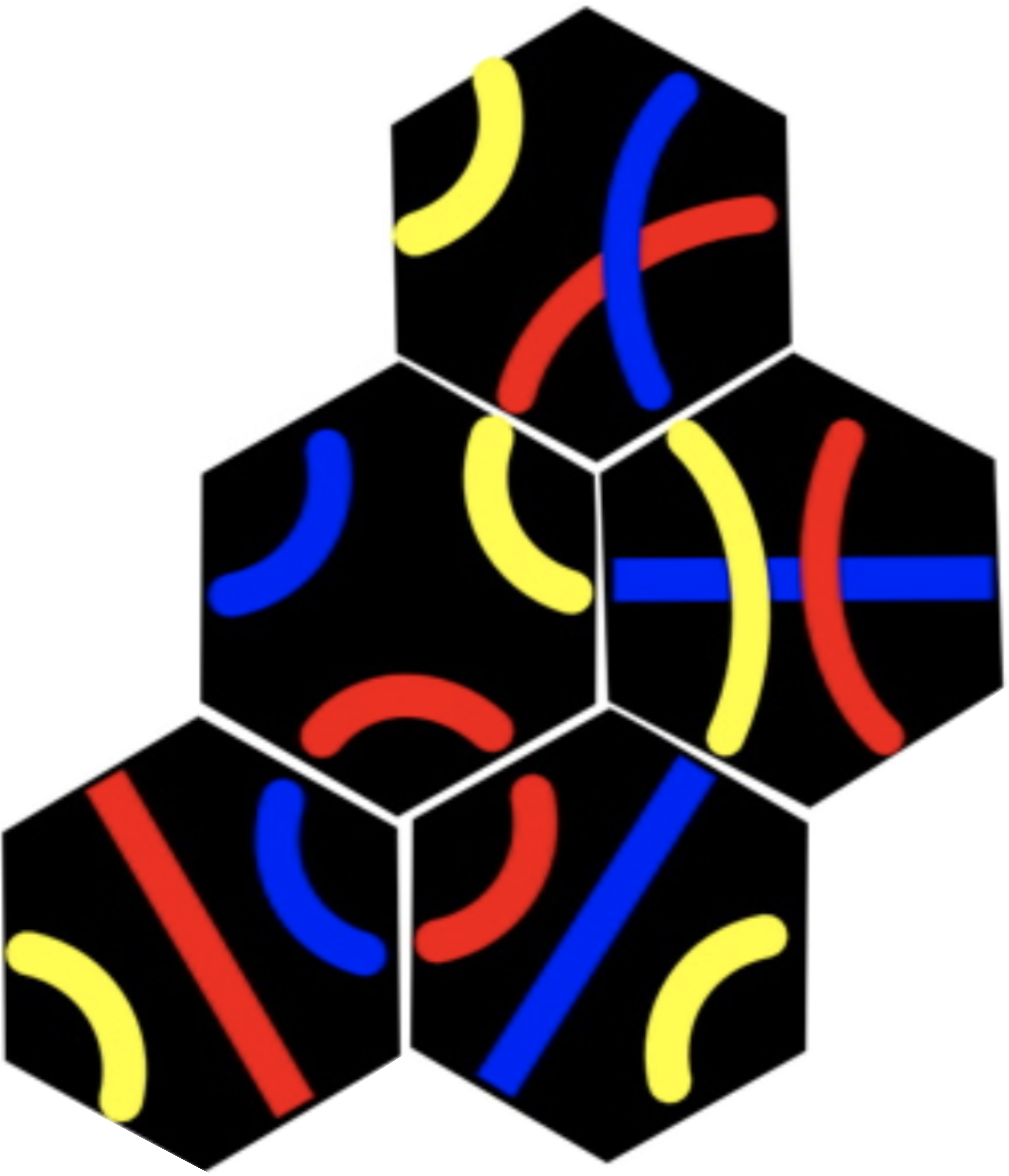
Tantrix rotation puzzle Image by CS4FN.
Protein folding is part of a group of problems that are an old nemesis of computer scientists. It’s what’s known as an NP-complete problem. That’s a mathematical term that means it appears there’s no shortcut to calculating the answer to a problem. You just have to try every different possible answer before you arrive at the right one. There are other problems like this, like the Tantrix rotation puzzle. Because a computer would have to check through every possible answer, the more complex the problem is the longer it will take. Protein folding is particularly complex – an average-sized protein contains about 100 amino acids, which means it would take a computer a billion billion billion years to figure out. So a shortcut would be nice then.
Puzzling out a cure
Obviously the proteins themselves have found a shortcut. They fold up all the time without having to have computers figure it out for them. In order to get to the bottom of how they do it, though, scientists are hoping that human beings might provide a shortcut. Humans love puzzles, and we’re awfully good at visual ones. Our good visual sense means we see patterns everywhere, and we can easily develop a ‘feel’ for how to use those patterns to solve problems. We use that sense when we play games like chess or Go. The scientists behind Foldit reckon that if it turns out that humans really are more efficient at solving protein folding problems, we can teach some of our tricks to computers.
If there were an efficient way to work out protein structure, it could be a huge boon to medicine. Diseases depend on proteins too, and lots of drugs work by targeting the business end of those proteins. HIV uses two proteins to infect people and replicate itself, so drugs disrupt the workings of those proteins. Cancer, on the other hand, damages helpful proteins. If scientists understood how proteins fold, they could design new proteins to counteract the effects of disease. So getting to the top of the tables in Foldit could hold even more glory for you than you bargained for – if your protein folding efforts help cure a dreaded disease, then, maybe it’s the Nobel Prize you’ll end up winning.
The coloured diagram of the enzyme above is a 3D representation to help people see how the protein folds. These are called ribbon diagrams and were invented by Jane S Richardson, find out more here.
Subscribe to be notified whenever we publish a new post to the CS4FN blog.
This blog is funded by EPSRC on research agreement EP/W033615/1.
Can a robot get cancer? Silly question. Our bodies are made of cells. Robots aren’t. Cells are the basic building blocks of life and come in lots of different forms from long thin nerve cells that allow us to sense the world, to round blood cells that carry oxygen around our bodies. Cancer occurs when cells go rogue and start reproducing in an uncontrolled way. A computer can’t get cancer, but you can allow virtual diseases to attack virtual cells inside a computer. Doing that may just help find cures. That is what Jasmin Fisher, who leads a research group at Microsoft Research in Cambridge, has devoted her career to.
Becoming a medic isn’t the only way to help save lives!
Computational Modelling is changing the way the sciences are done. It is the idea that you can run experiments on virtual versions of things you are investigating. A computer model is essentially just a program that simulates the phenomena of interest. For example, by writing a program that simulates the laws of Physics, you can use it to run virtual Physics experiments about the motion of the planets, say. If your virtual planets do follow the paths real planets do, then you have evidence the laws are right. If they don’t your laws (or the models) need to change. You can also make predictions such as when an eclipse will happen. If you are right it suggests the laws you coded are good descriptions of reality. If wrong, back to the drawing board.
Jasmin has been pioneering this idea with the stuff of life and death. She focusses on modelling cells and the specific ways that we think cancer attacks them. It gives a way of exploring what is going on at the level of the molecules inside cells, and so how well new medicines might, or might not, work. Experiments can be done quickly and easily on the programmed models by running simulations. That means the real experiments, taking up expensive lab time, can focus on things that are most likely to be successful. Jasmin’s work has helped researchers design more effective actual experiments because they start with a better understanding of what is going on. One of the most important questions she is studying is how cells end up becoming what they are, and how this differs between normal cells and cancer cells. Understand this and we will be much closer to understanding how to stop cancer.
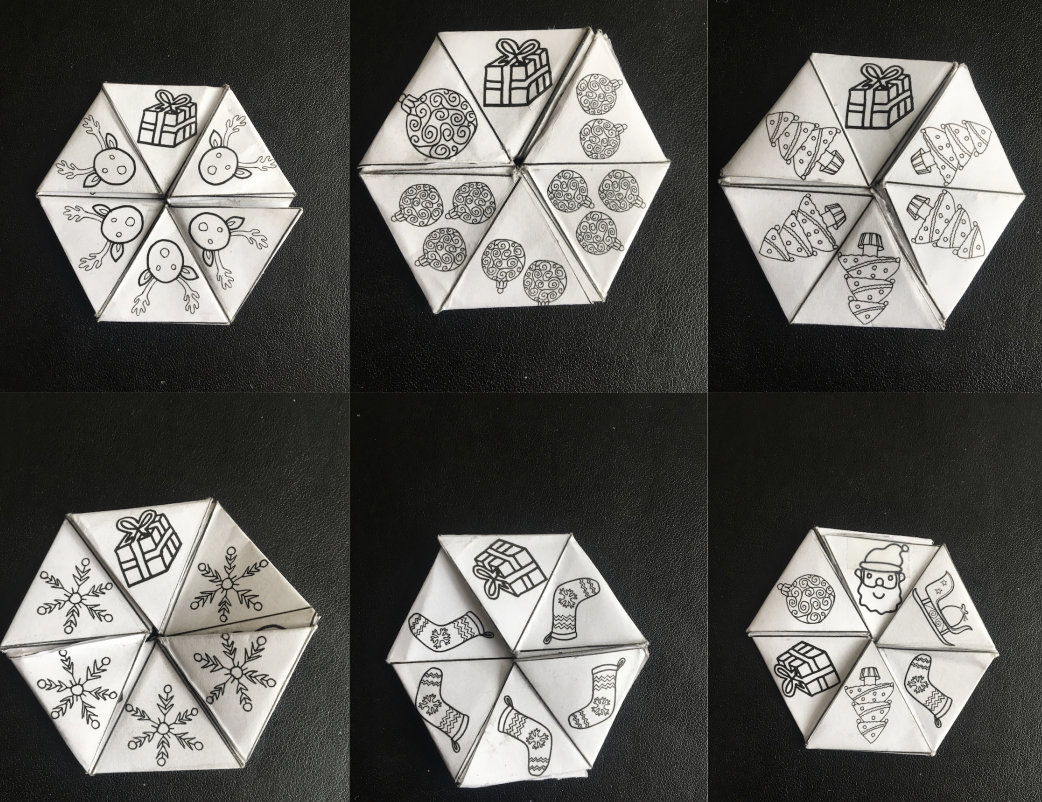
There’s a gift on side one, and another if you turn the hexahexaflexagon over. Another 4 to find inside the flexagon. Image by Jo Brodie
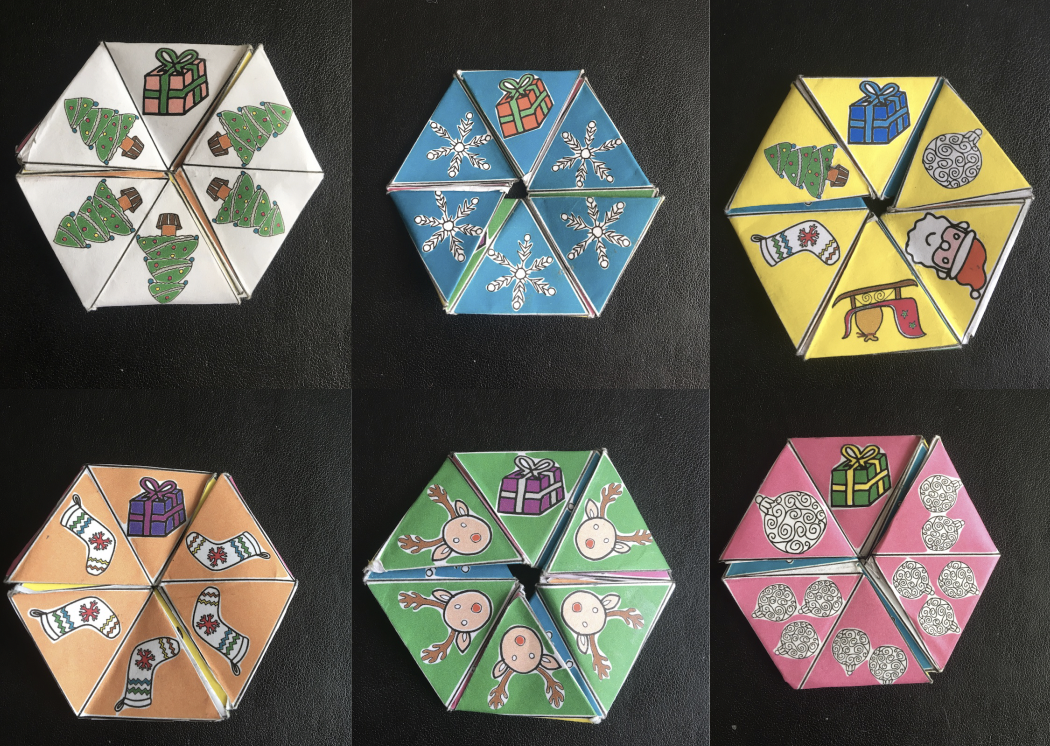
Image by Jo Brodie
(Updated for 2023, now with US Letter size files in addition to A4 files)
Father Christmas has lost six of his presents inside this flexagon. The first two are easy to find but can you uncover the other four?
By folding and unfolding the flexagon, perhaps you can find them for him
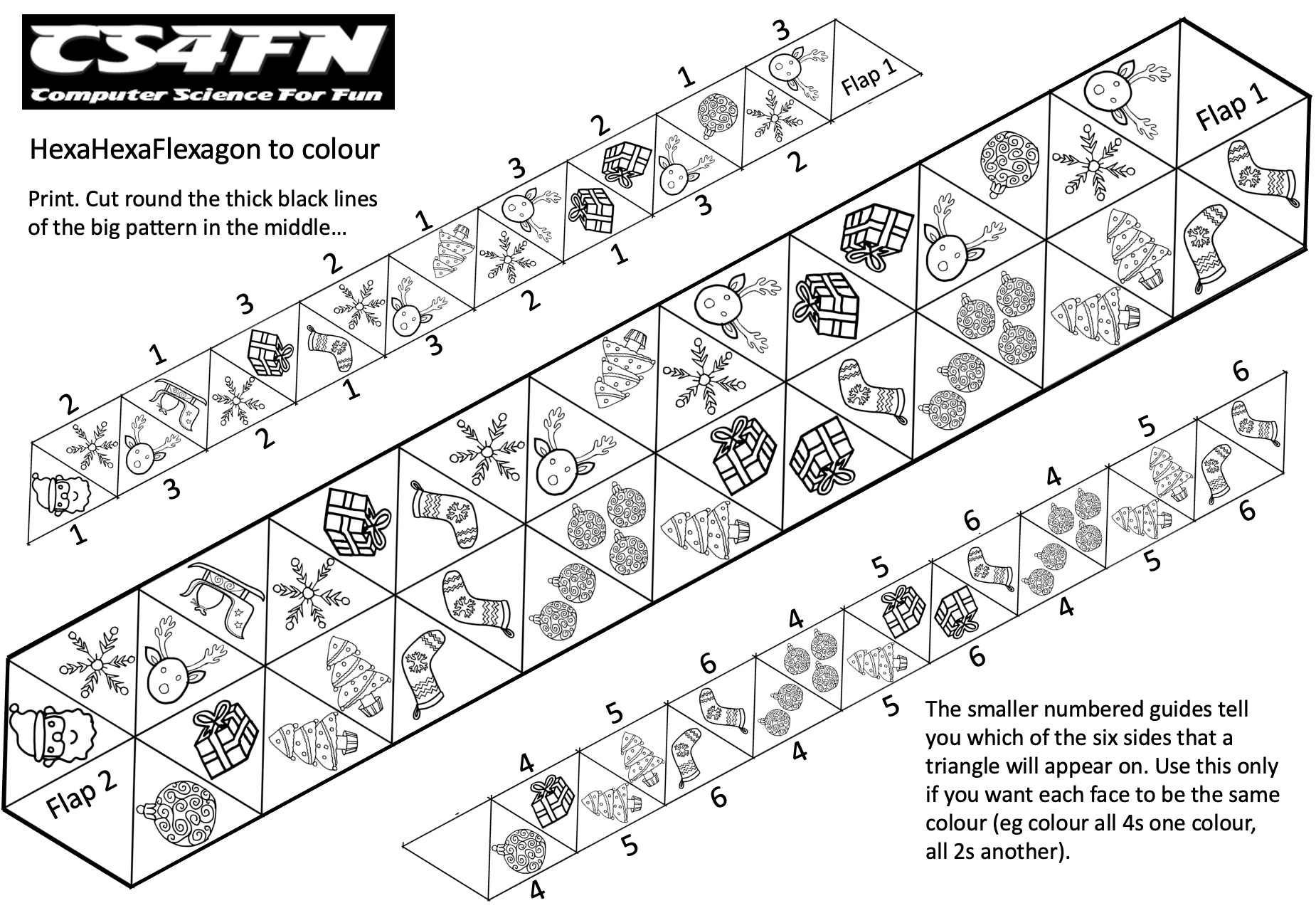
Print and make your own hexahexaflexagon and help Father Christmas find the missing gifts.
Print (or draw) your flexagon
Cut it out, then fold it following the instructions
Find all of Father Christmas’ lost gifts by pinching and folding the flexagon to reveal the hidden faces
A hexahexaflexagon is a six sided shape (hexagon) which also has six faces in total (hexa-hexa) and which can flex and fold to show a new face (flexagon). They are fun to make and play with but can also be used to learn some computational thinking. To get to each face or side you may need to follow a variety of paths, you can’t always get to every face from every other face. The sides you can reach depend on the sides you currently have visible – it’s a ‘finite state machine’ and you can create a map to describe how you navigate around your hexahexaflexagon. See our page on Computational Thinking: HexaHexaFlexagon Automata and download our free booklet (PDF) to find out more. We definitely recommend this as an end-of-term classroom activity.
Table of Contents A. For people who want a ready-coloured hexahexaflexagon – print and go B. For people who want to colour in their own hexahexaflexagon – print & colour in C. For people who want to design their own hexahexaflexagon on a computer D. For people who don’t have a printer or want to design a hexahexaflexagon from scratch E. Useful videos
A. For people who want a ready-coloured hexahexaflexagon
It may be easier to make the flexagon first then colour it in, then it’s easier to see which triangle is on which face, but the printable does have instructions in if you want to make one that will ‘work’ once folded.
D. For people who don’t have a printer or who want to create one from scratch
Above: CS4FN’s Paul Curzon demonstrates how to fold one (note that the direction of the first round of folding is different from the written instructions above, though it doesn’t matter if you go from A to B or B to A).
Sitting down and having a nice chat with a computer because they are your friend probably isn’t something you do every day. You may never have done it. We mainly still think of it as being a dream for the future. But there is lots of work being done to make it happen in the present, and you may already be asking chatbots for help regularly. The whole idea has roots that stretch far back into the past. It’s a dream that goes back to Alan Turing, and then even a little further.
The imitation game
Back around 1950, Turing was thinking about whether computers could be intelligent. He had a problem though. Once you begin thinking about intelligence, you find it is a tricky thing to pin down. Intelligence is hard to define even in humans, never mind animals or computers. Turing started to wonder if he could ask his question about machine intelligence in a different way. He turned to a Victorian parlour game called the imitation game for inspiration.
The imitation game was played with large groups at parties, but focused on two people, a man and a woman. They would go into a different room to be asked questions by a referee. The woman had to answer truthfully. The man answered in any way he believed would convince everyone else he was really the woman. Their answers were then read out to the rest of the guests. The man won the game if he could convince everyone back in the party that he was really the woman.
Pretending to be human
Turing reckoned that he could use a similar test for intelligence in a machine. In Turing’s version of the imitation game, instead of a man trying to convince everyone he’s really a woman, a computer pretends to be a human. Everyone accepts the idea that it takes a certain basic intelligence to carry on a conversation. If a computer could carry on a conversation so well that talking to it was just like talking to a human, the computer must be intelligent.
When Turing published his imitation game idea, it helped launch the field of artificial intelligence (AI). Today, the field pulls together biologists, computer scientists and psychologists in a quest to understand and replicate intelligence. AI techniques have delivered some stunning results. People have designed computers that can beat the best human at chess, diagnose diseases, and invest in stocks more successfully than humans.
A chat with a chatterbot
But what about the dream of having a chat with a computer? That’s still alive. Turing’s idea, demonstrating computer intelligence by successfully faking human conversation, became known as the Turing test. Turing thought machines would pass his test before the 20th century was over, but the goal has proved more elusive than that. People have been making better conversational chat programs, called chatbots, since the 1960s, but no one has yet made a program that can fool everyone into thinking it’s a real human.
What’s up, Doc
On the other hand, some chatbots have done pretty well. One of the first and still one of the most famous was created in 1968. It was called ELIZA. Its trick was imitating the sort of conversation you might have with a therapist. ELIZA didn’t volunteer much knowledge itself, but tried to get the user to open up about what they were thinking. So the person might type “I don’t feel well”, and ELIZA would respond with “you say you don’t feel well?” In a normal social situation, that would be a frustrating response. But it’s a therapist’s job to get a patient to talk about themselves, so ELIZA could get away with it. For an early example of a chatbot, ELIZA did pretty well, but after a few minutes of chatting users realised that ELIZA didn’t really understand what they were saying.
Where have I heard this before?
One of the big problems in making a good chatterbot is coming up with sentences that sound realistic. That’s why ELIZA tried to keep its sentences simple and non-committal. A much more recent chatterbot called Cleverbot uses another brilliantly simple solution: it doesn’t try to make up sentences at all. It just stores all the phrases that it’s ever heard, and chooses from them when it needs to say something. When a human types a phrase to say to Cleverbot, its program looks for a time in the past when it said something similar, then reuses whatever response the human gave at the time. Given that Cleverbot has had 65 million chats on the Internet since 1997, it’s got a lot to choose from. And because its sentences were all originally entered by humans, Cleverbot can speak in slang or text speak. That can lead to strange conversations, though. A member of our team at cs4fn had an online chat with Cleverbot, and found it pretty weird to have a computer tell him “I want 2 b called Silly Sally”.
Computerised con artists
Most early chatbots were designed just for fun and now they are designed to be useful helpers or to replace human jobs. But some chatbots are made for a more sinister intent. Some years ago, a program called CyberLover was stalking dating chat forums on the Internet. It would strike up flirty conversations with people, then try and get them to reveal personal details, which could then be used to steal people’s identities or credit card accounts. CyberLover even had different programmed personalities, from a more romantic flirter to a more aggressive one. Most people probably wouldn’t be fooled by a robot come-on, but that’s OK. CyberLover didn’t mind rejection: it could start up ten relationships every half an hour.
Chatbots went on to hit the big time in the form of virtual assistants. Apple’s iPhone 4S in 2011 included Siri, a computerised assistant that can find answers to human questions – sometimes with a bit of attitude. Most of Siri’s humorous answers appear to be pre-programmed, but some of them come from Siri’s access to powerful search engines. Then came Alexa in 2014 and suddenly the world is full of chatbots, including taking over social media often for nefarious purposes. Now with the advent of ChatGPT they are finally at a stage where people will happily chat to them like a human (though sometimes it is still frustrating) and they are definitely at the stage of replacing human jobs that involve, for example asking for help and advice. They haven’t yet (at the time of writing) got to the stage of passing a Turing Test. But if computerised conversation continues advancing, we are not too far off from a computer that can pass the Turing test. And while we’re waiting at least we’ve got better games to play than the Victorians had.
[This article includes a free papercraft activity with a paper robot that expresses ’emotions’.]
If humans are ever to get to like and live with robots we need to understand each other. One of the ways that people let others know how they are feeling is through the expressions on their faces. A smile or a frown on someone’s face tells us something about how they are feeling and how they are likely to react. We can also tell something of a person’s emotions from their eyes and eyebrows. Some scientists think it might be possible for robots to express feelings this way too, but understanding how a robot can usefully express its ‘emotions’ (what its internal computer program is processing and planning to do next), is still in its infancy. A group of researchers in Poland, at Wroclaw University of Technology, have come up with a clever new design for a robot head that could help a computer show its feelings. It’s inspired by the Teenage Mutant Ninja Turtles cartoon and movie series.
Their turtle-inspired robotic head called EMYS, which stands for EMotive headY System is cleverly also the name of a European pond turtle, Emys orbicularis. Taking his inspiration from cartoons, the project’s principal ‘head’ designer Jan Kedzierski created a mechanical marvel that can convey a whole range of different emotions by tilting a pair of movable discs, one of which contains highly flexible eyes and eyebrows.
Eye see
Image by CS4FN
The lower disc imitates the movements of the human lower jaw, while the upper disk can mimic raising the eyebrows and wrinkling the forehead. There are eyelids and eyebrows linked to each eye. Have a look at your face in the mirror, then try pulling some expressions like sadness and anger. In particular look at what these do to your eyes. In the robot, as in humans, the eyelids can move to cover the eye. This helps in the expression of emotions like sadness or anger, as your mirror experiment probably showed.
Pop eye
But then things get freaky and fun. Following the best traditions of cartoons, when EMYS is ‘surprised’ the robot’s eyes can shoot out to a distance of more than 10 centimetres! This well-known ‘eyes out on stalks’ cartoon technique, which deliberately over-exaggerates how people’s eyes widen and stare when they are startled, is something we instinctively understand even though our eyes don’t really do this. It makes use of the fact that cartoons take the real world to extremes, and audiences understand and are entertained by this sort of comical exaggeration. In fact it’s been shown that people are faster at recognising cartoons of people than recognising the un- exaggerated original.
High tech head builder
The mechanical internals of EMYS consist of lightweight aluminium, while the covering external elements, such as the eyes and discs, are made of lightweight plastic using 3D rapid prototyping technology. This technology allows a design on the computer to be ‘printed’ in plastic in three dimensions. The design in the computer is first converted into a stack of thin slices. Each slice of the design, from the bottom up, individually oozes out of a printer and on to the slice underneath, so layer-by-layer the design in the computer becomes a plastic reality, ready for use.
Facing the future
A ‘gesture generator’ computer program controls the way the head behaves. Expressions like ‘sad’ and ‘surprised’ are broken down into a series of simple commands to the high-speed motors, moving the various lightweight parts of the face. In this way EMYS can behave in an amazingly fluid way – its eyes can ‘blink’, its neck can turn to follow a person’s face or look around. EMYS can even shake or nod its head. EMYS is being used on the Polish group’s social robot FLASH (FLexible Autonomous Social Helper) and also with other robot bodies as part of the LIREC project (www.lirec.eu [archived]). This big project explores the question of how robot companions could interact with humans, and helps find ways for robots to usefully show their ‘emotions’.
Do try this at home
You can program a paper version of an EMYS-like robot. Download and follow the instructions on the Emotion Machine in the printable version below and build your own EMYS.
Print, cut out and make your own emotional robot. The strips of paper at the top (‘sliders’) containing the expressions and letters are slotted into the grooves on the robot’s face and happy or annoyed faces can created by moving the sliders.
By selecting a series of different commands in the Emotion Engine boxes, the expression on EMYS’s face will change. How many different expressions can you create? What are the instructions you need to send to the face for a particular expression? What emotion do you think that expression looks like – how would you name it? What would you expect the robot to be ‘feeling’ if it pulled that face?
Click on the image to go to the download page. Activity sheet by CS4FN
Go further
Why not draw your own sliders, with different eye shapes, mouth shapes and so on. Explore and experiment! That’s what computer scientists do.