
Sounding out a Sensory Garden

A girl in a garden holding an orange flower
Image by Joel santana Joelfotos from Pixabay

When the construction of Norman Jackson Children’s Centre in London started, the local council commissioned artists to design a sensory garden full of wonderful sights and sounds so the 3 to 5 year old children using the centre could have fun playing there. Sand pit, water feature, metal tree and willow pods all seemed pretty easy to install and wouldn’t take much looking after, but what about sound? How do you bring interesting sound to an outdoor space and make it fun for young children? Nela Brown from Queen Mary was given the job.

After thinking about the problem for a while she came up with an idea for an interactive sound installation. She wanted to entertain any children visiting the centre, but she especially wanted it to benefit children with poor language skills. She wanted it to be informal but have educational and social value, even though it was outside.

You name it, they press it!

Somewhere around the age of 18 months, children become fascinated with pressing buttons. Toys, TV remotes, light switches, phones, you name it they want to press it. Given the chance to press all the buttons at the same time in quick succession, that is exactly what young children will do. They will also get bored pretty quickly and move on to something else if their toy just makes lots of noise with little variety or interest.

Nela had to use her experience and understanding of the way children play and learn to work out a suitable ‘user interface’ for the installation. That is she had to design how the children would interact with it and be able to experience the effects. The user interface had to look interesting enough to get the attention of the children playing in the garden in the first place. It also obviously had to be easy to use. Nela watched children playing as part of her preparation to design the installation both to get ideas and get a feel for how they learn and play.

Sit on it!

She decided to use a panel with buttons that triggered sounds built into a seat. One important way to make any gadget easier to use is for it to give ‘real-time feedback’. That is, it should do something like play sound or change colour as soon as you press any button, so you know immediately that the button press did do something. To achieve this and make them even more interesting her buttons would both change colour and play sound when they were pressed. She also decided the panel would need to be programmed so children wouldn’t do what they usually do: press all of the buttons at once, get bored and walk away.

Nela recorded traditional stories, poems and nursery rhymes with parents and children from the local area, and composed music to fit around the stories. She also researched different online sound libraries to find interesting sound effects and soundscapes. Of the three buttons, one played the soundscapes, another played the sound effects and the last played a mixture of stories, poems and nursery rhymes. Nela hoped the variety would make it all more interesting for the children so keep their attention longer and by including stories and nursery rhymes she would be helping with language skills.

Can we build it?

Coming up with the ideas was only part of the problem. It then had to be built. It had to be weatherproof, vandal-proof and allow easy access to any parts that might need replacing. As the installation had to avoid disturbing people in the rest of the garden, furniture designer Joe Mellows made two enclosed seats out of cedar wood cladding each big enough for two children, which could house the installation and keep the sound where only the children playing with it would hear it. A speaker was built into the ceiling and two control panels made of aluminium were built into the side. The bottom panel had a special sensor, which could ‘sense’ when a child was sitting in (or standing on) the seat. It was an ultrasonic range finder – a bit like bat-senses using echoes from high frequency sounds humans can’t hear to work out where objects are. The sensor had to be covered with stainless steel mesh, so the children couldn’t poke their fingers through it and injure themselves or break the sensor. The top panel had three buttons that changed colour and played sound files when pressed.

Interaction designer Gabriel Scapusio did the wiring and the programming. Data from the sensors and buttons was sent via a cable, along with speaker cables, through a pipe underground to a computer and amplifier housed in the Children’s Centre. The computer controlling the music and colour changes was programmed using a special interactive visual programming environment for music, audio, and media called Max/MSP that has been in use for years by a wide range of people: performers, composers, artists, scientists, teachers, and students.

The panels in each seat were connected to an open-source electronics prototyping platform by Arduino. It’s intended for artists, designers, hobbyists, and anyone interested in creating interactive objects or environments, so is based on flexible, easy-to-use hardware and software.

The next job was to make sure it really did work as planned. The volume from the speakers was tested and adjusted according to the approximate head position of young children so it was audible enough for comfortable listening without interfering with the children playing in the rest of the garden. Finally it was crunch time. Would the children actually like it and play with it?

The sensory garden did make a difference – the children had lots of fun playing in it and within a few days of the opening one boy with poor language skills was not just seen playing with the installation but listening to lots of stories he wouldn’t otherwise have heard. Nela’s installation has lots of potential to help children like this by provoking and then rewarding their curiosity with something interesting that also has a useful purpose. It is a great example of how, by combining creative and technical skills, projects like these can really make a difference to a child’s life.

the CS4FN team (from the archive)

More on …

Subscribe to be notified whenever we publish a new post to the CS4FN blog.


This page is funded by EPSRC on research agreement EP/W033615/1.

QMUL CS4FN EPSRC logos

Film Futures (Christmas Special): Elf

A christmas elf
Image from pixabay

Computer Scientists and digital artists are behind the fabulous special effects and computer generated imagery we see in today’s movies, but for a bit of fun, in this series, we look at how movie plots could change if they involved Computer Scientists. Here we look at an alternative version of the Christmas film, Elf, starring Will Ferrell.

***Spoiler Alert***

Christmas Eve, and a baby crawls into Santa’s pack as he delivers presents at an orphenage. The baby is wearing only a nappy, but this being the 21st century the babys’s reusable Buddy nappy is an Intelligent nappy. It is part of the Internet of Things and is chipped, including sensors and a messaging system that allow it to report to the laundry system when the nappy needs changing (and when it doesn’t) as well as performing remote health monitoring of the baby. It is the height of optimised baby care. When the baby is reported missing the New York Police work with the nappy company, accessing their logs, and eventually work out which nappy the baby was wearing and track its movements…to the roof of the orphenage!

The baby by this point has been found by Santa in his sack at the North Pole, and named Buddy by the Elves after the label on his nappy. The Elves change Buddy’s nappy, and as their laundry uses the same high tech system for their own clothes, their laundry logs the presence of the nappy, allowing the Police to determine its location.

Santa intends to officially adopt Buddy, but things are moving rapidly now. The New York Police believe they have discovered the secret base of an international child smuggling ring. They have determined the location of the criminal hideout as somewhere near the North Pole and put together an armed task force. It is Boxing Day. As Santa gets in touch with the orphanage to explain the situation, and arrange an adoption, armed police already surround the North Pole and are moving in.

The  New York Police Commissioner, wanting the good publicity she sees arising from capturing a child smuggling ring, orders the operation to be live streamed to the world. The precise location of the criminal hideout, so operation, is not revealed to the public, which is fortunate given what follows. As the police move in the cameras are switched on and people the world over, are glued to their screens watching the operation unfold. As the police break in to the workshops, toys go flying and Elves scatter, running for their lives, but as Santa appears and calmly allows himself to be handcuffed, it starts to dawn on the police where they are and who they have arrested. The live stream is cut abruptly, and as the full story emerges, and apologies made on all sides. Santa is proved to be real to a world that was becoming sceptical. A side effect is there is a massive boost in Christmas Spirit across the world that keeps Santa’s sleigh powered without the need for engines for many decades to come. Buddy is officially adopted and grows up believing he is an Elf until one fateful year when …

In reality

The idea of the Internet of Things is that objects, not just people, have a presence on the Internet and can communicate with other objects and systems. The idea provides the backbone of the idea of smart homes, where fridges can detect they are out of milk and order more, carpets detect dirt and summon a robot hoover, and the boiler detects when the occupants are nearing home and heats the house just in time.

Wearable computing, where clothes have embedded sensors and computers is also already a reality, though mainly in the form of watches, jewellery and the like.  Clothes in shops do include electronic tags that help with stock control, and increasingly electronic-textiles based on metallic fibres and semi-conducting inks, are being used to create clothes with computers and electronics embedded in them.

Making e-textiles durable to be washed is still a challenge. Smart reusable nappies may be a while in coming.

More on …

Subscribe to be notified whenever we publish a new post to the CS4FN blog.


This page is funded by EPSRC on research agreement EP/W033615/1.

QMUL CS4FN EPSRC logos

Scéalextric Stories

If you watch a lot of movies you’ve probably noticed some recurring patterns in the way that popular cinematic stories are structured. Every hero or heroine needs a goal and a villain to thwart that goal. Every goal requires travel along a path that is probably blocked with frustrating obstacles. Heroes may not see themselves as heroes, and will occasionally take the wrong fork in the path, only to return to the one true way before story’s end. We often speak of this path as if it were a race track: a fast-paced story speeds towards its inevitable conclusion, following surprising “twists” and “turns” along the way. The track often turns out to be a circular one, with the heroine finally returning to the beginning, but with a renewed sense of appreciation and understanding. Perhaps we can use this race track idea as a basis for creating stories.

Building a track

If you’ve ever played with a Scalextric set, you will know that the curviest tracks make for the most dramatic stories, by providing more points at which our racing cars can fly off at a tight bend. In Scalextric you build your own race circuits by clicking together segments of prefabricated track, so the more diverse the set of track parts, the more dramatic your circuit can be. We can think of story generation as a similar kind of process. Imagine if you had a large stock of prefabricated plot segments, each made up of three successive bits of story action. A generator could clip these segments together to create a larger story, by connecting the pieces end-to-end. To keep the plot consistent we would only link up sections if they have overlapping actions. So If D-E-F is a segment comprising the actions D, E, and F, we could create the story B-C-D-E-F-G-H by linking the section B-C-D on to the left of D-E-F and F-G-H on its right.

Use a kit

At University College Dublin (UCD) we have created a set of rich public resources that make it easy for you to build your own automated story generator. We call the bundle of resources Scéalextric, from scéal (the Irish word for story) and Scalextric. You can download the Scéalextric resources from our Github but an even better place to start is our blog for people who want to build creative systems of any kind, called Best Of Bot Worlds.

In Artificial Intelligence we often represent complex knowledge structures as ‘graphs’. These graphs consists of lots of labeled lines (called edges) that show how labeled points (called nodes) are connected. That is what our story pieces essentially are. We have several agreed ways for storing these node-relation-node triples, with acronyms hiding long names, like XML (eXtensible Markup Language), RDF (Resource Description Framework) and OWL (Web Ontology Language), but the simplest and most convenient way to create and maintain a large set of story triples is actually just to use a spreadsheet! Yes, the boring spreadsheet is a great way to store and share knowledge, because every cell lies at the intersection of a row and a column. These three parts give us our triples.

Scéalextric is a collection of easy-to-browse spreadsheets that tell a machine how actions connect to form action sequences (like D-E-F above), how actions causally interconnect to each other (via and, then, but), how actions can be “rendered” in natural idiomatic English, and so on.

Adding Character

Automated storytelling is one of the toughest challenges for a researcher or hobbyist starting out in artificial intelligence, because stories require lots of knowledge about causality and characterization. Why would character A do that to character B, and what is character B likely to do next? It helps if the audience can identify with the characters in some way, so that they can use their pre-existing knowledge to understand why the characters do what they do. Imagine writing a story involving Donald Trump and Lex Luthor as characters: how would these characters interact, and what parts of their personalities would they reveal to us through their actions?

Scéalextric therefore contains a large knowledge-base of 800 famous people. These are the cars that will run on our tracks. The entry for each one has triples describing a character’s gender, fictive status, politics, marital status, activities, weapons, teams, domains, genres, taxonomic categories, good points and bad points, and a lot more besides. A key challenge in good storytelling, whether you are a machine or a human, is integrating character and plot so that one informs the other.

A Twitterbot plot

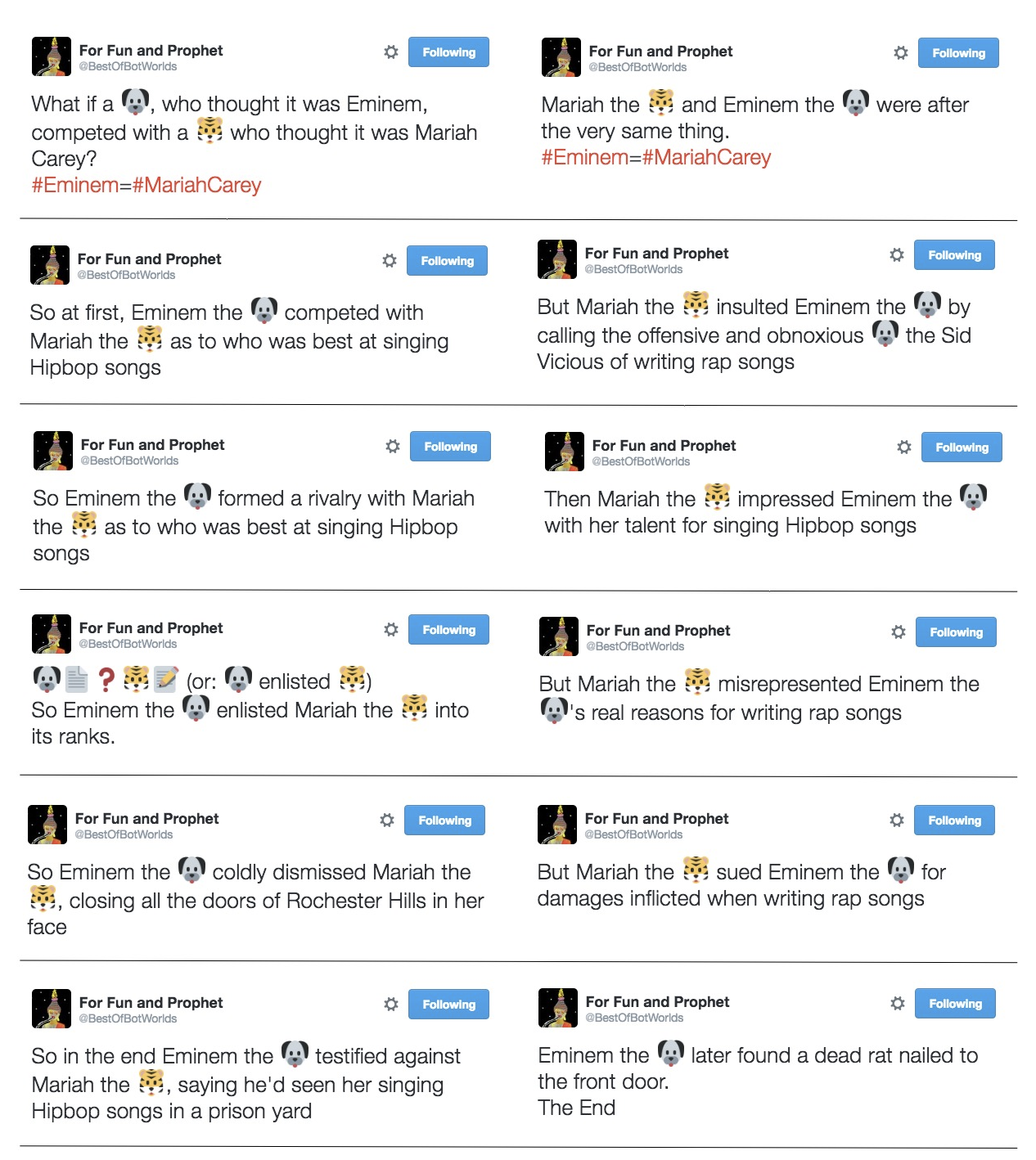
Let’s look at a story created and tweeted by our Twitterbot @BestOfBotWorlds over a series of 12 tweets. Can you see where the joins are in our Scéalextric track? Can you recognize where character-specific knowledge has been inserted into the rendering of different actions, making the story seem funny and appropriate at the same time? More importantly, can you see how you might connect the track segments differently, choose characters more carefully, or use knowledge about them more appropriately, to make better stories and to build a better story-generator? That’s what Scéalextric is for: to allow you to build your own storytelling system and to explore the path less trodden in the world of computational creativity. It all starts with a click.

An unlikely tale generated by the Twitter storybot.

Tony Veale, University College Dublin


Further reading

Christopher Strachey came up with the first example of a computer program that could create lines of text (from lists of words). The CS4FN developed a game called ‘Program A Postcard’ (see below) for use at festival events.


Related Magazine …

Tony Stockman: Sonification

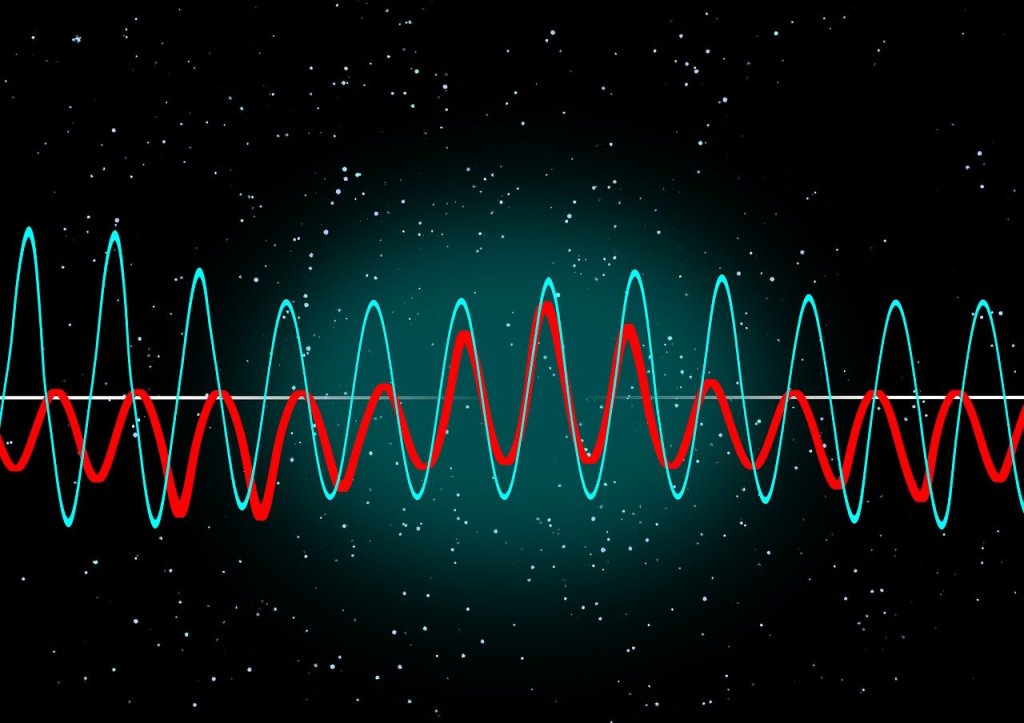
Two different coloured wave patterns superimposed on one anohter on a black background with random dots like a starscape.
Image by Gerd Altmann from Pixabay

Tony Stockman, who was blind from birth, was a Senior Lecturer at QMUL until his retirement. A leading academic in the field of sonification of data, turning data into sound, he eventually became the President of the “International Community for Auditory Display”: the community of researchers working in this area.

Traditionally, we put a lot of effort into finding the best ways to visualise data so that people can easily see the patterns in it. This is an idea that Florence Nightingale, of lady of the lamp fame, pioneered with Crimean War data about why soldiers were dying. Data visualisation is considered so important it is taught in primary schools where we all learn about pie charts and histograms and the like. You can make a career out of data visualisation, working in the media creating visualisations for news programmes and newspapers, for example, and finding a good visualisation is massively important working as a researcher to help people understand your results. In Big Data a good visualisation can help you gain new insights into what is really happening in your data. Those who can come up with good visualisations can become stars, because they can make such a difference (like Florence Nightingale, in fact)

Many people of course, Tony included cannot see, or are partially sighted, so visualisation is not much help! Tony therefore worked on sonifying data instead, exploring how you can map data onto sounds rather than imagery in a way that does the same thing.: makes the patterns obvious and understandable.

His work in this area started with his PhD where he was exploring how breathing affects changes in heart rate. He first needed a way to both check for noise in the recording and then also a way to present the results so that he could analyse and so understand them. So he invented a simple way to turn data into sound using for example frequencies in the data to be sound frequencies. By listening he could find places in his data where interesting things were happening and then investigate the actual numbers. He did this out of necessity just to make it possible to do research but decades later discovered there was by then a whole research community by then working on uses of and good ways to do sonification,

He went on to explore how sonification could be used to give overviews of data for both sighted and non-sighted people. We are very good at spotting patterns in sound – that is all music is after all – and abnormalities from a pattern in sound can stand out even more than when visualised.

Another area of his sonification research involved developing auditory interfaces, for example to allow people to hear diagrams. One of the most famous, successful data visualisations was the London Tube Map designed by Harry Beck who is now famous as a result because of the way that it made the tube map so easy to understand using abstract nodes and lines that ignored distances. Tony’s team explored ways to present similar node and line diagrams, what computer scientist’s call graphs. After all it is all well and good having screen readers to read text but its not a lot of good if all it tells you reading the ALT text that you have the Tube Map in front of you. And this kind of graph is used in all sorts of every day situations but are especially important if you want to get around on public transport.

There is still a lot more to be done before media that involves imagery as well as text is fully accessible, but Tony showed that it is definitely possible to do better, He also showed throughout his career that being blind did not have to hold him back from being an outstanding computer scientists as well as a leading researcher, even if he did have to innovate himself from the start to make it possible.

More on …


Related Magazine …

Subscribe to be notified whenever we publish a new post to the CS4FN blog.


This page is funded by EPSRC on research agreement EP/W033615/1.

QMUL CS4FN EPSRC logos

Clapping Music

“Get rhythm when you get the blues” – as Country legend Johnny Cash’s lyrics suggest, rhythm cheers people up. We can all hear, feel and see it. We can clap, tap or beatbox. It comes naturally, but how? We don’t really know. You can help find out by playing a game based on some music that involves nothing but clapping. If you were one of the best back in 2015, you could have been invited to play live with a London orchestra.

We can all play a rhythm both using our bodies and instruments, though maybe for most of us with only a single cowbell, rather than a full drum kit. By performing simple rhythms with other people we can make really complex sounds, both playing music and playing traditional clapping games. Rhythm matters. It plays a part in social gatherings and performance in cultures and traditions across the world. It even defines different types of music from jazz to classical, from folk to pop and rock.

Lots of people with a great sense of rhythm, whether musicians or children playing complex clapping games in the playground, have never actually studied how to do it though. So how do we learn rhythm? Our team based at Queen Mary, joined up with the London Sinfonietta chamber orchestra and app developers Touch Press, to find out, using music called Clapping Music.

Clapping Music is a 4-minute piece by the minimalist composer Steve Reich. The whole thing is based on one rhythmic pattern that two people clap together. One person claps the pattern without changing it – known as the static pattern. The other changes the pattern, shifting the rhythm by one beat every twelve repetitions. The result is an ever-changing cycle of surprisingly complicated rhythms. In spite of it’s apparent simplicity, it’s really challenging to play and has inspired all sorts of people from rock legend David Bowie to the virtuoso, deaf percussionist Dame Evelyn Glennie. You can learn to play Clapping Music and help us to understand how we learn rhythm at the same time.

Our team created a free game for the iPhone and iPad also called Clapping Music. You play for real against the static pattern. To get the best score you must keep tapping accurately as the pattern changes, but stay in step with the static rhythm. It’s harder than it sounds!

We analysed the anonymous gameplay data, together with basic information about the people playing like their age and musical experience. By looking at how people progress though the game we explored how people of different ages and experience develop rhythmic skills.

It has led to some interesting computer science to design the algorithms that measure how accurate a person’s tapping is. It sounds easy but actually is quite challenging. For example, we don’t want to penalise someone playing the right pattern slightly delayed more than another person playing completely the wrong pattern. It has also thrown up questions about game design. How do we set and change how difficult the game is? Players, however skillful, must feel challenged to improve, but it must not be so difficult that they can’t do it.

You don’t need to be a musician to play, in fact we would love as many people as possible to download it and get tapping and clapping! High scorers were invited to take part in live performance events on stage with members of the London Sinfonietta back in 2015. Get the app, get tapping, get rhythm (and have some fun – you won’t get the blues)!

by Marcus Pearce and Samantha Duffy, Queen Mary University of London

Updated from the archive

This post was originally published in our CS4FN magazine (issue 19) in 2015, so the tense has been updated to reflect that it’s now 2025.

More on …

Getting Technical


Related Magazine …

The Machine Stops: a review

Old rusting cogs and a clock
Image by Amy from Pixabay

How reliant on machines should we let ourself become? E.M. Forster is most famous for period dramas but he also wrote a brilliant Science Fiction short story, ‘The Machine Stops’ about it. It is a story I first read in an English Literature lesson at school, a story that convinced me that English Literature could be really, really interesting!

Written in 1909 decades before the first computers were built never mind the internet, video calls, digital music and streaming, he wrote of a future with all of that, where humans live alone in identical underground rooms across the Earth, never leaving because there is no reason to leave, never meeting others because they can meet each other through the Machine. Everything is at hand at the touch of a button. Everything is provided by the Machine, whether food, water, light, entertainment, education, communication, and even air, …

The story covers themes of whether we should let ourself become disconnected from the physical world or not. Is part of what makes us human our embodiment in that world. He refers to this as “the sin against the body” a theme returned to in the film WALL-E. Disconnected from the world humans decline not only in body but also in spirit.

As the title suggests, the story also explores the problems of becoming over-reliant on technology and of what then happens if the technology is taken away. It is more than this though but the issue of repeatedly accepting “good enough” as a replacement for the fidelity of physical and natural reality. What seems wonderfully novel and cool, convenient or just cheaper may not actually be as good as the original. Human-human interaction that is face-to-face is far richer than we get through a video call, for example, and yet meetings have disappeared rapidly in favour of the latter in the 21st century.

Once we do become reliant on machines to service our every whim, what would happen if those ever more connected machines break? Written over a century ago, this is very topical now, of course, as, with our ever increasing reliance on inter-connected digital technology for energy, communication, transport, banking and more, we have started to see outages happen. These have arisen from the consequences of bugs and cyber attacks, from ‘human error’ and technology that it turns out is just not quite dependable enough, leading to country and world-wide outages of the things that constitutes modern living.

How we use technology is up to us all of course, and like magpies we love shiny new toys, but losing all the skills and understanding just because they can be now done by the machine may not be very wise in the long term. More generally, we need to make sure the technology we do make ourselves reliant on, is really, really dependable: far more dependable than our current standards are in actual practice. That needs money and time, not rushed introductions, but also more Computer Science research on how to do dependability better in practice. Above all we need to make sure we do continue to understand the systems we build well enough to maintain them in the long term.

Paul Curzon, Queen Mary University of London

More on …

Subscribe to be notified whenever we publish a new post to the CS4FN blog.


This page is funded by EPSRC on research agreement EP/W033615/1.
QMUL CS4FN EPSRC logos

Going Postal: A review

Semaphore tower showing all the flag positions
Image by Clker-Free-Vector-Images from Pixabay adapted by CS4FN

Any one claiming to be a hard-core Computer Scientist would be ashamed if they had to admit they hadn’t read Terry Pratchett. If you are and you haven’t, then ‘Going Postal’ is a good place to start.

‘Going Postal’, is a must for anyone interested in networks. Not because it has any bearing on reality. It doesn’t. It’s about Discworld, a flat world that is held up on the back of elephants, and where magic reigns. Technology is starting to get a foothold though. For example, cameras, computers and movies have all been invented…though they usually have an Elf inside. Take cameras: they work because the Elf has a paint box and an easel. Take too many sunsets and he’ll run out of pink! It is all incredibly silly…but it works and so does the technology.

Now telecommunications technology is gaining a foothold…Corrupt business is muscling in and the post office is struggling to survive. Who would want to send a letter when they can send a c-mail over the Clacks? The Clacks are a network of semaphore towers that allow messages to ‘travel at the speed of light’.

At each tower the operators

“pound keys, kick pedals and pull levers as fast as they can'”

to forward the message to the next tower in the network and so on to their destination. The clacks are so fashionable, people have even started carrying pocket semaphore flags everywhere they go, so they can send messages to people on the other side of the room.

“But can you write
S.W.A.L.K. on a clacks?
Can you seal it with
a loving kiss?
Can you cry tears
on to a clacks,
can you smell it,
can you enclose
a pressed flower?
A letter is more than
just a message.”

Moist von Lipwig, a brilliant con-artist who just did one con too many, is given the job of saving the Post-office…his choice was ‘Take the job or die’. Not, actually, such a good deal given the last few Postmasters all died on the job … in the space of a few weeks.

Will he save the post office, or is the march of technology unstoppable?…and just who are the ‘Smoking GNU’ that you hear whispers about on the Clacks?

Reading this book has got to be the most fun way imaginable of learning about telecom networks, not to mention entrepreneurship and the effect of computers on society. None of the actual technology is the same as in our world of course, but the principle is the same: transmission codes, data and control signals, simplex and duplex transmissions, image encoding, internet nodes, encryption, e-commerce, phreakers and more…they are all there, which just goes to show computer science is not just about our current computer technology. It all applies even when there is no silicon in sight.

Oh, and this is the 33rd Discworld novel, so if you do get hooked, don’t expect to get much more done for the next few weeks as you catch up.

Paul Curzon, Queen Mary University of London

More on…

Subscribe to be notified whenever we publish a new post to the CS4FN blog.


This page is funded by EPSRC on research agreement EP/W033615/1.

QMUL CS4FN EPSRC logos

The Alien Cookbook

An alien looking on distraught that two bowls of soup are different, one purple, one green.
Image by CS4FN from original soup bowls by OpenClipart-Vectors and alien image by Clker-Free-Vector-Images from Pixabay

How to spot a bad chef when you’ve never tasted the food (OR How to spot a bad quantum simulator when you do not know what the quantum circuit it is simulating is supposed to do.)

Imagine you’re a judge on a wild cooking competition. The contestants are two of the best chefs in the world, Chef Qiskit and Chef Cirq. Today’s challenge is a strange one. You hand them both a mysterious, ancient cookbook found in a crashed spaceship. The recipe you’ve chosen is called “Glorp Soup”. The instructions are very precise and scientific: “… Heat pan to 451 degrees. Stir counter-clockwise for exactly 18.7 seconds. … Add exactly 3 grams of powdered meteorite (with the specified composition). …” The recipe is a perfectly clear algorithm, but since no human has ever made Glorp Soup, nobody knows what it’s supposed to taste, look, or smell like. Both chefs go to their identical kitchens with the exact same alien ingredients. After an hour, they present their dishes.

  • Chef Qiskit brings out a bowl of thick, bubbling, bright purple soup that smells like cinnamon.
  • Chef Cirq brings out a bowl of thin, clear, green soup that smells like lemons.

Now you have a fascinating situation. You have no idea which one is the “real” Glorp Soup. Maybe it’s supposed to be purple, or maybe it’s green. But you have just learned something incredibly important: at least one of your expert chefs made a mistake. They were given the exact same, precise recipe, but they produced two completely different results. You’ve found a flaw in one of their processes without ever knowing the correct answer.

This powerful idea is called Differential Testing.

Cooking with Quantum Rules

In our research, the “alien recipes” we use are called quantum circuits. These are the step-by-step instructions for a quantum computer. And the “chefs” are incredibly complex computer programs called quantum simulators, built by places like Google and IBM.

Scientists give these simulators a recipe (a circuit) to predict what a real quantum computer will cook up. These “dishes” could be the design for a new medicine or a new type of battery. If the simulator-chef gets the recipe wrong, the final result could be useless or even dangerous. But how do you check a chef’s work when the recipe is for a food you’ve never tasted? How do you test a quantum simulator when you do not know exactly what a quantum circuit should do.

FuzzQ: The Robot Quantum Food Critic

We can’t just try one recipe, one quantum circuit. We need to try thousands. So we built a robot “quantum food critic”, a program we call FuzzQ. FuzzQ’s job is to invent new “alien recipes” ie quantum circuits and see if the two “chefs” cook the same dish (i.e. different simulators do the same thing when simulating it). This process of trying out thousands of different, and sometimes very weird, recipes is called Fuzzing.

Here’s how our quantum circuit food critic works:

  1. It writes a recipe: FuzzQ uses a rulebook for “alien cooking” to invent a new, unique, and often very strange quantum circuit.
  2. It gives the recipe to both chefs: It sends the exact same quantum circuit to “Chef Qiskit” (the Qiskit simulator) and “Chef Cirq” (the Cirq simulator).
  3. It tastes the soup: FuzzQ looks at the final result from both. If they’re identical, it assumes they’re correct. But if they do different things, so one did the equivalent of make a purple, bubbling soup and the other made the equivalent of a clear, green soup, FuzzQ sounds the alarm. It has found a bug!

We had FuzzQ invent and “taste-test”, so check the results of, over 800,000 different quantum recipes.

The Tale of the Two Ovens 

Our robot critic found 8 major types of quantum “cooking” errors. One of the most interesting was for a simple instruction called a “SWAP”, which was discovered by looking at how the two chefs used their high-tech “ovens”.

Imagine both chefs have an identical oven with two compartments, a Top Oven and a Bottom Oven. They preheat them according to the recipe: the Top Oven to a very hot 250°C, and the Bottom Oven to a low 100°C. The recipe then has a smart-oven command:

 “Logically SWAP the Top Oven and Bottom Oven.”

Both chefs press the button to do the “SWAP”.

  • Chef Cirq’s oven works as expected. It starts the long process of cooling the top oven and heating the bottom one.
  • Chef Qiskit’s oven, however, is a “smarter” model. It takes a shortcut. It doesn’t change the temperatures at all but just swaps the labels on its digital display so that the one at the top previously labelled the Top Oven is now labelled as the Bottom Oven, and vice versa. The screen now lies, showing Top Oven: 100°C and Bottom Oven: 250°C, even though the physical reality is the opposite: the one at the top is still the incredibly hot, 250°C and the one below it is still 100°C.

The final instruction is: 

“Place the delicate soufflé into the physical TOP OVEN.”

  • Chef Cirq opens his top oven (ie the one positioned above the other and labelled Top Oven), which is now correctly at 100°C, having cooled down, and bakes a perfect soufflé.
  • Chef Qiskit, trusting his display, opens his top oven (ie the one positioned above the other but internally now labelled Bottom Oven) and puts his soufflé inside. But that physical oven that is at the top is still at 250°C. A few minutes later, he has a burnt, smoky crisp.

Our robot judge, FuzzQ, doesn’t need to know how to bake. It just looks at the two final soufflés. One is perfect, and the other is charcoal. The results are different, so FuzzQ sounds the alarm: “Disagreement found!”

This is how we found the bug. We didn’t need to know the “correct temperature”. We only needed to see that the two expert simulators, when given the same instructions, produced two wildly different outcomes. Knowing something now is amiss, further investigation of what each quantum simulator did with those identical instructions, can determine what actually went wrong and the problematic quantum simulator improved. By finding these disagreements, we’re helping to make sure the amazing tools of quantum science are trustworthy.

Vasileios Klimis, Queen Mary University of London

More on …

Getting Technical …

Subscribe to be notified whenever we publish a new post to the CS4FN blog.


This page is funded by EPSRC on research agreement EP/W033615/1.
QMUL CS4FN EPSRC logos

Shh! Can you hear that diagram?

What does a diagram sound like? What does the shape of a sound feel like? Researchers at Queen Mary, University of London have been finding out.

At first sight listening to diagrams and feeling sounds might sound like nonsense, but for people who are visually impaired it is a practical issue. Even if you can’t see them, you can still listen to words, after all. Spoken books were originally intended for partially-sighted people, before we all realised how useful they were. Screen readers similarly read out the words on a computer screen making the web and other programs accessible. Blind people can also use touch to read. That is essentially all Braille is, replacing letters with raised patterns you can feel.

The written world is full of more than just words though. There are tables and diagrams, pictures and charts. How does a paritally-sighted person deal with them? Is there a way to allow them to work with others creating or manipulating diagrams even when each person is using a different sense?

That’s what the Queen Mary researchers, working with the Royal National Institute for the Blind and the British Computer Association of the Blind explored. Their solution was a diagram editor with a difference. It allows people to edit ‘node-and-link’ diagrams: like the London underground map, for example, where the stations are the nodes and the links show the lines between them. The diagram editor converts the graphical part of a diagram, such as shapes and positions, into sounds you can listen to and textured surfaces you can feel. It allows people to work together exploring and editing a variety of diagrams including flowcharts, circuit diagrams, tube maps, mind maps, organisation charts and software engineering diagrams. Each person, whether fully sighted or not, ‘views’ the diagram in the way that works for them.

The tool combines speech and non-speech sounds to display a diagram. For example, when the label of a node is spoken, it is accompanied by a bubble bursting sound if it’s a circle, and a wooden sound if it’s a square. The labels of highlighted nodes are spoken with a higher pitched voice to show that they are highlighted. Different types of links are also displayed using different sounds to match their line style. For example, the sound of a straight line is smoother than that of a dashed line. The idea for arrows came from listening to one being drawn on a chalk board. They are displayed using a short and a long sound where the short sound represents the arrow head, and the long sound represents its tail. Changing the order they are presented changes the direction of the arrow: either pointing towards or away from the node.

For the touch part, the team use a PHANTOM Omni haptic device, which is a robotic arm attached to a stylus that can be programmed to simulate feeling 3D shapes, textures and forces. For example, in the diagram editor nodes have a magnetic effect: if you move the stylus close to one the stylus gets pulled towards it. You can grab a node and move it to another location, and when you do, a spring like effect is applied to simulate dragging. If you let it go, the node springs back to its original location. Sound and touch are also integrated to reinforce each other. As you drag a node, you hear a chain like sound (like dragging a metal ball chained to a prisoner?!). When you drop it in a new location, you hear the sound of a dart hitting a dart board.

The Queen Mary research team tried out the editor in a variety of schools and work environments where visually impaired and sighted people use diagrams as part of their everyday activities and it seemed to work well. It’s free to download so why not try it yourself. You might see diagrams in a whole new light.

Paul Curzon, Queen Mary University of London


More on…


Related Magazine …

Jerry Elliot High Eagle: Saving Apollo 13

Apollo 13 Mission patch of three golden horses travelling from Earth to the moon
Image by NASA Public domain via Wikimedia Commons

Jerry Elliot High Eagle was possibly the first Native American to work in NASA mission control. He worked for NASA for over 40 years, from the Apollo moon landings up until the space shuttle missions. He was a trained physicist with both Cherokee and Osage heritage and played a crucial part in saving the Apollo 13 crew when an explosion meant they might not get back to Earth alive.

The story of Apollo 13 is told in the Tom Hanks film Apollo 13. The aim was to land on the moon for a third time following the previous two successful lunar missions of Apollo 11 and Apollo 12. That plan was aborted on the way there, however, after pilot James Swigert radioed his now famous if misquoted words “Okay, Houston … we’ve had a problem here”. It was a problem that very soon seemed to mean they would die in space: an oxygen tank had just exploded. Instead of being a moon landing the mission turned into the most famous rescue attempt in history – could the crew of James Lovell, Jack Swigert and Fred Haise get back to Earth before their small space craft turned into a frozen, airless and lifeless space coffin. 

While the mission control team worked with the crew on how to keep the command and lunar modules habitable for as long as possible (they were rapidly running out of breathable air, water and heat and had lost electircal power), Elliot worked on actually getting the craft back to Earth. He was the “retrofire officer” for the mission which meant he was an expert in, and responsible for, the trajectory Apollo 13 took from the Earth to the moon and back. He had to compute a completely new trajectory from where they now were, which would get them back to Earth as fast and as safely as possible. It looked impossible given the limited time the crew could possibly stay alive. Elliot wasn’t a quitter though and motivated himself by telling himself:

“The Cherokee people had the tenacity to persevere on the Trail of Tears … I have their blood and I can do this.” 

The Trail of Tears was the forced removal of Native Americans from their ancestral homelands by the US government in the 19th century to make way for the gold rush . Now we would call this ethnic cleansing and genocide. 60, 000 Native American people were moved with the Cherokee forcibly marched a 1000 miles to an area to the West of the Mississippi, thousands dying along the way.

The best solution for Apollo 13, was to keep going and slingshot round the dark side of the moon, using the forces arising from its gravity, together with strategic use of the boosters to push the space craft on back to Earth more quickly than on those boosters alone. The trajectory he computed had to be absolutely accurate or the crew would not get home and he has suggested the accuracy needed was like “threading a needle from 70 feet away!” Get it wrong and the space craft could miss the Earth completely, or arrive too fast to reenter earth’s orbit and return through the atmosphere.

Jerry Elliot High Eagle, of course, famously got it right: the crew survived, safely returning to Earth and Elliot was awarded the President’s Medal of Freedom, the highest American honour possible, for the role he played. The Native American people also gave him the name High Eagle for his contributions to space exploration.

Paul Curzon, Queen Mary University of London

More on …


Subscribe to be notified whenever we publish a new post to the CS4FN blog.


This page is funded by EPSRC on research agreement EP/W033615/1.

QMUL CS4FN EPSRC logos