Designing robots that care

by Nicola Plant, Queen Mary University of London

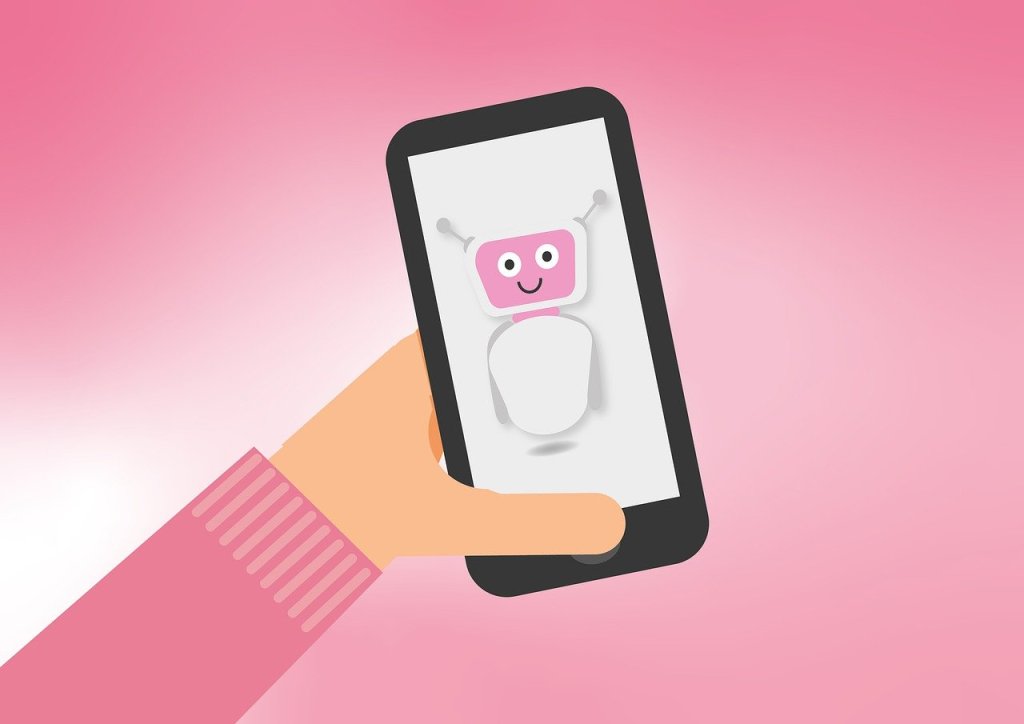
Think of the perfect robot companion. A robot you can hang out with, chat to and who understands how you feel. Robots can already understand some of what we say and talk back. They can even respond to the emotions we express in the tone of our voice. But, what about body language? We also show how we feel by the way we stand, we describe things with our hands and we communicate with the expressions on our faces. Could a robot use body language to show that it understands how we feel? Could a robot show empathy?

If a robot companion did show this kind of empathetic body language we would likely feel that it understood us, and shared our feelings and experiences. For robots to be able to behave like this though, we first need to understand more about how humans use movement to show empathy with one another.

Think about how you react when a friend talks about their headache. You wouldn’t stay perfectly still. But what would you do? We’ve used motion capture to track people’s movements as they talk to each other. Motion capture is the technology used in films to make computer-animated creatures like Gollum in Lord of the Rings, or the Apes in the Planet of the Apes. Lots of cameras are used together to create a very precise computer model of the movements being recorded. Using motion capture, we’ve been able to see what people actually do when chatting about their experiences.

It turns out that we share our understanding of things like a headache by performing it together. We share the actions of the headache as if we have it ourselves. If I hit my head, wince and say ‘ouch’, you might wince and say ‘ouch’ too – you give a multimodal performance, with actions and words, to show me you understand how I feel.

So should we just program robots to copy us? It isn’t as simple as that. We don’t copy exactly. A perfect copy wouldn’t show understanding of how we feel. A robot doing that would seem like a parrot, repeating things without any understanding. For the robot to show that it understands how you feel it must perform a headache like it owns it – as though it were really theirs! That means behaving in a similar way to you; but adapted to the unique type of headache it has.

Designing the way robots should behave in social situations isn’t easy. If we work out exactly how humans interact with each other to share their experiences though, we can use that understanding to program robot companions. Then one day your robot friend will be able to hang out with you, chat and show they understand how you feel. Just like a real friend.

multimodal = two or more different ways of doing something. With communication that might be spoken words, facial expressions and hand gestures.


Related Magazine …


See also (previous post and related career options)

Click to read about the AMPER project

We have recently written about the AMPER project which uses a tablet-based AI tool / robot to support people with dementia and their carers. It prompts the person to discuss events from their younger life and adapts to their needs. We also linked this with information about the types of careers people working in this area might do – the examples given were for a project based in the Netherlands called ‘Dramaturgy for Devices’ – using lessons learned from the study of theatre and theatrical performances in designing social robots so that their behaviour feels more natural and friendly to the humans who’ll be using them.

Click to see one of the four jobs in this area with another three linked from it

See our collection of posts about Career paths in Computing.


EPSRC supports this blog through research grant EP/W033615/1.

Beheading Hero’s mechanical horse

Pegasus image by Dorota Kudyba from Pixabay

An early ‘magical’ (nearly headless) automaton from Ancient Greece

Stories of Ancient Greece abound with myths but also of amazing inventions. Some of the earliest automatons, mechanical precursors of robots, were created by the Ancient Greeks. Intended to delight and astound or be religious idols, they brought statues of animals and people to life. One story holds that Hero of Alexandria invented a magical, mechanical horse that not only moved and drank water, but was also impossible to behead. It just carried on drinking as you sliced a sword clean through its neck. The head remained solidly attached to body. Myth or Mystery? How could it be done?

The Ancient Greeks were clever. With many inventions we think of as modern, the Greeks got there first. They even invented the first known computer. Hero of Alexandria was one of the cleverest, an engineer and prolific inventor. Despite living in the first century, he invented the first known steam engine (long before the famous ones from the start of the industrial revolution), the first vending machine, a musical instrument that was the first wind-powered machine, and even the pantograph, a parallelogram structure used to make exact copies of drawings, enlarged or reduced. Did Hero invent a magical mechanical horse? He did, and you really could slice cleanly through its robotic neck with a sword, leaving the head in place.

Magic, myth and mystery

Queen Mary’s Peter McOwan was fascinated by magic and especially Hero’s horse as a child, and was keen to build one. When TEMI, a European project was funded he had his chance. TEMI aimed to bring more showmanship, magic and mystery to schools to increase motivation. By making lessons more like detective work, solving mysteries, they can be lots more fun. The project needed lots of mysteries, just like Hero’s horse, and artist Tim Sargent was commissioned to recreate the horse.

If you’re ever in Athens, you can see a version of Hero’s horse, as well as many other Greek inventions at Kotsanas Museum of Ancient Greek Technology.

How does it work?

The challenge was to create a version that used only Ancient Greek technology – no electricity or electromagnets, only mechanical means like gears, bearings, levers, cogs and the like. It was actually done with a clever rotating wheel. As the sword slices through a gap in the neck, it always connects head and body together first in front, then behind the blade. Can you work out how it was done? See a video of the mechanism in action below, with Peter introducing it.

Paul Curzon, Queen Mary University of London

Watch …


Related Magazine …


ssue 26 of the CS4FN magazine which is a memorial issue for *Peter McOwan, who died in June 2019. Peter, along with Paul Curzon, was one of the co-founders of CS4FN.

Subscribe to be notified whenever we publish a new post to the CS4FN blog.


This blog is funded by EPSRC on research agreement EP/W033615/1.

QMUL CS4FN EPSRC logos

The Devil is in the Detail: Lessons from Animal Welfare? (Temple Grandin)

What can Computer Scientists learn from a remarkable woman and the improvements she made to animal welfare and the meat processing industry?

Temple Grandin is an animal scientist – an animal welfare specialist and a remarkable innovator on top. She has extraordinary abilities that allow her to understand animals in ways others can’t. As a result her work has reduced the suffering of countless farm animals. She has designed equipment, for example, to restrain animals. It makes it easier to give them shots because, in contrast to the equipment it replaces, it does not discomfort the animals as they enter. By being able to see the detail that an animal perceives she is able to design to overcome the problems. Paradoxically perhaps for someone who cares so much about animals, she works with slaughter houses – Meat Processing factories like those of McDonalds.

Her aim, given people do eat meat, is to ensure the animals are treated humanely throughout the process of rearing an animal until its death. Her work has been close to miraculous in the changes she has brought about to ensure that farm animals do not suffer. She is good for business too. If cattle are spooked by something as they enter the processing factory (also known as a ‘plant’), whether by the glint of metal or a deep shadow, the plant’s efficiency drops. Fewer animals are processed per hour and that is a big problem for managers.

As a result of her work she has turned round plants, both in welfare terms and in terms of rescuing plants that might otherwise have been shut down. Suddenly plants she audits are treating their livestock humanely.

See the Bigger Picture

Where do Temple’s extraordinary abilities come from? In fact she was originally labelled as being mentally disabled. She is actually autistic. As a result her brain doesn’t quite work the way most people’s do. Autistic people as a result of these brain differences often have difficulties socialising with others. They can find it very hard to understand the nuances of human-human communication that the rest of us take for granted. This is in part because autistic people perceive the world differently. A non-autistic person misses vast amounts of the detail in front of their eyes. Instead just a bigger picture of what they are seeing is passed to their conscious selves. An autistic person doesn’t have that sub-conscious ability to filter out detail, but instead perceives every small thing all at once. That is why autistics can sometimes be overcome by their surroundings, finding the world too much to cope with. They think in terms of a series of pictures full of detail, not abstractly in words.

Temple Grandin argues that that is what makes her special when it comes to understanding farm animals. In some ways they see the world very much like she does. Just as a cow does, she notices the shadows and the glint of metal, the bright patch on the floor from the overhead lights or the jacket laid over the fence that is spooking it. The plant managers and animal handlers don’t even register them never mind see them as a problem.

Who ya gonna call?

Because of this ability to quickly spot the problems everyone else has missed, Temple gained a reputation for being the person to call when a problem seemed intractable. She has also turned it into a career as an animal welfare auditor, checking processing plants to ensure their standards are sufficiently high. This is where she has helped force through the biggest improvements, and it all boils down to checklists.


Tick that box

Checking that lists of guidelines are being adhered to is a common way to audit quality in many areas of life. Checklists are used in a computer science context as checks for usability (for example that a new version of some application is easy to use) and accessibility (could a blind person, or for that matter someone who was autistic, successfully use a website say). Checklists tend to be very long. After all it must be the case that the more you are checking, the higher the quality of the result, mustn’t it? Surprisingly that turns out not always to be true! That is why Temple Grandin has been so successful. Rather than have a checklist with hundreds of things to check she boiled her own set of questions to ask down to just 10.

Traditional animal welfare audits have checklist questions such as “Is the flooring slippery?” and “Is the electric prod used as little as possible?”. Even apart from the number to work through this kind of checklist can be very hard to follow, not least due to the vagueness.

Ouch!

Temple’s checklist includes questions like: “Do all animals remain unconscious after being stunned?”, “Do no more than 3% of animals vocalise during handling or stunning?” (a “Moo” in this situation means “Ouch”) They are precise, with little room for dispute – it isn’t left to the inspectors judgement. That also means everyone knows the target they are working towards. The fact that there are only 10 also means it is easy for everyone involved to know them all well. Perhaps most importantly they do not focus on the state of the factory, or the way things are done. Instead, they focus on the end results – that animals are humanely treated. The point is that one item covers a multitude of sins that could be causing it. If too many animals are crying out in pain then you have to fix ALL the causes, even if it is something new that no-one thought of putting on a checklist before.

Temple’s 10 point approach to checklists can apply to more than just animal welfare of course. The principles behind it could just as well apply to other areas like usability and accessibility of websites.

Some usability evaluation techniques do follow similar principles. Cognitive Walkthrough, a method of auditing that systems are easy to use on first encounter, has some of the features of this kind of approach. The original version involved a longish set of questions that an expert was to ask him/herself about a system under evaluation. After early trials the developers of the method Cathleen Wharton, John Rieman, Clayton Lewis and Peter Polson quickly realised this wasn’t very practical and replaced it by a 4 question version. It has since then even been replaced by a 3-question walkthrough. One of the questions, to be asked of each step in achieving a task, is: “Will a user know what to try and do at this point?” This has some of the flavour of the Grandin approach – it is about the end result not about some specific thing going wrong.

Let’s look at accessibility. Currently, where web designers think about it at all (UK law requires them to) the long checklist approach tends to be followed. Typical items to check are things like “Ensure that all information conveyed with colour is also available without colour”. Automatic systems are often used to do audits. That is good in one sense as the criteria have then to be very precise for a mere computer to make the decision. On the other hand it encourages items in the checklist to just be things a computer can check. It also encourages the long list of fine detail approach that Temple rejected. Worse, it also can lead to people conforming to the checklist without deeply understanding what the point actually is. A classic example is a web designer adding as the last item on a web page “If you are partially sighted click here”. As far as an automatic checker is concerned they may have done everything right – even providing alternative facilities that are clearly available (if you can see them). A partially sighted person however would only get to that instruction on the screen after they have struggled through the rest of the page. The designer got the right idea but missed the point.

Temple Grandin’s approach would suggest instead having checklists that ask about the outcomes of using the page: “Do 97% of partially-sighted people successfully complete their objective in using the site?” for example. That is why “user testing” is so important, at least as one of the evaluation approaches you follow. User testing involves people from a wide variety of backgrounds actually trying using your prototype software or web pages before they are released. It allows you to focus on the big picture. Of course if you are trying to ensure a web page is accessible your users must include people with different kinds of disabilities.


The Big Picture

One of Temple Grandin’s main messages is that the big advantage that arises as a result of her autism is that she thinks in concrete pictures not in abstract words. Whilst thinking verbally is good in some situations it seems to make us treat small things as though they were just as important as the big issues.

So whatever you are doing, whether looking after animals or designing accessible websites, don’t get lost in the detail. Focus on the point of it all.

Paul Curzon, Queen Mary University of London


More on …


EPSRC supports this blog through research grant EP/W033615/1.
Love your data

A heart icon on a computer keyboard
Computer heart key image adapted from an image by congerdesign from Pixabay

How are you two doing together? You and your data, we mean. It’d be nice to have an update. Do you understand one another in that special OMG-we’ve-talked-all-night-and-now-the-sun’s-up kind of way? Is it more like you just kind of hang out together without really bothering to think about each other? Or maybe you’re just a bit baffled by the whole data scene. If your heart doesn’t beat with fervent love for the wild binary information all around you, that’s OK. In fact that’s pretty normal. It just so happens, though, that there’s a guy who wants to improve your data relationships. He’s called Andy Broomfield and he graduated as a designer from the Royal College of Art.

Andy’s worried that as we rely more and more on gadgets like mobiles and satnavs, a lot of us stop thinking about where the data comes from. “Increasingly we’re becoming dependent on the data,” says Andy. “We are just blindly fed it.” He tells the story of some councils that had to put up ‘Ignore Your Satnav’ signs after lorry drivers followed electronic directions down narrow lanes rather than believe their own eyes. He reckons that hapless users wouldn’t get quite so “data-lost” if we had a way to really connect with the pure information out there, being broadcast from satellites every second of the day. So he designed some gadgets of his own to help get our data relationships back on the rails.

Time to yourself

Large yellow road sign with black text saying Ignore Sat Nav next to an orange and white traffic cone on a foggy road at night well lit by street lighting
Ignore Sat Nav image by Dan Pope on Flickr, used under a CC BY-NC-SA 2.0 licence.

The first device lets you keep a personal time zone, and was inspired by a group of data-lovers who are sweet on measuring time. Time zones divide the globe into long tall ribbons based on longitude. Since GPS satellites can give each of us extremely accurate longitude readings all the time (the cs4fn offices are apparently at .042 degrees west), why not go even further and cut the ribbons up even more? That’s what Andy’s Longitude Time Piece does, to the point where you can uncover what Andy calls “your own local time zone”, right down to the second. Then you’d know that wherever you go, your timing would always be perfect.

Flooded with facts

Andy’s second invention is another GPS-flavoured one. Even though a lot of us can get lost really easily (even with maps and satellites to help), others love getting down and dirty with geographic data. This gadget’s good for both groups. People with a great sense of data direction can use the Geo Flood Browser to get info on the nearest river, wherever they are.

They can also share the love with others who get a bit data-lost, by leaving electronic tags around to let them know if the area gets flooded a lot. Then people nearby can use the tags using their own gadget to find out whether they ought to be stocking up on boats and snorkels before the next flood hits.

Spot a satellite

Finally Andy’s designed a gadget for your data relationships in space. Satellite spotters are kind of like backyard astronomers, except they love catching glimpses of the satellites that orbit the Earth. With Andy’s device anyone can tune into a satellite that’s above them and listen to it. You can either hear a voice tell you about the satellite, or you can actually listen into the bleeps of information coming from the satellite itself. That way, Andy says, you get “a connection to the pure data, the data that we’re dependent upon in the world.” It’s strange to think that this data is around us all the time – it’s just our phones and TVs that normally listen in, rather than us. If information is the lifeblood of our high-tech lives, the Satellite Scanner lets you listen to its heart.

Each of Andy’s devices uses information from the satellites whizzing, Cupid-like, around the Earth. The unusual thing is what they do with it – they’re not about being really useful so much as they are about actually experiencing the data that’s out there in the real world. That’s how he’s aiming to improve our data relationships. It’s like the way you can know someone for ages, but never see what they’re really about until you look from a different angle. Except this time it’s with satellites. Weird, eh? But good. A little like love.

Paul Curzon, Queen Mary University of London


Related Magazine …

This article was originally published on the CS4FN website and can also be found on pages (p4-5) of Issue 8 of the CS4FN magazine “Computer science in space” which you can download below, along with all of our other free material.


Subscribe to be notified whenever we publish a new post to the CS4FN blog.


This blog is funded by EPSRC on research agreement EP/W033615/1.

QMUL CS4FN EPSRC logos

Microwave Racing

Making everyday devices easier to use

An image of a microwave (cartoon), all in grey with dials and a button.
Microwave image by Paul from Pixabay

When you go shopping for a new gadget like a smartphone or perhaps a microwave are you mostly wowed by its sleek looks, do you drool over its long list of extra functionality? Do you then not use those extra functions because you don’t know how? Rather than just drooling, why not go to the races to help find a device you will actually use, because it is easy to use!

On your marks, get set… microwave

Take an everyday gadget like a microwave. They have been around a while, so manufacturers have had a long time to improve their designs and so make them easy to use. You wouldn’t expect there to be problems would you! There are lots of ways a gadget can be harder to use than necessary – more button presses maybe, lots of menus to get lost in, more special key sequences to forget, easy opportunities to make mistakes, no obvious feedback to tell you what it’s doing… Just trying to do simple things with each alternative is one way to check out how easy they are to use. How simple is it to cook some peas with your microwave? Could it be even simpler? Dom Furniss, a researcher at UCL decided to video some microwave racing as a fun way to find out…

Everyday devices still cause people problems even when they are trying to do really simple things. What is clear from Microwave racing is that some really are easier to use than others. Does it matter? Perhaps not if it’s just an odd minute wasted here or there cooking dinner or if actually, despite your drooling in the shop, you don’t really care that you never use any of those ‘advanced’ features because you can never remember how to.

Better design helps avoid mistakes

Would it matter to you more though if the device in question was a medical device that keeps a patient alive, but where a mistake could kill? There are lots of such gadgets: infusion pumps for example. They are the machines you are hook up to in a hospital via tubes. They pump life-saving drugs, nutrient rich solutions or extra fluids to keep you hydrated directly into your body. If the nurse makes a mistake setting the rate or volume then it could make you worse rather than better. Surely then you want the device to help the nurse to get it right.

Making safer medical devices is what the research project, called CHI+MED, that Dom works* on is actually about. While the consequences are completely different, the core task in setting an infusion pump is actually very similar to setting a microwave – “set a number for the volume of drug and another for the rate to infuse it and hit start” versus “set a number for the power and another for the cooking time, then hit start”. The same types of design solutions (both good and bad) crop up in both cases. Nurses have to set such gadgets day in day out. In an intensive care unit, they will be using several at a time with each patient. Do you really want to waste lots of minutes of such a nurse’s time day in, day out? Do you want a nurse to easily be able to make mistakes in doing so?

User feedback

What the microwave racing video shows is that the designers of gadgets can make them trivially simple to use. They can also make them very hard to use if they focus more on the looks and functions of the thing than ease of use. Manufacturers of devices are only likely to take ease of use seriously if the people doing the buying make it clear that we care. Mostly we give the impression that we want features so that is what we get. Microwave racing may not be the best way to do it (follow the links below to explore more about actual ways professionals evaluate devices), but next time you are out looking for a new gadget check how easy it is to use before you buy … especially if the gadget is an infusion pump and you happen to be the person placing orders for a hospital!

– Dom Furniss and Paul Curzon, 2015

*The CHI+MED project ended in 2015 and this issue of CS4FN was one of the project’s outputs.

Magazines …

The original version of this article was originally published on the CS4FN website and on page 16 of Issue 17 of CS4FN, “Machines making medicine safer“, which is free to download as a PDF, along with all of our other free material, here: https://cs4fndownloads.wordpress.com/

Subscribe to be notified whenever we publish a new post to the CS4FN blog.


This blog is funded by EPSRC on research agreement EP/W033615/1.

QMUL CS4FN EPSRC logos