CS4FN Advent 2023 – Day 24: Santa’s Sleigh – track its progress through the skies

We are nearly coming to the end of our CS4FN Christmas Computing Advent Calendar with one more post to come tomorrow. If you’ve missed any you can catch up by scrolling to the end and click on the Christmas Tree in the panel for the complete list so far.

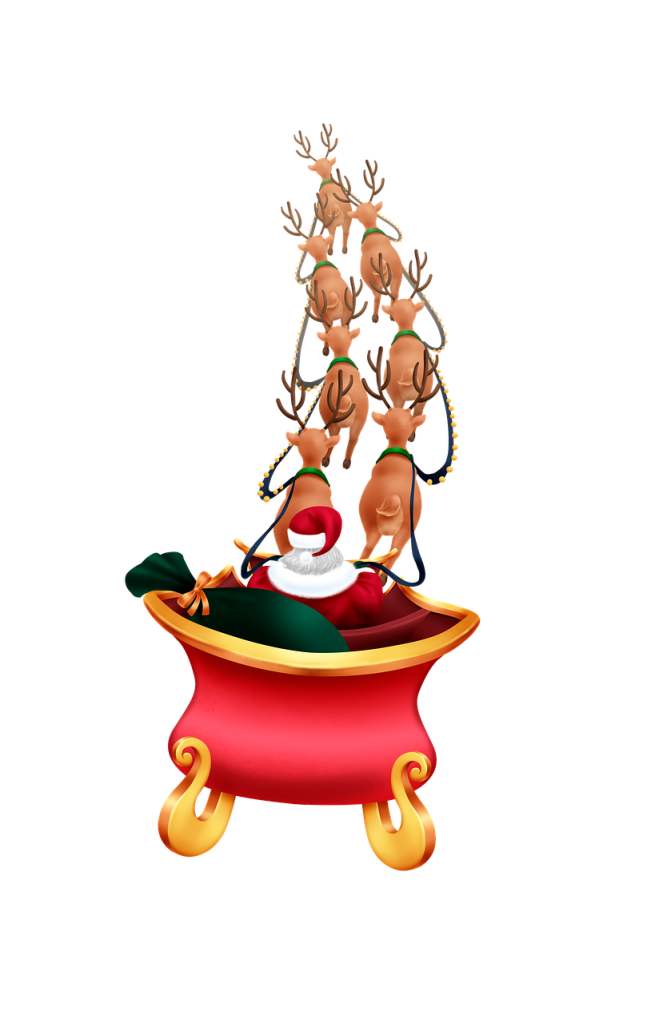
Today’s advent calendar window shows Father Christmas’ sleigh with a sack full of presents ready for delivery. Today’s theme is about the many different online ways that you can now ‘track’ his movements around the world. You may be able to see (cloud permitting) his sleigh ‘in person’ as it flies over. In reality it’s International Space Station (ISS) whizzing past – but other interpretations are available 🙂

Visit this page https://www.astroviewer.net/iss/en/observation.php and type in your city to see when and where you might spot the ISS. On Christmas Day 2025 the ISS will pass over the South of England from around 6.17am to 6.22am, reaching its highest point at around 6.19am, so you’ll have to get up early!

You can track Father Christmas as he dashes through the sky, delivering presents. Image drawn and digitised by Jo Brodie.

1. NORAD Santa tracker

https://www.noradsanta.org/en/ for games
https://www.noradsanta.org/en/map (you can also track him on NORAD’s apps too)

Vintage photo image by Alexa from Pixabay

In 1955, so the story goes, an American department store published a newspaper advert with a phone number for children to call so that they could speak to Father Christmas. Unfortunately a misprint meant that the wrong number was given and instead people found they were talking to the US military’s Air Defense Command (now called North America Air Defense Command or NORAD).

Realising the mistake, but also spotting a great public relations opportunity, the team capitalised on this and began to make an annual event of it.

NORAD uses radar and geosynchronous* satellites to monitor Father Christmas. The satellites are able to detect infrared (heat) radiation and apparently Rudolph’s red nose gives quite a strong signal. This data is then shared with everyone via their website, though they don’t know in advance what route he’ll take.

If you’re visiting the website hover over the different bits of the picture as there are linked activities and extra information too.

*geo = Earth, synchronous = matching / following (like when you sync devices), the satellite follows the Earth’s orbit and is always above the same spot, so effectively (from the Earth’s point of view) the satellite appears not to move (it is moving but it follows the Earth’s rotation).

2. FlightRadar24 Santa tracker

https://www.flightradar24.com/R3DN053/335a9682
FlightRadar24 is a great website for telling you the answer to “what was that aircraft that’s just flown by?” It tracks the flight of aircraft all over the globe in real time, using a signal transmitted by the aircraft’s beacon (called a transponder) which announces where it is. Father Christmas’ sleigh has its own transponder too which is transmitting its location to receivers around the world.

An aircraft, or Santa’s sleigh, gets information about where it is from a GPS satellite (very similar to using a maps app on a smartphone and it telling you where you are and whether you should go left or right) and it then transmits this location info, along with other data, through its transponder.

There are thousands of receivers here on Earth, many of them in people’s homes and gardens (you can even apply to host a receiver antenna, or build your own with a Raspberry Pi) and whenever Santa’s sleigh passes over one of these ‘ground stations’ its signal is picked up and collected by FlightRadar24. The receivers are in different places so they are receiving the same signal at slightly different times and this information can be used to work out (by triangulation) how fast the sleigh is moving and in what direction.

Apparently Santa has been “able to extend the reach of his transponder by using the reindeer antlers as additional antenna” so the tracking should be fairly accurate.

3. Google Santa tracker

https://santatracker.google.com/

Google’s Santa Tracker has lots of games to play while you wait for Santa and his sleigh to take flight, including Code Boogie where you can try and program some dancing elves. You move little blocks (a bit like Scratch) to copy the dance moves and, if you get it right, it will show you the underlying JavaScript code.

Dave Holmes, a developer who works at Google and who works on the Santa Tracker project says “Santa Tracker launched in 2004, and has been an important project at Google ever since. While there’s a small core team dedicated to Santa, up to 20 or so Googlers volunteer to help make it happen every year, and it’s become a true community effort. It’s also a way for our developers to try things and see what Google products can do … I like to say that everything I’ve learned at Google, I learned from Santa.”

Google has also added some ‘Easter eggs‘ to its search page – try typing in Christmas or where is Santa to https://www.google.com/. You can also colour in some images online at their Christmas-themed Art Coloring Book, from Google’s Arts and Culture.

Further reading

The Googlers who help track Santa each Christmas (22 December 2021) Google Blog

4. Early internet Santa-themed humour

Image by Jo Brodie for CS4FN.

Back in the early 1990s email was very new but right from the start people used it to send each other amusing things. One of them was a rather literal consideration of the physics of a sleigh that is laden with gifts and a traditionally overweight Santa, led by a team of reindeer moving at unlikely speeds (after all Father Christmas has to get around the entire world to deliver presents, in just one day). The author (unknown) began –

No known species of reindeer can fly. BUT there are 300,000 species of living organisms yet to be classified, and while most of these are insects and germs, this does not COMPLETELY rule out flying reindeer which only Santa has ever seen.”

But then goes on to point out that such a gift-delivery system would be working far beyond normal levels and would probably end in disaster, suggesting that –

In short, they will burst into flame almost instantaneously, exposing the reindeer behind them, and create deafening sonic booms in their wake. The entire reindeer team will be vaporized within 4.26 thousandths of a second. Santa, meanwhile, will be subjected to centrifugal forces 17,500.06 times greater than gravity. A 250-pound Santa (which seems ludicrously slim) would be pinned to the back of his sleigh by 4,315,015 pounds of force.”

Fortunately Father Christmas has his own magic, meaning that we don’t need to worry too much about him disobeying the laws of physics. But he and his reindeer really deserve those cookies, milk and carrots!

You can read the full post here: The Physics of Santa and His Reindeer Snopes.com

The creation of this post was funded by UKRI, through grant EP/K040251/2 held by Professor Ursula Martin, and forms part of a broader project on the development and impact of computing.


Advert for our Advent calendar
Click the tree to visit our CS4FN Christmas Computing Advent Calendar

EPSRC supports this blog through research grant EP/W033615/1.

CS4FN Advent 2023 – Day 14: Why is your internet so slow + a festive kriss-kross puzzle

Today’s CS4FN Christmas Computing Advent Calendar is showing a picture of shiny tinsel, which reminds me a bit of computer cables. At least, enough to theme this post around broadband speeds 🙂

A piece of shiny tinsel. Image drawn and digitised by Jo Brodie.

Did you know? (1)

Only two letters were transmitted over the Internet before it crashed for the first time. The Internet was born on 20 October 1969 with the first transmission of data sent from a computer at the University of California to another one at Stanford, near San Francisco. Only two letters L and O were sent – the system crashed when the G of LOGIN was entered.

Did you know? (2)

The UK Government adds a little bit of bunting to its page whenever there’s a Bank Holiday! The next time you’ll see bunting there this year (2025) will be Christmas Day – and it will be tinsel. Find out more from the ‘Bank holiday bunting!’ post linked below.

Why is your Internet so slow?

by Paul Curzon, QMUL. This article was originally published on the CS4FN website.

The Internet is now so much a part of life that, unless you are over 50, it’s hard to remember what the world was like without it. Sometimes we enjoy really fast Internet access, and yet at other times it’s frustratingly slow! So the question is why, and what does this have to do with posting a letter, or cars on a motorway?

The communication technology that powers the Internet is built of electronics. The building blocks are called routers, and these convert the light-streams of information that pass down the fibre-optic cables into streams of electrons, so that electronics can be used to switch and re-route the information inside the routers.

Light Trail long exposure image via Pixabay (author unknown)

Enormously high capacities are achievable, which is necessary because the performance of your Internet connection is really important, especially if you enjoy online gaming or do a lot of video streaming. Anyone who plays online games would be familiar with the problem: opponents apparently popping out of nowhere, or stuttery character movement.

So the question is – why is communicating over a modern network like the Internet so prone to odd lapses of performance when traditional land-line telephone services were (and still are) so reliable? The answer is that traditional telephone networks send data as a constant stream of information, while over the Internet, data is transmitted as “packets”. Each packet is a large group of data bits stuck inside a sort of package, with a header attached giving the address of where the data is going. This is why it is like posting a letter: a packet is like a parcel of data sent via an electronic “postal service”.

GR Post Box at Far Arnside by Gary Rogers via Wikimedia Commons, licensed under the Creative Commons Attribution-Share Alike 2.0 Generic license.

But this still doesn’t really answer the question of why Internet performance can be so prone to slow down, sometimes seeming almost to stop completely. To see this we can use another analogy: the flow of packet data is also like the flow of cars on a motorway. When there is no congestion the cars flow freely and all reach their destination with little delay, so that good, consistent performance is enjoyed by the car’s users. But when there is overload and there are too many cars for the road’s capacity, then congestion results. Cars keep slowing down then speeding up, and journey times become horribly delayed and unpredictable. This is like having too many packets for the capacity in the network: congestion builds up, and bad delays – poor performance – are the result.

Typically, Internet performance is assessed using broadband speed tests, where lots of test data is sent out and received by the computer being tested and the average speed of sending data and of receiving it is measured. Unfortunately, speed tests don’t help anyone – not even an expert – understand what people will experience when using real applications like an online game. Electronic engineering researchers at Queen Mary, University of London have been studying these congestion effects in networks for a long time, mainly by using probability theory, which was originally developed in attempts to analyse games of chance and gambling. In the past ten years, they have been evaluating the impact of congestion on actual applications (like web browsing, gaming and Skype) and expressing this in terms of real human experience (rather than speed, or other technical metrics). This research has been so successful that one of the Professors at Queen Mary, Jonathan Pitts, co-founded a spinout company called Actual Experience Ltd so the research could make a real difference to industry and so ultimately to everyday users.

For businesses that rely heavily on IT, the human experience of corporate applications directly affects how efficiently staff can work. In the consumer Internet, human experience directly affects brand perception and customer loyalty. Actual Experience’s technology enables companies to manage their networks and servers from the perspective of human experience – it helps them fix the problems that their staff and customers notice, and invest their limited resources to get the greatest economic benefit.

So Internet gaming, posting letters, probability theory and cars stuck on motorways are all connected. But to make the connection you first need to study electronic engineering.

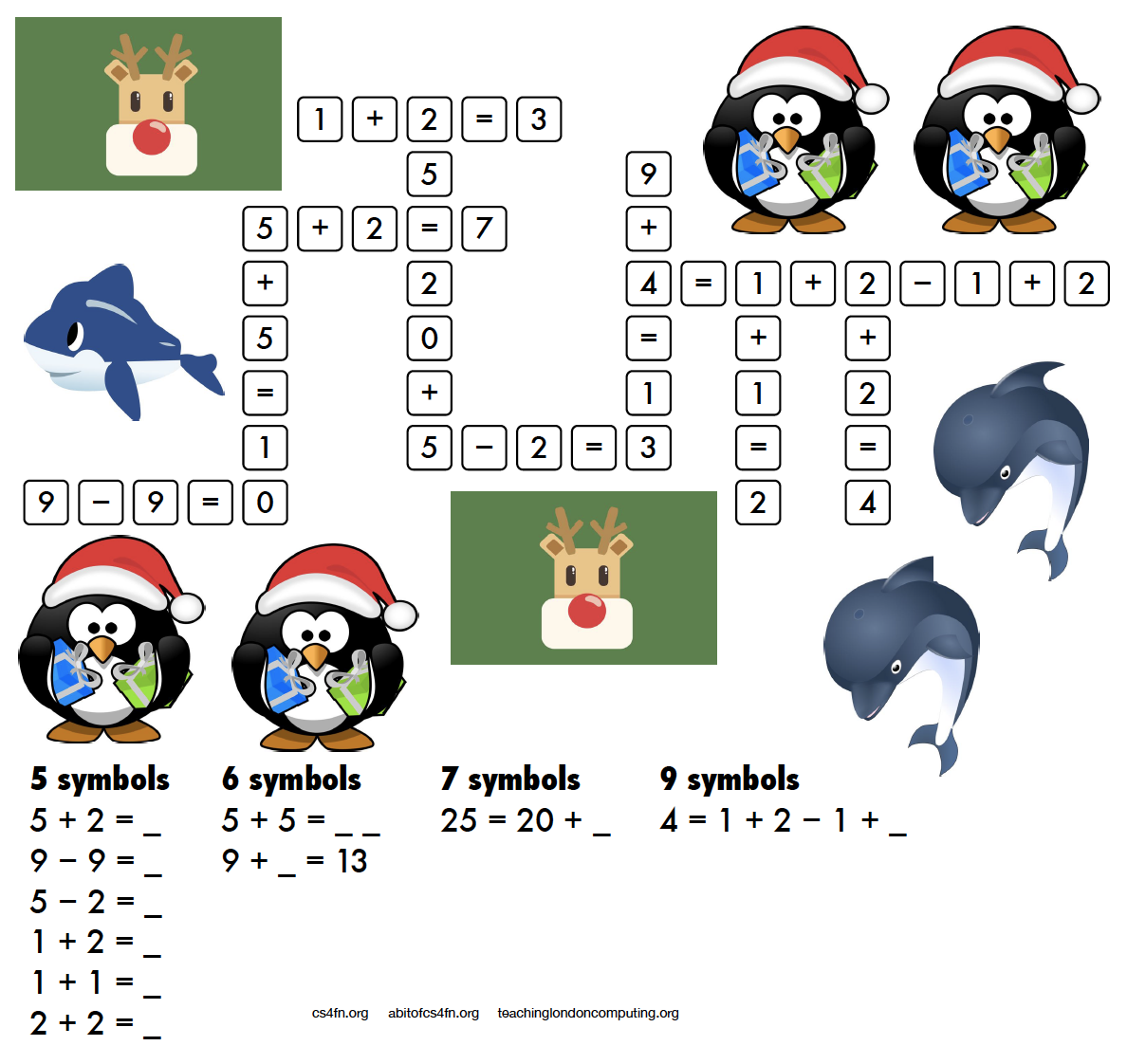
Today’s puzzle – festive kriss-kross

Download a printable version

Puzzle created by Jo Brodie and Paul Curzon for CS4FN.

The 11 words to fill in the squares in the puzzle above are: Advent, Bauble, Cards, Chimney, Decorations, Presents, Reindeer, Sleigh, Snowman, Stocking, Tree. Answer tomorrow.

From an earlier puzzle “You might wonder “What do these kriss-kross puzzles have to do with computing?” Well, you need to use a bit of logical thinking to fill one in and come up with a strategy. If there’s only one word of a particular length then it has to go in that space and can’t fit anywhere else. You’re then using pattern matching to decide which other words can fit in the spaces around it and which match the letters where they overlap. Younger children might just enjoy counting the letters and writing them out, or practising phonics or spelling.”


Advert for our Advent calendar
Click the tree to visit our CS4FN Christmas Computing Advent Calendar

EPSRC supports this blog through research grant EP/W033615/1.


CS4FN Advent 2023 – Day 9: gingerbread man – computing and ‘food’ (cookies, spam!), and a puzzle

Computing- and food-themed post on cookies and spam + a puzzle.

Welcome to Day 9 of our CS4FN Christmas Computing Advent Calendar. Every day between now and Christmas we’ll publish a post about computer science with a puzzle to print and solve. You can see all our previous posts in the list at the end.

Today’s post is inspired by the picture on the advent calendar’s door – a gingerbread man, so we have a food-themed post. Well… food-ish.

Festive gingerbread man. Image drawn and digitised by Jo Brodie.

1. Cookies, but not the biscuit kind

Imagine you have a Christmas gift voucher and want to spend it in an online shop. You visit the website and see an item you’d like so you click ‘add to basket’ and then look for some other things you’d like to buy. You click on another item to find out more about it but suddenly your basket is empty! Fortunately this doesn’t usually happen thanks to cookies, which are tiny computer files that can make your website visit run smoothly.

Websites ask you if they can put these cookies on your computer. If you say ‘yes’ that lets them see that you are the same person as you add new things to your basket. It would be no use if you added your second item and the website decided that you were now a completely different person. Some cookies help the organisation know that you’re still you, even when you’re viewing lots of different pages on their website.

Cookie image by congerdesign from Pixabay

Other cookies mean that you don’t have to keep logging in every time you click on a new page within the website. It would be very annoying if you had to do that.

Some cookies are there to help the organisation itself. They let them see what people are clicking on when they’re on the organisation’s website, and what path they follow as they visit different pages. They can also tell what device someone is using (a phone or a computer) so they can make sure the information is set to be the right size on their screen.

If people are logged in then the website knows who they are. Because of this, organisations have to be very careful about how they use this information, to protect their visitors’ privacy. If they don’t take care then they are breaking the law and can be fined a lot of money.

Further reading

Cookies (no publication date given) – from the ICO – the Information Commissioner’s Office.

2. The recipe for spam

These days when people talk about “spam” they are talking about unwanted emails from strangers. The word spam comes from a tinned meat product which, because of a comedy sketch by Monty Python, now also means “email messages that no-one can avoid”.

by Paul Curzon, QMUL. This post was originally published on the CS4FN website.

Fighting spam

Shutting down spammers is tough for the authorities, so the internet’s arteries go on getting plugged up by spam. The best strategy against it so far seems to be filtering out junk emails from your inbox. Lots of early spam filtering relied on keeping lists of words that appear in spam and catching emails that contained them, but there were plenty of problems. For one thing, certain words that turn up in spam also appear sometimes in normal emails, so perfectly innocent messages sometimes ended up in the spam filter. What’s more, spammers have ways of eluding filters that simply check words against a list. Just me55 a-r-0-u-n-d w1th teh sp£lling.

Finally a simple but ingenious idea surfaced: instead of trying to keep a list of spammy words, why not try and teach computers to recognise spam for themselves? There’s a whole branch of maths about probability that researchers began to apply to spam, and a programmer called Paul Graham made the strategy famous in 2002 when he wrote an essay called A Plan for Spam.

Spammy maths

Paul Graham suggested that you could analyse the words you get in a sample of your email to see what the chances are that a particular word would appear in your real messages. You could do the same with a sample from your spam. Then you could look up any word in a new message and see whether it’s likely to be spam or your real email.

Of course, one word’s not enough to base your conclusion on, so Paul’s filter chose the fifteen most interesting words to look at. What that meant was that it grabbed the biggest clues to look at – words that, statistically, had the best chance of being in either spam or real mail, but not both. Then it used those clues to figure out the overall chance that an email is spam. It did this with an equation called Bayes’ theorem, which tells you how to figure out the chances of something being true given a set of facts. In this case Bayes’ theorem figures out the chances of a message being spam given the set of words in it.

What’s brilliant about the statistical approach is that not only does the computer learn as it goes on, meaning it keeps up with spammers’ tricks automatically, it can learn what words are normal for each person’s email, so scientists working on Viagra wouldn’t have to worry about all their emails going in the bin.

On guard online

Spam filters now work well enough that you can make your inbox pretty safe from the porky hordes of messages trying to invade. Wonderful news for the 99% of us who don’t have any use for dodgy meds, fake fashions and pyramid scams. As long as people keep buying into spam and the small group of overlords keeps turning computers into zombies, we’ll need to keep our defences up.

3. Today’s puzzle – the melting snowman

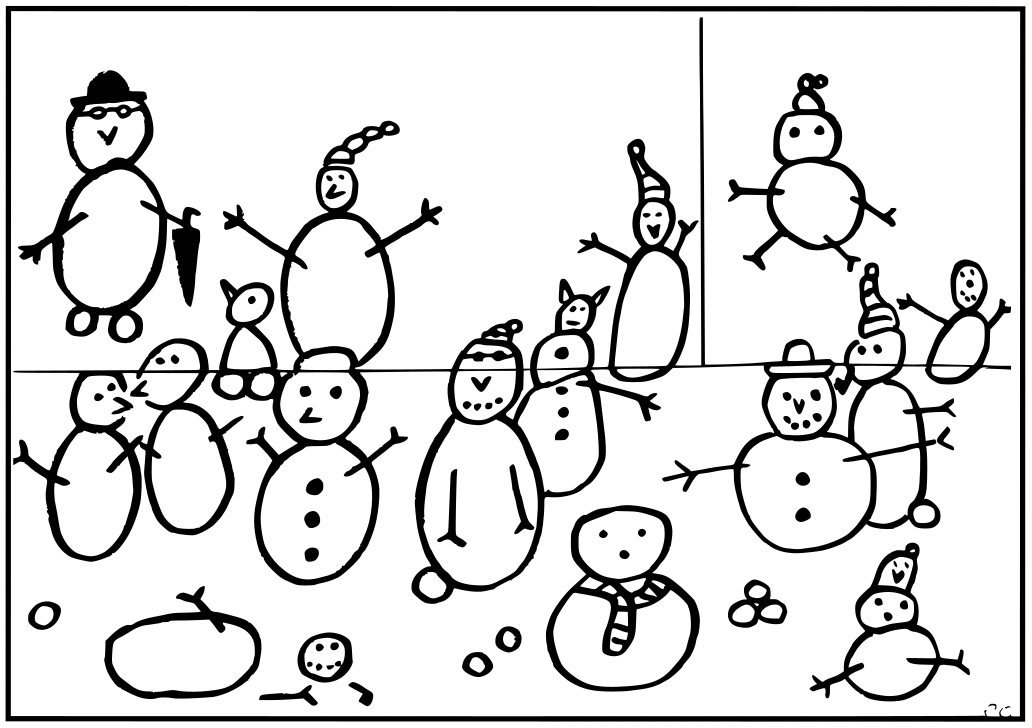
A picture showing several snowmen, drawn by Paul Curzon.

Instructions

One of the snowmen keeps disappearing! Is it melting or just flying
away, and which one is it?

Cut out the picture along the straight black lines, to give three
rectangular pieces. Then follow the simple algorithm and see the
snowman disappear before your eyes.

1. Put the three pieces together in the original positions to make the picture.
2. Count all the snowmen.
3. Swap the position of the top two pieces over so the top and bottom halves of the snowmen line up again
4. Count the snowmen again.

One snowman has disappeared!

Put the pieces back and you will find it reappears.

The explanation and answer will arrive in tomorrow’s (blog) post 🙂

4. Answer to yesterday’s puzzle

Here’s the answer to Daniel’s puzzle.


Advert for our Advent calendar
Click the tree to visit our CS4FN Christmas Computing Advent Calendar

EPSRC supports this blog through research grant EP/W033615/1.

CS4FN Advent 2023 – Day 2: Pairs: mittens, gloves, pair programming, magic tricks

Welcome to the second ‘window’ of the CS4FN Christmas Computing Advent Calendar. The picture on the ‘box’ was a pair of mittens, so today’s focus is on pairs, and a little bit on gloves. Sadly no pear trees though.

A pair of cyan blue Christmas mittens with a black and white snowflake pattern on each. Image drawn and digitised by Jo Brodie.

1. i-pickpocket

In this article, by a pair (ho ho) of computer scientists (Jane Waite and Paul Curzon), you can find out how paired devices can be used to steal money from people, picking pockets at a distance.

A web card for the i-pickpocket article on the CS4FN website.
Click to read the article

2. Gestural gloves

Working with scientists musician Imogen Heap developed Mi.Mu gloves, a wearable musical instrument in glove form which lets the wearer map hand movements (gestures) to a particular musical effect (pairing a gesture to an action). The gloves contain sensors which can measure the speed and position of the hands and can send this information wirelessly to a controlling computer which can then trigger the sound effect that the musician previously mapped to that hand movement.

You can watch Imogen talk about and demo the gloves here and in the video below, which also looks at the ways in which the gloves might help disabled people to make music.

Further reading

The glove that controls your cords… (a CS4FN article by Jane Waite)

3. Pair programming

‘Pair programming’ involves having two people working together on one computer to write and edit code. One person is the ‘Driver’ who writes the code and explains what it’s going to do, the other person is the ‘Navigator’ who observes and makes suggestions and corrections. This is a way to bring two different perspectives on the same code, which is being edited, reviewed and debugged in real-time. Importantly, the two people in the mini-team switch roles regularly. Pair programming is widely used in industry and increasingly being used in the classroom – it can really help people who are learning about computers and how to program to talk through what they’re doing with someone else (you may have done this yourself in class). However, some people prefer to work by themselves and pair programming takes up two people’s time instead of one, but it can also produce better code with fewer bugs. It does need good communication between the two people working on the task though (and good communication is a very important skill in computer science!).

Here’s a short video from Code.org which shows how it’s done.

4. Digital Twins

A digital twin is a computer-based model that represents a real, physical thing (such as a jet engine or car component) and which behaves as closely as possible to the real thing. Taking information from the real-world version and applying it to the digital twin lets engineers and designers test things virtually, to see how the physical object would behave under different circumstances and to help spot (and fix) problems.

5. A magic trick: two cards make a pair

You will need

  • some playing cards
  • your hands (no mittens)
  • another pair of mitten-free hands to do the trick on

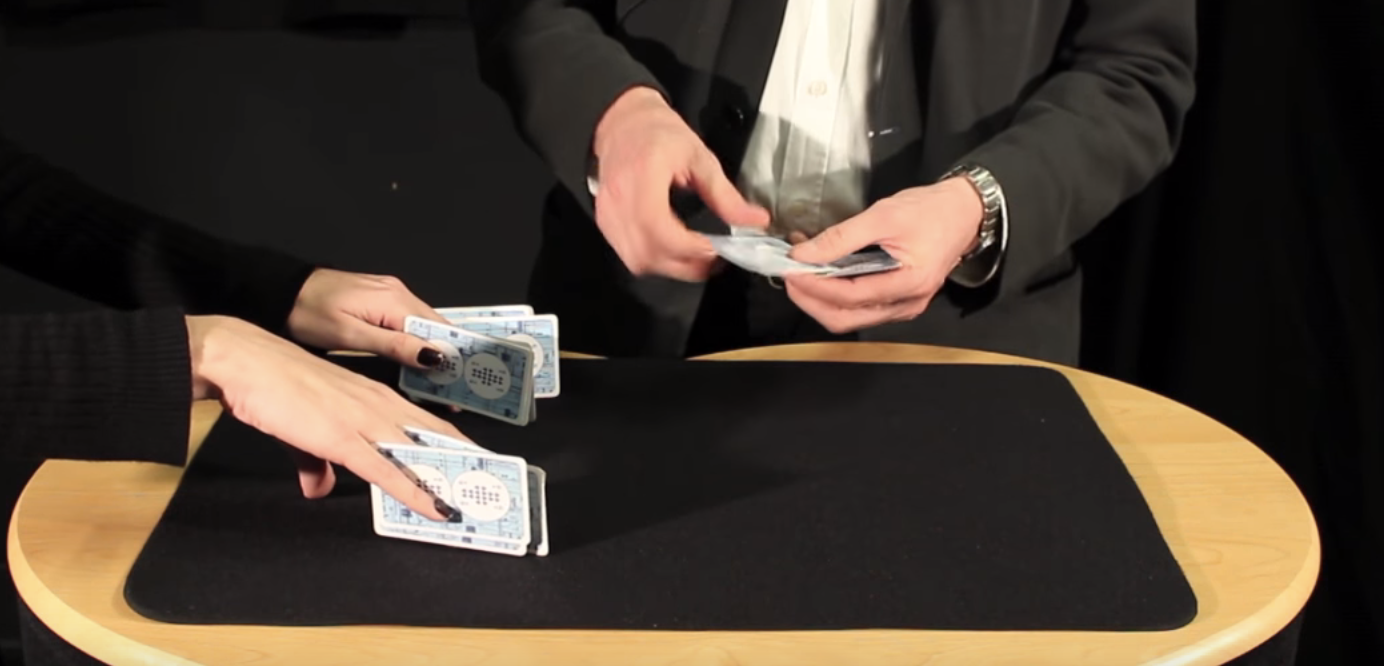
Find a pack of cards and take out 15 (doesn’t matter which ones, pick a card, any card, but 15 of them). Ask someone to put their hands on a table but with their fingers spread as if they’re playing a piano. You are going to do a magic trick that involves slotting pairs of cards between their fingers (10 fingers gives 8 spaces). As you do this you’ll ask them to say with you “two cards make a pair”. Take the first pair and slot them between the first space on their left hand (between their little finger and their ring finger) and both of you say “two cards make a pair”.

The magician puts pairs of cards between the assistant’s fingers. Image credit CS4FN / Teaching London Computing (from the Invisible Palming video linked below)

Repeat with another pair of cards between ring finger and middle finger (“two cards make a pair”) and twice again between middle and index, and between index and thumb – saying “two cards make a pair” each time you do. You’ve now got 8 cards in 4 pairs in their left hand.

Repeat the same process on their right hand saying “two cards make a pair” each time (but you only have 7 cards left so can only make 3 pairs). There’s one card left over which can go between their index finger and thumb.

The magician removes the cards and puts them into two piles. Image credit CS4FN / Teaching London Computing (from the Invisible Palming video linked below)

Then you’ll take back each pair of cards and lay them on the table, separating them into two different piles – each time saying “two cards make a pair”. Again you’ll have one left over. Ask the person to choose which pile it goes on. You, the magician, are going to magically move the card from the pile they’ve chosen to the other pile, but you’re going to do it invisibly by hiding the card in your palm (‘palming’). To find out how to do the trick, and how this can be used to think about the ways in which “self-working” magic tricks are like algorithms have a look at the full instructions and video below.

6. Something to print and colour in

Did you work out yesterday’s colour-in puzzle from Elaine Huen? Here’s the answer.

Christmas colour-in puzzle

Today’s puzzle is in keeping with the post’s twins and pairs theme. It’s a symmetrical pixel puzzle so we’ve given you one half and you can use mirror symmetry to fill in the remaining side. This is an example of data compression – you only need half of the numbers to be able to complete all of it. Some squares have a number that tells you the colour to colour in that square. Look up the colours in the key. Other squares have no number. Work out what colour they are by symmetry.

So, for example the colour look up key tells you that 1 is Red and 2 is Orange, so if a row said 11111222 that means colour each of the five ‘1’ pixels in red and each of the three ‘2’ pixels orange. There are another 8 blank pixels to fill in at the end of the row and these need to mirror the first part of the row (22211111), so you’d need to colour the first three in orange and the remaining five in red. Click here to download the puzzle as a printable PDF. Solution tomorrow…


The creation of this post was funded by UKRI, through grant EP/K040251/2 held by Professor Ursula Martin, and forms part of a broader project on the development and impact of computing.


Advert for our Advent calendar
Click the tree to visit our CS4FN Christmas Computing Advent Calendar

EPSRC supports this blog through research grant EP/W033615/1.