24 May 2025 – did you attend our event?
Below is information about the ‘Program a postcard’ activity but we also spoke to some people who wanted to know how to sign up to get free print magazines for their schools – please see our sister site for Teachers: Teaching London Computing (sign up for free resources).
If there’s anything you’re looking for you can contact us on cs4fn@eecs.qmul.ac.uk
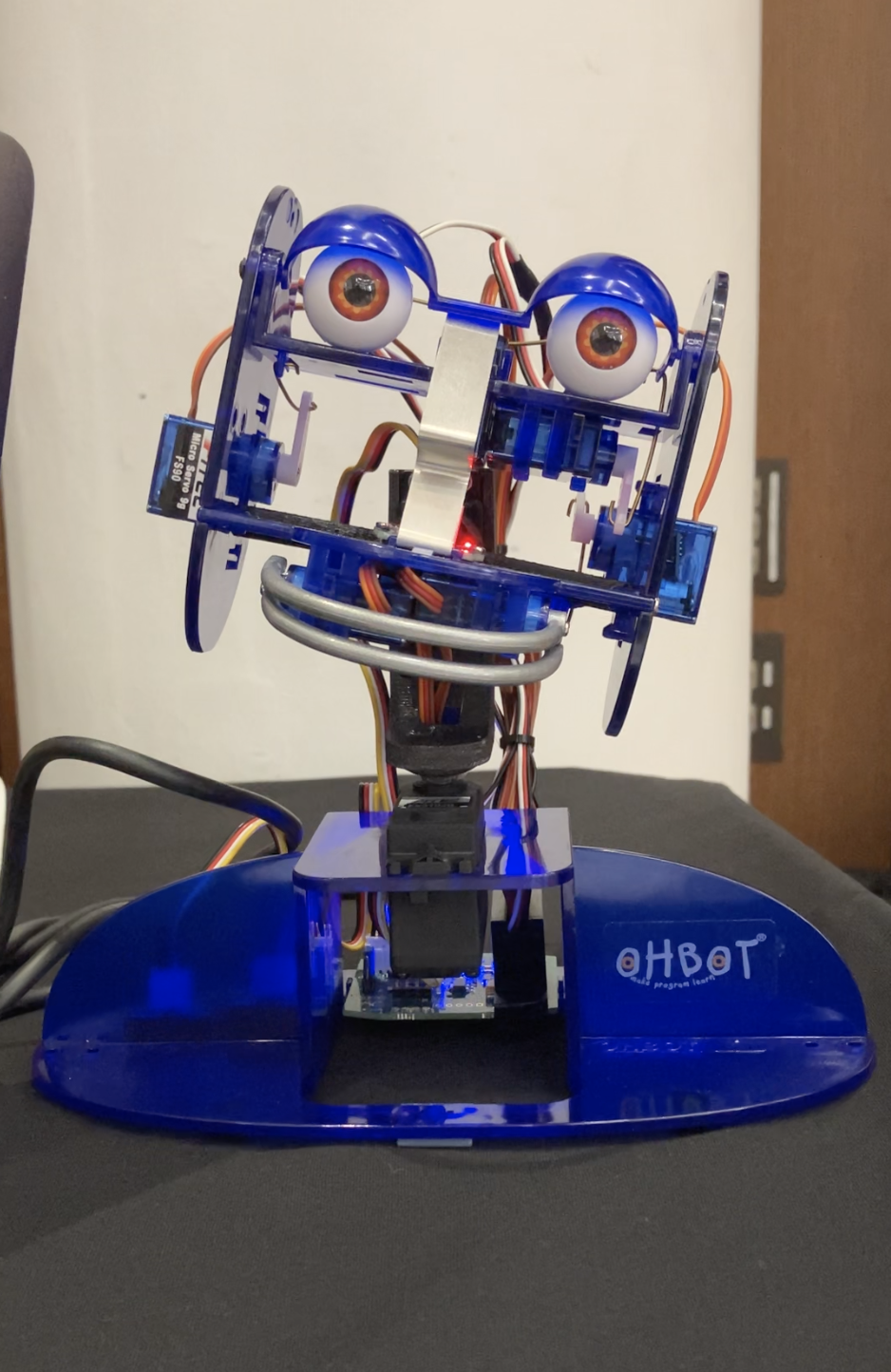
Today Paul also used an Ohbot programmable robot (kindly donated by Ohbot) to demonstrate a spoken version of the Program a postcard program, using a Python program and a list of words. It also generate lots of new ‘love letter’s on demand. This is all based on Christopher Strachey’s work from the 1950s.
Thanks for joining us – we hope you had a great time 🙂
Artificial Intelligence programs are in the news. Will they be good or bad for society? Maybe a bit of both!

This is the page for our Program A Postcard activity. We’ll be running it at the King’s Festival of AI Family Day on Saturday 24 May 2025.
We first ran this at a stall on Saturday 10th June 2023 at QMUL’s Festival of Communities and the activity was funded by QMUL’s Centre for Public Engagement.
How it works: Using our patented (not really) Sentence Shuffler along with our Word Shuffler we get visitors to use a ‘card shuffling’ version of ChatGPT to write postcard, based on some prompts.
The “Program A Postcard” Activity
Based on the work of Christopher Strachey and his 1950s letter-generating program we’ll demonstrate our Postcard generating program. This activity is a festival version of our “Writing Love Letters, Christmas Greetings and Postcards by algorithm” text-generating letter activity for schools.
We will get you to create a postcard based on the same kind of algorithm. We can’t guarantee it will be true but we can guarantee that we’ll post it for you, free (if you’re in the first 100 people to complete a postcard). We’ll also have some spare postcards if you just want to take one home for yourself.
The program is a very simple “Artificial Intelligence” (AI) program based on one of the first programs exploring creativity and artificial intelligence. It illustrates some of the issues about AI programs currently in the news.
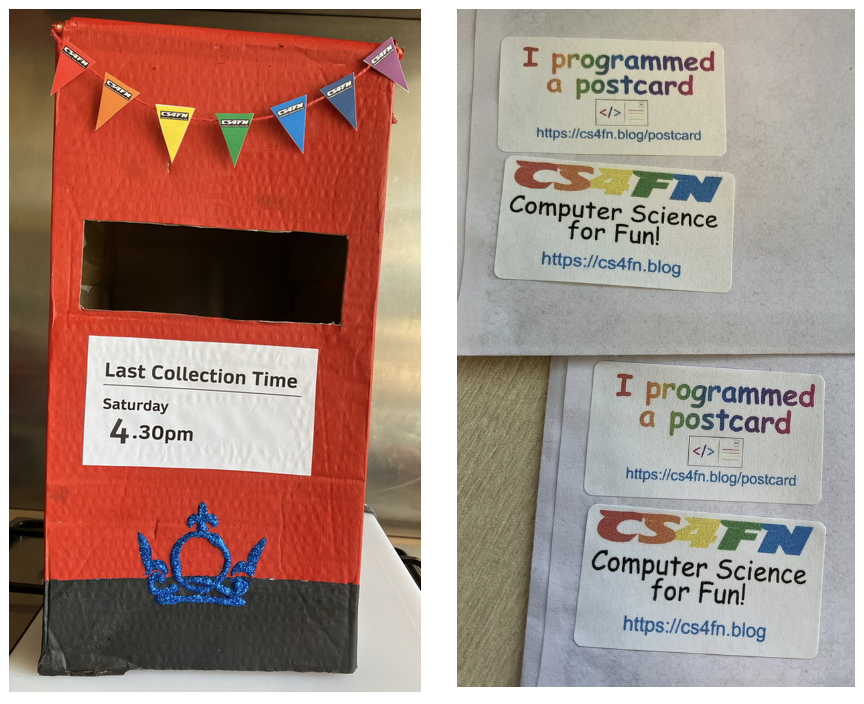
There are two main versions of Program A Postcard: a quick one and a longer version. With either you can choose one of our picture postcards (like this below) or a blank one to create your own drawing.

The quick one (a) just uses the Word Shuffler. The longer version (b) uses both the Word and Sentence Shufflers.
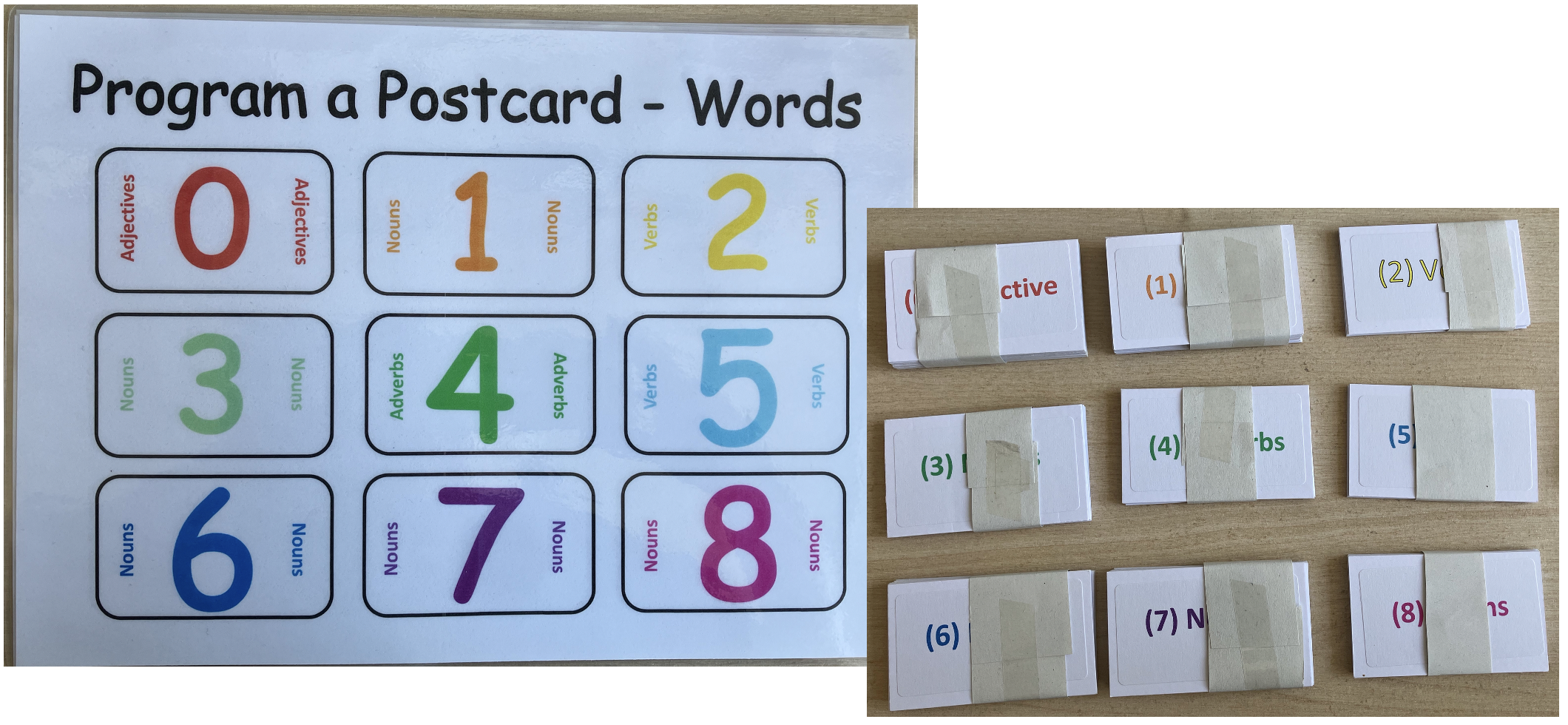
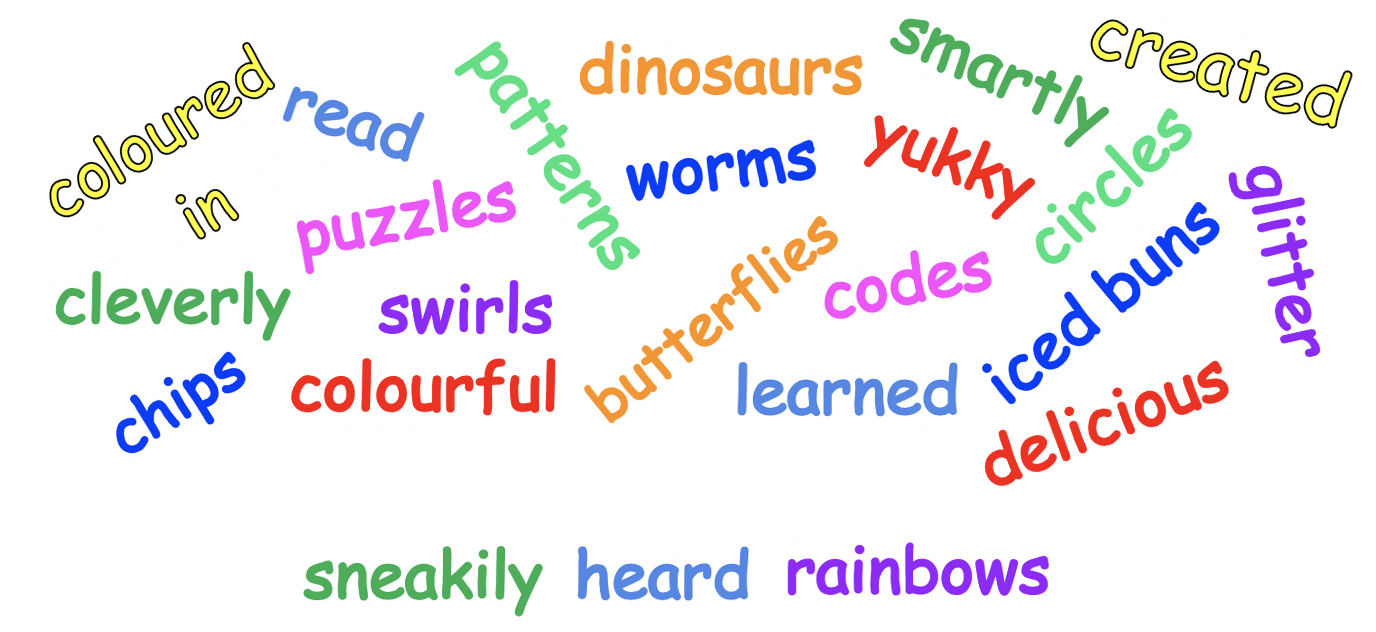
Word Shuffler
We have lots of piles of cards with a different word on. Shuffling the cards shuffles the words – then pick a word the top of the pile. For the Quick version of the game you’ll just shuffle words.
Sentence Shuffler
For a slightly longer version of the game we also have seven sentences. We’ll shuffle a very small pack of seven cards, you’ll pick four and those will be your sentences.

a) Program A Postcard: quick version
This one just uses the Word Shuffler.
Ideal for rapid prototyping 🙂 You can plan your postcard on our giant version, then we’ll give you a postcard with a set of pre-set prompts like this. Then we’ll shuffle some words to add to it.
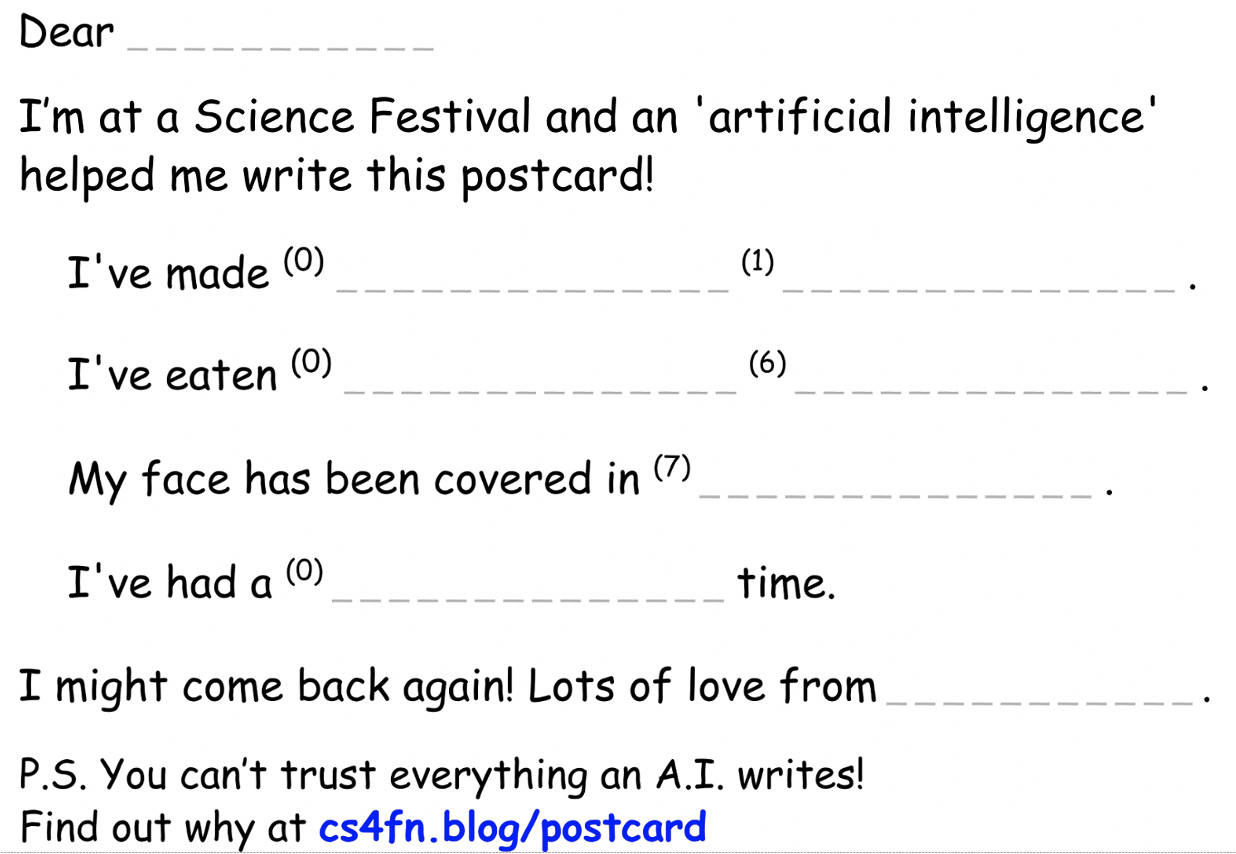
The numbers 0, 1 and 6 tell you which pile (nouns, verbs, adjectives etc) to pick the word from and you write it in the space provided. You can take the postcard home with an envelope, or write someone’s (your own?) address on it and we’ll post it for you. We won’t make any record of anyone’s address, we’ll just put a stamp on them and post them.
Here is an example:
Dear Jo,
I'm at a Science Festival and an "artificial intelligence" helped me write this postcard!
    I've made yukky books.
    I've eaten silly ice cream.
    My face has been covered in rainbows.
    I've had a wonderful time.

I might come back again! Lots of love from Paul
PS You can't trust everything an A.I. writes! Find out why at cs4fn.blog/postcard
b) Program A Postcard: full version
This one uses the Word Shuffler and the Sentence Shuffler.
With this one not only do you shuffle the words but you also shuffle the sentences, picking four of 7 options (sentences A to G). You can plan your postcard first on our giant version, then choose either the picture postcard or a blank postcard (to draw on), with this (below) glued on.

Sentence Shuffler: first choose 4 of the 7 sentence cards (we’ll give you the strips of paper with the sentences on to glue onto the postcard). Each sentence has one or more numbered spaces which you’ll fill with words from the Word Shuffler.
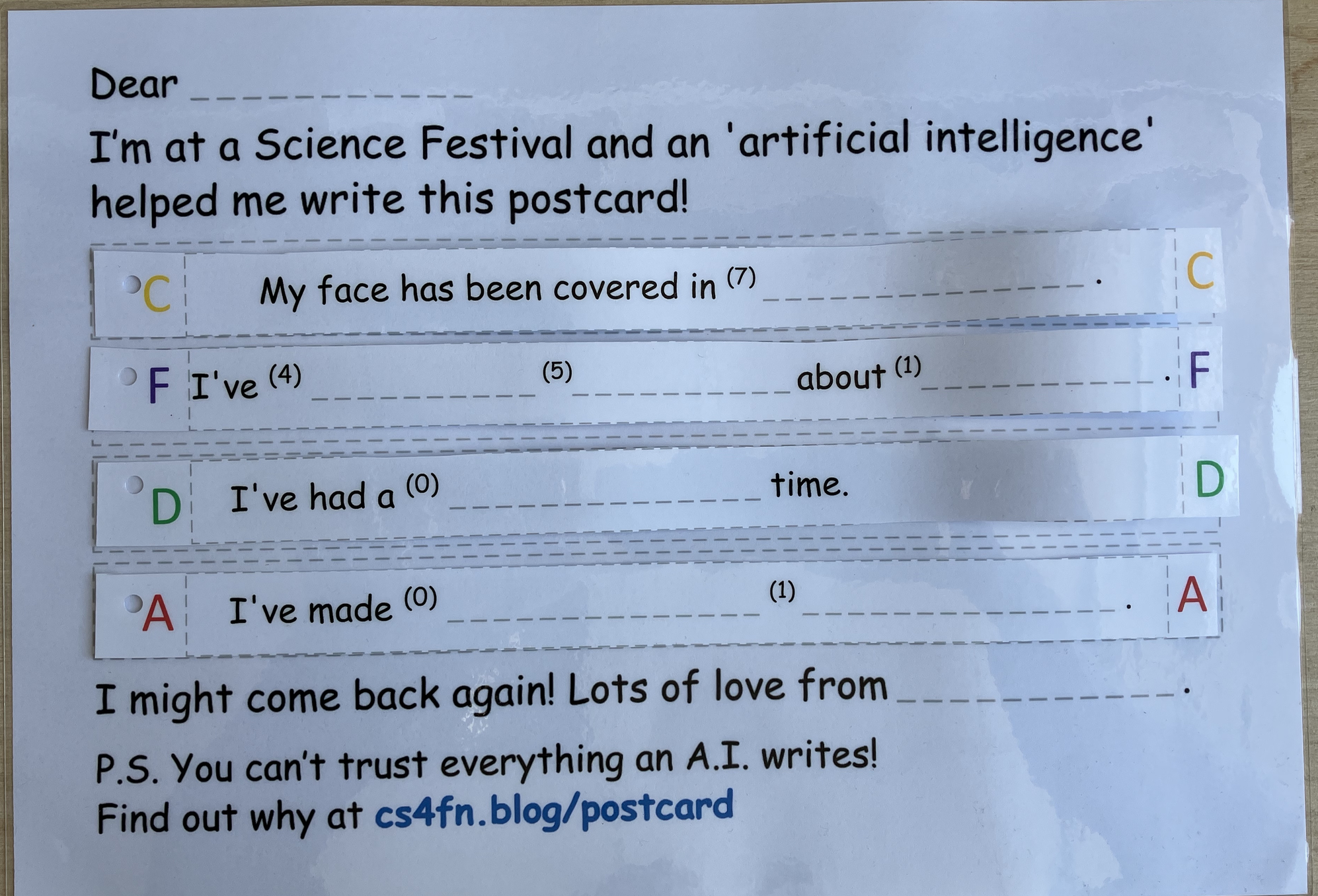
next part of the activity is to shuffle some words from the Word Shuffler, to fill in the gaps.
Word Shuffler: we have numbered piles of words and each number corresponds to a pile of words that might be nouns, verbs or adjectives. As you’ll be picking the words randomly your sentences might not make that much sense.
(see image of the Word Shuffler above)
c) Program A Postcard: write your own Python version
Once you have got the idea of how it works, if you have started to learn to program then writing your own version is a good, fun exercise. Here is a fragment of our program to get you started. Read it and try and understand it, predict what it does, run it and see if you are right then edit it to do something slightly different or add new sentence templates of your own.
The program first sets up lists of words (like the piles of cards). Then after printing the preamble it calls a method (some named code) for one template sentence about eating that generates a sentence. It then does it again to generate another. The method is defined further down along with a method to pick a random word from a given list.
import random

# Compose and read out a new postcard
#
def postcard():
    # adjectives
    adjectives0 = ["wicked","delicious", "smelly", "tricky", "miserable", "silly", "colourful", "clever", "wonderful", "weird", "boring", "crazy", "pukey", "happy", "funky", "yukky"]

    # Nouns
    nouns1 = ["cake", "ice cream", "insects", "chips", "iced buns", "sausage rolls", "worms", "slugs", "grass", "crisps", "sandwiches", "slime", "mud"]

    # ADD MORE WORD LISTS HERE

    print("Dear Paul,")
    print("I'm on holiday, and an 'artificial intelligence' helped me write this postcard!")

    sentenceEat(adjectives0, nouns1)

    # CHANGE THIS & ADD MORE SENTENCE TEMPLATE METHOD CALLS HERE
    sentenceEat(adjectives0, nouns1)


    print("I might come back again!")
    print("Lots of love from q")
    print("P.S. You can't trust everything an A.I. writes!")


# Print a sentence of the form
#    I've eaten **yukky** **ice cream**.
#
def sentenceEat(adjectiveWords, nounWords):
    adjective = chooseWord(adjectiveWords)
    noun = chooseWord(nounWords)
    print("I've eaten " + adjective + " " + noun + ".")

  # ADD YOUR OWN SENTENCE TEMPLATE METHOD DEFINITIONS HERE

# Pick a word at random from a given wordlist
#
def chooseWord(wordlist):
    choice = random.randint(0, len(wordlist)-1)
    return wordlist[choice]

# Call the method to create a postcard
#
postcard()
You can’t trust everything an A.I. writes – why?
Chatbots that can answer questions and write things for you are in the news at the moment. These AI programs are very good now at writing about all sorts of things from composing songs and stories to answering exam questions. They write very convincingly in a human-like way. However, one of the things about them is that they often get things wrong. Apparently, they make “facts” up.
In short it happens because they have no understanding all they are doing is picking words, randomly in a way determined by how likely those words come next based on the data they were trained on such as social media posts on the Internet.
A similar thing is happening when you write a postcard by following the steps of our AI algorithm. You create sentences for a postcard by drawing word cards at random and using them to fill the blanks of a random sentence. The words and sentences are about things you could have done (though we have added some silly ones too) but that does not mean you did do them! Our AI makes things up that sound convincing because it is choosing words at random but fitting them into sentences. Modern chatbots do so because they are choosing words at random based on how likely they are to come next.
Find out more in our blog article here based on the postcard activity.
Find out more about AI

CS4FN – Artificial Intelligence! …but where is the intelligence?
Free PDF to download.
- An intelligent piece of paper (p13-14) – instructions for never losing at Noughts and Crosses / Tic Tac Toe
- A sweet computer (p20) – a computer made of sweets, which get eaten
- Build a brain to play snap (p30) – made from loo roll and string

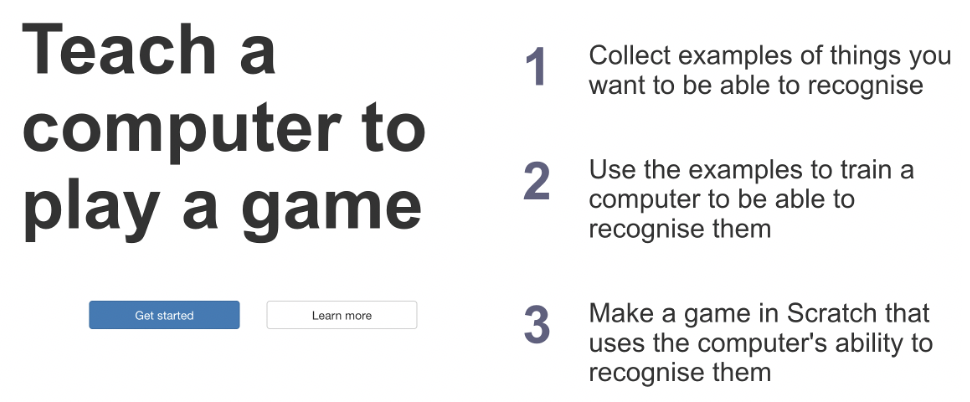
Machine Learning for Kids from Dale Lane. No need to sign up, just start playing.
The Children’s Manifesto for the Future of AI – download the PDF document and find out what children think about artificial intelligence, and what they told global leaders at the Paris AI Action Summit earlier this year.
Other things we sometimes do at Festivals
Table-magic demos
We also demonstrate some illusions and table magic with links to Computer Science. For example one of our tricks will show you that you have an invisible 6th finger you didn’t know about! Then see why it is of interest to computer scientists.
Colouring in or filling in
- Pixel puzzles
- Word searches
- Kriss-kross puzzles
- Cyborg ‘hatagons‘ (colour in, fold, wear a half-human / half-robot paper hat)
- Make a mini-zine
Take away
- Free CS4FN magazines
- Free A Bit of CS4FN mini magazines
This activity was supported by


EPSRC supports this blog through research grant EP/W033615/1.
 cs4fn
cs4fn 