Tony Stockman: Sonification

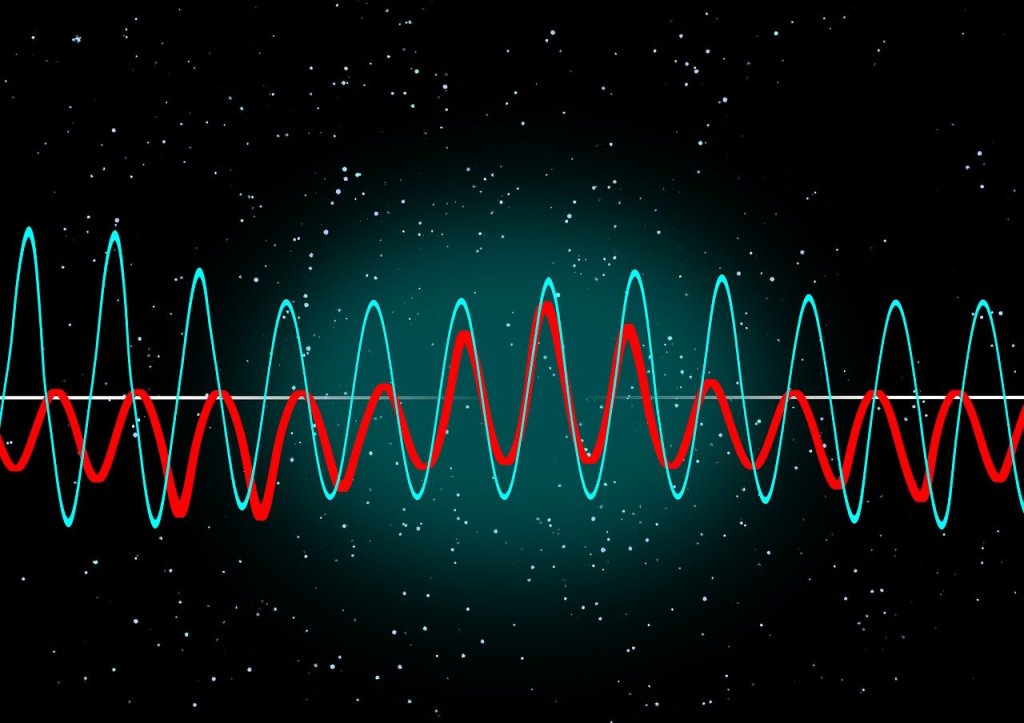
Two different coloured wave patterns superimposed on one anohter on a black background with random dots like a starscape.
Image by Gerd Altmann from Pixabay

Tony Stockman, who was blind from birth, was a Senior Lecturer at QMUL until his retirement. A leading academic in the field of sonification of data, turning data into sound, he eventually became the President of the “International Community for Auditory Display”: the community of researchers working in this area.

Traditionally, we put a lot of effort into finding the best ways to visualise data so that people can easily see the patterns in it. This is an idea that Florence Nightingale, of lady of the lamp fame, pioneered with Crimean War data about why soldiers were dying. Data visualisation is considered so important it is taught in primary schools where we all learn about pie charts and histograms and the like. You can make a career out of data visualisation, working in the media creating visualisations for news programmes and newspapers, for example, and finding a good visualisation is massively important working as a researcher to help people understand your results. In Big Data a good visualisation can help you gain new insights into what is really happening in your data. Those who can come up with good visualisations can become stars, because they can make such a difference (like Florence Nightingale, in fact)

Many people of course, Tony included cannot see, or are partially sighted, so visualisation is not much help! Tony therefore worked on sonifying data instead, exploring how you can map data onto sounds rather than imagery in a way that does the same thing.: makes the patterns obvious and understandable.

His work in this area started with his PhD where he was exploring how breathing affects changes in heart rate. He first needed a way to both check for noise in the recording and then also a way to present the results so that he could analyse and so understand them. So he invented a simple way to turn data into sound using for example frequencies in the data to be sound frequencies. By listening he could find places in his data where interesting things were happening and then investigate the actual numbers. He did this out of necessity just to make it possible to do research but decades later discovered there was by then a whole research community by then working on uses of and good ways to do sonification,

He went on to explore how sonification could be used to give overviews of data for both sighted and non-sighted people. We are very good at spotting patterns in sound – that is all music is after all – and abnormalities from a pattern in sound can stand out even more than when visualised.

Another area of his sonification research involved developing auditory interfaces, for example to allow people to hear diagrams. One of the most famous, successful data visualisations was the London Tube Map designed by Harry Beck who is now famous as a result because of the way that it made the tube map so easy to understand using abstract nodes and lines that ignored distances. Tony’s team explored ways to present similar node and line diagrams, what computer scientist’s call graphs. After all it is all well and good having screen readers to read text but its not a lot of good if all it tells you reading the ALT text that you have the Tube Map in front of you. And this kind of graph is used in all sorts of every day situations but are especially important if you want to get around on public transport.

There is still a lot more to be done before media that involves imagery as well as text is fully accessible, but Tony showed that it is definitely possible to do better, He also showed throughout his career that being blind did not have to hold him back from being an outstanding computer scientists as well as a leading researcher, even if he did have to innovate himself from the start to make it possible.

More on …


Related Magazine …

Subscribe to be notified whenever we publish a new post to the CS4FN blog.


This page is funded by EPSRC on research agreement EP/W033615/1.

QMUL CS4FN EPSRC logos

Margaret Hamilton: Apollo Emergency! Take a deep breath, hold your nerve and count to 5

Buzz Aldrin standing on the moon
Buzz Aldrin standing on the moon. Image by Neil Armstrong, NASA via Wikimedia Commons – Public Domain

You have no doubt heard of Neil Armstrong, first human on the moon. But have you heard of Margaret Hamilton? She was the lead engineer, responsible for the Apollo mission software that got him there, and ultimately for ensuring the lunar module didn’t crash land due to a last minute emergency.

Being a great software engineer means you have to think of everything. You are writing software that will run in the future encountering all the messiness of the real world (or real solar system in the case of a moon landing). If you haven’t written the code to be able to deal with everything then one day the thing you didn’t think about will bite back. That is why so much software is buggy or causes problems in real use. Margaret Hamilton was an expert not just in programming and software engineering generally, but also in building practically dependable systems with humans in the loop. A key interaction design principle is that of error detection and recovery – does your software help the human operators realise when a mistake has been made and quickly deal with it? This, it turned out, mattered a lot in safely landing Neil Armstrong and Buzz Aldrin on the moon.

As the Lunar module was in its final descent dropping from orbit to the moon with only minutes to landing, multiple alarms were triggered. An emergency was in progress at the worst possible time. What it boiled down to was that the system could only handle seven programs running at once but Buzz Aldrin had just set an eighth running. Suddenly, the guidance system started replacing the normal screens by priority alarm displays, in effect shouting “EMERGENCY! EMERGENCY”! These were coded into the system, but were supposed never to be shown, as the situations triggering them were supposed to never happen. The astronauts suddenly had to deal with situations that they should not have had to deal with and they were minutes away from crashing into the surface of the moon.

Margaret Hamilton was in charge of the team writing the Apollo in-flight software, and the person responsible for the emergency displays. She was covering all bases, even those that were supposedly not going to happen, by adding them. She did more than that though. Long before the moon landing happened she had thought through the consequences of if these “never events” did ever happen. Her team had therefore also included code in the Apollo software to prioritise what the computer was doing. In the situation that happened, it worked out what was actually needed to land the lunar module and prioritised that, shutting down the other software that was no longer vital. That meant that despite the problems, as long as the astronauts did the right things and carried on with the landing, everything would ultimately be fine.

Margaret Hamilton
Margaret Hamilton Image by Daphne Weld Nichols, CC BY-SA 3.0 via Wikimedia Commons

There was still a potential problem though, When an emergency like this happened, the displays appeared immediately so that the astronauts could understand the problem as soon as possible. However, behind the scenes the software itself that was also dealing with them, by switching between programs, shutting down the ones not needed. Such switchovers took time In the 1960s Apollo computers as computers were much slower than today. It was only a matter of seconds but the highly trained human astronauts could easily process the warning information and start to deal with it faster than that. The problem was that, if they pressed buttons, doing their part of the job continuing with the landing, before the switchover completed they would be sending commands to the original code, not the code that was still starting up to deal with the warning. That could be disastrous and is the kind of problem that can easily evade testing and only be discovered when code is running live, if the programmers do not deeply understand how their code works and spend time worrying about it.

Margaret Hamilton had thought all this through though. She had understood what could happen, and not only written the code, but also come up with a simple human instruction to deal with the human pilot and software being out of synch. Because she thought about it in advance, the astronauts knew about the issue and solution and so followed her instructions. What it boiled down to was “If a priority display appears, count to 5 before you do anything about it.” That was all it took for the computer to get back in synch and so for Buzz Aldrin and Neil Armstrong to recover the situation, land safely on the moon and make history.

Without Margaret Hamilton’s code and deep understanding of it, we  would most likely now be commemorating the 20th July as the day the first humans died on the moon, rather than being the day humans first walked on the moon.

– Paul Curzon, Queen Mary University of London

More on …

Subscribe to be notified whenever we publish a new post to the CS4FN blog.

This page is funded by EPSRC on research agreement EP/W033615/1.

QMUL CS4FN EPSRC logos

How did the zebra get its stripes?

Head of a fish with a distinctive stripy, spotty pattern
Image by geraldrose from Pixabay

There are many myths and stories about how different animals gained their distinctive patterns. In 1901, Rudyard Kipling wrote a “Just So Story” about how the leopard got its spots, for example. The myths are older than that though, such as a story told by the San people of Namibia (and others) of how the zebra got its stripes – during a fight with a baboon as a result of staggering through the baboon’s fire. These are just stories. It was a legendary computer scientist and mathematician, who was also interested in biology and chemistry, who worked out the actual way it happens.

Alan Turing is one of the most important figures in Computer Science having made monumental contributions to the subject, including what is now called the Turing Machine (giving a model of what a computer might be before they existed) and the Turing Test (kick-starting the field of Artificial Intelligence). Towards the end of his life, in the 1950s, he also made a major contribution to Biology. He came up with a mechanism that he believed could explain the stripy and spotty patterns of animals. He has largely been proved right. As a result those patterns are now called Turing Patterns. It is now the inspiration for a whole area of mathematical biology.

How animals come to have different patterns has long been a mystery. All sorts of animals from fish to butterflies have them though. How do different zebra cells “know” they ultimately need to develop into either black ones or white ones, in a consistent way so that stripes (not spots or no pattern at all) result, whereas leopard cells “know” they must grow into a creature with spots. They both start from similar groups of uniform cells without stripes or spots. How do some that end up in one place “know” to turn black and others ending up in another place “know” to turn white in such a consistent way?

There must be some physical process going on that makes it happen so that as cells multiply, the right ones grow or release pigments in the right places to give the right pattern for that animal. If there was no such process, animals would either have uniform colours or totally random patterns.

Mathematicians have always been interested in patterns. It is what maths is actually all about. And Alan Turing was a mathematician. However, he was a mathematician interested in computation, and he realised the stripy, spotty problem could be thought of as a computational kind of problem. Now we use computers to simulate all sorts or real phenomena, from the weather to how the universe formed, and in doing so we are thinking in the same kind of way. In doing this, we are turning a real, physical process into a virtual, computational one underpinned by maths. If the simulation gets it right then this gives evidence that our understanding of the process is accurate. This way of thinking has given us a whole new way to do science, as well as of thinking more generally (so a new kind of philosophy) and it starts with Alan Turing.

Back to stripes and spots. Turing realised it might all be explained by Chemistry and the processes that resulted from it. Thinking computationally he saw that you would get different patterns from the way chemicals react as they spread out (diffuse). He then worked out the mathematical equations that described those processes and suggested how computers could be used to explore the ideas.

Diffusion is just a way by which chemicals spread out. Imagine dropping some black ink onto some blotting paper. It starts as a drop in the middle, but gradually the black spreads out in an increasing circle until there is not enough to spread further. The expanding circle stops. Now, suppose that instead of just ink we have a chemical (let’s call it BLACK, after its colour), that as it spreads it also creates more of itself. Now, BLACK will gradually uniformly spread out everywhere. So far, so expected. You would not expect spots or stripes to appear!

Next, however, let’s consider what Turing thought about. What happens if that chemical BLACK produces another chemical WHITE as well as more BLACK? Now, starting with a drop of BLACK, as it spreads out, it creates both more BLACK to spread further, but also WHITE chemicals as well. Gradually they both spread. If the chemicals don’t interact then you would end up with BLACK and WHITE mixed everywhere in a uniform way leading to a uniform greyness. Again no spots or stripes. Having patterns appear still seems to be a mystery.

However, suppose instead that the presence of the WHITE chemical actually stops BLACK creating more of itself in that region. Anywhere WHITE becomes concentrated gets to stays WHITE. If WHITE spreads (ie diffuses) faster than BLACK then it spreads to places first that become WHITE with BLACK suppressed there. However, no new BLACK leads to no more new WHITE to spread further. Where there is already BLACK, however, it continue to create more BLACK leading to areas that become solid BLACK. Over time they spread around and beyond the white areas that stopped spreading and also create new WHITE that again spreads faster. The result is a pattern. What kind of pattern depends on the speed of the chemical reactions and how quickly each chemical diffuses, but where those are the same because it is the same chemicals the same kind of pattern will result: zebras will end up with stripes and leopards with spots.

This is now called a Turing pattern and the process is called a reaction-diffusion system. It gives a way that patterns can emerge from uniformity. It doesn’t just apply to chemicals spreading but to cells multiplying and creating different proteins. Detailed studies have shown it is the mechanism in play in a variety of animals that leads to their patterns. It also, as Alan Turing suggested, provides a basis to explain the way the different shapes of animals develop despite starting from identical cells. This is called morphogenesis. Reaction-diffusion systems have also been suggested as the mechanism behind how other things occur in the natural world, such as how fingerprints develop. Despite being ignored for decades, Turing’s theory now provides a foundation for the idea of mathematical biology. It has spawned a whole new discipline within biology, showing how maths and computation can support our understanding of the natural world. Not something that the writers of all those myths and stories ever managed.

– Paul Curzon, Queen Mary University of London

More on …

Magazines …

Front cover of CS4FN issue 29 - Diversity in Computing

Subscribe to be notified whenever we publish a new post to the CS4FN blog.

This page is funded by EPSRC on research agreement EP/W033615/1.

QMUL CS4FN EPSRC logos

If you go down to the woods today…

A girl walking through a meadow full of flowers within woods
Image by Jill Wellington from Pixabay

In the 2025 RHS Chelsea Flower Show there was one garden that was about technology as well as plants: The Avanade Intelligent Garden  exploring how AI might be used to support plants. Each of the trees contained probes that sensed and recorded data about them which could then be monitored through an App. This takes pioneering research from over two decades ago a step further, incorporating AI into the picture and making it mainstream. Back then a team led by Yvonne Rogers built an ambient wood aiming to add excitement to a walk in the woods...

Mark Weiser had a dream of ‘Calm Computing’ and while computing sometimes seems ever more frustrating to use, the ideas led to lots of exciting research that saw at least some computers disappearing into the background. His vision was driven by a desire to remove the frustration of using computers but also the realization that the most profound technologies are the ones that you just don’t notice. He wanted technology to actively remove frustrations from everyday life, not just the ones caused by computers. He wrote of wanting to “make using a computer as refreshing as taking a walk in the woods.”

Not calm, but engaging and exciting!

No one argues that computers should be frustrating to use, but Yvonne Rogers, then of the Open University, had a different idea of what the new vision could be. Not calm. Anything but calm in fact (apart from frustrating of course). Not calm, but engaging and exciting!

Her vision of Weiser’s tranquil woods was not relaxing but provocative and playful. To prove the point her team turned some real woods in Sussex into an ‘Ambient Wood’. The ambient wood was an enhanced wood. When you entered it you took probes with you, that you could point and poke with. They allowed you to take readings of different kinds in easy ways. Time hopping ‘Periscopes’ placed around the woods allowed you to see those patches of woodland at other times of the year. There was also a special woodland den where you could then see the bigger picture of the woods as all your readings were pulled together using computer visualisations.

Not only was the Ambient Wood technology visible and in your face but it made the invisible side of the wood visible in a way that provoked questions about the wildlife. You noticed more. You saw more. You thought more. A walk in the woods was no longer a passive experience but an active, playful one. Woods became the exciting places of childhood stories again but now with even more things to explore.

The idea behind the Ambient Wood, and similar ideas like Bristol’s Savannah project, where playing fields are turned into African Savannah, was to revisit the original idea of computers but in a new context. Computers started as tools, and tools don’t disappear, they extend our abilities. Tools originally extended our physical abilities – a hammer allows us to hit things harder, a pulley to lift heavier things. They make us more effective and allow us to do things a mere human couldn’t do alone. Computer technology can do a similar thing but for the human intellect…if we design them well.

“The most important thing the participants gained was a sense of wonderment at finding out all sorts of things and making connections through discovering aspects of the physical woodland (e.g., squirrel’s droppings, blackberries, thistles)”

– Yvonne Rogers

The Weiser dream was that technology invisibly watches the world and removes the obstacles in the way before you even notice them. It’s a little like the way servants to the aristocracy were expected to always have everything just right but at the same time were not to be noticed by those they served. The way this is achieved is to have technology constantly monitoring, understanding what is going on and how it might affect us and then calmly fixing things. The problem at the time was that it needs really ‘smart’ technology – a high level of Artificial Intelligence to achieve and that proved more difficult than anyone imagined (though perhaps we are now much closer than we were). Our behaviour and desires, however, are full of subtlety and much harder to read than was imagined. Even a super-intellect would probably keep getting it wrong.

There are also ethical problems. If we do ever achieve the dream of total calm we might not like it. It is very easy to be gung ho with technology and not realize the consequences. Calm computing needs monitors – the computer measuring everything it can so it has as much information as possible to make decisions from (see Big Sister is Watching You).

A classic example of how this can lead to people rejecting technology intended to help is in a project to make a ‘smart’ residential home for the elderly. The idea was that by wiring up the house to track the residents and monitor them the nurses would be able to provide much better care, and relatives be able to see how things were going. The place was filled with monitors. For example, sensors in the beds measured resident’s weight while they slept. Each night the occupants weight could invisibly be taken and the nurses alerted of worrying weight loss over time. The smart beds could also detect tossing and turning so someone having bad nights could be helped. A smart house could use similar technology to help you or I have a good nights sleep and help us diet.

The problem was the beds could tell other things too: things that the occupants preferred to keep to themselves. Nocturnal visitors also showed up in the records. That’s the problem if technology looks after us every second of the day, the records may give away to others far more than we are happy with.

Yvonne’s vision was different. It was not that the computers try to second-guess everything but instead extend our abilities. It is quite easy for new technology to lead to our being poorer intellectually than we were. Calculators are a good example. Yes, we can do more complex sums quickly now, but at the same time without a calculator many people can’t do the sums at all. Our abilities have both improved and been damaged at the same time. Generative AI seems to be currently heading the same way, What the probes do, instead, is extend our abilities not reduce them: allowing us to see the woods in a new way, but to use the information however we wish. The probes encourage imagination.

The alternative to the smart house (or calculator) that pampers allowing your brain to stay in neutral, or the residential home that monitors you for the sake of the nurses and your relatives, is one where the sensors are working for you. Where you are the one the bed reports to helping you to then make decisions about your health, or where the monitors you wear are (only) part of a game that you play because its fun.

What next? Yvonne suggested the same ideas could be used to help learning and exploration in other ways, understanding our bodies: “I’d like to see kids discover new ways of probing their bodies to find out what makes them tick.”

So if Yvonne’s vision is ultimately the way things turn out, you won’t be heading for a soporific future while the computer deals with real life for you. Instead it will be a future where the computers are sparking your imagination, challenging you to think, filling you with delight…and where the woods come alive again just as they do in the storybooks (and in the intelligent garden).

Paul Curzon, Queen Mary University of London

(adapted from the archive)

Subscribe to be notified whenever we publish a new post to the CS4FN blog.


This page is funded by EPSRC on research agreement EP/W033615/1.

QMUL CS4FN EPSRC logos

Was the first computer a ‘Bombe’?

Image from a set of wartime photos of GC&CS at Bletchley Park, Public domain, via Wikimedia Commons

A group of enthusiasts at Bletchley Park, the top secret wartime codebreaking base, rebuilt a primitive computing device used in the Second World War to help the Allies listen in on U-boat conversations. It was called ‘the Bombe’. Professor Nigel Smart, now at KU Leuven and an expert on cryptography, tells us more.

So What’s all this fuss about building “A Bombe”? What’s a Bombe?

The Bombe didn’t help win the war destructively like its explosive name-sakes but using intelligence. It was designed to find the passwords or ‘keys’ into the secret codes of ‘Enigma’: the famous encryption machine used both by the German army in the field and to communicate to U-Boats in the Atlantic. It effectively allowed the English to listen in to the German’s secret communications.

A Bombe is an electro-mechanical special purpose computing device. ‘Electro-mechanical’ because it works using both mechanics and electricity. It works by passing electricity through a circuit. The precise circuit that is used is modified mechanically on each step of the machine by drums that rotate. It used a set of rotating drums to mirror the way the Enigma machine used a set of discs which rotated when each letter was encrypted. The Bombe is a ‘special purpose’ computing device rather than a ‘general purpose’ computer because it can’t be used to solve any other problem than the one it was designed for.

Why Bombe?

There are many explanations of why it’s called a ‘Bombe’. The most popular is that it is named after an earlier, but unrelated, machine built by the Polish to help break Enigma called the Bomba. The Bomba was also an electro-mechanical machine and was called that because as it ran it made a ticking sound, rather like a clock-based fuse on an exploding bomb.

What problem did it solve?

The Enigma machine used a different main key, or password, every day. It was then altered slightly for each message by a small indicator sent at the beginning of each message. The goal of the codebreakers at Bletchley Park each day was to find the German key for that day. Once this was found it was easy to then decrypt all the day’s messages. The Bombe’s task was to find this day key. It was introduced when the procedures used by the Germans to operate the Enigma changed. This had meant that the existing techniques used by the Allies to break the Enigma codes could no longer be used. They could no longer crack the German codes fast enough by humans alone.

So how did it help?

The basic idea was that many messages sent would consist of some short piece of predictable text such as “The weather today will be….” Then using this guess for the message that was being encrypted the cryptographers would take each encrypted message in turn and decide whether it was likely that it could have been an encryption of the guessed message. The fact that the German army was trained to say and write “Heil Hitler” at any opportunity was a great help too!

The words “Heil, Hitler” help the German’s lose the war

If they found one that was a possible match they would analyze the message in more detail to produce a “menu”. A menu was just what computer scientists today call a ‘graph’. It is a set of nodes and edges, where the nodes are letters of the alphabet and the edges link the letters together a bit like the way a London tube map links stations (the nodes) by tube lines (the edges). If the graph had suitable mathematical properties that they checked for, then the codebreakers knew that the Bombe might be able to find the day key from the graph.

The menu, or graph, was then sent over to one of the Bombe’s. They were operated by a team of women – the World’s first team of computer operators. The operator programmed the Bombe by using wires to connect letters together on the Bombe according to the edges of the menu. The Bombe was then set running. Every so often it would stop and the operator would write down the possible day key which it had just found. Finally another group checked this possible day key to see if the Bombe had produced the correct one. Sometimes it had, sometimes not.

So was the Bombe a computer?

By a computer today we usually mean something which can do many things. The reason the computer is so powerful is that we can purchase one piece of equipment and then use this to run many applications and solve many problems. It would be a big problem if we needed to buy one machine to write letters, one machine to run a spreadsheet, one machine to play “Grand Theft Auto” and one machine to play “Solitaire”. So, in this sense the Bombe was not a computer. It could only solve one problem: cracking the Enigma keys.

Whilst the operator programmed the Bombe using the menu, they were not changing the basic operation of the machine. The programming of the Bombe is more like the data entry we do on modern computers.

Alan Turing who helped design the Bombe along with Gordon Welchman, is often called the father of the computer, but that’s not for his work on the Bombe. It’s for two other reasons. Firstly before the war he had the idea of a theoretical machine which could be programmed to solve any problem, just like our modern computers. Then, after the war he used the experience of working at Bletchley to help build some of the worlds first computers in the UK.

But wasn’t the first computer built at Bletchley?

Yes, Bletchley park did build the first computer as we would call it. This was a machine called Colossus. Colossus was used to break a different German encryption machine called the Lorenz cipher. The Colossus was a true computer as it could be used to not only break the Lorenz cipher, but it could also be used to solve a host of other problems. It also worked using digital data, namely the set of ones and zeros which modern computers now operate on.

Nigel Smart, KU Leuven

More on …

Subscribe to be notified whenever we publish a new post to the CS4FN blog.


This page is funded by EPSRC on research agreement EP/W033615/1.

QMUL CS4FN EPSRC logos

Robert Weitbrecht and his telecommunication device for the deaf

Robert Weitbrecht was born deaf. He went on to become an award winning electronics scientist who invented the acoustic coupler (or modem) and a teletypewriter (or teleprinter) system allowing the deaf to communicate via a normal phone call.

A modem telephone: the telephone slots into a teletypewriter here with screen rather than printer.
A telephone modem: Image by Juan Russo from Pixabay

If you grew up in the UK in the 1970s with any interest in football, then you may think of teleprinters fondly. It was the way that you found out about the football results at the final whistle, watching for your team’s result on the final score TV programme. Reporters at football grounds across the country, typed in the results which then appeared to the nation one at a time as a teleprinter slowly typed results at the bottom of the screen. 

Teleprinters were a natural, if gradual, development from the telegraph and Morse code. Over time a different simpler binary based code was developed. Then by attaching a keyboard and creating a device to convert key presses into the binary code to be sent down the wire you code type messages instead of tap out a code. Anyone could now do it, so typists replaced Morse code specialists. The teleprinter was born. In parallel, of course, the telephone was invented allowing people to talk to each other by converting the sound of someone speaking into an electrical signal that was then converted back into sound at the other end. Then you didn’t even need to type, never mind tap, to communicate over long distances. Telephone lines took over. However, typed messages still had their uses as the football results example showed.

Another advantage of the teletypewriter/teleprinter approach over the phone, was that it could be used by deaf people. However, teleprinters originally worked over separate networks, as the phone network was built to take analogue voice data and the companies controlling them across the world generally didn’t allow others to mess with their hardware. You couldn’t replace the phone handsets with your own device that just created electrical pulses to send directly over the phone line. Phone lines were for talking over via one of their phone company’s handsets. However, phone lines were universal so if you were deaf you really needed to be able to communicate over the phone not use some special network that no one else had. But how could that work, at a time when you couldn’t replace the phone handset with a different device?

Robert Weitbrecht solved the problem after being prompted to do so by deaf orthodontist, James Marsters. He created an acoustic coupler – a device that converted between sound and electrical signals –  that could be used with a normal phone. It suppressed echoes, which improved the sound quality. Using old, discarded teletypewriters he created a usable system Slot the phone mouthpiece and ear piece into the device and the machine “talked” over the phone in an R2D2 like language of beeps to other machines like it. It turned the electrical signals from a teletypewriter into beeps that could be sent down a phone line via its mouthpiece. It also decoded beeps when received via the phone earpiece in the electrical form needed by the teleprinter. You typed at one end, and what you typed came out on the teleprinter at the other (and vice versa). Deaf and hard of hearing people could now communicate with each other over a normal phone line and normal phones! The idea of Telecommunications Device for the Deaf that worked with normal phones was born. However, they still were not strictly legal in the US so James Marsters and others lobbied Washington to allow such devices.

The idea (and legalisation) of acoustic couplers, however, then inspired others to develop similar modems for other purposes and in particular to allow computers to communicate via the telephone network using dial-up modems. You no longer needed special physical networks for computers to link to each other, they could just talk over the phone! Dial-up bulletin boards were an early application where you could dial up a computer and leave messages that others could dial up to read there via their computers…and from that idea ultimately emerged the idea of chat rooms, social networks and the myriad other ways we now do group communication by typing.

The first ever (long distance) phone call between two deaf people (Robert Weitbrecht and James Marsters) using a teletypewriter / teleprinter was:

“Are you printing now? Let’s quit for now and gloat over the success.”

Yes, let’s.

– Paul Curzon, Queen Mary University of London

More on …

Magazines …

Front cover of CS4FN issue 29 - Diversity in Computing

Subscribe to be notified whenever we publish a new post to the CS4FN blog.


This page is funded by EPSRC on research agreement EP/W033615/1.

QMUL CS4FN EPSRC logos

An Wang’s magnetic memory

A golden metal torus
Image by Hans Etholen from Pixabay

An Wang was one of the great pioneers of the early days of computing. Just as the invention of the transistor led to massive advances in circuit design and ultimately computer chips, Wang’s invention of magnetic core memory provided the parallel advance needed in memory technology.

Born in Shanghai, An went to university at Harvard in the US, studying for a PhD in electrical engineering. On completing his PhD he applied for a research job there and was set the task of designing a new, better form of memory to be used with computers. It was generally believed that the way forward was to use magnetism to store bits, but no one had worked out a way to do it. It was possible to store data by for example magnetising rings of metal. This could be done by running wires through the rings. Passing the current in one direction set a 1, and in the other a 0 based on the direction of the magnetic field created.

If all you needed was to write data it could be done. However, computers, needed to be able to repeatedly read memory too, accessing and using the data stored, possibly many times. And the trouble was, all the ways that had been thought up to use magnets were such that as soon as you tried to read the information stored in the memory, that data was destroyed in the process of reading it. You could only read stored data once and then it was gone!

An was stumped by the problem just like everyone else, then while walking and pondering the problem, he suddenly had a solution. Thinking laterally, he realised it did not matter if the data was destroyed at all. You had just read it so knew what it was when you destroyed it. You could therefore write it straight back again, immediately. No harm done!

Magnetic-core memory was born and dominated all computer memory for the next two decades, helping drive the computer revolution into the 1970s. An took out a patent for his idea. It was drafted to be very wide, covering any kind of magnetic memory. That meant even though others improved on his design, it meant he owned the idea of all magnetic based memory that followed as it all used his basic idea.

On leaving Harvard he set up his own computer company, Wang Laboratories. It was initially a struggle to make it a success. However, he sold the core-memory patent to IBM and used the money to give his company the boost that it needed to become a success. As a result he became a billionaire, the 5th richest person in the US at one point.

Paul Curzon, Queen Mary University of London

More on …

Magazines …

Front cover of CS4FN issue 29 - Diversity in Computing

Subscribe to be notified whenever we publish a new post to the CS4FN blog.


This page and talk are funded by EPSRC on research agreement EP/W033615/1.

QMUL CS4FN EPSrC logos

Hiroshi Kawano and his AI abstract artist

Piet Mondrian is famous for his pioneering pure abstract paintings that consist of blocks of colour with thick black borders. This series of works is iconic now. You can buy designs based on them on socks, cards, bags, T-shorts, vases, and more, He also inspired one of the first creative art programs. Written by Hiroshi Kawano it created new abstract art after Mondrian.

An Artificial Mondrian style picture of blocks of primary colours with blck borders.
Image by CS4FN after Mondrian inspired by Artificial Mondrian

Hiroshi Kawano was himself a pioneer of digital and algorithmic art. From 1964 he produced a series of works that were algorithmically created in that they followed instructions to produce the designs, but those designs were all different as they included random number generators – effectively turning art into a game of chance, throwing dice to see what to do next. Randomness can be brought in in this way to make decisions about the sizes, positions, shapes and colours in the images, for example.

His Artificial Mondrian series from the late 1960s were more sophisticated than this though. He first analysed Mondrian’s paintings determining how frequently each colour appeared in each position on the canvas. This gave him a statistical profile of real Mondrian works. His Artificial Mondrian program then generated new designs based on coloured rectangles but where the random number generator matched the statistical pattern of Mondrian’s creative decisions when choosing what block of colour to paint in an area. The dice were in effect loaded to match Mondrian’s choices. The resulting design was not a Mondrian, but had the same mathematical signature as one that Mondrian might paint. One example KD 29 is on display at the Tate modern this year (2025) until June 2025 as part of the Electric Dreams exhibition (you can also buy a print from the Tate Modern Shop).

Kawano’s program didn’t actually paint, it just created the designs and then Hiroshi did the actual painting following the program’s design. Colour computer printers were not available then but the program could print out the patterns of black rectangles that he then coloured in.

Whilst far simpler, his program’s approach prefigures the way modern generative AI programs that create images work. They are trained on vast numbers of images, from the web, for example. They then create a new image based on what is statistically likely to match the prompt given. Ask for a cat and you get an image that statistically matches existing images labelled as cats. Like his the generative AI programs are also combining algorithm, statistics from existing art, and randomness to create new images.

Is such algorithmic art really creative in the way an artist is creative though? It is quite easy (and fun) to create your own Mondrian inspired art, even without an AI. However, the real creativity of an artist is in coming up with such a new iconic and visually powerful art style in the first place, as Piet Mondrian did, not in just copying his style. The most famous artists are famous because they came up with a signature style. Only when the programs are doing that are they being as creative as the great human artists. Hiroshi Kawano’s art (as opposed to his program’s) perhaps does pass the test as he came up with a completely novel medium for creating art. That in itself was incredibly creative at the time.

Paul Curzon, Queen Mary University of London

More on …

Magazines …

Front cover of CS4FN issue 29 - Diversity in Computing

Our Books …


Subscribe to be notified whenever we publish a new post to the CS4FN blog.


This page and talk are funded by EPSRC on research agreement EP/W033615/1.

QMUL CS4FN EPSrC logos

Piet Mondrian and Image Representation

Image after Mondrian by CS4FN

Piet Mondrian was a pioneer of abstract art. He was a Dutch painter, famous for his minimalist abstract art. His series of grid-based paintings consisted of rectangles, some of solid primary colour, others white, separated by thick black lines. Experiment with Mondrian-inspired art like this one of mine, while also exploring different representations of images (as well as playing with maths). Mondrian‘s art is also a way to to learn to program in the image representation language SVG.

We will use this image to give you the idea, but you could use your own images using different image representations, then get others to treat them as puzzles to recreate the originals.


Vector Images

One way to represent an image in a computer is as a vector image. One way to think of what a vector representation is, is that the image is represented as a series of mathematically precise shapes. Another way to think of it is that the image is represented by a program that if followed recreates it. We will use a simple (invented) language for humans to follow to give the idea. In this language a program is a sequence of instructions to be followed in the order given. Each instruction gives a shape to draw. For example,

Rectangle(Red, 3, 6, 2, 4)
A grid showing a square as in the accompanying instructions.
Image by CS4FN

means draw a red rectangle position 3 along and 6 down of size 2 by 4 cm.

Rectangle is the particular instruction giving the shape. The values in the brackets (Red, 3, 6, 2, 4) are arguments. They tell you the colour to fill the shape in, its position as two numbers and its size (two further numbers). The numbers refer to what is called a bounding box – an invisible box that surrounds the shape. You draw the biggest shape that fits in the box. All measurements are in cm. With rectangles the bounding box is exactly the rectangle.

In my language, the position numbers tell you where the top left corner of the bounding box is. The first number is the distance to go along the top of the page from the top left corner. The second number is the distance to go down from that point. The top left corner of the bounding box in the above instruction is 3cm along the page and 6cm down.

The final two numbers give the size of the bounding box. The first number is its width. The second number is its height. For a rectangle, if the two numbers are the same it means draw a square. If they are different it will be a rectangle (a squashed square!)

Here is a program representation of my Mondrian-inspired picture above (in my invented langigae).

1. Rectangle(Black, 0, 0, 1, 15)
2. Rectangle(Black, 1, 0, 14, 1)
3. Rectangle(Black, 15, 0,1, 15)
4. Rectangle(Black, 9, 1, 1, 14)
5. Rectangle(Black, 1, 5, 14, 1)
6. Rectangle(Black, 3, 6, 1, 9)
7. Rectangle(Black, 6, 6, 1, 4)
8. Rectangle(Black, 12, 6, 1, 6)
9. Rectangle(Black, 1, 8, 2, 1)
10. Rectangle(Black, 13, 9, 2, 1)
11. Rectangle(Black, 4, 10, 5, 1)
12. Rectangle(Black, 10, 12, 5, 1)
13. Rectangle(Black, 0, 15, 16, 1)

14. Rectangle(Blue, 1, 1, 8, 4)
15. Rectangle(Red, 7, 6, 2, 4)
16. Rectangle(Red, 10, 13, 5, 2)
17. Rectangle(Yellow, 13, 6, 2, 3)
18. Rectangle(Yellow, 1, 9, 2, 6)
19. Rectangle(White, 10, 1, 5, 4)
20. Rectangle(White, 1, 6, 2, 2)
21. Rectangle(White, 4, 6, 2, 4)
22. Rectangle(White, 10, 6, 2, 6)
23. Rectangle(White, 13, 10, 2, 2)
24. Rectangle(White, 4, 11, 5, 4)

Create your own copy of my picture by following these instructions on squared paper. Then create your own picture and write instructions of it for others to follow to recreate it exactly.


Mondrian in SVG

My pseudocode language above was for people to follow to create drawings on paper, but it is very close to a real industrial standard graphics drawing language called SVG. If you prefer to paint on a computer rather than paper, you can do it by writing SVG programs in a Text Editor and then viewing them in a web browser.

In SVG an instruction to draw a rectangle like my first black one in the full instructions above is just written

<rect fill="black" x="0" y="0" width="1" height="15" />

The instruction starts < and end />. “rect” says you want to draw a rectangle (other commands draw other shapes) and each of the arguments are given with a label saying what they mean, so x=”0″ means this rectangle has x coordinate at 0. A program to draw a Mondrian inspired picture is just a sequence of commands like this. However you need a command at the start to say this is an SVG program and give the size/position of the frame (or viewBox) the picture is in. My Mondrian-inspired picture is 16×16 so my picture has to start:

<svg xmlns="http://www.w3.org/2000/svg" viewBox="0 0 16 16">

An SVG program also has to have an end command.

</svg>

Put all that together and the program to create my picture can be written:

<svg xmlns="http://www.w3.org/2000/svg" viewBox="0 0 16 16">

<rect fill="black" x="0" y="0" width="1" height="15" /> 
<rect fill="black" x="1" y="0" width="14" height="1" />
<rect fill="black" x="15" y="0" width="1" height="15" /> 
<rect fill="black" x="9" y="1" width="1" height="14" /> 
<rect fill="black" x="1" y="5" width="14" height="1" /> 
<rect fill="black" x="3" y="6" width="1" height="9" /> 
<rect fill="black" x="6" y="6" width="1" height="4" /> 
<rect fill="black" x="12" y="6" width="1" height="6" /> 
<rect fill="black" x="1" y="8" width="2" height="1" /> 
<rect fill="black" x="13" y="9" width="2" height="1" /> 
<rect fill="black" x="4" y="10" width="5" height="1" /> 
<rect fill="black" x="10" y="12" width="5" height="1" /> 
<rect fill="black" x="0" y="15" width="16" height="1" />

<rect fill="blue" x="1" y="1" width="8" height="4" /> 
<rect fill="red" x="7" y="6" width="2" height="4" /> 
<rect fill="red" x="10" y="13" width="5" height="2" /> 
<rect fill="yellow" x="13" y="6" width="2" height="3" /> 
<rect fill="yellow" x="1" y="9" width="2" height="6" /> 
<rect fill="white" x="10" y="1" width="5" height="4" /> 
<rect fill="white" x="1" y="6" width="2" height="2" /> 
<rect fill="white" x="4" y="6" width="2" height="4" /> 
<rect fill="white" x="10" y="6" width="2" height="6" /> 
<rect fill="white" x="13" y="10" width="2" height="2" /> 
<rect fill="white" x="4" y="11" width="5" height="4" />

</svg>

Cut and paste this program into a Text editor*. Save it with name mondrian.svg and then just open it in a browser. See below for more on text editors and browsers. The text editor sees the file as just text so shows you the program. A browser sees the file as a program which it executes so shows you the picture.

Now edit the program to explore, save it and open it again.

  • Try changing some of the colours and see what happens.
  • Change the coordinates
  • Once you have the idea create your own picture made of rectangles.

Shrinking and enlarging pictures

One of the advantages of vector graphics is that you can enlarge them (or shrink them) without losing any of the mathematical precision. Make your browser window bigger and your picture will get bigger but otherwise be the same. Doing a transformations like enlargement on the images is just a matter of multiplying all the numbers in the program by some scaling factor. You may have done transformations like this at School in Maths and wondered what the point was. No you know one massively important use. It is the basis of a really flexible way to create and store images. Of course images do not have to be flat, they can be 3-dimensional and the same maths allow you to manipulate 3D computer images ie CGI (computer generated imagery) in films and games.

by Paul Curzon, Queen Mary University of London

An earlier version of this article originally appeared on Teaching London Computing.


*Text Editing Programs and saving files

On a Windows computer you can find notepad.exe using either the search option in the task bar (or Windows+R and start typing notepad…). On a Mac use Spotlight Search (Command+spacebar) to search for TextEdit. Save your file as an SVG using the .svg (not .txt) as the ending and then open it in a browser (on a Mac you can grab the title of the open file and drag and drop it into a web page where it will open as the drawn image).

More on …

Magazines …

Front cover of CS4FN issue 29 - Diversity in Computing

Our Books …


Subscribe to be notified whenever we publish a new post to the CS4FN blog.


This page and talk are funded by EPSRC on research agreement EP/W033615/1.

Maria Cunitz: astronomer and algorithmic thinker

When did women first contribute to the subject we now call Computer Science: developing useful algorithms, for example? Perhaps you would guess Ada Lovelace in the Victorian era so the mid 1800s? She corrected one of Charles Babbage’s algorithms for the computer he was trying to build. Think earlier. Two centuries or so earlier! Maria Cunitz improved an algorithm published by the astronomer Kepler and then applied it to create a work more accurate than his.

A stary sky with the milky way
Image by Rene Tittmann from Pixabay

Very few women, until the 20th century were given the opportunities to take part in any kind of academic study. They did not get enough education, and even if they did were not generally welcome in the circles of mathematicians and natural philosophers. Maria, who was Polish from an educated family of doctors and scientists, was tutored and supported in becoming a polymath with an interest in lots of subjects from history to mathematics. Her husband was a doctor who also was interested in astronomy something that became a shared passion with him teaching her the extra maths she needed. They lived at the time of the 30 years war that was waged across most of Europe. It was a spat turned into a war about religion between catholic and protestant countries. In Poland, where they lived, it was not safe to be a protestant. The couple had a choice of convert or flee, so left their home taking sanctuary in a convent.

This actually gave Cunitz a chance to pursue an astronomical ambition based on the work of Johannes Kepler. Kepler was famous for his three Laws of Planetary Motion published in the early 1600s on how the planets orbit the sun. It was based on the new understanding from Copernicus that the planets rotated around the sun and so the Earth was not the centre of everything. Kepler’s work gave a new way to compute the positions of the planets,

Cunitz had a detailed understanding of Kepler’s work and of the mathematics behind it, She therefore spent her time in the convent computing tables that gave the positions of all the planets in the sky. This was based on a particular work of Kepler called the Rudolphine Tables. It was one of his great achievements stemming from his planetary laws. Such astronomical tables became vital for navigating ships at sea, as the planetary positions could be used to determine longitude. However, at the time, the main use was for astrology as casting someone’s horoscope required knowledge of the precise positions of the planets. In creating the tables, Cunitz was acting as an early human computer, following an algorithm to compute the table entries. It involved her doing a vast amount of detailed calculation.

Kepler himself spent years creating his version of the tables. When asked to hurry up and complete the work he said: “I beseech thee, my friends, do not sentence me entirely to the treadmill of mathematical computations…” He couldn’t face the role of being a human computer! And yet a whole series of women who came after him dedicated their lives to doing exactly that, each pushing forward astronomy as a result. Maria herself took on the specific task he had been reluctant to complete in working out tables of planetary positions.

Kepler had published his algorithm for computing the tables along with the tables. Following his algorithm though was time consuming and difficult, making errors likely. Maria realised it could be improved upon, making it simpler to do the calculations for the tables and making it more likely they were correct. In particular, Kepler was using logarithms for the calculations. but she realised that was not necessary. Sacrificing some accuracy in the results for the sake of the avoidance of larger errors, the version she followed was even simpler. By the use of algorithmic thinking she had avoided at least some of the chore that Kepler himself had dreaded. This is exactly the kind of thing good programmers do today, improving the algorithms behind their programs so the programs are more efficient. The result was that Maria produced a set of tables that was more accurate than Kepler’s, and in fact the most accurate set of planetary tables ever produced to that point in time. She published them privately as a book “Urania Propitia’ in 1650. Having a mastery of languages as well as maths and science, she, uniquely, wrote it in both German and Latin.

Women do not figure greatly in the early history of science and maths just because societal restrictions, prejudices and stereotypes meant few were given the chance. Those who were like Maria Cunitz, showed their contributions could be amazing. It just took the right education, opportunities, and a lot of dedication. That applies to modern computer science too, and as the modern computer scientist, Karen Spärck Jones, responsible for the algorithm behind search engines said: “Computing is too important to be left to men.”

– Paul Curzon, Queen Mary University of London

More on …

Magazines …

Front cover of CS4FN issue 29 - Diversity in Computing

Our Books …


Subscribe to be notified whenever we publish a new post to the CS4FN blog.


This page and talk are funded by EPSRC on research agreement EP/W033615/1.