Love your data

A heart icon on a computer keyboard
Computer heart key image adapted from an image by congerdesign from Pixabay

How are you two doing together? You and your data, we mean. It’d be nice to have an update. Do you understand one another in that special OMG-we’ve-talked-all-night-and-now-the-sun’s-up kind of way? Is it more like you just kind of hang out together without really bothering to think about each other? Or maybe you’re just a bit baffled by the whole data scene. If your heart doesn’t beat with fervent love for the wild binary information all around you, that’s OK. In fact that’s pretty normal. It just so happens, though, that there’s a guy who wants to improve your data relationships. He’s called Andy Broomfield and he graduated as a designer from the Royal College of Art.

Andy’s worried that as we rely more and more on gadgets like mobiles and satnavs, a lot of us stop thinking about where the data comes from. “Increasingly we’re becoming dependent on the data,” says Andy. “We are just blindly fed it.” He tells the story of some councils that had to put up ‘Ignore Your Satnav’ signs after lorry drivers followed electronic directions down narrow lanes rather than believe their own eyes. He reckons that hapless users wouldn’t get quite so “data-lost” if we had a way to really connect with the pure information out there, being broadcast from satellites every second of the day. So he designed some gadgets of his own to help get our data relationships back on the rails.

Time to yourself

Large yellow road sign with black text saying Ignore Sat Nav next to an orange and white traffic cone on a foggy road at night well lit by street lighting
Ignore Sat Nav image by Dan Pope on Flickr, used under a CC BY-NC-SA 2.0 licence.

The first device lets you keep a personal time zone, and was inspired by a group of data-lovers who are sweet on measuring time. Time zones divide the globe into long tall ribbons based on longitude. Since GPS satellites can give each of us extremely accurate longitude readings all the time (the cs4fn offices are apparently at .042 degrees west), why not go even further and cut the ribbons up even more? That’s what Andy’s Longitude Time Piece does, to the point where you can uncover what Andy calls “your own local time zone”, right down to the second. Then you’d know that wherever you go, your timing would always be perfect.

Flooded with facts

Andy’s second invention is another GPS-flavoured one. Even though a lot of us can get lost really easily (even with maps and satellites to help), others love getting down and dirty with geographic data. This gadget’s good for both groups. People with a great sense of data direction can use the Geo Flood Browser to get info on the nearest river, wherever they are.

They can also share the love with others who get a bit data-lost, by leaving electronic tags around to let them know if the area gets flooded a lot. Then people nearby can use the tags using their own gadget to find out whether they ought to be stocking up on boats and snorkels before the next flood hits.

Spot a satellite

Finally Andy’s designed a gadget for your data relationships in space. Satellite spotters are kind of like backyard astronomers, except they love catching glimpses of the satellites that orbit the Earth. With Andy’s device anyone can tune into a satellite that’s above them and listen to it. You can either hear a voice tell you about the satellite, or you can actually listen into the bleeps of information coming from the satellite itself. That way, Andy says, you get “a connection to the pure data, the data that we’re dependent upon in the world.” It’s strange to think that this data is around us all the time – it’s just our phones and TVs that normally listen in, rather than us. If information is the lifeblood of our high-tech lives, the Satellite Scanner lets you listen to its heart.

Each of Andy’s devices uses information from the satellites whizzing, Cupid-like, around the Earth. The unusual thing is what they do with it – they’re not about being really useful so much as they are about actually experiencing the data that’s out there in the real world. That’s how he’s aiming to improve our data relationships. It’s like the way you can know someone for ages, but never see what they’re really about until you look from a different angle. Except this time it’s with satellites. Weird, eh? But good. A little like love.

Paul Curzon, Queen Mary University of London


Related Magazine …

Subscribe to be notified whenever we publish a new post to the CS4FN blog.


This blog is funded by EPSRC on research agreement EP/W033615/1.

QMUL CS4FN EPSRC logos

Delicious computing

Gestural computing with bananas and pizzas…

Imagine being able to pick up an ordinary banana and use it as a phone. That’s part of the vision of ‘invoked computing’, which is being developed by Japanese researchers. A lot of the computers in our lives are camouflaged – smartphones are more like computers than phones, after all – but invoked computing would mean that computers would be everywhere and nowhere at the same time.

The idea is that in the future, computer systems could monitor an entire environment, watching your movements. Whenever you wanted to interact with a computer, you would just need to make a gesture. For example, if you picked up a banana and held one end to your ear and the other to your mouth, the computer would guess that you wanted to use the phone. It would then use a fancy speaker system to direct the sound, so you would even hear the phone call as though it were coming from the banana.

Sometimes you might find yourself needing a bit more computing power, though, right? Not to worry. You can make yourself a laptop if you just find an old pizza box. Lift the lid and the system will project the video and sound straight on to the box.

At the moment the banana phone and pizza box laptop are the only ways that you can use invoked computing in the researchers’ system, but they hope to expand it so that you can use other objects. Then, rather than having to learn how to use your computers, your computers will have to learn how you would like to use them. And when you are finished using your phone, you could eat it.

CS4FN team, Queen Mary University of London


Related Magazine …

All of our free material can be downloaded here: https://cs4fndownloads.wordpress.com/

Subscribe to be notified whenever we publish a new post to the CS4FN blog.


This blog is funded by EPSRC on research agreement EP/W033615/1.

QMUL CS4FN EPSRC logos

Hiding in Skype

Steganography in a video app

Computer Science isn’t just about using language, sometimes it’s about losing it. Sometimes people want to send messages so no one even knows they exist and a great place to lose language is inside a conversation.

Cryptography is the science of making messages unreadable. Spymasters have used it for a thousand years or more. Now it’s a part of everyday life. It’s used by the banks every time you use a cash point and by online shops when you buy something over the Internet. It’s used by businesses that don’t want their industrial secrets revealed and by celebrities who want to be sure that tabloid hackers can’t read their texts.

Cryptography stops messages being read, but sometimes just knowing that people are having a conversation can reveal more than they want even if you don’t know what was said. Knowing a football star is exchanging hundreds of texts with his team mate’s girlfriend suggests something is going on, for example. Similarly, CIA chief David Petraeus whose downfall made international news, might have kept his secret and his job if the emails from his lover had been hidden. David Bowie kept his 2013 comeback single ‘Where are we now?’ a surprise until the moment it was released. It might not have made him the front page news it did if a music journalist had just tracked who had been talking to who amongst the musicians involved in the months before.

That’s where steganography comes in – the science of hiding messages so no one even knows they exist. Invisible ink is one form of steganography used, for example, by the French resistance in World War II. More bizarre forms have been used over the years though – an Ancient Greek slave had a message tattooed on his shaven head warning of Persian invasion plans. Once his hair had grown back he delivered it with no one on the way the wiser.

Digital communication opens up new ways to hide messages. Computers store information using a code of 0s and 1s: bits. Steganography is then about finding places to hide those bits. A team of Polish researchers led by Wojciech Mazurczyk have now found a way to hide them in a video app (Skype) conversation.

Skype was one of the early popular video call applications, eventually replaced by Microsoft Teams. When you use Skype to make a phone call, the program converts the sounds you make to a long series of bits. They are sent over the Internet and converted back to sound at the other end. At the same time more sounds as bits stream back from the person you are talking to. Data transmitted over the Internet isn’t sent all in one go, though. It’s broken into packets: a bit like taking your conversation and tweeting it one line at a time.

Why? Imagine you run a crack team of commandos who have to reach a target in enemy territory to blow it up – a stately home where all the enemy’s Generals are having a party perhaps. If all the commandos travel together in one army truck and something goes wrong along the way probably no one will make it – a disaster. If on the other hand they each travel separately, rendezvousing once there, the mission is much more likely to be successful. If a few are killed on the way it doesn’t matter as the rest can still complete the mission.

The same applies to a video call. Each packet contains a little bit of the full conversation and each makes its own way to the destination across the Internet. On arriving there, they reform into the full message. To allow this to happen, each packet includes some extra data that says, for example, what conversation it is part of, how big it is and also where it fits in the sequence. If some don’t make it then the rest of the conversation can still be put back together without them. As long as too much isn’t missing, no one will notice.

Skype does something special with its packets. The size of the packets changes depending on how much data needs to be transmitted. If the person is talking, each packet carries a lot of information. If the person is listening then what is being transmitted is mainly silence. Skype then sends shorter packets. The Polish team realised they could exploit this for steganography. Their program, SkyDe, intercepts Skype packets looking for short ones. Any found are replaced with packets holding the data from the covert message. At the destination another copy of SkyDe intercepts them and extracts the hidden message and passes it on to the intended recipient. As far as Skype is concerned some packets just never arrive.

There are several properties that matter for a good steganographic technique. One is its bandwidth: how much data can be sent using the method. Because Skype calls contain a lot of silence SkyDe has a high bandwidth: there are lots of opportunities to hide messages. A second important property is obviously undetectability. The Polish team’s experiments have shown that SkyDe messages are very hard to detect. As only packets that contain silence are used and so lost, the people having the conversation won’t notice and the Skype receiver itself can’t easily tell because what is happening is no different to a typical unreliable network. Packets go missing all the time. Because both the Skype data and the hidden messages are encrypted, someone observing the packets travelling over the network won’t see a difference – they are all just random patterns of bits. Skype calls are now common so there are also lots of natural opportunities for sending messages this way – no one is going to get suspicious that lots of calls are suddenly being made.

All in all SkyDe provides an elegant new form of steganography. Invisible ink is so last century (and tattooing messages on your head so very last millennium). Now the sound of silence is all you need to have a hidden conversation.

Paul Curzon, Queen Mary University of London


Related Magazines …

You can also download PDF copies of all of our free magazines.

Subscribe to be notified whenever we publish a new post to the CS4FN blog.


This blog is funded by EPSRC on research agreement EP/W033615/1.

QMUL CS4FN EPSRC logos

The heart of an Arabic programming language

‘Hello World’, in Arabic

So far almost all computer languages have been written in English, but that doesn’t need to be the case. Computers don’t care. Computer scientist Ramsey Nasser developed the first programming language that uses Arabic script. His computer language is called قلب. In English, it’s pronounced “Qalb”, after the Arabic word for heart. As long as a computer understands what to do with the instructions it’s given, they can be in any form, from numbers to letters to images.

Paul Curzon, Queen Mary University of London

More on …


Related Magazines …

You can also download PDF copies of all of our free magazines.


Subscribe to be notified whenever we publish a new post to the CS4FN blog.


This blog is funded by EPSRC on research agreement EP/W033615/1.

QMUL CS4FN EPSRC logos

Chocoholic Subtraction

Make an edible calculating Turing machine subtract

We saw in the previous article that a Turing machine can be used to do any computation, as long as you get its program right. Let’s create a program to do something simple to see how to do it. Our program will subtract two numbers.

The first thing we need to do is to choose a code for what the patterns of chocolates mean. To encode the two numbers we want to subtract we will use sequences of dark chocolates separated by milk chocolates, one sequence for each number. The more dark chocolates before the next milk chocolate the higher the number will be. For example if we started with the pattern laid out as below then it would mean we wanted to compute 4 – 3. Why? Because there is a group of four dark chocolates and then after some milk chocolates a group of three more.

M M M D D D D M M D D D M M M M …

(M = Milk chocolate, D = Dark chocolate)

Here is a program that does the subtraction if you follow it when the pattern is laid out
like that. It works for any two numbers where the first is the bigger. The answer is given
by the final pattern. Try it yourself! Begin with a red lolly and follow the table below.
Start at the M on the very left of the pattern above.

Instructions table for Chocolate Turing Machine
Table by CS4FN

From the above starting pattern our subtraction program would leave a new pattern:

M M M D M M M M M M M M M M M …

There is now just a single sequence of dark chocolates with only one chocolate in it.
The answer is 1!

Try lining up some chocolates and following the instructions yourself to see how it works.

Paul Curzon, Queen Mary University of London

More on…


Related Magazine …


Subscribe to be notified whenever we publish a new post to the CS4FN blog.


This blog is funded by EPSRC on research agreement EP/W033615/1.

QMUL CS4FN EPSRC logos

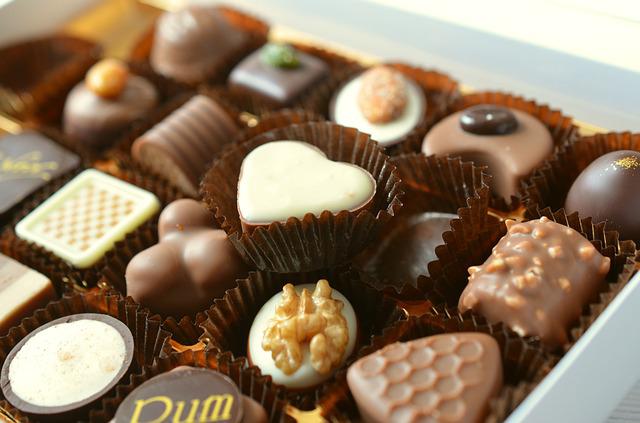
Chocolate Turing Machines (edible computing)

Could you make the most powerful computer ever created…out of chocolates? It’s actually quite easy. You just have to have enough chocolates (and some lollies). It is one of computer science’s most important achievements.

Imagine you are in a sweet factory. Think big – think Charlie and the Chocolate Factory. A long table stretches off into the distance as far as you can see. On the table is a long line of chocolates. Some are milk chocolate, some dark chocolate. You stand in front of the table looking at the very last chocolate (and drooling). You can eat the chocolates in this factory, but only if you follow the rules of the day. (There are always rules!)

The chocolate eating rules of the day tell you when you can move up and down the table and when you can eat the chocolate in front of you. Whenever you eat a chocolate you have to replace it with another from a bag that is refilled as needed (presumably by Oompa-Loompas).

You also hold a single lolly. Its colour tells you what to do (as dictated by the rules of the day, of course). For example, the rules might say holding an orange one means you move left, whereas a red one means you move right. Sometimes the rules will also tell you to swap the lolly for a new one.

The rules of the day have to have a particular form. They first require you to note what lolly you are holding. You then check the chocolate on the table in front of you, eat it and replace it with a new one. You pick up a lolly of the colour you are told. You finally move left, move right or finish completely. A typical rule might be:

If you hold an orange lolly and a dark chocolate is on the table in front of you, then eat the chocolate and replace it with a milk one. Swap the lolly for a pink one. Finally, move one place to the left.

A shorthand for this might be: if ORANGE, DARK then MILK, PINK, LEFT.

You wouldn’t just have one instruction like this to follow but a whole collection with one for each situation you could possibly be in. With three colours of lollies, for example, there are six possible situations to account for: three for each of the two types of chocolate.

As you follow the rules you gradually change the pattern of chocolates on the table. The trick to making this useful is to make up a code that gives different patterns of chocolates different meanings. For example, a series of five dark chocolates surrounded by milk ones might represent the number 5.

See Chocoholic Subtraction for a set of rules that subtracts numbers for you as a result of shovelling chocolates into your face.

Our chocolate machine is actually a computer as powerful as any that could possibly exist. The only catch is that you must have an infinitely long table!

By powerful we don’t mean fast, but just that it can compute anything that any other computer could. By setting out the table with different patterns at the start, it turns out you can compute anything that it is possible to compute, just by eating chocolates and following the rules. The rules themselves are the machine’s program.

This is one of the most famous results in computer science. We’ve described a chocoholic’s version of what is known as a Turing machine because Alan Turing came up with the idea. The computer is the combination of the table, chocolates and lollies. The rules of the day are its program, the table of chocolates is its memory, and the lollies are what is known as its ‘control state’. When you eat chocolate following the rules, you are executing the program.

Sadly Turing’s version didn’t use chocolates – his genius only went so far! His machine had 1s and 0s on a tape instead of chocolates on a table. He also had symbols instead of lollies. The idea is the same though. The most amazing thing was that Alan Turing worked out that this machine was as powerful as computers could be before any actual computer existed. It was a mathematical thought experiment.

So, next time you are scoffing chocolates at random, remember that you could have been doing some useful computation at the same time as making yourself sick.

Paul Curzon, Queen Mary University of London

More on …

Related Magazine …

Subscribe to be notified whenever we publish a new post to the CS4FN blog.


This blog is funded by EPSRC on research agreement EP/W033615/1.

QMUL CS4FN EPSRC logos

Microwave health check

Using wearable tech to monitor elite athletes’ health

Microwaves aren’t just useful for cooking your dinner. Passing through your ears they might help check your health in future, especially if you are an elite athlete. Bioengineer Tina Chowdhury tells us about her multidisciplinary team’s work with the National Physics Laboratory (NPL).  

Lots of wearable gadgets work out things about us by sensing our bodies. They can tell who you are just by tapping into your biometric data, like fingerprints, features of your face or the patterns in your eyes. They can even do some of this remotely without you even knowing you’ve been identified. Smart watches and fitness trackers tell you how fast you are running, how fit you are and whether you are healthy, how many calories you have burned and how well you are sleeping or not sleeping. They also work out things about your heart, like how well it beats. This is done using optical sensor technology, shining light at your skin and measuring how much is scattered by the blood flowing through it.  

Microwave Sensors

With PhD student, Wesleigh Dawsmith, and electronic engineer, microwave and antennae specialist, Rob Donnan, we are working on a different kind of sensor to check the health of elite athletes. Instead of using visible light we use invisible microwaves, the kind of radiation that gives microwave ovens their name. The microwave-based wearables have the potential to provide real-time information about how our bodies are coping when under stress, such as when we are exercising, similar to health checks without having to go to hospital. The technology measures how much of the microwaves are absorbed through the ear lobe using a microwave antenna and wireless circuitry. How much of the microwaves are absorbed is linked to being dehydrated when we sweat and overheat during exercise. We can also use the microwave sensor to track important biomarkers like glucose, sodium, chloride and lactate which can be a sign of dehydration and give warnings of illnesses like diabetes. The sensor sounds an alarm telling the person that they need medication, or are getting dehydrated, so need to drink some water. How much of the microwaves are absorbed is linked to being dehydrated

Making it work

We are working with with Richard Dudley at the NPL to turn these ideas into a wearable, microwave-based dehydration tracker. The company has spent eight years working on HydraSenseNPL a device that clips onto the ear lobe, measuring microwaves with a flexible antenna earphone.

A big question is whether the ear device will become practical to actually wear while doing exercise, for example keeping a good enough contact with the skin. Another is whether it can be made fashionable, perhaps being worn as jewellery. Another issue is that the system is designed for athletes, but most people are not professional athletes doing strenuous exercise. Will the technology work for people just living their normal day-to-day life too? In that everyday situation, sensing microwave dynamics in the ear lobe may not turn out to be as good as an all-in-one solution that tracks your biometrics for the entire day. The long term aim is to develop health wearables that bring together lots of different smart sensors, all packaged into a small space like a watch, that can help people in all situations, sending them real-time alerts about their health.

Tina Chowdhury, Institute of Bioengineering, School of Engineering and Materials Science, Queen Mary University of London

More on …


Subscribe to be notified whenever we publish a new post to the CS4FN blog.


This blog is funded by EPSRC on research agreement EP/W033615/1.

QMUL CS4FN EPSRC logos

Microwave Racing

Making everyday devices easier to use

An image of a microwave (cartoon), all in grey with dials and a button.
Microwave image by Paul from Pixabay

When you go shopping for a new gadget like a smartphone or perhaps a microwave are you mostly wowed by its sleek looks, do you drool over its long list of extra functionality? Do you then not use those extra functions because you don’t know how? Rather than just drooling, why not go to the races to help find a device you will actually use, because it is easy to use!

On your marks, get set… microwave

Take an everyday gadget like a microwave. They have been around a while, so manufacturers have had a long time to improve their designs and so make them easy to use. You wouldn’t expect there to be problems would you! There are lots of ways a gadget can be harder to use than necessary – more button presses maybe, lots of menus to get lost in, more special key sequences to forget, easy opportunities to make mistakes, no obvious feedback to tell you what it’s doing… Just trying to do simple things with each alternative is one way to check out how easy they are to use. How simple is it to cook some peas with your microwave? Could it be even simpler? Dom Furniss, a researcher at UCL decided to video some microwave racing as a fun way to find out…

Watch the Microwave Racing video here.

Everyday devices still cause people problems even when they are trying to do really simple things. What is clear from Microwave racing is that some really are easier to use than others. Does it matter? Perhaps not if it’s just an odd minute wasted here or there cooking dinner or if actually, despite your drooling in the shop, you don’t really care that you never use any of those ‘advanced’ features because you can never remember how to.

Better design helps avoid mistakes

Would it matter to you more though if the device in question was a medical device that keeps a patient alive, but where a mistake could kill? There are lots of such gadgets: infusion pumps for example. They are the machines you are hook up to in a hospital via tubes. They pump life-saving drugs, nutrient rich solutions or extra fluids to keep you hydrated directly into your body. If the nurse makes a mistake setting the rate or volume then it could make you worse rather than better. Surely then you want the device to help the nurse to get it right.

Making safer medical devices is what the research project, called CHI+MED, that Dom worked on is actually about. While the consequences are completely different, the core task in setting an infusion pump is actually very similar to setting a microwave – “set a number for the volume of drug and another for the rate to infuse it and hit start” versus “set a number for the power and another for the cooking time, then hit start”. The same types of design solutions (both good and bad) crop up in both cases. Nurses have to set such gadgets day in day out. In an intensive care unit, they will be using several at a time with each patient. Do you really want to waste lots of minutes of such a nurse’s time day in, day out? Do you want a nurse to easily be able to make mistakes in doing so?

User feedback

What the microwave racing video shows is that the designers of gadgets can make them trivially simple to use. They can also make them very hard to use if they focus more on the looks and functions of the thing than ease of use. Manufacturers of devices are only likely to take ease of use seriously if the people doing the buying make it clear that we care. Mostly we give the impression that we want features so that is what we get. Microwave racing may not be the best way to do it (follow the links below to explore more about actual ways professionals evaluate devices), but next time you are out looking for a new gadget check how easy it is to use before you buy … especially if the gadget is an infusion pump and you happen to be the person placing orders for a hospital!

Dom Furniss and Paul Curzon, 2015

Watch …

Magazines …

*The CHI+MED project ended in 2015 and this issue of CS4FN was one of the project’s outputs.

Subscribe to be notified whenever we publish a new post to the CS4FN blog.


This blog is funded by EPSRC on research agreement EP/W033615/1.
QMUL CS4FN EPSRC logos

Can a computer tell a good story?

A tale by Rafael Pérez y Pérez

What’s your favourite story? Perhaps it’s from a brilliant book you’ve read: a classic like Pride and Prejudice or maybe Twilight, His Dark Materials or a Percy Jackson story? Maybe it’s a creepy tale you heard round a campfire, or a favourite bedtime story from when you were a toddler? Could your favourite story have actually been written by a machine?

Stories are important to people everywhere, whatever the culture. They aren’t just for entertainment though. For millennia, people have used storytelling to pass on their ancestral wisdom. Religions use stories to explain things like how God created the world. Aesop used fables to teach moral lessons. Tales can even be used to teach computing! I even wrote a short story called ‘A Godlike Heart‘ about a kidnapped princess to help my students understand things like bits.

It’s clear that stories are important for humans. That’s why scientists like me are studying how we create them. I use computers to help. Why? Because they give a way to model human experiences as programs and that includes storytelling. You can’t open up a human’s brain as they create a story to see how it’s done. You can analyse in detail what happens inside a computer while it is generating one, though. This kind of ‘computational modelling’ gives a way to explore what is and isn’t going on when humans do it.

So, how to create a program that writes a story? A first step is to look at theories of how humans do it. I started with a book by Open University Professor Mike Sharples. He suggests it’s a continuous cycle between engagement and reflection. During engagement a storyteller links sequences of actions without thinking too much (a bit like daydreaming). During reflection they check what they have written so far, and if needed modify it. In doing so they create rules that limit what they can do during future rounds of engagement. According to him, stories emerge from a constant interplay between engagement and reflection.

What knowledge would you need to write a story about the last football World Cup?

With this in mind I wrote a program called MEXICA that generates stories about the ancient inhabitants of Mexico City (they are often wrongly called the Aztecs – their real name is the Mexicas). MEXICA simulates these engagement-reflection cycles. However, to write a program like this you need to solve lots of problems. For instance, what type of knowledge does the program need to create a story? It’s more complicated than you might think. What knowledge would you need to write a story about the last football World Cup? You would need facts about Brazilian culture, the teams that played, the game’s rules… Similarly, to write a story about the Mexicas you need to know about the ancient cultures of Mexico, their religion, their traditions, and so on. Figuring out the amount and type of knowledge that a system needs to generate a story is a key problem a computer scientist trying to develop a computerised storyteller needs to solve. Whatever the story you need to know something about human emotions. MEXICA uses its knowledge of them to keep track of the emotional links between the characters using them to decide sensible actions that then might follow.

By now you are probably wondering what MEXICA’s stories look like. Here’s an example:

“Jaguar Knight made fun of and laughed at Trader. This situation made Trader really angry! Trader thoroughly observed Jaguar Knight. Then, Trader took a dagger, jumped towards Jaguar Knight and attacked Jaguar Knight. Jaguar Knight’s state of mind was very volatile and without thinking about it Jaguar Knight charged against Trader. In a fast movement, Trader wounded Jaguar Knight. An intense haemorrhage aroused which weakened Jaguar Knight. Trader knew that Jaguar Knight could die and that Trader had to do something about it. Trader went in search of some medical plants and cured Jaguar Knight. As a result, Jaguar Knight was very grateful towards Trader. Jaguar Knight was emotionally tied to Trader but Jaguar Knight could not accept Trader’s behaviour. What could Jaguar Knight do? Trader thought that Trader overreacted; so, Trader got angry with Trader. In this way, Trader – after consulting a Shaman – decided to exile Trader.”

As you can see it isn’t able to write stories as well as a human yet! The way it phrases things is a bit odd, like “Trader got angry with Trader” rather than “Trader got angry with himself”. It’s missing another area of knowledge: how to write English naturally! Even so, the narratives it produces are interesting and tell us something about what does and doesn’t make a good story. And that’s the point. Programs like MEXICA help us better understand the processes and knowledge needed to generate novel, interesting tales. If one day we create a program that can write stories as well as the best writers we will know we really do understand how humans do it. Your own favourite story might not be written by a machine, but in the future, you might find your grandchildren’s favourite ones were!

If you like to write stories, then why not learn to program too then you could try writing a storytelling program yourself. Could you improve on MEXICA?

Rafael Pérez y Pérez, Universidad Autónoma Metropolitana, México

from the CS4FN archive

More on …

Related Magazines …


Subscribe to be notified whenever we publish a new post to the CS4FN blog.


This blog is funded by EPSRC on research agreement EP/W033615/1.

QMUL CS4FN EPSRC logos