Hear and … their magic square

A magic three by three square with the numbers 2, 9 and 4 in the top row, 7, 5 and 3 in the middle row and 6, 1 and 8 in the bottom row. Each row, column and the two diagnonals add up to 15.
Image by CS4FN

Victorian Computer Scientists, Ada Lovelace and Charles Babbage were interested in Magic Squares. We know this because a scrap of paper with mathematical doodles and scribbles on it in their handwriting has been discovered, and one of the doodles is a magic square like this one. In a magic square all the rows, columns and diagonals magically add to the same number. At some point, Ada and Charles were playing with magic squares together. Creating magic squares sounds hard, but perhaps not with a bit of algorithmic magic.

The magical effect

For this trick you ask a volunteer to pick a number. Instantly, on hearing it, you write out a personal four by four magic square for them based on that number. When finished the square contents adds to their chosen number in all the usual ways magic squares do. An impressive feat of superhuman mathematical skills that you can learn to do most instantly.

Making the magic

To perform this trick, first get your audience member to select a large two digit number. It helps if it is a reasonably large number, greater than 20, as you’re going to need to subtract 20 from it in a moment. Once you have the number you need to do a bit of mental arithmetic. You need an algorithm – a sequence of steps – to follow that given that number guarantees that you will get a correct magic square.

For our example, we will suppose the number you are given is 45, though it works with any number.

Let’s call the chosen number N (in our example: N is 45). You are going to calculate the following four numbers from it: N-21, N-20, N-19 and N-18, then put them in to a special, precomputed magic square pattern.

The magic algorithm

Sums like that aren’t too hard, but as you’ve got to do all this in your head, you need a special algorithm that makes it really easy. So here is an easy algorithm for working out those numbers.

This four by four magic square contains the calculations needed to install the numbers in the correct positions so that the magic square will work with any large two digit number
Image by CS4FN.
  1. Start by working out N – 20. Subtracting 20 is quite easy. For our example number of 45, that is 25. This is our ‘ROOT’ value that we will build the rest from.
  2. N-19. Just add 1 to the root value (ROOT + 1). So 25 + 1 gives 26 for our example.
  3. N-18. Add 2 to the root value (ROOT + 2). So 25 + 2 gives 27.
  4. N-21. Subtract 1 from the root value (ROOT – 1). So 25 – 1 gives 24.
  5. Having worked out the 4 numbers created form the original chosen number, N, you need to stick them in the right place in a blank magic square, along with some other numbers you need to remember. It is the pattern you use to build your magic square from. It looks like the one to the right. To make this step easy, write this pattern on the piece of paper you write the final square on. Write the numbers in light pencil, over-writing the pencil as you do the trick so no-one knows at the end what you were doing.

A square grid of numbers like this is an example of what computer scientists call a data structure: a way to store data elements that makes it easy to do something useful: in this case making your friends think you are a maths superhero.

When you perform this trick, fill in the numbers in the 4 by 4 grid in a random, haphazard way, making it look like you are doing lots of complicated calculations quickly in your head.

Finally, to prove to everyone it is a magic square with the right properties, go through each row, column and diagonal, adding them up and writing in the answers around the edge of the square, so that everyone can see it works.

The final magic square for chosen number 45

So, for our example, we would get the following square, where all the rows, columns and diagonals add to our audience selected number of 45.

This four by four magic square is the result of taking the chosen number 45 and performing the sequence of calculations (the algorithm) using it as 'N'.
Image by CS4FN.

Why does it work?

If you look at the preset numbers in each row, column and diagonal of the pattern, they have been carefully chosen in advance to add up to the number being subtracted from N on those lines. Try it! Along the top row 1 + 12 + 7 = 20. Down the right side 11 + 5 + 4 = 20.

Do it again?

Of course you shouldn’t do it twice with the same people as they might spot the pattern of all the common numbers…unless, now you know the secret, perhaps you can work out your own versions each with a slightly different root number, calculated first and so a different template written lightly on different pieces of paper.

Peter McOwan and Paul Curzon, Queen Mary University of London


Related Magazine …


Download our free magic booklets


Scéalextric Stories

If you watch a lot of movies you’ve probably noticed some recurring patterns in the way that popular cinematic stories are structured. Every hero or heroine needs a goal and a villain to thwart that goal. Every goal requires travel along a path that is probably blocked with frustrating obstacles. Heroes may not see themselves as heroes, and will occasionally take the wrong fork in the path, only to return to the one true way before story’s end. We often speak of this path as if it were a race track: a fast-paced story speeds towards its inevitable conclusion, following surprising “twists” and “turns” along the way. The track often turns out to be a circular one, with the heroine finally returning to the beginning, but with a renewed sense of appreciation and understanding. Perhaps we can use this race track idea as a basis for creating stories.

Building a track

If you’ve ever played with a Scalextric set, you will know that the curviest tracks make for the most dramatic stories, by providing more points at which our racing cars can fly off at a tight bend. In Scalextric you build your own race circuits by clicking together segments of prefabricated track, so the more diverse the set of track parts, the more dramatic your circuit can be. We can think of story generation as a similar kind of process. Imagine if you had a large stock of prefabricated plot segments, each made up of three successive bits of story action. A generator could clip these segments together to create a larger story, by connecting the pieces end-to-end. To keep the plot consistent we would only link up sections if they have overlapping actions. So If D-E-F is a segment comprising the actions D, E, and F, we could create the story B-C-D-E-F-G-H by linking the section B-C-D on to the left of D-E-F and F-G-H on its right.

Use a kit

At University College Dublin (UCD) we have created a set of rich public resources that make it easy for you to build your own automated story generator. We call the bundle of resources Scéalextric, from scéal (the Irish word for story) and Scalextric. You can download the Scéalextric resources from our Github but an even better place to start is our blog for people who want to build creative systems of any kind, called Best Of Bot Worlds.

In Artificial Intelligence we often represent complex knowledge structures as ‘graphs’. These graphs consists of lots of labeled lines (called edges) that show how labeled points (called nodes) are connected. That is what our story pieces essentially are. We have several agreed ways for storing these node-relation-node triples, with acronyms hiding long names, like XML (eXtensible Markup Language), RDF (Resource Description Framework) and OWL (Web Ontology Language), but the simplest and most convenient way to create and maintain a large set of story triples is actually just to use a spreadsheet! Yes, the boring spreadsheet is a great way to store and share knowledge, because every cell lies at the intersection of a row and a column. These three parts give us our triples.

Scéalextric is a collection of easy-to-browse spreadsheets that tell a machine how actions connect to form action sequences (like D-E-F above), how actions causally interconnect to each other (via and, then, but), how actions can be “rendered” in natural idiomatic English, and so on.

Adding Character

Automated storytelling is one of the toughest challenges for a researcher or hobbyist starting out in artificial intelligence, because stories require lots of knowledge about causality and characterization. Why would character A do that to character B, and what is character B likely to do next? It helps if the audience can identify with the characters in some way, so that they can use their pre-existing knowledge to understand why the characters do what they do. Imagine writing a story involving Donald Trump and Lex Luthor as characters: how would these characters interact, and what parts of their personalities would they reveal to us through their actions?

Scéalextric therefore contains a large knowledge-base of 800 famous people. These are the cars that will run on our tracks. The entry for each one has triples describing a character’s gender, fictive status, politics, marital status, activities, weapons, teams, domains, genres, taxonomic categories, good points and bad points, and a lot more besides. A key challenge in good storytelling, whether you are a machine or a human, is integrating character and plot so that one informs the other.

A Twitterbot plot

Let’s look at a story created and tweeted by our Twitterbot @BestOfBotWorlds over a series of 12 tweets. Can you see where the joins are in our Scéalextric track? Can you recognize where character-specific knowledge has been inserted into the rendering of different actions, making the story seem funny and appropriate at the same time? More importantly, can you see how you might connect the track segments differently, choose characters more carefully, or use knowledge about them more appropriately, to make better stories and to build a better story-generator? That’s what Scéalextric is for: to allow you to build your own storytelling system and to explore the path less trodden in the world of computational creativity. It all starts with a click.

An unlikely tale generated by the Twitter storybot.

Tony Veale, University College Dublin


Further reading

Christopher Strachey came up with the first example of a computer program that could create lines of text (from lists of words). The CS4FN developed a game called ‘Program A Postcard’ (see below) for use at festival events.


Related Magazine …

Clapping Music

“Get rhythm when you get the blues” – as Country legend Johnny Cash’s lyrics suggest, rhythm cheers people up. We can all hear, feel and see it. We can clap, tap or beatbox. It comes naturally, but how? We don’t really know. You can help find out by playing a game based on some music that involves nothing but clapping. If you were one of the best back in 2015, you could have been invited to play live with a London orchestra.

We can all play a rhythm both using our bodies and instruments, though maybe for most of us with only a single cowbell, rather than a full drum kit. By performing simple rhythms with other people we can make really complex sounds, both playing music and playing traditional clapping games. Rhythm matters. It plays a part in social gatherings and performance in cultures and traditions across the world. It even defines different types of music from jazz to classical, from folk to pop and rock.

Lots of people with a great sense of rhythm, whether musicians or children playing complex clapping games in the playground, have never actually studied how to do it though. So how do we learn rhythm? Our team based at Queen Mary, joined up with the London Sinfonietta chamber orchestra and app developers Touch Press, to find out, using music called Clapping Music.

Clapping Music is a 4-minute piece by the minimalist composer Steve Reich. The whole thing is based on one rhythmic pattern that two people clap together. One person claps the pattern without changing it – known as the static pattern. The other changes the pattern, shifting the rhythm by one beat every twelve repetitions. The result is an ever-changing cycle of surprisingly complicated rhythms. In spite of it’s apparent simplicity, it’s really challenging to play and has inspired all sorts of people from rock legend David Bowie to the virtuoso, deaf percussionist Dame Evelyn Glennie. You can learn to play Clapping Music and help us to understand how we learn rhythm at the same time.

Our team created a free game for the iPhone and iPad also called Clapping Music. You play for real against the static pattern. To get the best score you must keep tapping accurately as the pattern changes, but stay in step with the static rhythm. It’s harder than it sounds!

We analysed the anonymous gameplay data, together with basic information about the people playing like their age and musical experience. By looking at how people progress though the game we explored how people of different ages and experience develop rhythmic skills.

It has led to some interesting computer science to design the algorithms that measure how accurate a person’s tapping is. It sounds easy but actually is quite challenging. For example, we don’t want to penalise someone playing the right pattern slightly delayed more than another person playing completely the wrong pattern. It has also thrown up questions about game design. How do we set and change how difficult the game is? Players, however skillful, must feel challenged to improve, but it must not be so difficult that they can’t do it.

You don’t need to be a musician to play, in fact we would love as many people as possible to download it and get tapping and clapping! High scorers were invited to take part in live performance events on stage with members of the London Sinfonietta back in 2015. Get the app, get tapping, get rhythm (and have some fun – you won’t get the blues)!

by Marcus Pearce and Samantha Duffy, Queen Mary University of London

Updated from the archive

This post was originally published in our CS4FN magazine (issue 19) in 2015, so the tense has been updated to reflect that it’s now 2025.

More on …

Getting Technical


Related Magazine …

Shh! Can you hear that diagram?

What does a diagram sound like? What does the shape of a sound feel like? Researchers at Queen Mary, University of London have been finding out.

At first sight listening to diagrams and feeling sounds might sound like nonsense, but for people who are visually impaired it is a practical issue. Even if you can’t see them, you can still listen to words, after all. Spoken books were originally intended for partially-sighted people, before we all realised how useful they were. Screen readers similarly read out the words on a computer screen making the web and other programs accessible. Blind people can also use touch to read. That is essentially all Braille is, replacing letters with raised patterns you can feel.

The written world is full of more than just words though. There are tables and diagrams, pictures and charts. How does a paritally-sighted person deal with them? Is there a way to allow them to work with others creating or manipulating diagrams even when each person is using a different sense?

That’s what the Queen Mary researchers, working with the Royal National Institute for the Blind and the British Computer Association of the Blind explored. Their solution was a diagram editor with a difference. It allows people to edit ‘node-and-link’ diagrams: like the London underground map, for example, where the stations are the nodes and the links show the lines between them. The diagram editor converts the graphical part of a diagram, such as shapes and positions, into sounds you can listen to and textured surfaces you can feel. It allows people to work together exploring and editing a variety of diagrams including flowcharts, circuit diagrams, tube maps, mind maps, organisation charts and software engineering diagrams. Each person, whether fully sighted or not, ‘views’ the diagram in the way that works for them.

The tool combines speech and non-speech sounds to display a diagram. For example, when the label of a node is spoken, it is accompanied by a bubble bursting sound if it’s a circle, and a wooden sound if it’s a square. The labels of highlighted nodes are spoken with a higher pitched voice to show that they are highlighted. Different types of links are also displayed using different sounds to match their line style. For example, the sound of a straight line is smoother than that of a dashed line. The idea for arrows came from listening to one being drawn on a chalk board. They are displayed using a short and a long sound where the short sound represents the arrow head, and the long sound represents its tail. Changing the order they are presented changes the direction of the arrow: either pointing towards or away from the node.

For the touch part, the team use a PHANTOM Omni haptic device, which is a robotic arm attached to a stylus that can be programmed to simulate feeling 3D shapes, textures and forces. For example, in the diagram editor nodes have a magnetic effect: if you move the stylus close to one the stylus gets pulled towards it. You can grab a node and move it to another location, and when you do, a spring like effect is applied to simulate dragging. If you let it go, the node springs back to its original location. Sound and touch are also integrated to reinforce each other. As you drag a node, you hear a chain like sound (like dragging a metal ball chained to a prisoner?!). When you drop it in a new location, you hear the sound of a dart hitting a dart board.

The Queen Mary research team tried out the editor in a variety of schools and work environments where visually impaired and sighted people use diagrams as part of their everyday activities and it seemed to work well. It’s free to download so why not try it yourself. You might see diagrams in a whole new light.

Paul Curzon, Queen Mary University of London


More on…


Related Magazine …

Crystal ball coupons – what your data might be giving away

Big companies know far more about you than you think. You have very little privacy from their all-seeing algorithms. They may even have worked out some very, very personal things about you, that even your parents don’t know…

An outraged father in Minneapolis stormed into a supermarket chain complaining that his school-aged daughter was being sent coupons for baby clothes. The shop manager apologised … but later they found there was no mistake in the tiny tot offers. The teenager was expecting a baby but had not told her father. Her situation was revealed not by a crystal ball but by an algorithm. The shop was using Big Data processing algorithms that noticed patterns in her shopping that they had linked to “pregnant”. They had even worked out her likely delivery date. Her buying habits had triggered targeted marketing.

Algorithms linked her shopping patterns to “pregnant”

When we use a loyalty card or an online account our sales activity is recorded. This data is added to a big database, with our details, the time, date, location and products bought (or browsed). It is then analysed. Patterns in behaviour can be tracked, our habits, likes, dislikes and even changes in our personal situation deduced, based on those patterns. Sometimes this seems quite useful, other times a bit annoying, it can surprise us, and it can be wrong.

This kind of computing is not just used to sell products, it is also used to detect fraud and to predict where the next outbreak of flu will happen. Our banking behaviour is tracked to flag suspicious transactions and help stop theft and money laundering. When we search for ‘high temperature’ our activity might be added to the data used to predict flu trends. However, the models are not always right as there can be a lot of ‘noise’ in the data. Maybe we bought baby clothes as a present for our aunt, and were googling temperatures because we wanted to go somewhere hot for our holiday.

Whether the predictions are spot on or not is perhaps not the most important thing. Maybe we should be considering whether we want our data saved, mined and used in these ways. A predictive pregnancy algorithm seems like an invasion of privacy, even like spying, especially if we don’t know about it. Predictive analytics is big; big data is really big and big business wants our data to make big profits. Think before you click!

Jane Waite, Queen Mary University of London (now at Raspberry Pi)

More on …


Subscribe to be notified whenever we publish a new post to the CS4FN blog.

This page is funded by EPSRC on research agreement EP/W033615/1.

QMUL CS4FN EPSRC logos

The robot always wins

Children playing Rock Paper Scissors (Janken)
image by HeungSoon from Pixabay

Researchers in Japan made a robot arm that always wins at rock, paper, scissors (a game completely of chance). Not with ultra-clever psychology, which is the way that the best humans play, but with old-fashioned cheating. The robot uses high-speed motors and precise computer vision systems to recognise whether its human opponent is making the sign for rock, paper or scissors. One millisecond later, it can play the sign that beats whatever the human chooses. Because the whole process is so quick, it looks to humans like the robot is playing at the same time. See for yourself by clicking below to watch the video of this amazing cheating robot.

Above: Janken (rock-paper-scissors) Robot with 100% winning rate (26 June 2012)

– Paul Curzon, Queen Mary University of London

Did you know?

The word ‘robot’ came to the English language over 100 years ago in the early 1920s. Before that the words ‘automaton’ or ‘android’ were used. In 1920 Czech playwright Karel Čapek published his play “R.U.R.” (Rossum’s Universal Robots, or Rossumovi Univerzální Roboti) and his brother Josef suggested using ‘roboti’, from the Slavic / Czech word meaning ‘forced labour’. In the late 1930s there was a performance of the play at the People’s Palace in London’s Stepney Green / Mile End – this building is now part of Queen Mary University of London (some of our computer science lectures take place there) and, one hundred years on, QMUL also has a Centre for Advanced Robotics.

More on … cheating

1. Winning at Rock Paper Scissors – Numberphile

Above: an entertaining look at a research paper investigating potential winning strategies (January 2015).

2. Bullseye! Mark Rober’s intelligent dart board

Above: our earlier article on Mark Rober’s robotic darts board which, like the rock paper robot, uses high-speed cameras to sense a dart, computing to work out where it will land and high-speed motors to move itself into position so your throw gets a high score.

3. The Intelligent Piece of Paper Activity

Above: a strategy for never losing at noughts and crosses (tic-tac-toe) – as long as you go first.


Related Magazine …

More on robotics

Above: our portal gathers together lots of our articles on robots and robotics.


Subscribe to be notified whenever we publish a new post to the CS4FN blog.


This page is funded by EPSRC on research agreement EP/W033615/1.

QMUL CS4FN EPSRC logos

Sea sounds sink ships

You might think that under the sea things are nice and quiet, but something fishy is going on down there. Our oceans are filled with natural noise. This is called ambient noise and comes from lots of different sources: from the sound of winds blowing waves on the surface, rain, distant ships and even underwater volcanoes. For undersea marine life that relies on sonar or other acoustic ways to communicate and navigate all the extra ocean noise pollution that human activities, such as undersea mining and powerful ships sonars, have caused, is an increasing problem. But it’s not only the marine life that is affected by the levels of sea sounds, submarines also need to know something about all that ambient noise.

In the early 1900s the aptly named ‘Submarine signal company’ made their living by installing undersea bells near lighthouses. The sound of these bells were a warning to mariners about the impending navigation hazards: an auditory version of the lighthouse light.

The Second World War led to scientists taking undersea ambient noise more seriously as they developed deadly acoustic mines. These are explosive mines triggered by the sound of a passing ship. To make the acoustic trigger work reliably the scientists needed to measure ambient sound, or the mines would explode while simply floating in the water. Measurements of sound frequencies were taken in harbours and coastal waters, and from these a mathematical formula was computed that gave them the ‘Knudsen curves’. Named after the scientist who led the research these curves showed how undersea sound frequencies varies with surface wind speed and wave height. They allowed the acoustic triggers to be set to make the mines most effective.

– Peter McOwan, Queen Mary University of London


Related Magazine …

See also


Subscribe to be notified whenever we publish a new post to the CS4FN blog.

This page is funded by EPSRC on research agreement EP/W033615/1.

QMUL CS4FN EPSRC logos

Let the brain take the strain

Cockpit controls
Image by Michi S from Pixabay

Whenever humans have complicated, repetitive jobs to do, designers set to work making computer systems that do those jobs automatically. Autopilot systems in airplanes are a good example. Flying a commercial airliner is incredibly complex, so a computer system helps the pilots by doing a lot of the boring, repetitive stuff automatically. But in any automated system, there has to be a balance between human and computer so that the human still has ultimate control. It’s a strange characteristic of human-computer interaction: the better an automated program, the more its users rely on it, and the more dangerous it can be.

The problem is that the unpredictable always happens. Automated systems run into situations the designers haven’t anticipated, and humans are still much better at dealing with the unexpected. If humans can’t take back control from the system, accidents can happen. For example, some airplanes used to have autopilots that took control of a landing until the wheels touched the ground. But then, one rainy night, a runway in Warsaw was so wet that the plane began skidding along the runway when it touched down. The skid was so severe that the sensors never registered the touchdown of the plane, and so the pilots couldn’t control the brakes. The airplane only stopped when it had overshot the runway. The designers had relied so much on the automation that the humans couldn’t fix the problem.

Many designers now think it’s better to give some control back to the operators of any automated system. Instead of doing everything, the computer helps the user by giving them feedback. For example, if a smart car detects that it’s too close to the car ahead of it, the accelerator becomes more difficult to press. The human brain is still much better than any computer system at coming up with solutions to unexpected situations. Computers are much better off letting our brains do the tricky thinking.

– Paul Curzon, Queen Mary University of London


This article was first published on the original CS4FN website and a copy is available on page 19 of Issue 15 of the CS4FN magazine, which you can download as a PDF by clicking on the panel below. All of our previous issues are free to download as PDFs here.


Related Magazine …


Subscribe to be notified whenever we publish a new post to the CS4FN blog.

This page is funded by EPSRC on research agreement EP/W033615/1.

QMUL CS4FN EPSRC logos

Pots fixing problematic acoustics

Surface waves
Surface Waves, Image by Roger McLassus, CC BY-SA 3.0 via Wikimedia Commons.

Pots are buried in the walls of medieval churches and monasteries across Europe: in the UK, Sweden, Denmark and Serbia. Why? Are they just a weird form of decoration? Actually, they are there to fix problematic acoustics.

The problem

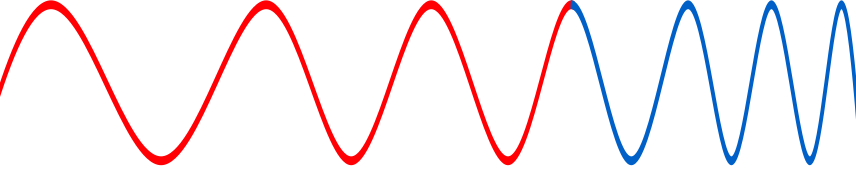
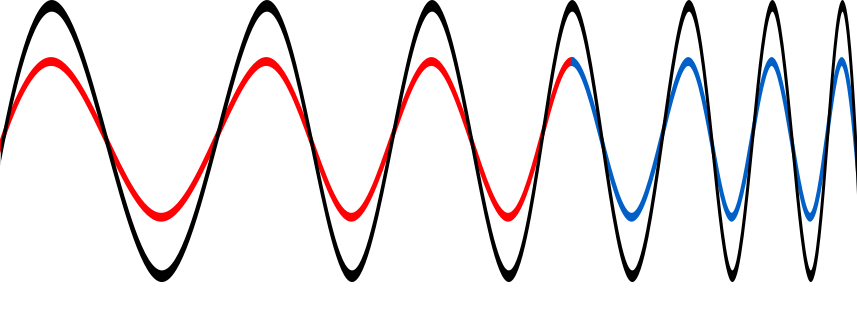
First of all, what do we mean by ‘problematic’ acoustics? When sound waves move around a room they reflect off the walls in a way that creates strange sound effects when they meet their reflections.

It happens because of what are called ‘standing waves’. Imagine dropping a pebble into a bath. The ripples create patterns in the water where they interfere with those that have bounced off the sides. As the two ripples pass in opposite directions if the movement pushing the molecule up from one ripple exactly cancels out the movement pushing down from the other and keeps doing so, then at that point the molecules remain still. On either side the two ripples reinforce each other rather than cancelling out giving the peaks and troughs of the combined wave. The result is the ripples appear to stop moving forward: a standing wave.

Sound waves are like water waves except that the air molecules vibrate from side to side rather than up and down as water molecules do. The same effects therefore happen when sound waves meet and standing waves can form. This is bad for two reasons. Standing waves take more time to die away after the sound source has been silenced than other sounds. Worse, the sound’s volume varies around the room depending on whether it is a point where the waves cancel out (no sound) or where they enhance each other (loud). That’s ‘problematic’ acoustics!

Standing Wave.By Lucas Vieira – Own work, Public Domain, from WIKIMEDIA

These acoustic problems ultimately come about because of what is known as ‘resonance’. That is where a sound repeatedly bounces back and forth across a space at a particular frequency. Frequencies that are directly tied to the room’s dimensions cause most problems. Called the ‘resonant frequencies’ they involve a whole number of wave troughs and crests fitting in the space between the walls. That is what leads to standing waves as the original and reflected wave coincide exactly. The lowest resonant frequency of a wave is also called the ‘fundamental frequency’. It’s the one where a single wave (a single trough and crest) fits in the space.

There are three different types of resonances developed in a room from sounds bouncing of the walls: called axial, tangential and oblique modes. Axial modes result from a sound bouncing back and forth between two facing walls. Tangential ones happen when the waves reflect around all four walls. Oblique modes are the most complicated and result from sound bouncing off the roof and floor too. Of all these, it turns out the worst are the axial modes. To improve the acoustics of a room you need to absorb the sounds at these resonant frequencies. But how?

The solution

OK, now we know the problem, but how do we deal with it? A solution is the ‘Helmholtz resonator’, named after a device created by Hermann von Helmholtz in the 1850s as part of his studies to identify the ‘tones’ of sounds. A Helmholtz resonator is just the phenomenon of air resonating in a cavity. It is the way you get a tone from blowing across the mouth of an empty bottle. The frequency of the tone is the resonant frequency of the bottle. If you change the volume of the air cavity or the length or diameter of the neck of the bottle you change its resonant frequency and so the tone.

A Helmholtz resonator actually absorbs sound at its resonant frequency and at a small range of nearby frequencies. This happens because when a sound strikes the resonator’s opening, the air mass in the neck starts to vibrate strongly at that resonant frequency and tries to leave. That makes the pressure of the air in the cavity lower than the outside. As a result it draws the air back into the cavity. This process repeats but energy is lost each time, which causes the wave, of this particular resonant frequency, to dissipate. That means that specific sound is absorbed by the resonator. Helmholtz resonators also reradiate the sound that is not absorbed in all directions from the opening. That means any energy that wasn’t absorbed is spread around the room and that improves the room’s acoustics too.

So back to those pots in the walls of medieval churches. What are they for? Well they would have acted as Helmholtz resonators so they presumably were designed to remove low-frequency sounds and so correct the acoustic of the vaults and domes. Ashes have been found in some of the pots. That would have increased the range of sound frequencies absorbed as well as helped spread the unabsorbed sound. St Andrew’s Church in Lyddington, Rutland, built in the 14th Century, has some of the finest examples of this kind of acoustic jars in the UK. Helmholtz resonators obviously predate Helmholtz, actually going back to the ancient Greeks and Romans. The pots in churches are thought to be based on the ideas of Roman architect Vitruvius. He discussed the use of resonant jars in the design of amphitheatres to improve the clarity of the speakers’ voices.

Designers of acoustic spaces like concert halls now use a variety of techniques to fix acoustic problems including Helmholtz resonators, resonant panels and tube traps. They’re all efficient ways for absorbing low-frequency sounds. Helmholtz resonators though have the particular advantage of being able to treat localized ‘problematic’ frequencies.

Those church designers were apparently rather sophisticated acoustic engineers. They had to be, of course. It would have been a little unfortunate to build a church so everyone could hear the word of God, only to have those words resonate with the walls rather than with the congregation.

– Dimitrios Giannoulis, Queen Mary University of London


Magazines …

This article was originally published on the CS4FN archive website and can also be found on pages 8 and 9 of issue 4 of Audio! Mad About Music Technology, our series of magazines celebrating sound and tech.


Subscribe to be notified whenever we publish a new post to the CS4FN blog.

Bank holiday bunting!

Chain of bunting flags
Image adapted by PC based on one by Clker-Free-Vector-Images from Pixabay

Bank holiday bunting appears automatically on the GOV.UK website thanks to a little program! If you’re reading this post today (Monday 21 April 2025) it’s Easter Monday which is a Bank Holiday in England & Wales and in Northern Ireland you have a chance to see it.

The UK Government’s website has a UK Bank Holidays page which lists all the upcoming dates for the next two years’ worth of bank holidays (so people can put them in the diaries) for England & Wales, Northern Ireland and Scotland (the different UK nations share many but not all bank holidays).

Bunting on the UK bank holidays page – appears whenever there’s an appropriate bank holiday.
Screenshot taken today (Monday 21st April 2025) – the bunting won’t be there tomorrow.

But… if you visit the page on a Bank Holiday then you may be met with some bunting, which doesn’t appear if you visit the page on a non-bank holiday day. People who look after the website added in this little Easter egg* over a decade ago and people have been discovering it ever since. They use an Application Program Interface (API) which connects the bank holiday website to a database which lets the website check, whenever there’s a bank holiday, whether it should display bunting. For example Easter Monday is a celebratory day in the Christian calendar but Good Friday isn’t. Both are holidays but it wouldn’t be appropriate for bunting on Good Friday so it gets the instruction “bunting: false” whereas Easter Monday is “bunting: true”. You can see the API’s instructions here.

If you’re reading this post after Easter Monday 2025 you’ll still have a few more chances to catch the bunting on 5 May (Early May bank holiday) and 26 May (Spring bank holiday) then you’ll need to wait until August for the Summer bank holiday then a few more weeks before Christmas Day, Boxing Day and New Year’s Day and New Year’s Day – on those days the bunting changes to tinsel!

*it’s not called an Easter egg because it’s there at Easter, the bunting is there at other times too but because it’s something to discover (like Easter Egg Hunts – find ours at The CS4FN Easter Egg Hunt).


10 Downing Street has a bunting competition to celebrate VE Day

10 Downing Street VE Day Children’s Bunting Competition – closes 23 April 2025

VE Day commemorates ‘Victory in Europe’ which was declared on 8th May 1945, at the end of the second world war. The celebration in 2025 is the 80th anniversary of the event . Children around the UK have been invited to draw some celebratory bunting to decorate 10 Downing Street (the home of the UK Prime Minister) and the competition closes on Wednesday 23rd April 2025.

Find out more, download the triangular bunting template and enter the competition.

We want to see bunting designs that are colourful, patriotic, and full of creativity and heart.

Designs should look back on years of tradition, commemorate the fallen, and recognise the sacrifices made by communities across the UK during the war.

We also encourage a message of thanks and hope for the future.

There are several street parties and other events taking place across the UK to celebrate VE day including, on Monday 5th May in London, a televised event that includes a flypast of old and new military aircraft.

Jo Brodie, Queen Mary University of London

This is an updated version of a snippet that appeared previously on this blog.


Part of a series of ‘whimsical fun in computing’ to celebrate April Fool’s (all month long!).

Find out about some of the rather surprising things computer scientists have got up to when they're in a playful mood.

Subscribe to be notified whenever we publish a new post to the CS4FN blog.


This page is funded by EPSRC on research agreement EP/W033615/1.

QMUL CS4FN EPSRC logos