On this page you’ll find some free computer science activities and articles about holidays at the beach, and advice on staying water safe.
Table of contents
- Water safety
- Activities
- Articles
- The beach, the missionary and my origin myth – how one of the co-founders of CS4FN (Paul) became a computer scientist
- Getting off the beach, fast
- From a handful of sand to a fistful of dollars
- Bonus computer science
- Float()
- Float to live is an instruction, not an algorithm

Water safety
Whenever you’re near water it’s always very important to take care and watch out for anyone in difficulty. It’s also important to know what to look out for – people in difficulty might not be able to yell and splash about to get attention. If someone is very quiet and cannot respond when you ask them “Are you OK?” then call for help and get them out of the water as quickly as possible. More information from the Royal Life Saving Society UK https://www.rlss.org.uk/
If you get into difficulty remember the ‘Float to live‘ instructions from the Royal National Lifeboat Institution (RNLI) https://rnli.org/safety/float.
- Tilt your head back (ears in the water)
- Relax and breathe normally.
- Move your hands and legs to help you float.
- It’s OK if your legs sink (we all float differently).
- Practise floating in a supervised pool before you go on holiday.
Activities
Float to live kriss-kross puzzle
– versions available for A4 & US letter printers
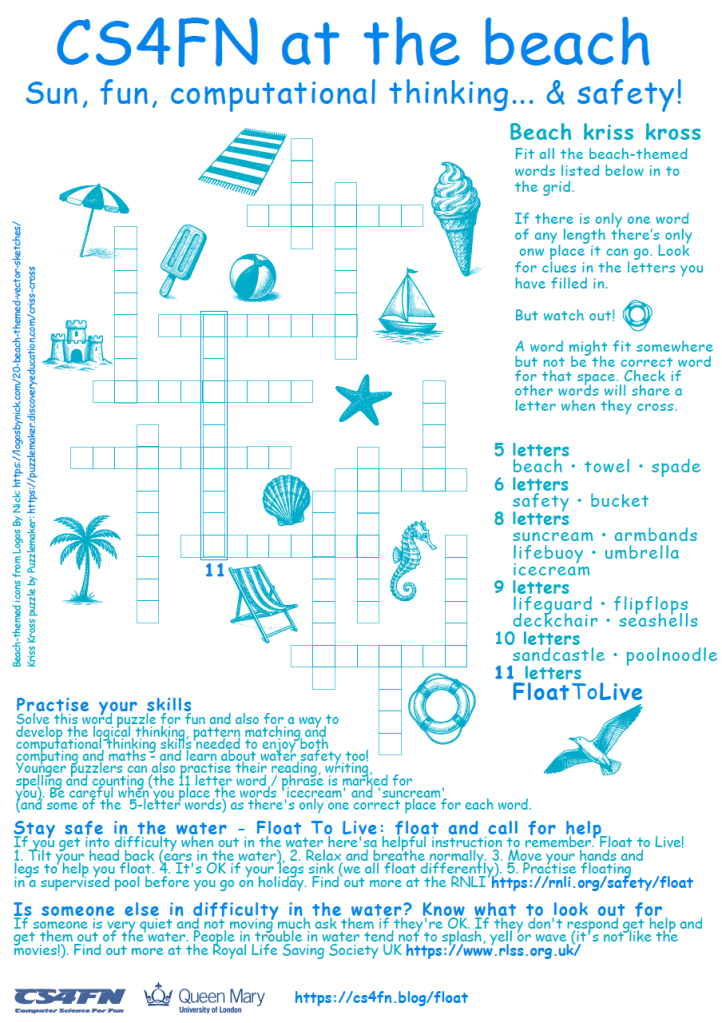
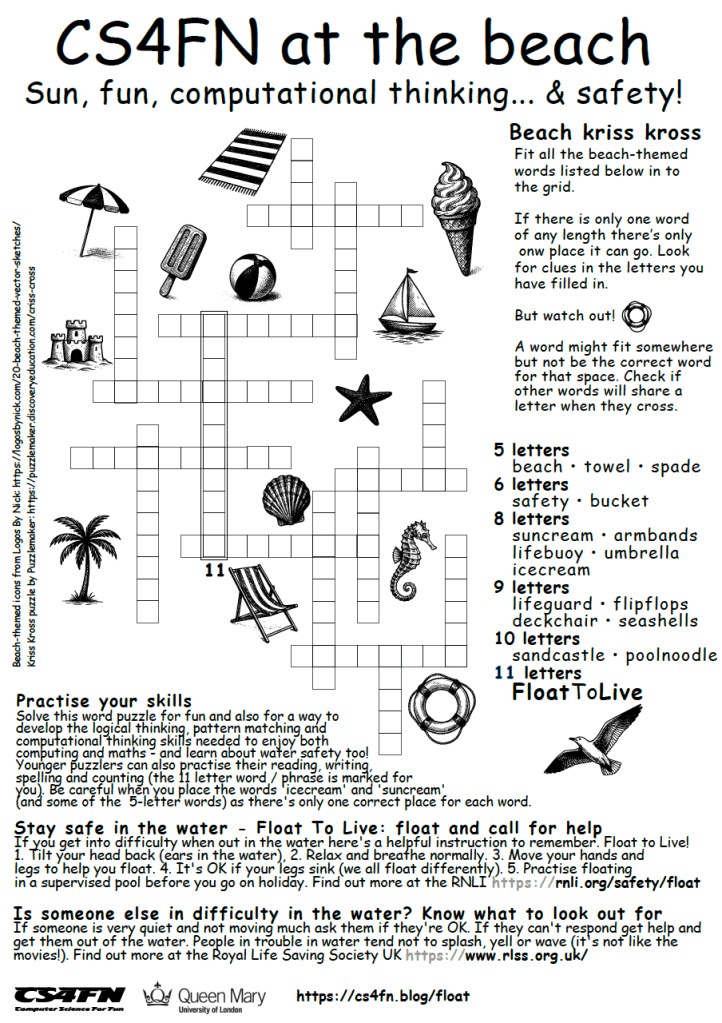
Click on the pictures above (or links below) to download a colourful or black and white A4 sheet to complete the kriss-kross puzzle.
A4 / UK printers
- CS4FN at the beach – water safety kriss kross puzzle colour (PDF)
- CS4FN at the beach – water safety kriss kross puzzle black and white (PDF)
- CS4FN at the beach – water safety kriss kross solution (PDF)
US letter / US printers
Same as above, resized for different printer size.
- CS4FN at the beach – US letter water safety kriss kross puzzle colour (PDF)
- CS4FN at the beach – US letter water safety kriss kross puzzle black and white (PDF)
- CS4FN at the beach – US letter water safety kriss kross solution (PDF)
There is a list of words (with 5, 6, 8, 9, 10 or 11 letters) and each word will fit in only one of the spaces on the grid. It’s true that any 8 letter word could fit in any 8 letter space but the task is to check that other words will also fit around it and can share a letter. The trick is to start with a word or phrase where only one word to go. For this puzzle it’s FloatToLive (no spaces) which has 11 letters and can only fit in the single 11-letter vertical space (marked near the deckchair). There are several words that cross over and share a letter with letters in that phrase, so that will help you narrow down which word might fit. Note that words like ‘suncream’ and ‘icecream’ share the last 5 letters so be careful when filling those ones in and make sure that other words will slot into the other spaces. Possibly a good idea to start with a pencil!
Kriss Kross puzzles are a fun way to develop the logical thinking, pattern matching and computational thinking skills needed to enjoy both computing and maths – and this one will also remind you about water safety too! Younger puzzlers can also practise their reading, writing, spelling and counting. Happy puzzling and happy holidays. Here are some more kriss-kross puzzles.
Credits: the kriss-kross puzzle was created using this free Puzzlemaker tool (https://puzzlemaker.discoveryeducation.com/criss-cross) and the little beach themed icons were from Logos by Nick (https://logosbynick.com/20-beach-themed-vector-sketches/).
Encrypted deckchairs

If you’ve ever noticed that the stripey pattern on many deckchairs is a little bit like a barcode then you might enjoy our ‘deckchair steganography‘ (hidden messages, but in plain view) with these two activities from our colleague Ho Huen. These were also inspired by the secret binary message encoded by NASA’s Ian Clark into the parachute that helped the Mars Perseverance Rover land safely.
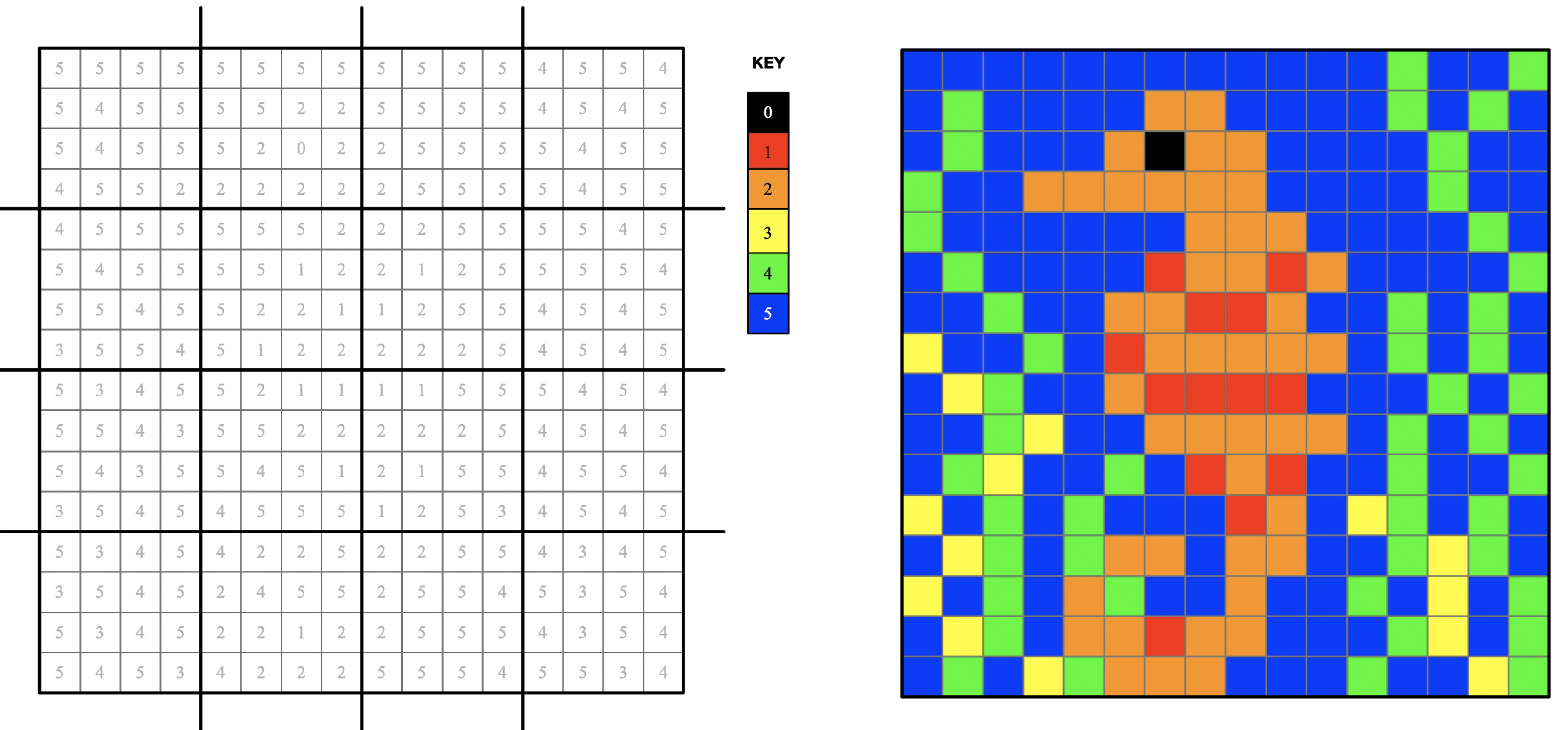
Sea themed pixel puzzle
Pixel puzzles are a way of encoding an image through a string of numbers that fit into a square grid. Each number corresponds to a colour, so every time you see the number ‘2’ in the grid you need to colour that square orange.
Encoding an image as a string of numbers means you could transmit this information (as a long unbroken string) and as long as the person receiving the message knew how to ‘chunk’ the numbers into a grid and knew what colours to use with each number, they’d be able to recreate the image themselves. This puzzle is a 256 bit message. If someone sent you a 256 bit string one thing you might try is to see if it fits in a square, and it does fit into a 16 x 16 square, because 16 is the square root of 256 (2×2 = 4, 3×3 = 9, 5×5 = 25, 10 x 10 = 100, 16 x 16 = 256, or in maths notation 22 = 4, 162 = 256).
Maritime signal flags and bitmap images
International maritime signal flags are flags used by ships to communicate. An individual flag can represent a letter or number but they can also be used to communicate an agreed standard phrase. For example the flag for the letter E (given the name ‘Echo’ in the phonetic alphabet) is also used to mean “I am altering my course to starboard”.
If you look at the Maritime Signal Flags and their meaning (as letters) you should be able to decode the cheerful message this ship is displaying with its own colourful bunting (though some of the flags are cut off in the photo).

Articles
Bonus computer science
Float()
The term ‘float’ is also used in programming. In Python float() means that whatever the value inside the brackets is should be expressed with a decimal (floating) point.
If you write this into a Python program, save and run it will print convert the number 3 to 3.0 and print it twice. The first is an integer converted to a decimal point and the second is a text string converted to a decimal point.
x = float(3)
print(x)

y = float("3")
print(y)
Float to live instructions
Above there is a sequence of steps which will help to keep you safe if you get into difficulty on the water. But is it an algorithm? Not quite. Although there is a procedure to be followed it’s not a procedural set of steps (one doesn’t have to precisely follow another in a specified order).
We could write the instructions like this though, to make it a bit more like an algorithm (though this is not a program). The bits with // in front are ‘commented out’ – things that wouldn’t be part of the sequence of instructions but helpful additional text but a human reader knows what’s going on. It’s a good idea when writing programs to add comments for other people reading them, but also for ‘future you’ who might come back to that file a few months later and appreciate the information you left for yourself!
// Practice this in a supervised pool before you go on holiday
//
{ When in difficulty in the water}
1. Tilt your head back (ears in the water)
2. IN PARALLEL
       - Relax
       - breathe normally
       - Move your hands and legs to help you float
         // It is ok if your legs sink ...
Subscribe to be notified whenever we publish a new post to the CS4FN blog.
 cs4fn
cs4fn 