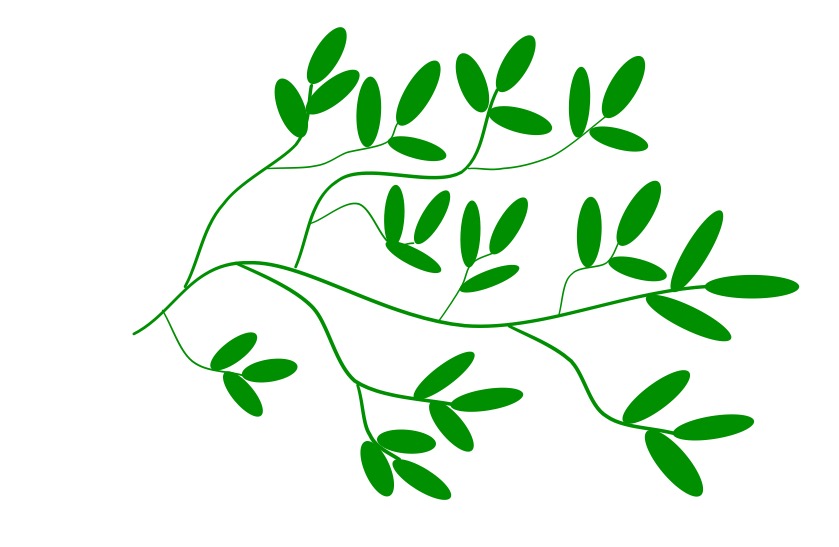


Generate new pictures every time.
Follow simple doodling algorithms to draw pictures based on nature.
Scenery in films and games is often computer generated. Ever wondered how they do it? Next time you find yourself drawing doodles, draw an algorithmic doodle and explore algorithms for drawing nature. The algorithms are recursive: that is they describe one step and then tell you just to draw the next step in the same way, following the algorithm from the start again. This is because many things in nature are “self-similar”. A branch is like a smaller in form, version of a whole tree, and a sub-branch from that is too.
Doodle art is a good mindfulness technique too.
Here is an example Doodle Algorithm. What does it look like?
1. Draw a single straight vertical line.
2. DoodleDraw from that line as follows.

To DoodleDraw from a given line:

1. Draw 3 shorter lines at an angle in the top two-thirds
   of the line on its left side.
2. Draw 3 shorter lines at an angle in the top two-thirds
   of the line on its right side.
3. Choose a new existing line and DoodleDraw from that line
By following the algorithm you should get a picture something like this one: though as you choose the exact positions and lengths of lines randomly yours won’t be exactly the same just as no two plants are identical.
Different algorithms give different looking trees, grasses, ferns, snow flakes, crystals, …
Here are some of our Doodle algorithms. Try inventing your own doodle algorithms and see how realistic the drawings you end up with are.
Doodle algorithms
Here are some Doodle Algorithms with sheets and example solutions that you can download. PDFs are on our sister site TeachingLondonComputing.org.
Grass, Trees, Bushes, …
My doodles from the algorithms are given at the end.
Doodle 1: Curvy Grass

1. Draw a slightly curved vertical line (as shown)
2. DoodleDraw from that line as follows.

To DoodleDraw from a given line:
    1. Draw 3 shorter curving lines from
       the top two thirds of the line on its lower side.
    2. Choose a new existing line.
    3. DoodleDraw from that line
Doodle 14: Leafy Branch
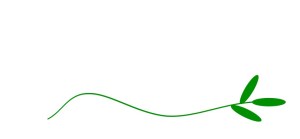
1. Draw a wavy green line with
   three thin ovals at the end
   (as shown)
2. DoodleDraw from that line
    as follows.

To DoodleDraw from a given line:
    1. Draw a new wavy line coming
       from that line with 3
       thin ovals at the end.
    2. Choose a new existing line.
    3. DoodleDraw from that line
Doodle 2: Spiky Grass

1. Draw a straight vertical line (as shown)
2. DoodleDraw from that line as follows.

To DoodleDraw from a given line:
    1. Draw 3 very short lines at differing
       angles from the very top of the
       line on its lower side.
    2. Draw a shorter line than the chosen
       line at an angle in the top half
       of that line on a side of your choice
    3. Choose a new existing line.
    4. DoodleDraw from that line
Doodle 9: Bramble Buds
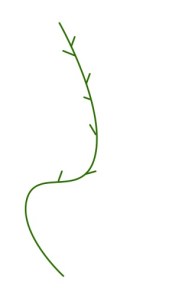
1. Draw a wavy green line with
   small lines sticking out at
   angles from it on either side
   (as shown)
2. DoodleDraw from that line
    as follows.

To DoodleDraw from a given line:
    1. EITHER
       a. a wavy green line with
          small lines sticking
          out at angles from it
          on either side.
       OR Draw a red bud shape
          from the end of the line.
    2. Choose a new existing
        line.
    3. DoodleDraw from that line
Doodle 11: Blossom Tree

1. DoodleDraw a branch (standing upright)
2. DoodleDraw from that branch.

To DoodleDraw a Branch:
1. Draw two brown triangles connected
   in a Y shape
2. Add three flowers at random places near
   the top of the Y-shape

To DoodleDraw from a given branch:
1. Draw a smaller branch at an angle
   from the given branch.
2. Choose a new existing branch
3. DoodleDraw from that branch
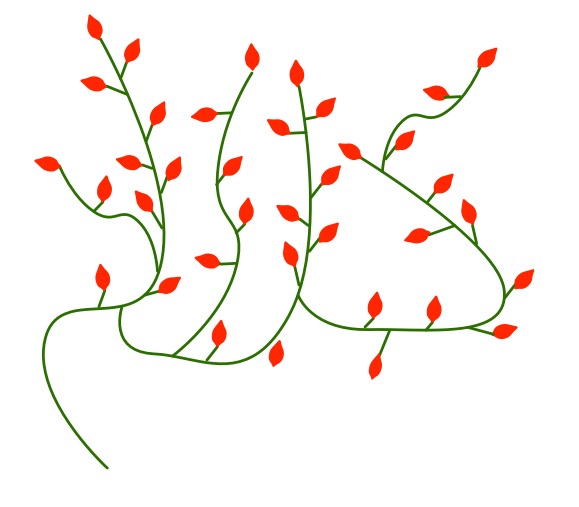
Doodle 15: Rose Bush with Buds

1. Draw a wavy green line with small lines
   sticking out at angles from it on either
   side. Draw red buds from the end of every
   line (as shown).
2. DoodleDraw from that line as follows.

To DoodleDraw from a chosen line:
1. Draw a new wavy line (with lines sticking
   out and buds) from any point on the
   chosen line into any empty space.
2. Choose a new existing line
3. DoodleDraw from that line.William Morris
My doodles from the algorithms are given at the end.
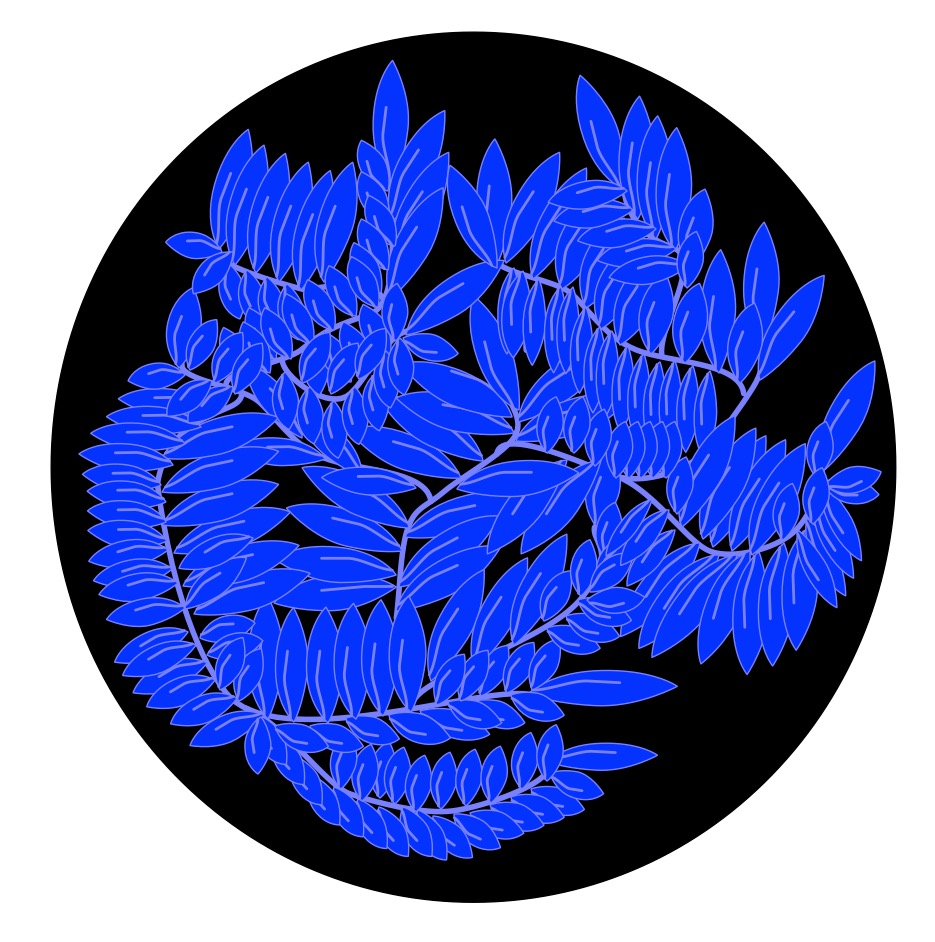
Doodle 13: William Morris Inspired Blue Leaves

To DoodleDraw a blue leaf stem design:
1. Draw a wavy light blue line.
2. Draw blue leaf shapes up the
   left-hand side of the line,
   leaving a gap somewhere along the length.
3. Draw blue leaf shapes up the
   right-hand side of the line,
   leaving a gap somewhere along the length.
4. Draw a blue leaf shape from the
   very end of the line.

{at this point you should have a picture like that shown}

5. DoodleDraw a blue leaf stem design
   on the left-hand side of the wavy
   line out of the gap left.
6. DoodleDraw a blue leaf stem design
   on the right-hand side of the wavy
   line out of the gap left.
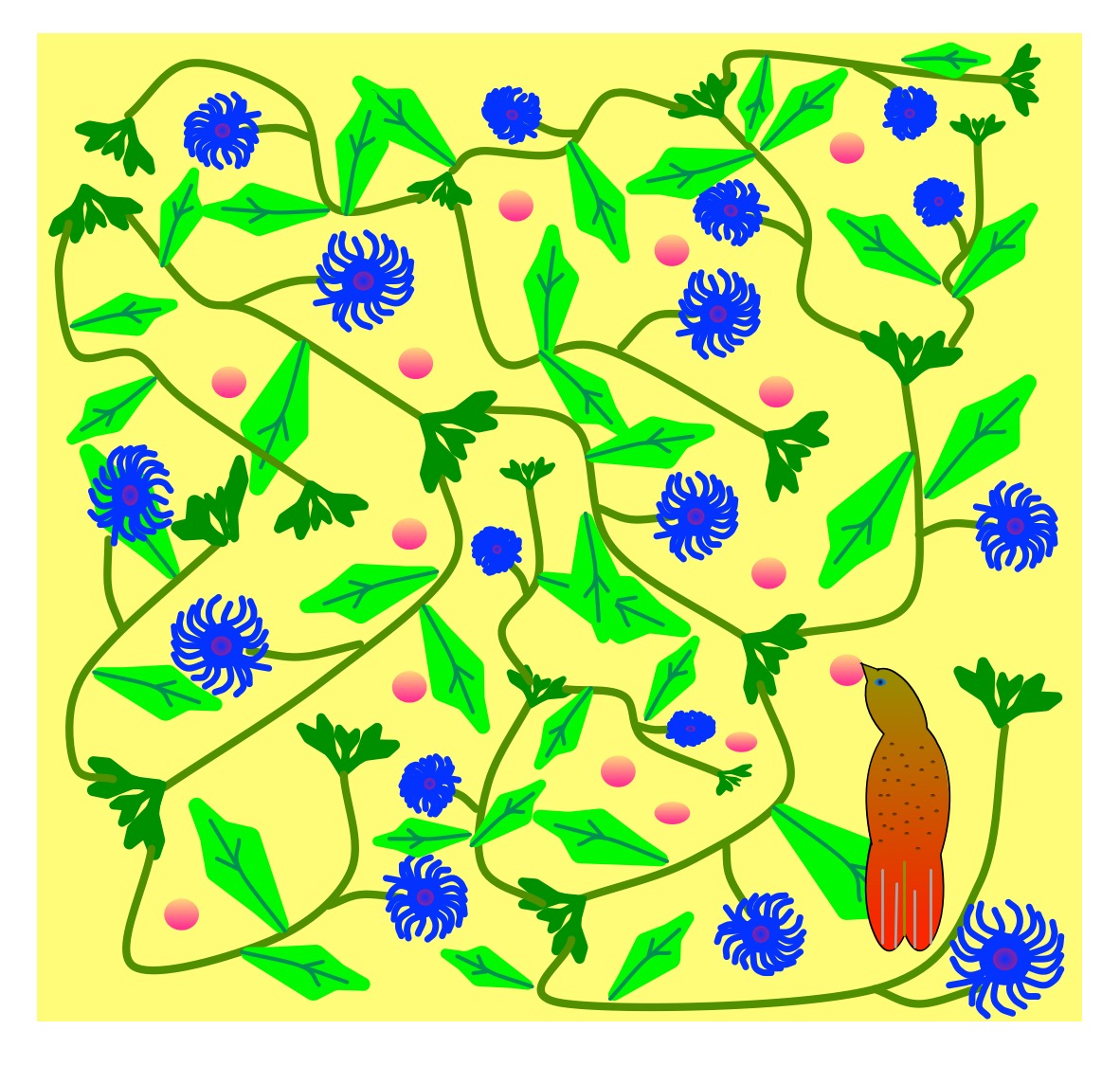
Doodle 12: William Morris Inspired flowers

1. Draw three green buds together as shown.
2. DoodleDraw from the left-hand green bud.
3. DoodleDraw from the right-hand green bud.
4. Add a bird in a space.
5. Scatter red circles randomly in spaces.

To DoodleDraw from a given green bud:
1. Starting at the bud draw a wavy
   green line (a stalk)
2. Draw leaf shapes out at an
   angle from it on either side.
3. Draw a line (a side stalk) from
   one side of the main stalk.
4. DoodleDraw a flower on the end of the side stalk.
5. At the end of the main stalk draw three green buds.
6. IF you wish to continue this strand
   THEN
   a) DoodleDraw from the left-hand green bud of the group.
b) DoodleDraw from the right-hand green bud of the groupChristmassy Algorithmic Doodle Art
My doodles from the algorithms are given at the end.
Doodle 3: Snowflake
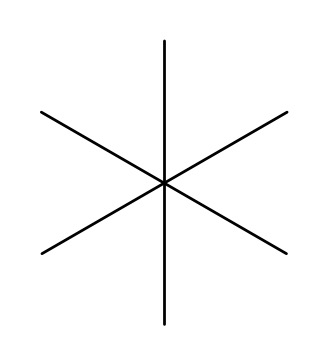
1. Draw six straight lines from a single
   central point (as shown)
2. DoodleDraw from each line as follows.

To DoodleDraw from a given line:
1. Draw 3 shorter lines at different angles
   on the left of the line.
2. Draw 3 symmetrical lines from the same
   points on the right of the line.
3. Choose a new existing line
4. DoodleDraw from that line
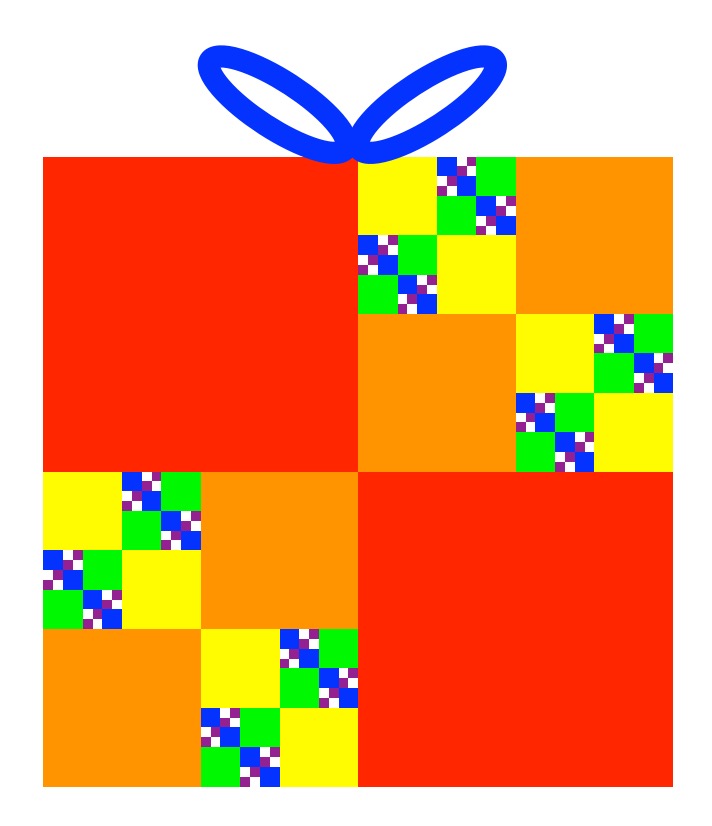
Doodle 5: Recursive Wrapping
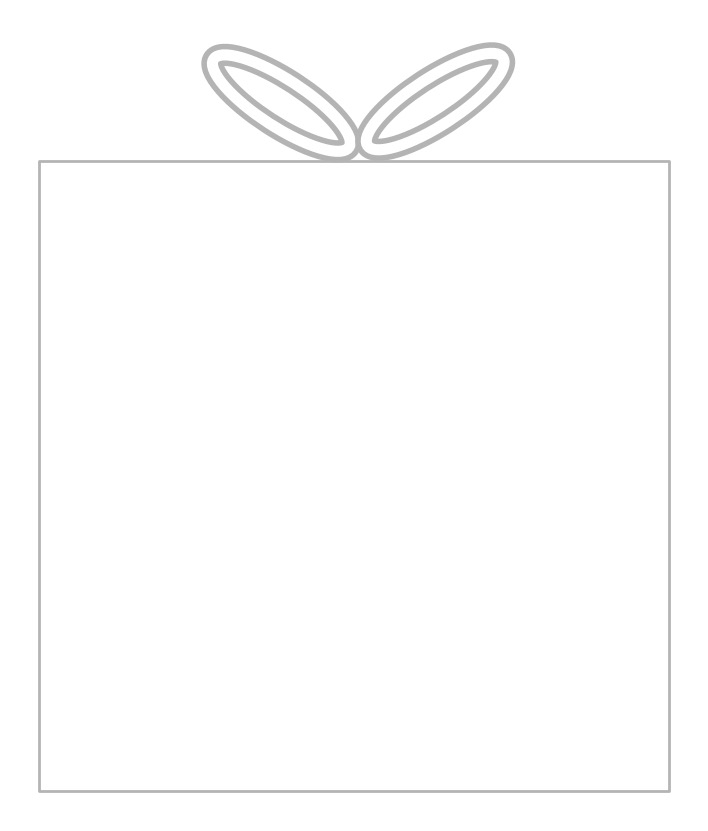
1. Draw an undecorated box
   with a ribbon (as shown)
2. DoodleDraw the box as follows:

To DoodleDraw a box:
1. IF no uncoloured square is big enough
   to draw in
   THEN colour in the bow and FINISH
2. OTHERWISE
   a. Pick a new uncoloured square
   b. Pick a new colour pen
   c. Split the square in to 4 equal
      squares by drawing a cross in the middle.
   d. Colour in two of the new squares
      that are in diagonally opposite corners.
   e. DoodleDraw the box.
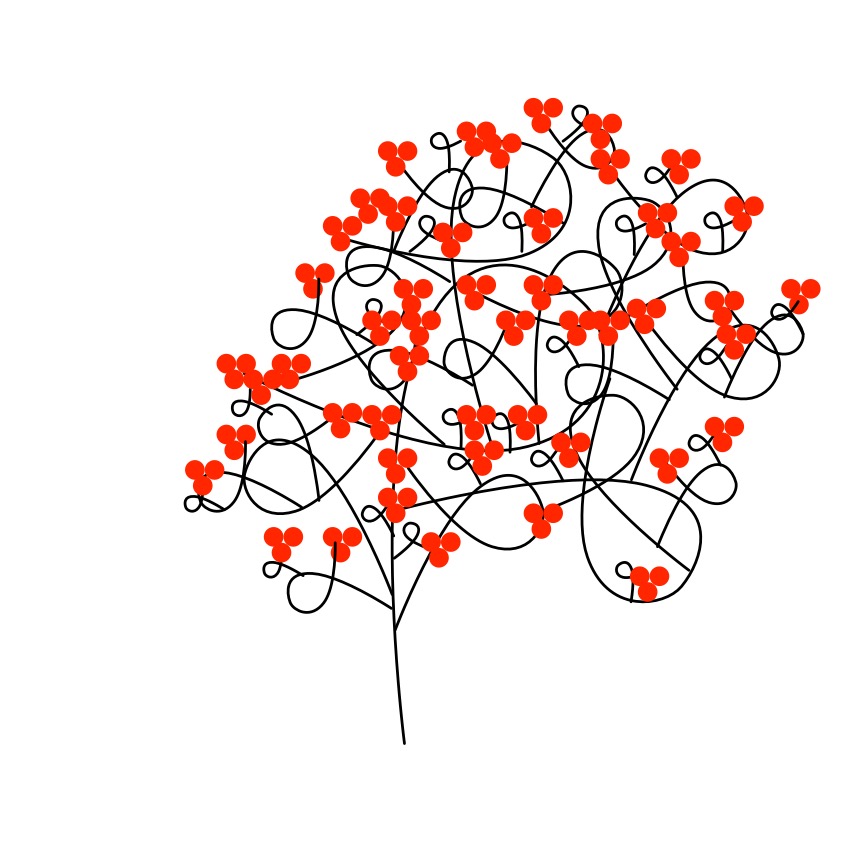
Doodle 6: Red Berry Bush

1. Draw a looping line.
2. Draw 3 red circles on the end (as shown).
3. DoodleDraw from that line as follows:

To DoodleDraw from a given line:
   1. Move to any point on the line.
   2. Draw a new smaller looping line from it.
   3. Draw 3 red circles on the end of the
       new looping line.
   4. Choose a new existing line.
   5. DoodleDraw from that line.
Doodle 7: Internal Triangle Christmas Tree

1. Draw an outline of a Christmas tree as a triangle (as shown).
2. Colour in the star, pot and trunk.
3. DoodleDraw in that triangle as below.

To DoodleDraw in a given triangle:
1. Pick one of the three corners of the
   triangle.
2. Draw a smaller triangle in the bigger one
   at that corner (a quarter the size of the
   original).
3. Draw a small coloured circle somewhere
   in the new triangle.
4. Either colour the new triangle green OR
   leave it as it is at random.
5. Choose a new existing triangle.
6. DoodleDraw in that triangle.
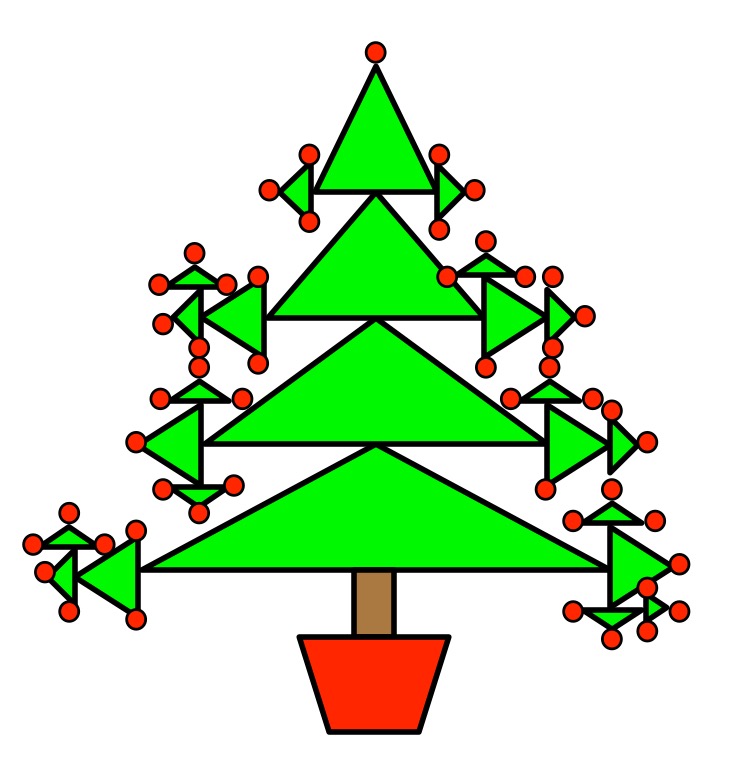
Doodle 8: External Triangle Christmas Tree

1. Draw a small squat Christmas tree
   as a triangle (as shown).
2. DoodleDraw on that triangle as follows:

To DoodleDraw on a given triangle:
1. Pick one of the three corners of the triangle.
2. EITHER draw a small round circle on the tip,
   OR	  draw a smaller green triangle
          pointing out from the tip.
3. IF there are no unused tips of triangles
   THEN FINISH
   ELSE
     a. Choose a new existing triangle
     b. DoodleDraw from that triangle.
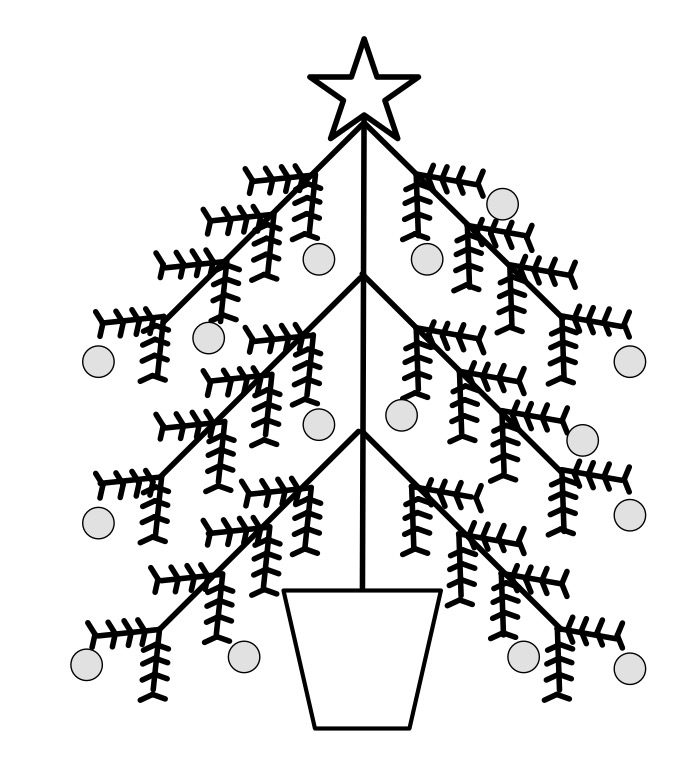
Doodle 4: Bare Christmas Tree

1. Draw a completely bare christmas tree shape (as shown)
2. DoodleDraw from the branches of the tree as follows.
3. Repeatedly pick the end of a line at
    random and draw a small circle there.

To DoodleDraw from a given line:
1. Draw a V at the end of the line
   pointing towards the base of the line.
2. Draw a V three-quarters of the way along the line
   pointing towards the base of the line.
3. Draw a V half way along the line
   pointing towards the base of the line.
4. Draw a V a quarter of the way along the line
   pointing towards the base of the line.
5. Choose a new existing line
6. DoodleDraw from that lineFantastic Animals
Puzzle 10: Fabulous Beasts: Recursive Centaur

1. Draw the body and legs of a horse
   (as shown)
2. DoodleDraw from that body as follows.

To DoodleDraw from a given body:
EITHER
   a. In the position of the head,
      at an angle of 45 degrees to
      the original, draw the front
      half of a new horse’s body and
      front legs, two-thirds the size
      of the previous one.
   b. DoodleDraw from that new body
OR FINISH
Invent your own doodle art
Now start doodling and invent your own algorithmic doodle art. Perhaps it is a kind of grass, or a bush or tree. Perhaps it is a fabulous beast. Once you have doodled something you like, write the “recursive” rules that generate different variations of it.
Write Doodle art programs
Now try and code the rules up as a program in your favourite programming language using recursion (write a DoodleDraw function that calls itself). Your program should use randomness to draw a different version of the doodle each time it is run. You will also find you need to include a rule saying exactly when to stop. This is called the base case of the recursion. When drawing the pictures you probably just stopped when the picture looked detailed enough.
Write a program that creates a field of grass or sky full of snowflakes using the code.
Invent your own doodle art rules and write programs to draw using them.
Doodle Algorithm Results
Here are examples from when I followed the Doodle Algorithms.
Curvy Grass
Leafy Branch
Spiky Grass
Bramble Buds
Blossom Tree

Rose Bush with Buds
William Morris Inspired Blue Leaves
William Morris Inspired Flowers with Bird
Snowflake

Recursive Wrapping
Red Berry Bush
Internal Triangle Christmas Tree

External Triangle Christmas Tree
Christmas Tree
Centaur

Our Books …
- The Power of Computational Thinking:
- Games Magic and Puzzles to help you become a computational thinker
- Conjuring with Computation
- Learn the basics of computer science through magic tricks
Subscribe to be notified whenever we publish a new post to the CS4FN blog.

EPSRC supports this blog through research grant EP/W033615/1.
 cs4fn
cs4fn 